
Disclosure: LabFin is reader-supported. If you sign up for a tool through links on this page, we may earn a commission at no extra cost to you. Commissions vary between providers and our ratings do not — here’s our full disclosure.
To build AI automations without code, pick one repetitive task, map its trigger and steps, and add a single AI step with clear instructions. Tools such as Zapier and Make, for example, connect your apps visually, with no code needed.
This guide covers example automations, a six-step workflow, how to write a reliable AI step, and the checks that keep automations safe.
How to Build AI Automations Without Code: The Short Answer
First, choose a task you repeat every week, such as summarizing form replies. Then build it in Zapier for the easiest start, or in Make for lower cost per run.
Next, however, test with sample data, add an approval step before anything is sent or deleted, and watch usage. Our list of the best AI automation tools compares the options.
Example Automations
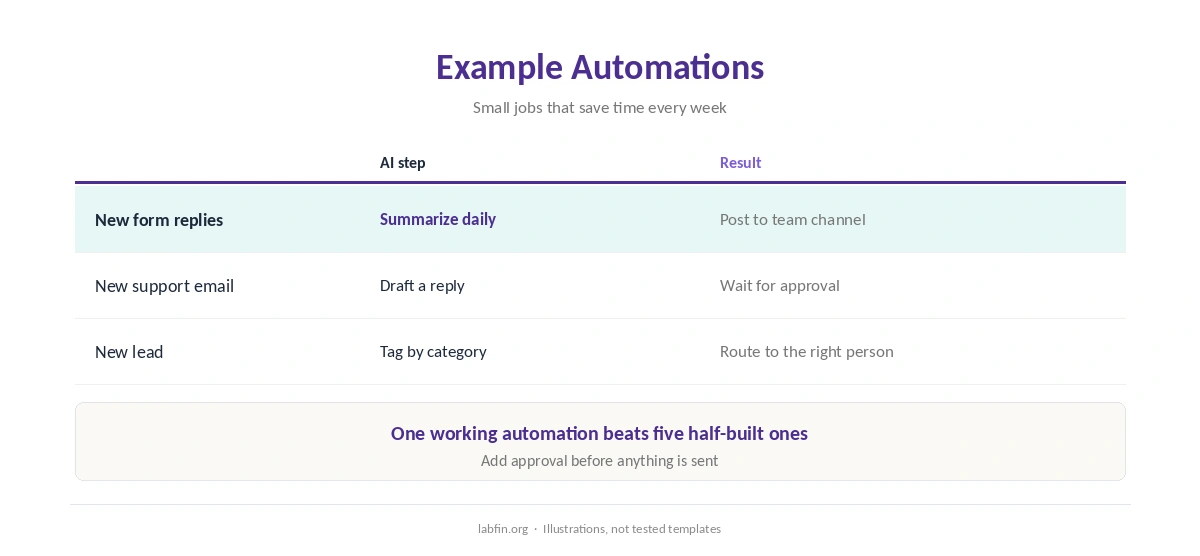
An automation, for example, can summarize new form replies into a team channel each day. Another can draft a reply to each support email for approval, and a third can tag new leads and send them to the right person.
Our guide to building a personal AI workflow shows where automations fit, and our guide to combining AI tools covers handoffs.
Step 1: Pick One Repetitive Task
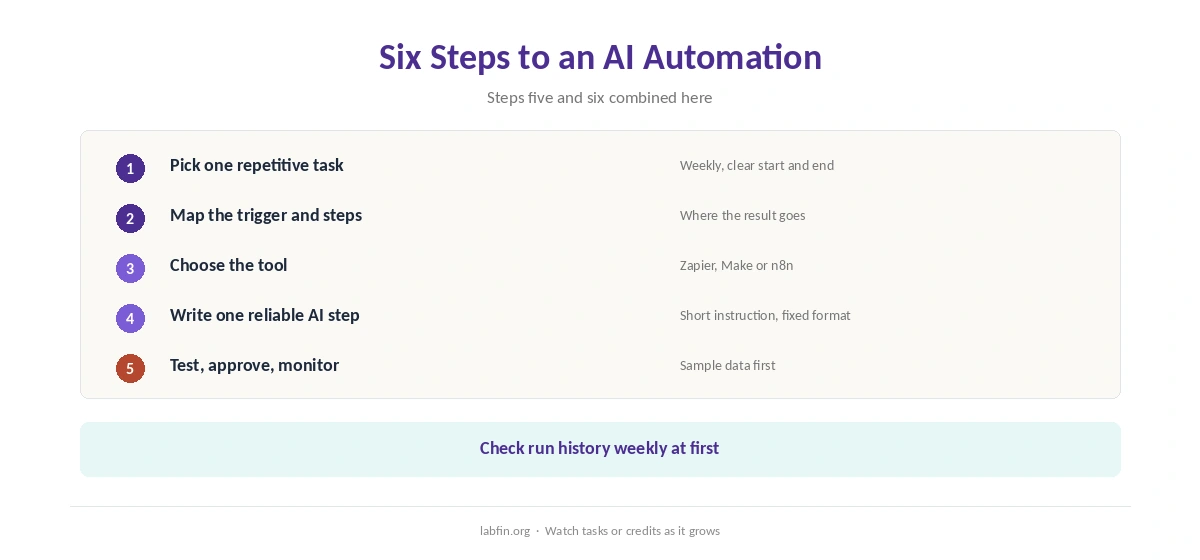
Choose a task with a clear start and end that you do at least weekly. Start small, since one working automation teaches more than five half-built ones.
Step 2: Map the Trigger and Steps
Write down what starts it, what happens in order, and where the result goes. That map, as a result, becomes the Zap or scenario.
Step 3: Choose the Tool
Zapier is the easiest for beginners, and Make costs less per run. n8n, by contrast, suits technical users who want to self-host, as our n8n review covers.
Our Zapier vs Make comparison and Zapier review help decide.
Step 4: Write a Reliable AI Step
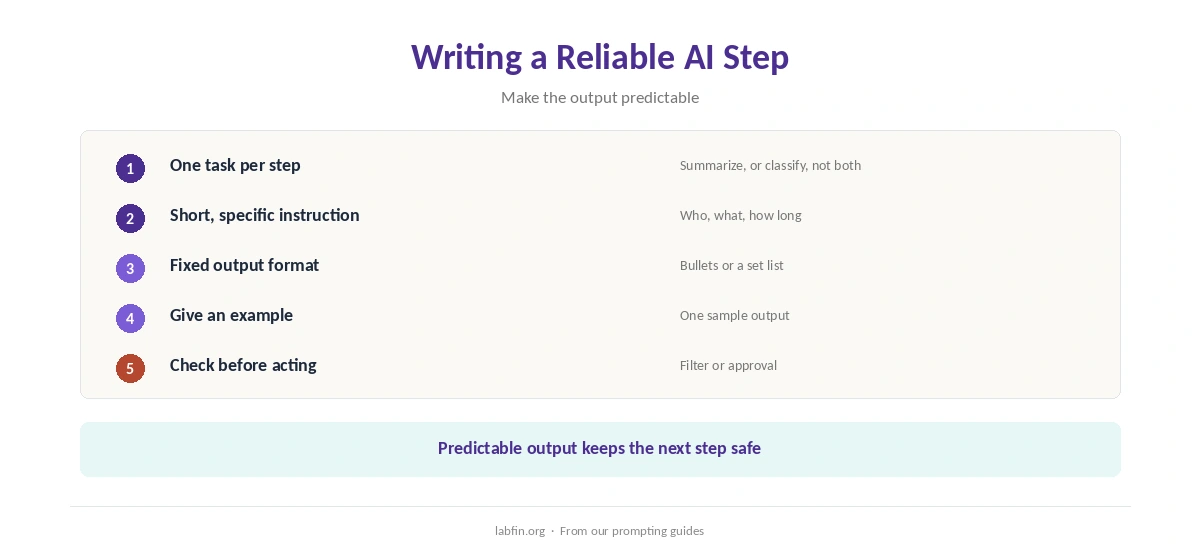
Give the AI step a short, specific instruction and a fixed output format. For example, ask for three bullet points or one category from a set list. Fixed formats, moreover, make the next step predictable.
Our guide to writing better prompts covers the instruction itself.
Step 5: Test, Then Add Approval
When you build AI automations without code, run each one on sample data and check every output. Then add a human approval step before the workflow sends, publishes or deletes anything. Our guide to reducing AI hallucinations explains why.
Step 6: Monitor Runs and Costs
Check run history weekly at first, and watch tasks or credits, since loops and long workflows add up. Our guide to understanding AI usage limits covers metered billing, and our list of the best AI for productivity covers assistants.
Keep Data Safe
Give each connection the least access it needs, and keep regulated data out of AI steps until you check each tool’s terms. Our guide to which AI tools train on your data compares them.
How We Research
This guide on how to build AI automations without code draws on our reviews of Zapier, Make and n8n. We read them between July and October 4, 2026, along with Zapier’s automation platform page.
We ran no automation tests of our own. Our about page explains how we research, and our Make review covers its AI assistant.
How to Build AI Automations Without Code FAQ
Yes: Zapier and Make connect apps visually, with AI steps you configure in plain language.
Zapier is the easiest; Make costs less per run once you learn its builder.
A short, specific instruction and a fixed output format, plus checks before actions.
Test with sample data and add an approval step before sending, publishing or deleting.
Zapier bills tasks per step, Make credits per module, and n8n executions per run.
The Verdict
Building AI automations without code is practical today, as long as you start small and keep a human in the loop. Unchecked automations, however, can make mistakes at scale.
So pick one task, map it, add one clear AI step, test, approve and monitor. That is how to build AI automations without code that stay reliable.