
Disclosure: LabFin is reader-supported. If you sign up for a tool through links on this page, we may earn a commission at no extra cost to you. Commissions vary between providers and our ratings do not — here’s our full disclosure.
This n8n review covers a workflow automation tool you can run free on your own server or use as a paid cloud service, with AI agent nodes that work with your own model keys.
It bills per workflow run rather than per step, and self-hosting keeps data on your servers. However, it suits technical users more than beginners.
n8n Review: Is It Worth It in 2026?
For technical teams that want control and low cost at volume, yes. The self-hosted Community Edition costs nothing but your server.
For non-technical users, Zapier is easier. Self-hosting also means you handle updates, backups and security.
What n8n Does
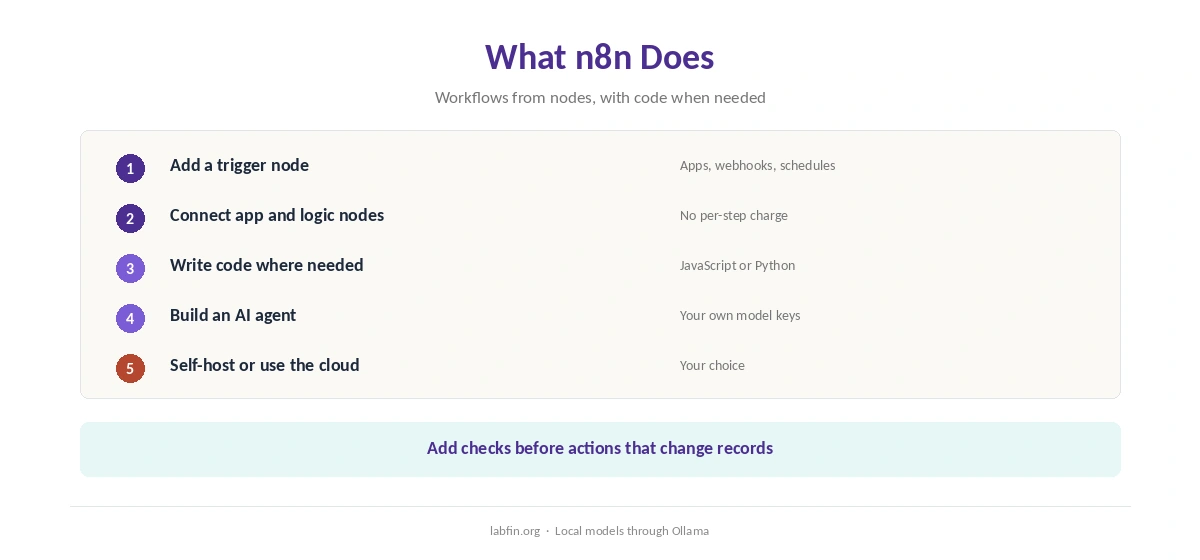
First, a workflow links nodes for triggers, apps, code and logic on a canvas. You can add JavaScript or Python where a node falls short.
AI nodes, moreover, build agents that call OpenAI, Anthropic or local models through Ollama, using your own keys. Our guide to building a personal AI workflow shows where automation fits.
What n8n Costs
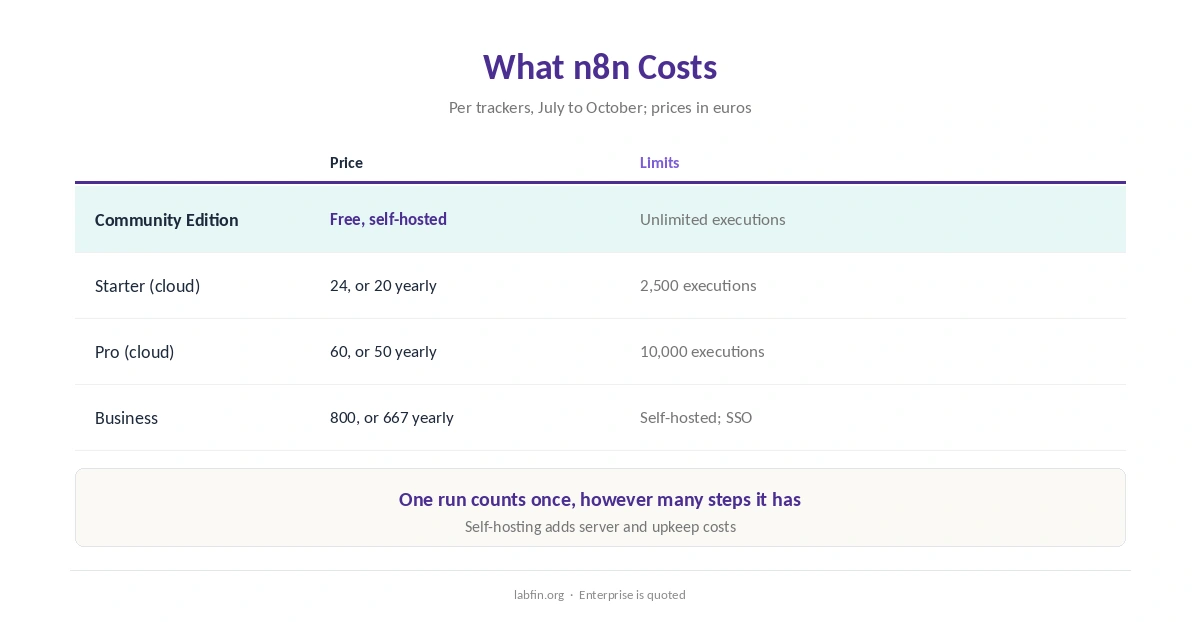
n8n sells cloud plans by executions, one per workflow run, as trackers read its pricing page between July and October 2026.
| Plan | Price | Limits |
|---|---|---|
| Community Edition | Free, self-hosted | Unlimited executions; your server |
| Starter (cloud) | 24 euros/mo, or 20 yearly | 2,500 executions a month |
| Pro (cloud) | 60 euros/mo, or 50 yearly | 10,000 executions a month |
| Business (self-hosted) | 800 euros/mo, or 667 yearly | About 40,000 executions; SSO |
Because one run counts once however many steps it has, long workflows cost less than on per-step pricing. Self-hosting, however, adds server and upkeep costs. Our guide to understanding AI usage limits explains metered billing.
To keep costs down, in addition, our guide to reducing AI subscription costs lists tactics.
AI Features
AI Agent nodes plan and call tools inside a workflow, and they can run local models through Ollama, as our Ollama review covers.
Such steps, however, can misread inputs, so add checks before actions that change records. Our list of the best AI for productivity covers assistants that pair well, and our guide to combining AI tools shows how to split jobs.
Your Data
Self-hosting the Community Edition keeps workflow data on your own servers. We did not find a stated rule on training for n8n Cloud.
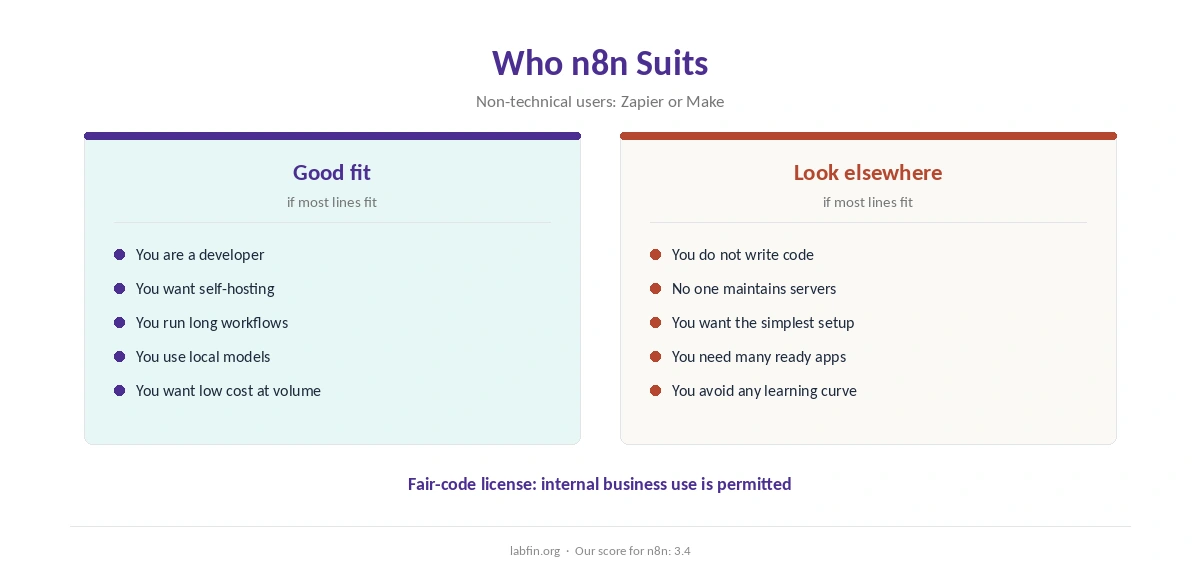
The Community Edition uses the Sustainable Use License, a fair-code license that permits internal business use but is not an OSI open-source license. Our guide to which AI tools train on your data compares more tools.
Reliability and Safety
Automations act on real accounts, so a wrong step can send emails or change records at scale. Therefore, test with sample data, add approval steps for sensitive actions, and give connections the least access they need.
AI steps add another risk: prompt injection through emails or documents the workflow reads. Our guide to reviewing AI-generated code covers checks that apply to generated logic too, and our guide to reducing AI hallucinations covers AI steps.
n8n vs Other Automation Tools
Zapier, for example, is easier for non-technical users, while Make offers a hosted visual builder with an AI assistant.
Our reviews of Zapier and Make cover the alternatives.
Who Should Use n8n
Overall, this n8n review finds it suits developers and technical teams that want control, self-hosting or local models. It also suits high-volume workflows with many steps. Our Zapier vs n8n comparison also weighs price and data terms.
By contrast, however, it suits non-technical users and teams without someone to maintain a server less. Our list of the best AI for business covers team tools.
How We Research
This n8n review takes plans from trackers that read its pricing page in 2026, and data terms from n8n’s pricing page as read by trackers.
However, we ran no automation tests of our own. Our about page explains the criteria, and our guide to measuring AI tool ROI helps judge the cost.
n8n Review FAQ
The self-hosted Community Edition is free with unlimited executions; you pay for your own server.
Starter costs 24 euros a month or 20 yearly for 2,500 executions; Pro 60 or 50 for 10,000.
It is fair-code under the Sustainable Use License, which is not an OSI open-source license.
Yes, through Ollama nodes, as well as OpenAI and Anthropic with your own keys.
n8n for control, self-hosting and per-run pricing; Zapier for ease and app coverage.
n8n
Free to self-host, built for technical users
n8n runs free on your own server, bills cloud plans per run rather than per step, and builds agents with your own model keys. Against that, it suits technical users, self-hosting needs upkeep, and cloud training terms are unstated.
The Verdict
n8n gives technical teams the most control of Zapier, Make and n8n, with free self-hosting and per-run pricing. Beginners, however, will find Zapier or Make easier.
The rest of this n8n review sets the score at 3.4. So start small, test with sample data, and watch usage as workflows grow.