
Disclosure: LabFin is reader-supported. If you sign up for a tool through links on this page, we may earn a commission at no extra cost to you. Commissions vary between providers and our ratings do not — here’s our full disclosure.
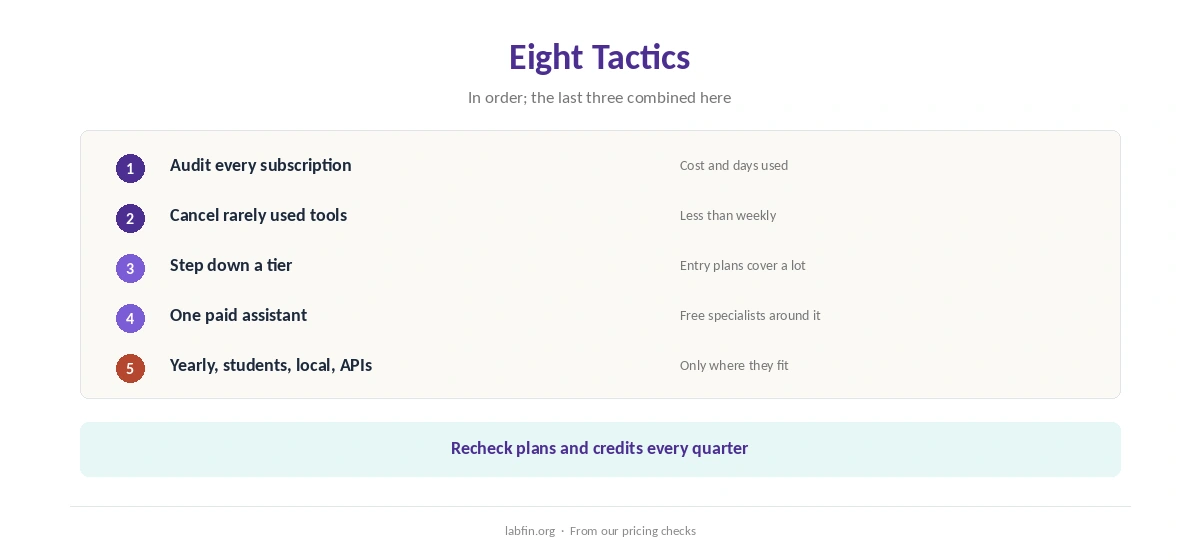
To reduce AI subscription costs, start with an audit: list every tool, what it costs and how often you use it. Then, for example, cancel what you rarely open, move to cheaper tiers, and keep one paid assistant with free specialists around it.
This guide sets out eight tactics, from entry plans and student prices to local models and APIs. Each one links to the review or guide where we checked the numbers.
How to Reduce AI Subscription Costs: The Short Answer
To reduce AI subscription costs, first cancel tools you used less than weekly last month. Next, step down to entry plans such as ChatGPT Go at $8 in the US or Google AI Plus at $4.99, if they cover your work.
Then pay yearly only for daily tools, claim student prices if eligible, and recheck every quarter. Our list of the cheapest useful AI tools compares low-cost plans.
Step 1: Audit Every Subscription
List each AI tool, its monthly cost, and how many days you used it last month. Also note overlap: two assistants often cover the same jobs.
Our guide to measuring AI tool ROI shows how to value the time saved, and our AI tool costs breakdown adds up a year.
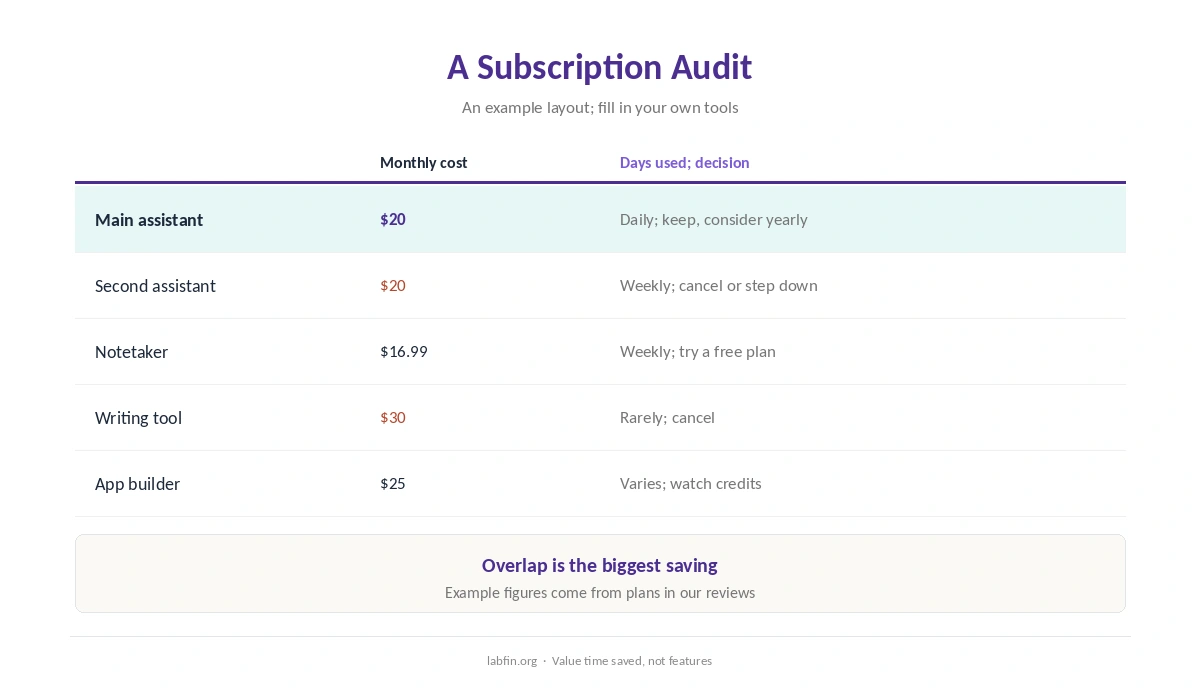
Step 2: Cancel or Pause Rarely Used Tools
Cancel anything you opened less than weekly, and set reminders for any free trials. Our guide on how to cancel ChatGPT Plus covers refunds and timing.
Step 3: Step Down a Tier
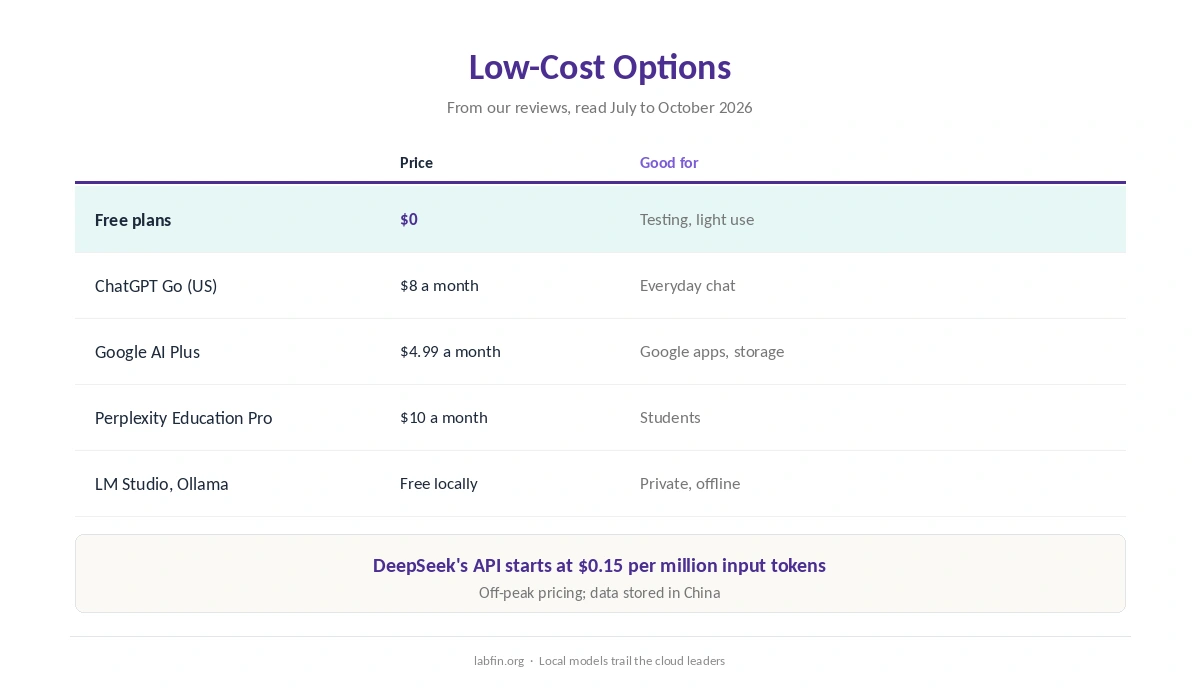
Entry plans often cover everyday work: ChatGPT Go costs $8 in the US, and Google AI Plus $4.99. Our comparison of free and paid AI tools shows what each step adds.
Step 4: One Paid Assistant, Free Specialists
Pay for one main assistant, and use free plans for the rest. Gemini Notebook, for example, handles documents, Consensus papers, and Fathom meeting notes, as our Fathom review covers. Our guide to free AI workflows shows six combinations.
Step 5: Pay Yearly Only for Daily Tools
Yearly billing saves 17% on Claude Pro and Perplexity Pro, and more on some specialists. Commit, however, only to tools you use daily, as our guide to annual vs monthly AI subscriptions explains.
Step 6: Claim Student and Team Prices
Eligible students can get Perplexity Education Pro for $10 or a free year of Google AI Pro in the US, as our guide to AI tools student discounts lists.
Small teams, moreover, can share Copy.ai Chat at $29 a month for five seats, as our Copy.ai review covers.
Step 7: Use Local Models or APIs for Heavy Work
LM Studio and Ollama run open models locally for free. DeepSeek’s API, moreover, starts at $0.15 per million input tokens off-peak. Our list of the best local AI tools covers setup.
Step 8: Watch Credits and Recheck Quarterly
Credit-based tools, such as app builders and coding agents, can cost more than their plan price. So check usage monthly, and recheck plans each quarter, since prices changed often in 2026.
Our guide to how AI pricing has changed lists recent changes.
How We Research
This guide on how to reduce AI subscription costs draws on the pricing checks behind our reviews, read between July and October 4, 2026. One example source is OpenAI’s Help Center.
We do not know your usage, so treat the steps as a checklist. Our about page explains how we research.
How to Reduce AI Subscription Costs FAQ
Free plans first, then one entry plan such as ChatGPT Go at $8 in the US or Google AI Plus at $4.99.
Rarely; pay for one and use free plans of specialist tools around it.
Only for tools you use daily; it saves 17% to 60% across the plans we checked.
For some tasks: LM Studio and Ollama are free locally, though local models trail the cloud leaders.
Every quarter, since plans and limits changed often in 2026.
The Verdict
To reduce AI subscription costs, audit first, then cut, step down and consolidate. Most savings, however, come from dropping overlap, not from switching vendors.
So keep one paid assistant, use free specialists, and recheck each quarter.