
Disclosure: LabFin is reader-supported. If you sign up for a tool through links on this page, we may earn a commission at no extra cost to you. Commissions vary between providers and our ratings do not — here’s our full disclosure.
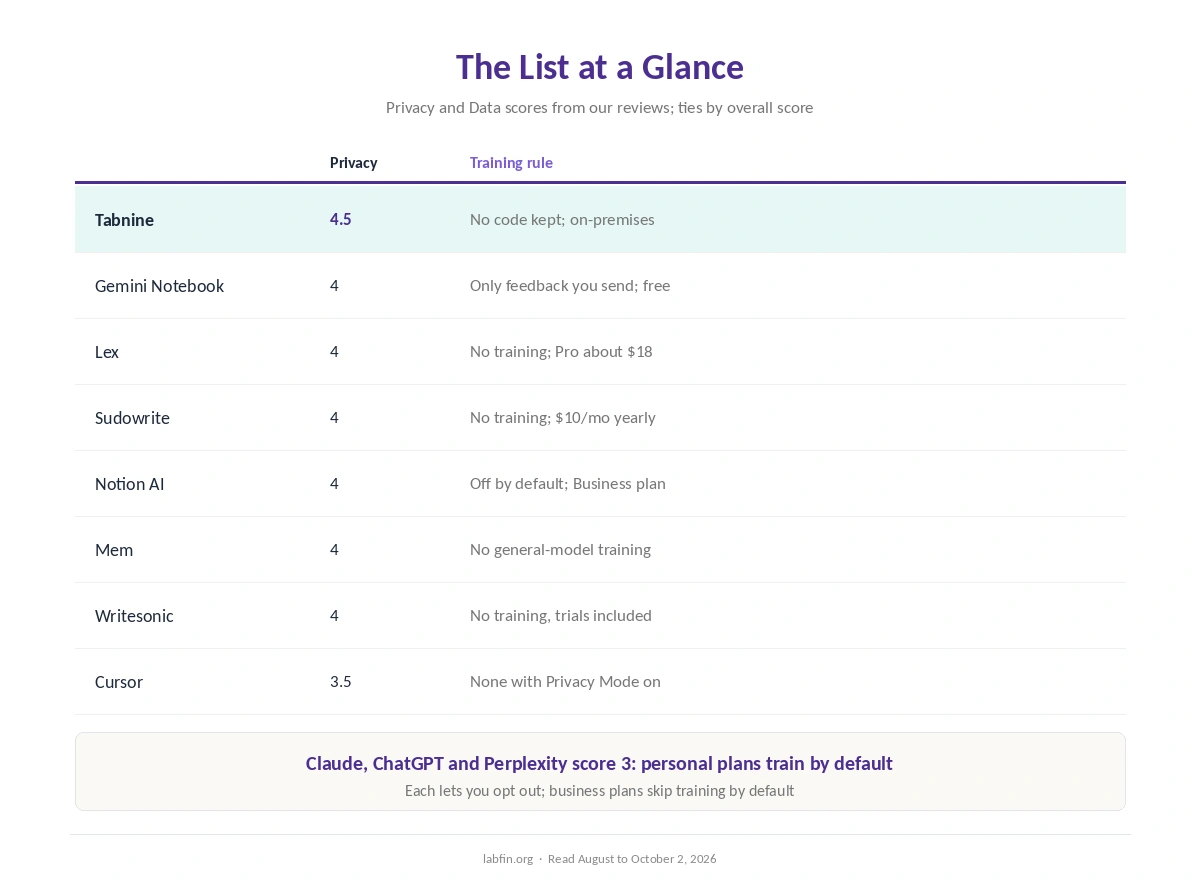
The best AI tools for privacy, in our order, are Tabnine, Gemini Notebook, Lex, Sudowrite, Notion AI, Mem, Writesonic and Cursor. We rank them by the privacy score in our reviews, which weighs training defaults, retention and controls.
None of them, however, makes data risk disappear. Each entry below, moreover, names its training rule, its plan to start, and what to check before you paste sensitive material.
Best AI Tools for Privacy: The Short Answer
Among the best AI tools for privacy, Tabnine ranks first for code that must stay inside your network: it keeps no customer code and runs on your own servers. For documents, by contrast, Google’s Gemini Notebook is free and does not train on your sources unless you send feedback.
Lex and Sudowrite, meanwhile, promise no training on writing on any plan. The big assistants, however, can be made more private with the right settings, as a section below explains.
The List at a Glance
| Tool | Privacy score | Training rule; plan to start |
|---|---|---|
| Tabnine | 4.5 | No code kept; from $39 per user, yearly |
| Gemini Notebook | 4 | Only feedback you send; free |
| Lex | 4 | No training; Pro about $18/mo |
| Sudowrite | 4 | No training; $10/mo yearly |
| Notion AI | 4 | No training by default; Business $20/member |
| Mem | 4 | No general-model training; Plus $9/mo |
| Writesonic | 4 | No training, trials included; $79/mo yearly |
| Cursor | 3.5 | None with Privacy Mode; Pro $20/mo |
How We Ordered the Best AI Tools for Privacy
This list follows the Privacy and Data score in our reviews, highest first. Where scores tie, the overall review score decides, so Gemini Notebook, at 3.6 overall, sits above Lex at 3.5.
Tools scoring below 3.5 on privacy, however, are left out of the ranking. Our guide to which AI tools train on your data lists every tool’s default.
This list covers cloud and hosted tools. Since it was written, however, we have also reviewed two local runners, LM Studio and Ollama, which score 4.5 on privacy because prompts stay on your computer. Our list of the best local AI tools ranks them, and our local AI vs cloud AI comparison explains the trade-off.
1. Tabnine: Code That Stays Inside
First, Tabnine keeps no customer code and never trains on it, on any plan. It also runs in your own cloud, on your servers or in a fully disconnected network.
What to check, though: it sells only to organizations, from $39 per user on yearly contracts. Our Tabnine review covers the details.
2. Gemini Notebook: Free Answers From Your Sources
Google’s Gemini Notebook, formerly NotebookLM, does not train on your sources unless you send feedback. It answers from up to 50 sources per notebook with linked citations, for free.
What to check, however: other Gemini products follow different rules. Our NotebookLM review explains the difference.
3. Lex: A Writing Editor That Never Trains
Lex, for example, says it does not train models on your writing on any plan, and it reaches OpenAI and Anthropic models through enterprise APIs. It also promises an email and opt-out if that ever changes.
What to check, though: it is writing-only. Our Lex review covers the editor.
4. Sudowrite: Fiction With a Consent-Trained Model
Sudowrite, similarly, states it never trains on your work, and it says its Muse model was trained only on data authors consented to share. It claims no rights over your writing.
What to check, however: its third-party models run through other companies’ services. Our Sudowrite review covers the trade-offs.
5. Notion AI: Workspace Answers Without Training
Notion AI, for its part, does not train on your data by default, and its AI providers keep data for 30 days or less. It answers from your whole team workspace on the Business plan.
What to check, though: full AI needs Business at $20 per member, billed yearly. Our Notion AI review covers the plans.
6. Mem: Personal Notes, No General-Model Training
Mem’s privacy policy rules out training any generalized model on your notes or connected data. It also encrypts data at rest and holds a SOC 2 Type II report, though notes are not end-to-end encrypted.
What to check, however: every plan caps usage. Our Mem review covers the limits.
7. Writesonic: No Training, Trials Included
Writesonic’s privacy policy also rules out training on customer data, including trials, and it is SOC 2 Type 2 audited.
What to check, though: it now sells AI search visibility, and Starter bills $948 a year. Our Writesonic review explains.
8. Cursor: Privacy Mode for Code
Finally, with Privacy Mode on, Cursor does not train on your code, and it keeps zero data retention agreements with its model providers. Pro costs $20 a month.
What to check, however: it runs in the cloud, and Privacy Mode must be on. Our Cursor vs Tabnine comparison covers deployment.
Making the Big Assistants More Private
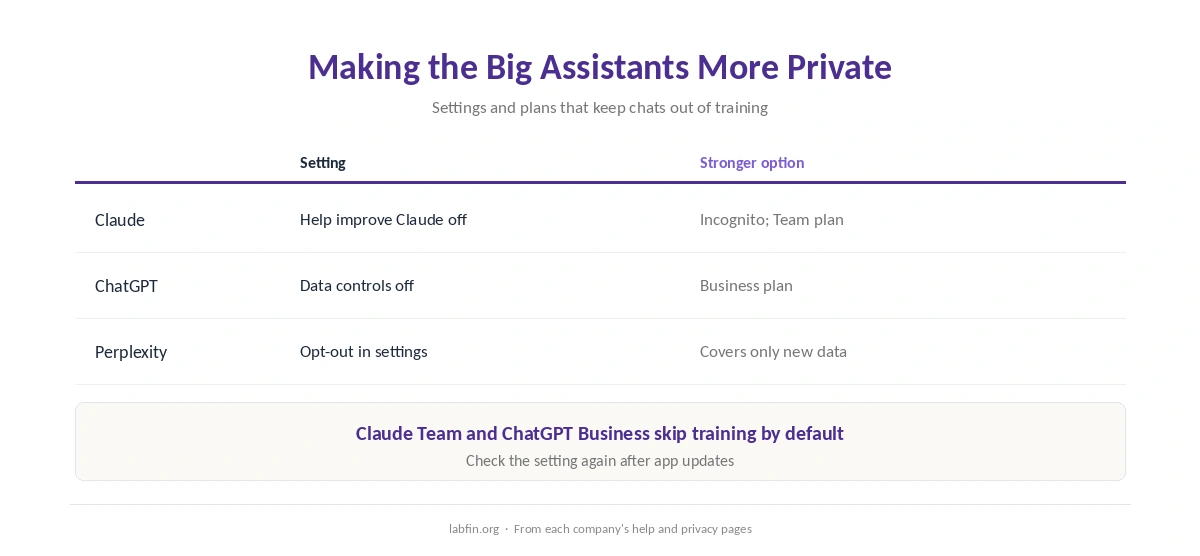
Claude, ChatGPT and Perplexity score 3 on privacy, because personal plans train by default. Each, however, lets you opt out: Claude under Help improve Claude, ChatGPT under Data controls, and Perplexity in its settings, which covers only new data.
Claude’s Incognito chats, moreover, are not used for training, and Claude Team and ChatGPT Business skip training by default. Our guides to Claude pricing and ChatGPT pricing list the business plans.
Before You Paste Anything Sensitive
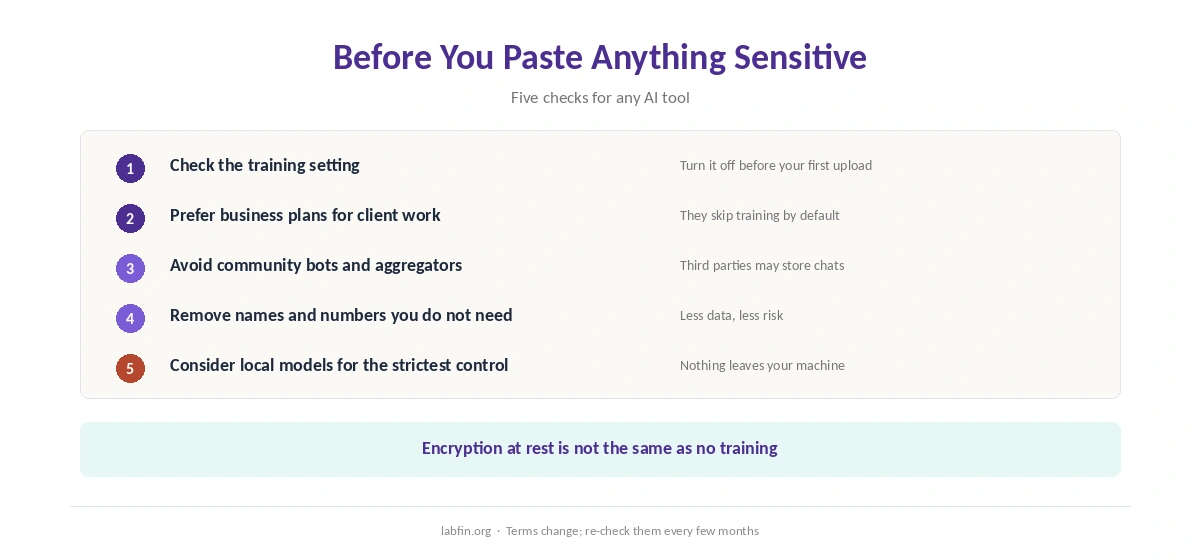
First, check the training setting, prefer business plans for client work, and avoid community bots and aggregators such as Poe, whose bot developers may store chats. For the strictest control, also consider running open models locally.
Our guide to using Claude for long documents covers settings for sensitive files.
How We Research
This list of the best AI tools for privacy draws on our reviews of each tool, read against each company’s privacy policy, terms or help pages between August and October 2, 2026. One example source is Mem’s privacy policy.
We run no security tests of our own, and our about page explains the criteria.
Best AI Tools for Privacy FAQ
On this list, Tabnine: it keeps no customer code and can run fully offline. For documents, Gemini Notebook is free and trains only on feedback you send.
Tabnine, Lex, Sudowrite, Mem and Writesonic state they do not; Notion AI does not by default; Cursor does not with Privacy Mode on.
More private, yes: turn off training in settings, use Claude’s Incognito chats, or use Claude Team or ChatGPT Business, which skip training by default.
Often less so. Poe’s policy, for example, lets third-party bot developers store chats and train on them.
No. Mem encrypts data at rest, for example, but not end to end, because it must process your notes.
The Verdict
The best AI tools for privacy put clear rules on training and retention in writing. Tabnine leads for code, Gemini Notebook for documents, and Lex and Sudowrite for writing.
Still, check each tool’s current terms and your settings before you paste anything sensitive. Privacy depends on both the tool and how you use it.