
Disclosure: LabFin is reader-supported. If you sign up for a tool through links on this page, we may earn a commission at no extra cost to you. Commissions vary between providers and our ratings do not — here’s our full disclosure.
ChatGPT vs Lex compares a general assistant with a writing editor that runs on similar models. ChatGPT, for example, handles research, writing, images, code and Office documents. Lex, by contrast, is a minimalist word processor with AI feedback built into the page, using models from OpenAI, Anthropic and TogetherAI.
Our reviews score ChatGPT 3.6 and Lex 3.5. So the choice depends on whether you want breadth or a focused editor with stricter data terms.
ChatGPT vs Lex: The Short Answer
Choose ChatGPT, first, if you want one tool for many jobs. Plus costs $20 a month and Go $8 in the US, and you can turn off training in a settings menu.
Choose Lex instead, however, if you mostly write and edit drafts. It keeps the page quiet, puts feedback where you write, and promises not to train on your writing on any plan, with Pro at about $18 a month.
Head to Head
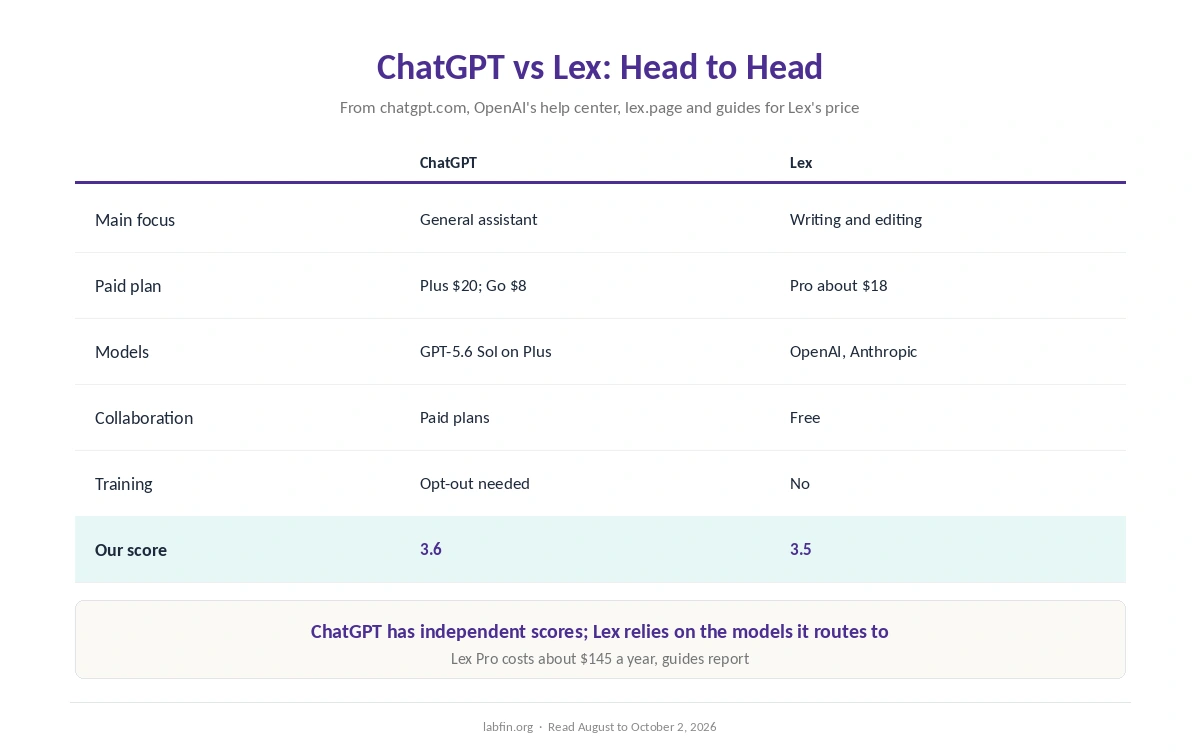
| Criterion | ChatGPT | Lex |
|---|---|---|
| Main focus | General assistant | Writing and editing |
| Paid plan | Plus $20/mo; Go $8 (US) | Pro about $18/mo, or about $145/yr |
| Models | GPT-5.6 Sol in chat on Plus | OpenAI, Anthropic, TogetherAI |
| Training on your writing | Yes on personal plans; opt-out | No, on every plan |
| Collaboration | Shared projects on paid plans | Free live collaboration |
| Beyond writing | Research, images, code, Office | None |
| Our score | 3.6 | 3.5 |
What Each One Does
First, ChatGPT runs deep research, writes and edits long documents in Canvas, creates images, runs Codex for code, and works inside Word, Excel and PowerPoint. Our guide to ChatGPT for writing covers its writing tools.
Lex, on the other hand, is a document editor first: comments, versions, live collaboration and read-only links. Its AI, moreover, gives feedback on drafts, rewrites passages and suggests better words without opening a chat.
Prices
ChatGPT Plus, for example, costs $20 a month, billed monthly only, and Go costs $8 in the US with ads possible. The free plan, meanwhile, covers everyday chats, as our ChatGPT pricing guide explains.
Lex Pro, by contrast, costs about $18 a month or about $145 a year, guides report, and Lex offers a refund after a month if you do not love it. Its free plan also includes the editor and limited AI checks.
Models and Evidence
On evidence, ChatGPT names its models and appears on independent boards: GPT-6 Astra scores 53 on Artificial Analysis’s Intelligence Index. Lex, however, has no independent test of its own.
Its output, therefore, depends on the OpenAI and Anthropic models it routes to, and its pricing page names older versions. Our guide to AI benchmarks explained covers the boards, and our ChatGPT vs Claude page compares two of the labs whose models Lex offers.
Data and Training
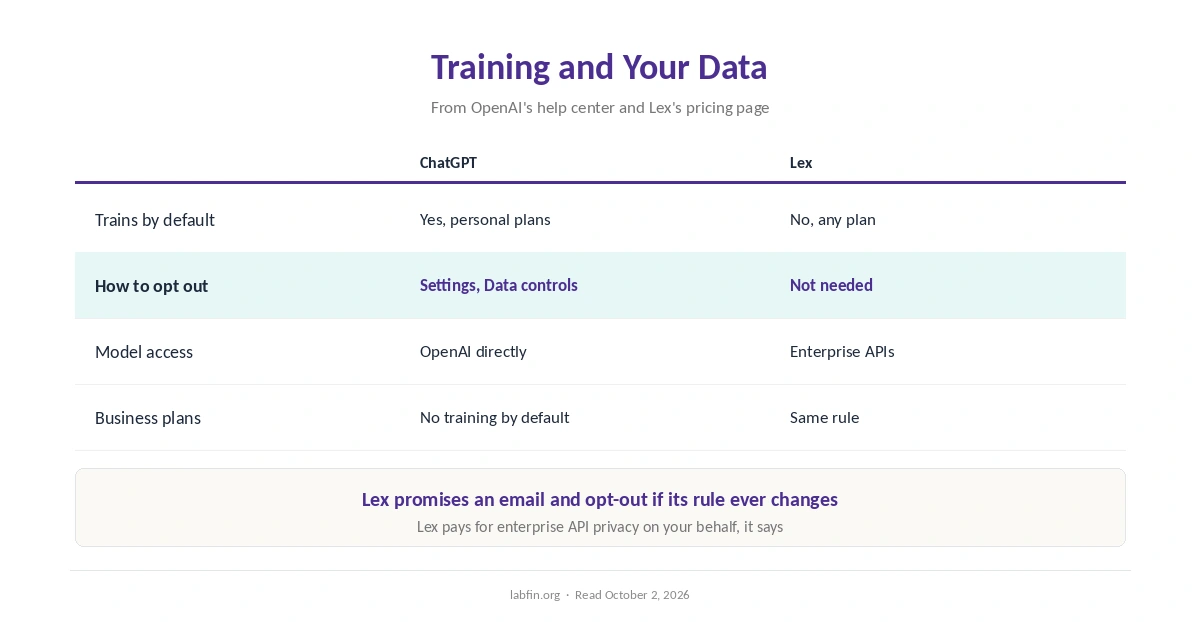
On data, ChatGPT trains on personal chats by default, but you can switch that off in Settings, under Data controls. Lex, by contrast, says it does not train models and uses enterprise APIs with stronger privacy terms.
Lex also promises to email you and offer an opt-out if that ever changes. Our guide to which AI tools train on your data compares both defaults.
Who Owns Each
OpenAI Group, for example, a public benefit corporation, makes ChatGPT, with Microsoft holding about a quarter. Lex, Inc., by contrast, is a small company founded by Nathan Baschez that spun out of Every in 2023. Our guide to who owns which AI tool covers OpenAI’s stakes.
Winners by Category
In short, ChatGPT wins on breadth, independent evidence and tools beyond writing. It also offers more free use.
Lex, on the other hand, wins on data terms, a focused editor and free collaboration. Overall, in ChatGPT vs Lex our scores are close, 3.6 against 3.5, so the job decides.
Which One to Choose
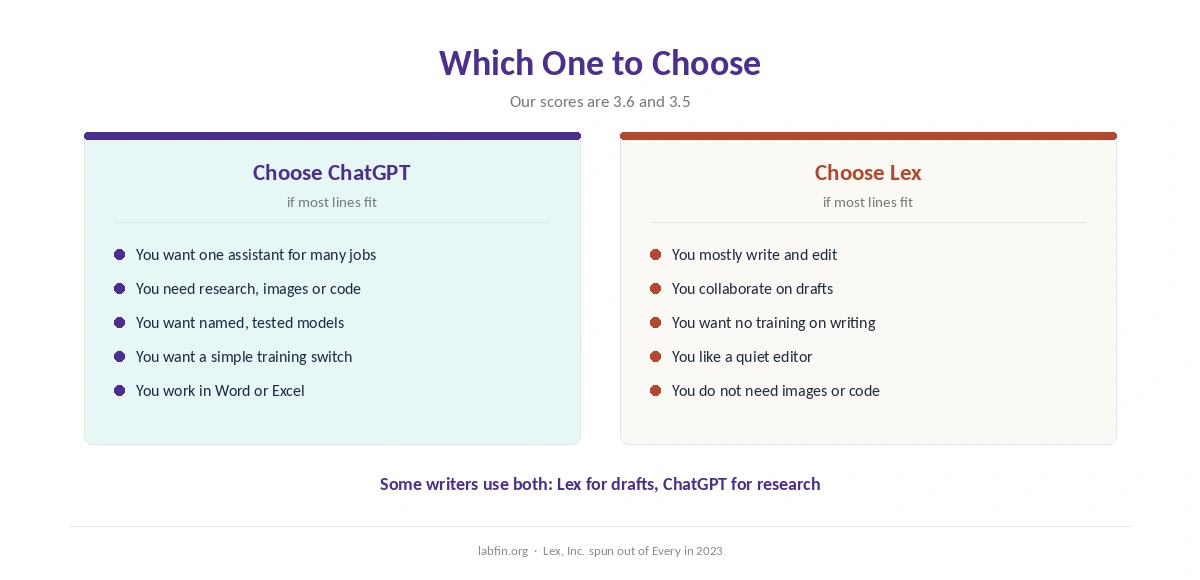
Overall, take ChatGPT if you want research, images, code and writing in one subscription. By contrast, take Lex if you mostly write, edit with others, and want no training on your drafts.
Some writers, therefore, use both: Lex for drafts and ChatGPT for research. Our Claude vs Lex comparison covers another pairing.
For other options, also see our list of ChatGPT alternatives and our ChatGPT vs HyperWrite comparison.
How We Research
This ChatGPT vs Lex comparison reuses the sources behind our reviews of each tool, including Lex’s pricing page and chatgpt.com/pricing, read between August and October 2, 2026.
We run no tests of our own. Our about page explains the criteria, and our list of the best AI for writing covers other writing tools.
ChatGPT vs Lex FAQ
Our reviews score ChatGPT 3.6 and Lex 3.5. ChatGPT does far more; Lex is a focused editor with stricter data terms.
Lex uses OpenAI models among others, alongside Anthropic and TogetherAI, through enterprise APIs.
They cost about the same: ChatGPT Plus $20 and Lex Pro about $18 a month. ChatGPT Go costs $8 in the US.
ChatGPT’s personal plans do by default, with an opt-out in Data controls. Lex says it does not train on your writing.
Yes. Some writers draft in Lex and research in ChatGPT.
The Verdict
Overall, ChatGPT vs Lex is close on our scores but differs in scope. ChatGPT, for example, is the broader tool, with stronger evidence.
Lex, however, is the better place to write if you want quiet, collaboration and clear data terms. So pick by how much of your work is writing.