
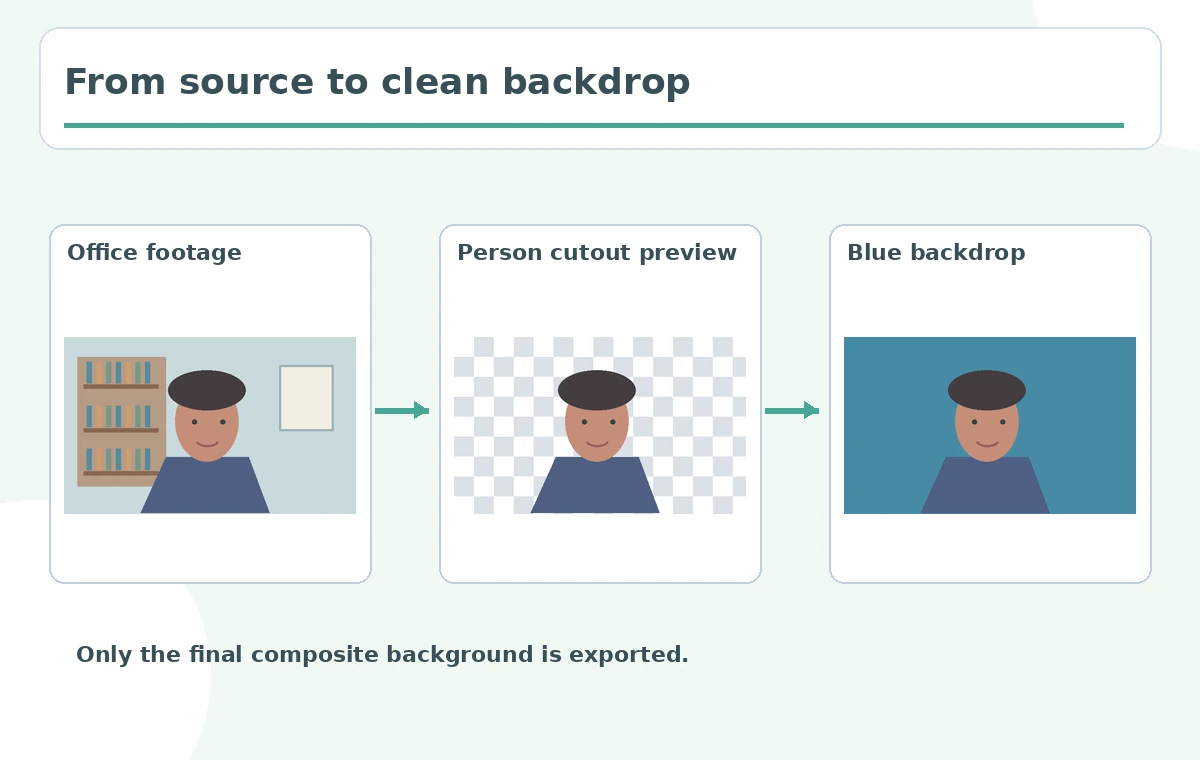
A nonprofit recorded a short interview in an office and wants a clean blue backdrop for a presentation. One clip has a busy bookshelf; another was shot in front of an evenly lit green screen. VEED provides an AI Background Remover and a separate Green Screen color-key effect, and their strengths differ. This guide compares those routes using the same presenter, a matte-edge checklist and a finished-frame proof. The illustrations are conceptual, not screenshots or measured comparisons of VEED outputs.
Identify which source background you actually have
Look at the office clip before choosing a tool: is the subject sharply separated from bookshelves and window shadows, or was the person filmed in front of a uniform green surface? Note fine hair, translucent glasses, green clothing and hand movement. A busy real-world background usually calls for subject-aware segmentation; a uniform screen may work with chroma key. Do not assume that an AI remover is always better merely because its name contains “AI.” A proper decision starts with source lighting, clothing and what objects need to remain visible around the presenter.
Understand the two separate VEED workflows
The official VEED Background Remover guide distinguishes AI Background Remover, which detects a person against an arbitrary scene, from Green Screen, which removes one selected background color. It explicitly notes that chroma key can work on subjects beyond people if the background is a suitable solid color. For a bookshelf interview, the AI route is a reasonable starting point. For evenly lit studio footage, selecting green may produce simpler controllable edges. Review the currently available account options before planning: VEED describes free trials and paid access separately.
Prepare footage and preserve the original composition
Save the original recording and make a copy of the edit. For either method, ensure the presenter stays within the frame and does not blend into the backdrop. Green clothing against a green screen can disappear along with the background, while a low-resolution busy-office clip can confuse hair separation. If possible, capture the source at a useful resolution with even subject lighting and avoid extreme motion blur. The final blue backdrop should support the speaker rather than hide natural motion. Keep a sample frame from the start and from any segment with raised hands.
Try the AI Background Remover on the busy office clip
VEED documents selecting a clip and using Remove Background from AI Tools or the clip’s Video panel. It is intended for visible people and works best when subject and background are distinguishable. Preview hair, glasses, sleeves and chair edges against the plain replacement color; a gap appearing inside the subject’s clothing is a segmentation defect. Look for video flicker as the person turns, not only one successful still. If the subject is small or poorly lit, the tool may struggle. Keep the unprocessed source so the editor can compare details that might have been wrongly deleted.
Use Green Screen when uniform color can be keyed cleanly
For the purpose-shot studio clip, choose Green Screen and sample the actual background color. VEED’s help page describes a sensitivity slider for adjusting how much of that color is removed. Increase it cautiously while watching whether green clothing, reflective glasses or skin edges begin disappearing. Shadows and folds in a fabric backdrop create slightly different greens, so one sampled color may leave remnants. An evenly illuminated physical screen typically reduces this burden. If a person is wearing green, capture a different screen color or choose a method that does not erase similar foreground pixels.

Compare matte edges using an identical blue background
Put both candidate cutouts over the same flat blue backdrop and inspect the same five elements: hair, ear, sleeve, moving hand and chair. A sharp-looking cutout may still exhibit green spill, jagged hair or a thin colored outline. Check at normal speed and mobile preview size. The goal is not to declare an untested winner but to choose an acceptable treatment for the actual footage. Use a neutral matrix with columns for edge region, visible defect and revision. Do not invent a score such as 98% removal accuracy unless that measurement actually exists.
Know the limitation of the exported file
The VEED editor guidance explicitly states that exported videos are not transparent: if no replacement is added, the default project color is used. Add the required background image or flat blue color before export and check layer order so it sits behind the speaker. A transparent-looking editor canvas is not proof of an alpha-channel export. If the client needs actual transparent video for another compositor, verify another supported workflow and codec instead of promising VEED provides it here. Test the delivered file in its target player.

Approve the composited clip and document the chosen method
Export the approved background version and inspect edges in motion, audio timing and crop. Keep the original footage, method used, chosen background, any sensitivity decision and screenshots of problem frames. If the interview is meant as documentary testimony, avoid replacing the environment in a way that implies the person was somewhere they were not. A simple neutral backdrop is often an acceptable presentation treatment if the context is clear. The real deliverable is a comprehensible edited interview with quality notes, not a claim that all background-removal routes are interchangeable.
How We Research
On October 28, 2026, we consulted VEED’s August 2026 video background removal documentation for the distinction between AI segmentation and Green Screen color keying, their controls and nontransparent exports. No video was processed for this article; the office and screen illustrations are conceptual examples and human QA remains necessary.
Frequently Asked Questions
The AI Background Remover is designed for people on nonuniform backgrounds.
When footage has a reasonably evenly lit single-color background.
Yes. The key may remove foreground pixels that resemble the selected color.
No. Its help page says exported videos use the selected or default background color.
Hair and clothing edges, hand motion, green spill, flicker, audio and final background.