
Disclosure: LabFin is reader-supported. If you sign up for a tool through links on this page, we may earn a commission at no extra cost to you. Commissions vary between providers and our ratings do not — here’s our full disclosure.
Replit vs Cursor compares two AI tools for building software. Replit puts a full editor, a terminal, an AI agent and hosting in one browser tab. By contrast, Cursor is a full AI code editor with agents and models from several labs, plus its own Composer model.
Our reviews score Replit 2.9 and Cursor 3.6. So the choice depends on the job and how much you care about data terms.
Replit vs Cursor: The Short Answer
Choose Cursor, first, on our scores: it scores 3.6 against 2.9 and fits AI help inside your own codebase.
Choose Replit, however, if you want apps built with a real editor; its entry paid plan is Core $20 with $20 of credits.
Head to Head
| Criterion | Replit | Cursor |
|---|---|---|
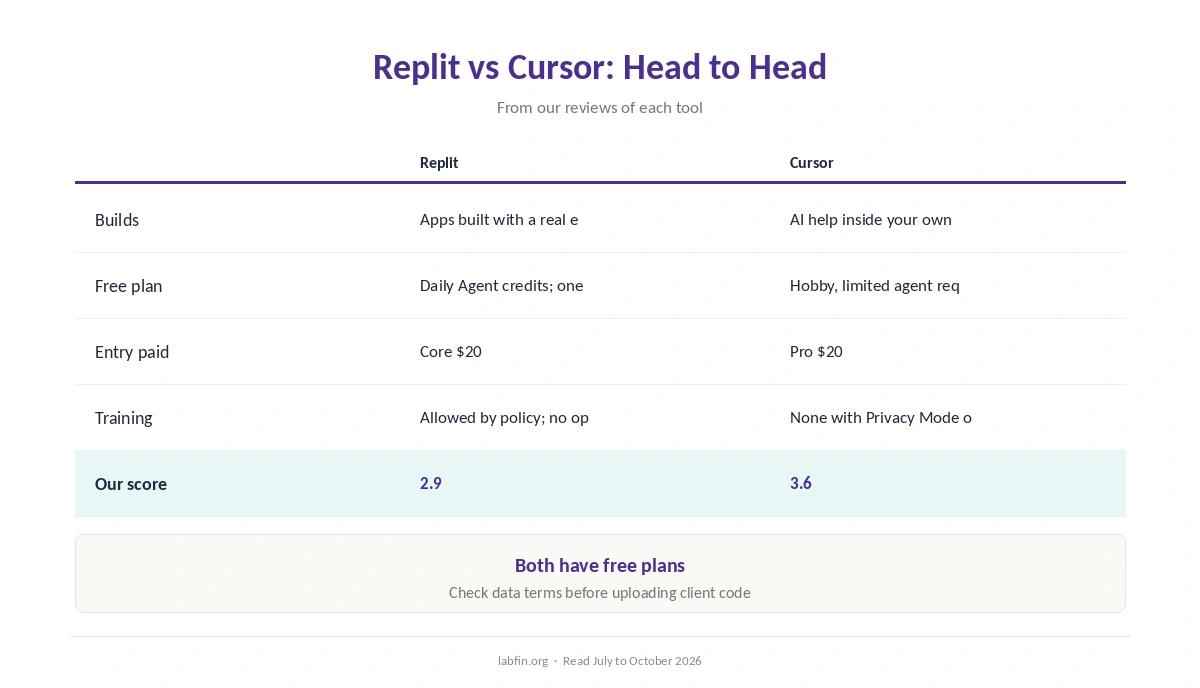
| Best for | Apps built with a real editor | AI help inside your own codebase |
| Works in | Replit’s cloud; hosting and databases | Your machine; you deploy elsewhere |
| Free plan | Daily Agent credits; one app | Hobby, limited agent requests |
| Entry paid plan | Core $20 with $20 of credits | Pro $20 with $20 of usage |
| Billing | Effort-based; failed attempts cost too | Included usage, then API rates |
| Training on your data | Allowed by policy; no opt-in | None with Privacy Mode on |
| Our score | 2.9 | 3.6 |
What Each Does
To begin with, Replit puts a full editor, a terminal, an AI agent and hosting in one browser tab. As a result, it suits people who want apps built with a real editor.
In contrast, Cursor is a full AI code editor with agents and models from several labs, plus its own Composer model. It suits people who want AI help inside your own codebase.
Prices and Billing
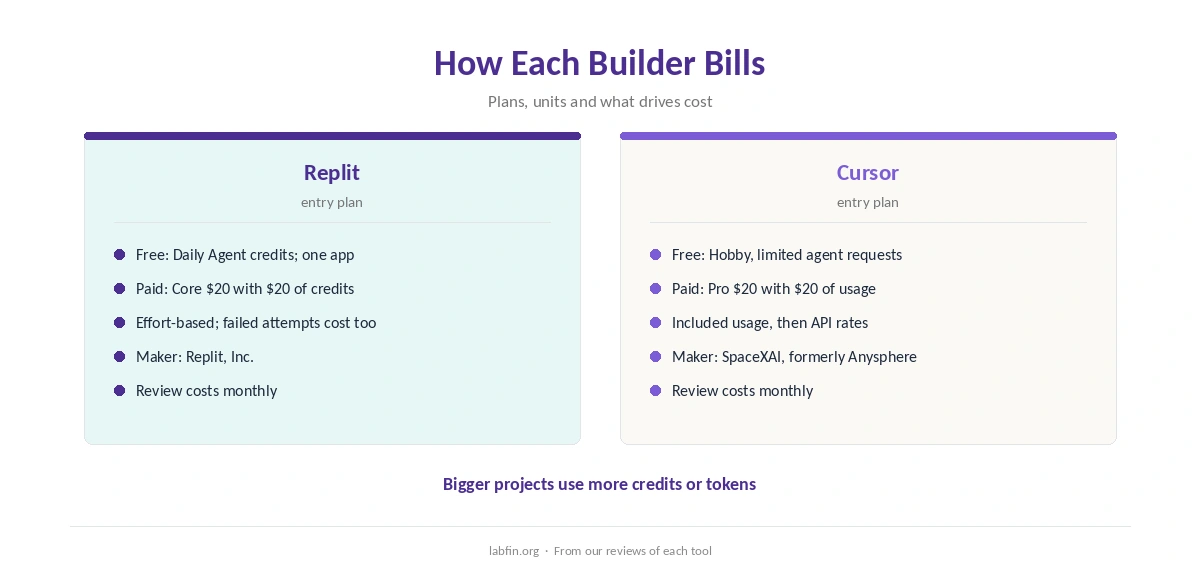
Replit starts with daily Agent credits and one published app, and its entry paid plan is Core $20 with $20 of credits. Cursor, meanwhile, starts with a Hobby tier with limited agent requests, with Pro $20 with $20 of usage as its entry paid plan.
Billing also works differently. Replit bills by effort-based credits, and failed attempts cost too.
Cursor, however, bills by included model usage, then API rates. Our list of the best AI app builders compares more options.
Data and Training
On training, for Replit, its policy allows training on your code without an opt-in. For Cursor, by contrast, it does not train on your code with Privacy Mode on, but may with it off.
Therefore, keep client code and regulated data out of lower plans until terms are clear. Our guide to which AI tools train on your data compares more tools.
Security
In July 2025, Replit’s Agent deleted a user’s production database, and Replit added safeguards.
Generated code often works at first try but can still expose data. Therefore, check sign-in, data access rules and backups before real users arrive.
Our guide to reviewing AI-generated code also covers the checklist, and our list of the best AI for coding ranks more tools.
Winners by Category
In short, Replit wins for apps built with a real editor. The other tool, by contrast, wins for AI help inside your own codebase.
Overall, in Replit vs Cursor our scores favor Cursor, 3.6 against 2.9.
Which One to Choose
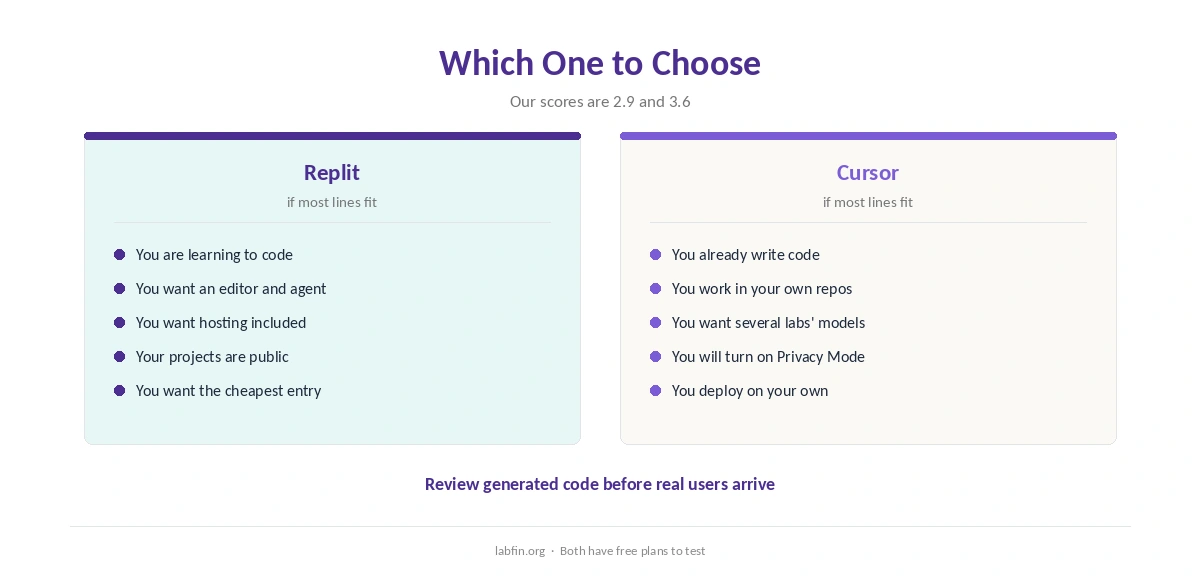
Therefore, take Replit if you want apps built with a real editor. Otherwise, the other tool may fit better.
Our pages on Replit alternatives and Cursor alternatives, in addition, cover other options.
Whichever you pick, our guides to using AI for coding projects and using AI for debugging also help.
Other pairings are covered in our Replit vs Bolt.new and Cursor vs v0 comparisons.
How We Research
This Replit vs Cursor comparison reuses the sources behind our reviews of each tool, read between July and October 4, 2026, including Artificial Analysis for context on coding agents.
However, we run no tests of our own. Our about page explains the criteria, and our list of the best AI for coding beginners covers more tools.
Replit vs Cursor FAQ
Our scores favor Cursor, 3.6 against 2.9.
Entry paid plans are Core $20 with $20 of credits and Pro $20 with $20 of usage, in that order.
For Replit, its policy allows training on your code without an opt-in. For Cursor, it does not train on your code with Privacy Mode on, but may with it off.
Cursor works on code in your own projects, so coding helps; the other builds from prompts.
Yes; many people use one for its strength and the other to cross-check.
The Verdict
Overall, Replit vs Cursor favors Cursor on our scores. The other, however, still wins for its own kind of project.
So pick by the job, check the output, and also keep sensitive material out of lower plans.