
A neighborhood garden committee meets to discuss replacing a water pump and changing volunteer shifts. A member suggests buying a new pump, but no vote takes place. One discussion also contains a private comment about a volunteer’s availability. Otter Channels can organize shared meeting conversations, while Otter AI Chat can answer questions using channel context. The challenge is not asking the AI to summarize everything; it is confirming who may access the conversation, which words record a decision, and which sensitive details should never enter the public meeting minutes. This hypothetical workflow turns a channel into a reviewed reference rather than an automatic announcement system.
Classify the meeting before creating a shared channel
Write down the garden committee’s meeting policy: who can consent to recording, whether audio may be stored, the purpose of sharing, and how long notes are retained. Mark the distinction between official business and incidental personal discussion. If the group has not approved recording or transcription under its own rules and applicable law, do not use an automatic meeting recorder as a workaround. A written action log can be safer than recording all participants.
Choose a narrow project purpose, such as ‘Garden pump maintenance planning’, rather than a catch-all channel where private staffing and general fundraising discussions become mixed. Identify a chair or secretary responsible for the final minutes. AI summaries can assist that person but should not become the legal or organizational record by default. Keep volunteer contact details and any medical or personal scheduling information out of an audience that does not need them.
Choose private visibility and inspect the actual membership
Otter’s Channels Overview distinguishes public and private channels. Public channels can be discovered by workspace members, while private channels are limited to invited participants. Channel settings and permissions can be updated, and shared conversations become available to channel members according to the assigned access levels. Start with private visibility for a committee recording and invite only approved people. Do not assume the word ‘private’ describes the entire workspace’s retention or administrative rules.
Before adding recordings, inspect the member list and any invitation links. Otter documents that channel members can invite others and that permissions can affect how shared conversations are used. Check whether viewers, collaborators, and external guests have the rights your group intends. If the wrong person can enter, stop before importing the sensitive meeting. A tool’s ability to centralize transcripts is useful only after audience control is correct.
Share only the authorized conversations
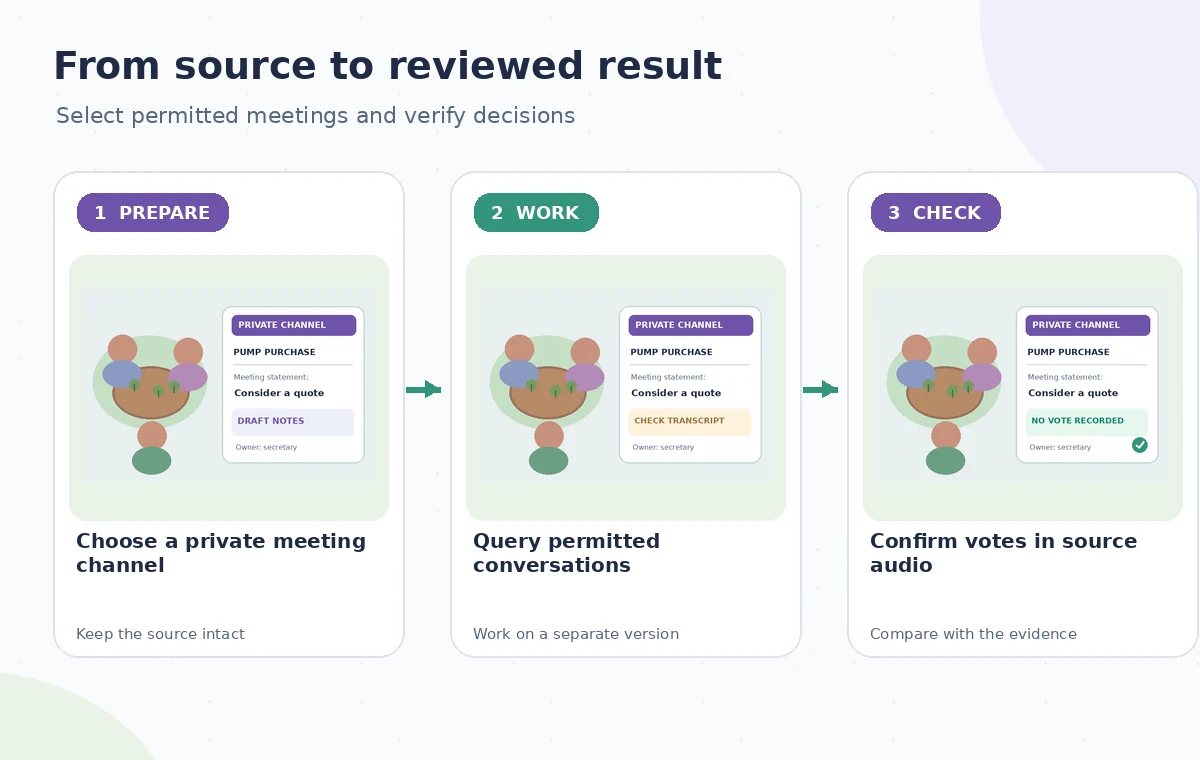
Create a channel using the documented + New channel workflow, select its visibility, and confirm its members. Share only the meetings the committee has approved for that channel. Otter also describes optional automatic sharing from Notetaker, but a standing automation can expose a conversation before anyone has classified its subject. For mixed meetings, an approved redacted summary may be more appropriate than sharing the entire recording.
Give each conversation a descriptive name and date so that later queries can distinguish a draft planning discussion from the meeting that adopted a policy. Label a hypothetical ‘October pump proposal’ as a proposal, not as the final decision. If a separate personnel discussion took place, keep it in the right restricted location or do not ingest it at all. Organizing the data carefully does more to protect the committee than a clever summarization prompt.
Use the AI tool selection checklist
Ask a narrow AI Chat question and inspect its evidence
Otter’s documentation describes AI Chat questions over conversations and channels, and newer AI Chat guidance includes selecting specific context with @ Add context. Ask for a list of explicit pump-related decisions with the meeting date and supporting passage. A useful prompt might request separate headings for proposals, adopted motions, assigned tasks, and unresolved questions. Do not ask AI Chat to infer that an idea was approved merely because several people favored it.
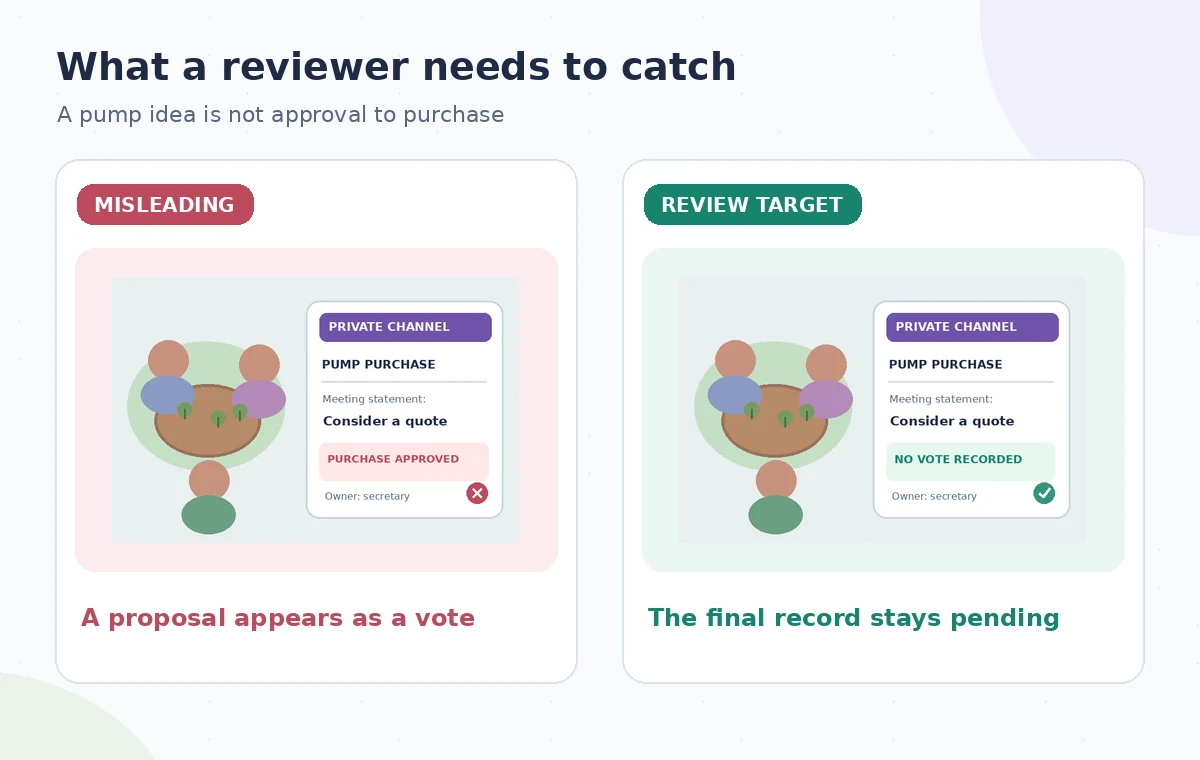
The hypothetical risk diagram shows a statement like ‘consider replacing the pump’ turned into ‘purchase approved’. That shift is misleading even if the sentence sounds action-oriented. Open the underlying transcript and, where allowed, listen to the relevant audio for a motion, vote, or clear chair confirmation. Otter’s own help warns that AI-generated responses may be inaccurate. A persuasive summary is not a substitute for the governing meeting record.
Separate private exploration from shared minutes
Otter’s help explains that AI Chat sessions are private by default; this refers to the chat session, not to secrecy of conversations already shared in a channel. Distinguish those two layers carefully. A committee member may privately ask the tool about the channel’s meeting content, yet the underlying transcript might already be visible to all channel members. Do not assume that a private chat magically revokes access to sensitive recordings.
Copy only reviewed, relevant outcomes into a separate draft of the minutes. Remove incidental personal stories, uncertain quotes, or individual availability details unless the group explicitly needs and authorizes them. If the meeting says ‘we should ask a plumber for a quote’, record that as a task to obtain a quote, not authority to spend funds. Link the decision to the meeting date and, if policy allows, to the supporting source for internal reviewers.
Plan a safer multi-tool workflow
Run a membership, source, and approval check
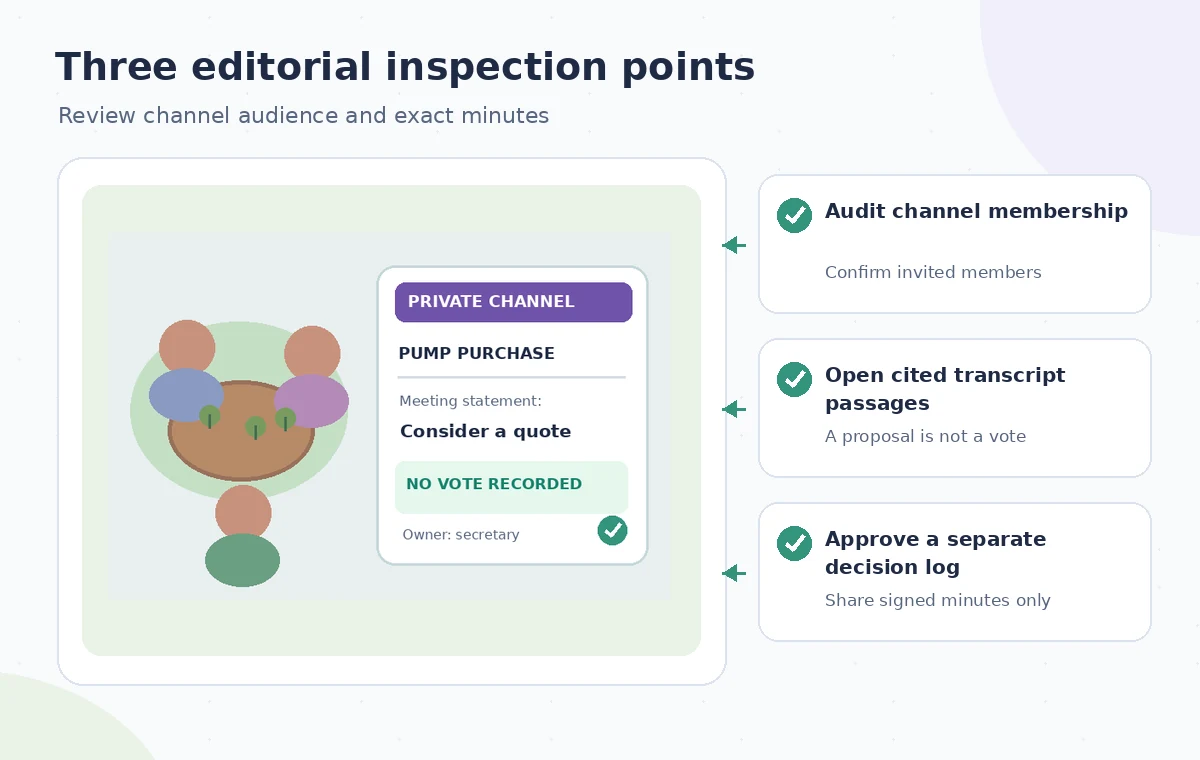
Before distributing minutes, repeat three checks. First, verify channel visibility and membership; an invitation added after the meeting may broaden who can review old conversations. Second, examine source passages for each purported vote, owner, and deadline, accounting for transcription errors and speakers who changed their minds. Third, have the authorized secretary or chair approve the wording and the distribution list. Approvals should be explicit and retained outside a transient AI response.
The final-audit drawing shows the channel lock, a meeting passage, and a signed decisions table. These are conceptual visual cues, not Otter interface screenshots. For sensitive questions, quote sparingly or point the reviewer to a restricted original record rather than publishing names in a public summary. Check the intended audience of every export or copied message, especially if someone pastes an AI answer into a broader chat.
Consider a smaller, less invasive workflow
If committee policy discourages recordings or volunteers do not consent, use a designated human note-taker and a short decision template. The garden may need only three fields: what was decided, who owns the next step, and when it is due. Otter’s channel-level search is most useful when there are multiple authorized meetings and a clearly governed team. It offers less value if the archive is unclassified, access is uncertain, or sensitive remarks are routinely mixed into general planning.
This article does not describe a real garden committee, recorded participants, or a tested Otter result. It adapts the vendor’s documented channel and AI Chat behavior into a privacy-aware review procedure. Features, plan capabilities, and permissions can change. Always verify your workspace’s actual settings, consent requirements, and the institution’s recordkeeping policies before uploading real meetings.
How We Research
We checked the named vendor documentation: Otter Help: Channels Overview and Otter Help: AI Chat Overview and Otter Help: AI Chat Add Context. We compared its stated user controls, availability warnings, workflow stages and limitations against the concrete scenario described here. We then developed original educational diagrams and a separate human-review procedure for the materials that need independent evidence. The scenario is hypothetical: we did not sign into a paid account, upload a real customer asset, operate the feature on the example, or measure output quality. The figures are schematic, not actual interface captures or recorded processing results. Product menus, permissions and plans can change; verify the current installed edition and applicable policies before relying on this method.
Frequently Asked Questions
Yes. Otter documents private channels restricted to invited people and public channels visible to workspace members.
Otter says AI Chat sessions are private by default, but that does not change who may access conversations shared to the channel.
No. Check the transcript and, where authorized, the recording for explicit adoption before entering a decision in the official minutes.
Otter documents invitation controls for channel members. Review membership and administrator policy before storing sensitive transcripts.
No. Assess consent, audience, and meeting classification; manually review sharing for discussions that may include private subjects.