
A product specialist says “SAML,” “SCIM,” and a proprietary feature name during a remote interview. An automatic transcript may render those words inconsistently, making an otherwise useful quote difficult to search or reuse. Otter.ai offers custom vocabulary to improve recognition of names, jargon and abbreviations. Here we use a hypothetical SaaS interview, with made-up example feature names rather than genuine meeting data. The diagrammed transcript shows the questions a reviewer should ask, not output that we generated or a guarantee of recognition accuracy.
Build a short list from the interview agenda
Before recording, ask the speaker or product owner for approved spellings of company names, product modules, acronyms and personal names likely to be said aloud. Separate these from common English words: a generic term such as access is less useful than a distinctive internal product name. Record whether an acronym is spoken as letters or as a word, and note any intentionally mixed capitalization. For the hypothetical interview, the briefing includes SAML, SCIM, and the fictional “Northstar Gateway.” This reference sheet anchors both vocabulary setup and subsequent human review; vocabulary alone cannot define what a speaker meant.
Check plan and personal-versus-team vocabulary scope
Otter’s Manage vocabulary documentation distinguishes personal and team lists and publishes plan-dependent entry limits. Basic accounts have a small vocabulary allowance, while team terminology and larger personal lists depend on eligible paid plans. Check current entitlements in the actual workspace rather than assuming a feature from a tutorial screenshot is enabled. A shared team list may affect every team member’s conversations, so reserve it for broadly approved product terms. Sensitive nicknames, unreleased product identifiers and client-specific project codes may belong only in a restricted workflow, if organization policy permits uploading them at all.
Add spellings in the documented Otter settings
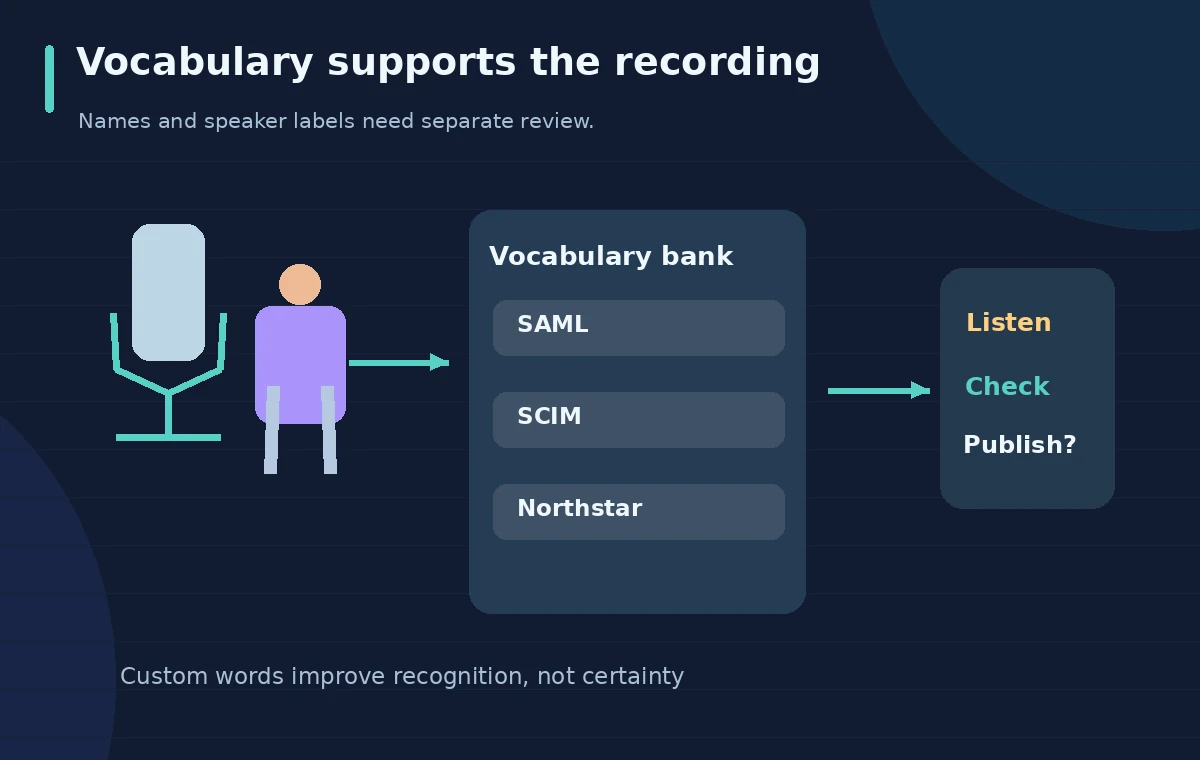
Sign in to Otter, open the account menu, then choose Account settings > General > Manage Vocabulary. Under Personal Vocabulary, distinguish Names of people from Other vocabulary. Enter the approved term exactly as the organization uses it. Otter also documents Team Vocabulary for qualifying team workspaces. The visual process diagram shows a microphone feeding a term bank that a reviewer checks; it is deliberately not a fake screenshot of Otter’s interface. Add terms before the recording when possible, but do not claim that previously recorded audio will be magically reprocessed unless the current product workflow explicitly supports that operation.
Record with consent and a clean source track
Inform participants about recording and transcription, respect applicable consent rules and organizational retention settings, and choose audio with minimal echo and cross-talk. Otter’s help notes that recording quality, background noise and accent affect transcription accuracy. If using a meeting integration, verify who is invited and what the service captures rather than assuming a notetaker handles consent automatically. Keep the interview agenda and your approved term list outside the transcript as reference material. Do not place confidential product roadmaps into a third-party service without an authorized data-processing decision. Better source audio is still necessary despite a custom vocabulary list.

Review the risky words in sentence context
Search the completed transcript for each approved name and acronym. A word may look correctly spelled in one paragraph and be wrong where the speaker uses a plural or a similar-sounding term. Compare audio at the precise timestamp before revising any quote, and make sure the surrounding sentence still makes technical sense. The illustrated before-and-review transcript intentionally contrasts uncertain recognition with a corrected spelling, but it is not evidence of a real Otter result. Treat the recording as the primary evidence. A vocabulary list may increase the chance of proper spelling; it does not certify every occurrence.
Separate speaker identification from term recognition
Even a perfectly spelled acronym can be assigned to the wrong person. Otter recommends tagging speakers to improve the identification of voices. Examine handoffs in the conversation, interruptions, and instances when the interviewer repeats a term as a question. If the speaker changes mid-sentence, verify the attribution against the audio rather than preserving the machine’s punctuation. In the review diagram, a waveform and two person icons connect to separate quote lanes, emphasizing that words and speakers require independent checks. Never publish a named quote just because a transcript contains a matching string.

Do not turn uncertain transcription into product claims
Technical interviews often include tentative phrases such as “we expect” or “the test environment can.” Transcription can omit a negation or conflate a question with an answer. Confirm hedging language and units: for example, “not enabled” cannot be converted into “enabled,” and a speculative launch window is not a confirmed release date. Ask the interviewee to check sensitive quotations if required by your editorial policy. Keep an uncertainty log for words that remain hard to hear. The purpose of vocabulary management is less cleanup and better indexing, not a substitute for factual verification or quote approval.
Export the reviewed transcript with an audit trail
Save a reviewed transcript only after checking speakers, acronyms and action statements. Preserve the original audio under the authorized retention policy and label the corrected transcript as an edited derivative. Include a glossary of technical abbreviations when a reader may not know them. If a team vocabulary is updated as a result, have an owner approve the term before adding it to a shared list; one interviewee’s pronunciation may not match organization-wide usage. Nothing in this hypothetical workflow claims access to an Otter account, a recorded interview or a measured change in error rate.
How We Research
We used Otter’s Manage vocabulary help to confirm settings, personal and team distinctions and plan limits, alongside its transcription accuracy guidance for speaker tags and source-audio quality. We did not record an interview or evaluate accuracy. All dialogue and product names in the illustrations are instructional examples; the real audio and organization policy must control publication.
Frequently Asked Questions
No. It is intended to improve recognition of selected words; you still need to compare important passages against the audio.
Otter documents Account settings > General > Manage Vocabulary, with separate sections for personal names and other words.
No. Otter publishes plan-dependent limits, including a small Basic allowance. Check current account eligibility.
Not automatically. Team lists can affect other users and may expose sensitive or irrelevant terms.
No. Check speaker labeling independently, especially for overlapping voices and quoted statements.