
Disclosure: LabFin is reader-supported. If you sign up for a tool through links on this page, we may earn a commission at no extra cost to you. Commissions vary between providers and our ratings do not — here’s our full disclosure.
This Otter.ai review covers an AI notetaker that joins your Zoom, Google Meet and Teams calls, transcribes them live, and writes summaries you can search and question. Pro, for example, costs $8.33 a month billed yearly.
It is one of the cheapest ways to get meeting notes. However, Otter trains its own AI on de-identified recordings, and a 2025 class action alleges its bot recorded people without their consent.
Otter.ai Review: Is It Worth It in 2026?
For individuals and small teams who want cheap, searchable meeting notes, yes. Pro also covers about 20 hours of meetings a month.
For confidential calls or meetings with outsiders, think twice. Check consent rules and data terms first, as our guide to which AI tools train on your data explains.
What Otter.ai Does
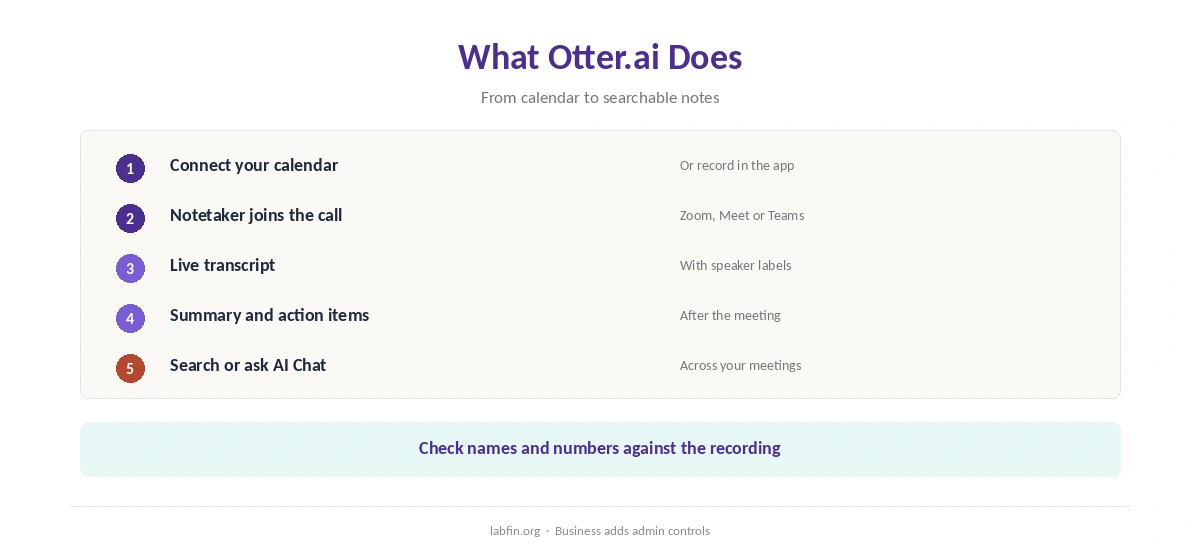
First, Otter’s Notetaker joins calls from your calendar, or you record in person on the app. It then transcribes live, labels speakers, and writes a summary with action items.
Afterwards, you can also search transcripts or ask its AI Chat questions about a meeting. Business, moreover, adds admin controls and usage analytics for teams.
What Otter.ai Costs
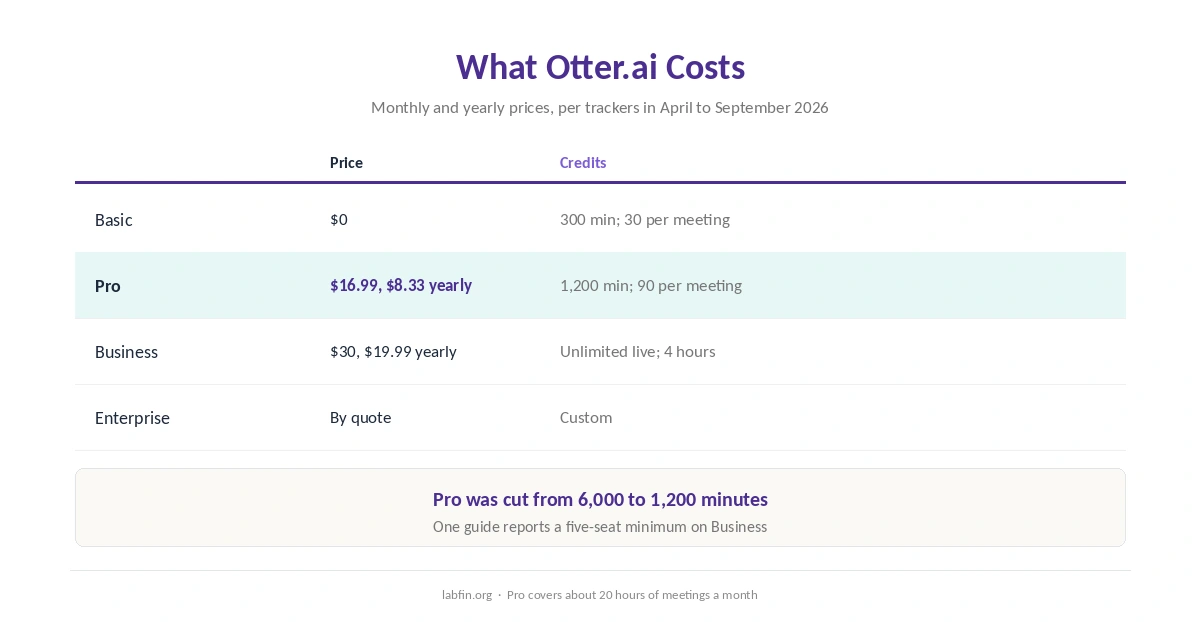
In addition, Otter sells four plans, as several trackers read its pricing page between April and September 2026.
| Plan | Price | Limits |
|---|---|---|
| Basic | $0 | 300 minutes a month; 30 minutes per meeting; 3 imports in total |
| Pro | $16.99/mo, or $8.33 yearly | 1,200 minutes; 90 per meeting; 10 imports a month |
| Business | $30/mo, or $19.99 yearly | Unlimited live transcription; 4 hours per meeting |
| Enterprise | By quote | Custom |
Note the cut, however: Otter reduced Pro from 6,000 to 1,200 minutes a month without lowering the price, guides report. Our list of the cheapest useful AI tools compares other low-cost plans, and our breakdown of AI tool costs adds up a year.
Accuracy
We found no recent independent test of Otter’s transcription accuracy. Accents, crosstalk and jargon, therefore, can still produce errors, and AI summaries can miss nuance.
Therefore, check names, numbers and decisions against the recording before you share notes. Our guide to fact-checking AI output covers the routine.
Your Data and the Consent Lawsuit
On data, Otter’s privacy policy says it trains its own AI on de-identified audio recordings and transcripts. It does not, however, publish how its de-identification works.
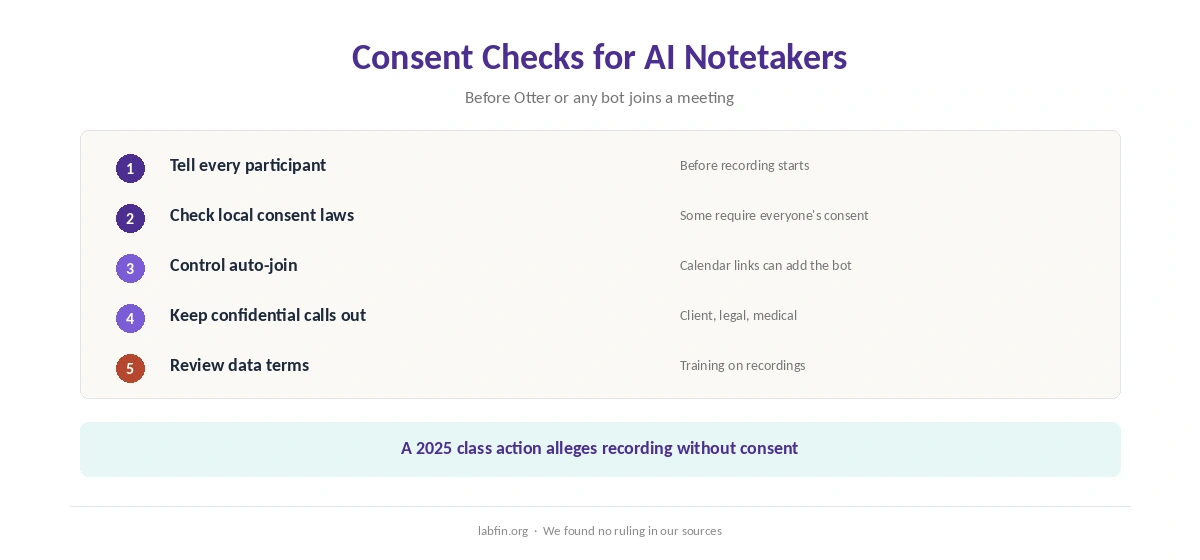
In August 2025, a federal class action filed in California alleged that Otter’s Notetaker joined calls through calendar links and recorded participants without consent, NPR reported. We found no ruling in our sources. Since then, related cases have been consolidated as In re Otter.AI Privacy Litigation in the Northern District of California, and a separate suit cites Illinois’ biometric privacy law, legal trackers report.
Therefore, tell participants when Otter is recording, turn off automatic joining where needed, and keep sensitive calls out. Our list of the best AI tools for privacy covers stricter options.
Who Runs Otter.ai
Otter.ai, Inc., co-founded by its CEO, Sam Liang, makes Otter. Our guide to who owns which AI tool covers other owners.
Otter vs General Assistants
Microsoft Copilot, for example, summarizes Teams meetings for Microsoft 365 users, as our Microsoft Copilot for productivity guide covers.
Our list of Otter.ai alternatives ranks three other notetakers. Our Otter vs Fireflies and Otter vs Fathom comparisons, moreover, go head to head.
General assistants such as ChatGPT and Claude, by contrast, can summarize a transcript you paste, but they do not join calls, as our ChatGPT review and Claude review cover.
Our list of the best AI for summarization, moreover, compares them on long material.
Who Should Use Otter.ai
Overall, this Otter.ai review finds it suits students, freelancers and small teams who want cheap, searchable notes. It also suits interviews and lectures you record yourself, for example.
Students recording lectures can pair notes with our guide to using AI for learning, and our list of the best AI for students covers study tools.
By contrast, however, it suits confidential client calls, regulated industries and meetings with outsiders less. Our list of the best AI for productivity covers wider tools.
How We Research
This Otter.ai review takes plans from trackers that read otter.ai/pricing in 2026, and the lawsuit from NPR’s report.
However, we found no independent accuracy test, and we did not read Otter’s policy directly. Our about page explains the criteria.
Otter.ai Review FAQ
Basic is free. Pro costs $16.99 a month or $8.33 billed yearly, Business $30 or $19.99 yearly, and Enterprise is quoted.
1,200 a month, with up to 90 minutes per meeting and 10 file imports.
Its privacy policy says it trains its own AI on de-identified audio and transcripts.
A federal class action filed in August 2025 alleges recording without consent; we found no ruling in our sources.
It can, through calendar links; you can change that in settings.
Otter.ai
Cheap meeting notes, with consent and training questions
Otter joins calls, transcribes live and summarizes, with Pro at $8.33 a month billed yearly. Against that, it trains its AI on de-identified recordings, Pro’s minutes were cut, and a 2025 class action alleges recording without consent.
The Verdict
Overall, Otter.ai is a cheap, easy way to get searchable meeting notes. Its data and consent record, however, deserves a close look before you use it on sensitive calls.
The rest of this Otter.ai review, therefore, sets the score at 3.2. So announce recording, control auto-join, and keep confidential meetings out.