
Gemini Deep Research can turn a broad research request into a multi-step report, but that convenience can conceal weak assumptions. The central skill is not pressing Start research; it is making the plan narrow enough to evaluate and checking the resulting evidence. An attractive, well-cited document can still mix primary facts with interpretations that a source does not support.
Google’s current help explains that Deep Research starts with Google Search by default, can use selected additional sources, and presents an editable research plan before execution. Access, available models and daily limits depend on the account and may change. The workflow below emphasizes research design and validation rather than pretending any generated report has been independently tested here.
Define the decision your report must support
Instead of “Research remote work,” ask: “For a 50-person US software team considering asynchronous customer support, summarize documented operational trade-offs, cite primary evidence and separate observations from recommendations.” A bounded audience, geography, date range and decision let you judge whether a report is complete.
Before starting, list the output you need: a source register, a short evidence table, unresolved questions and three actionable options. If the topic includes legal, health or financial decisions, use Deep Research as background assistance, not a substitute for qualified review. Specificity saves effort during fact-checking.
Select sources deliberately, including what to exclude
In the Gemini app, choose Deep Research through the current tools or attachment menu. Google documents Google Search as a default source and options to include or change source types, including supported Workspace content and uploaded material. Workspace-connected sources depend on account setup; verify that the feature is offered before assuming email or Drive is searchable.
Choose sources for the question. For market context, public web material can help discover leads. For an internal policy audit, approved company documents may matter more. For evidence about a product feature, prioritize the vendor’s current documentation over undated roundups. Do not upload confidential data or connect corporate stores without authorization.
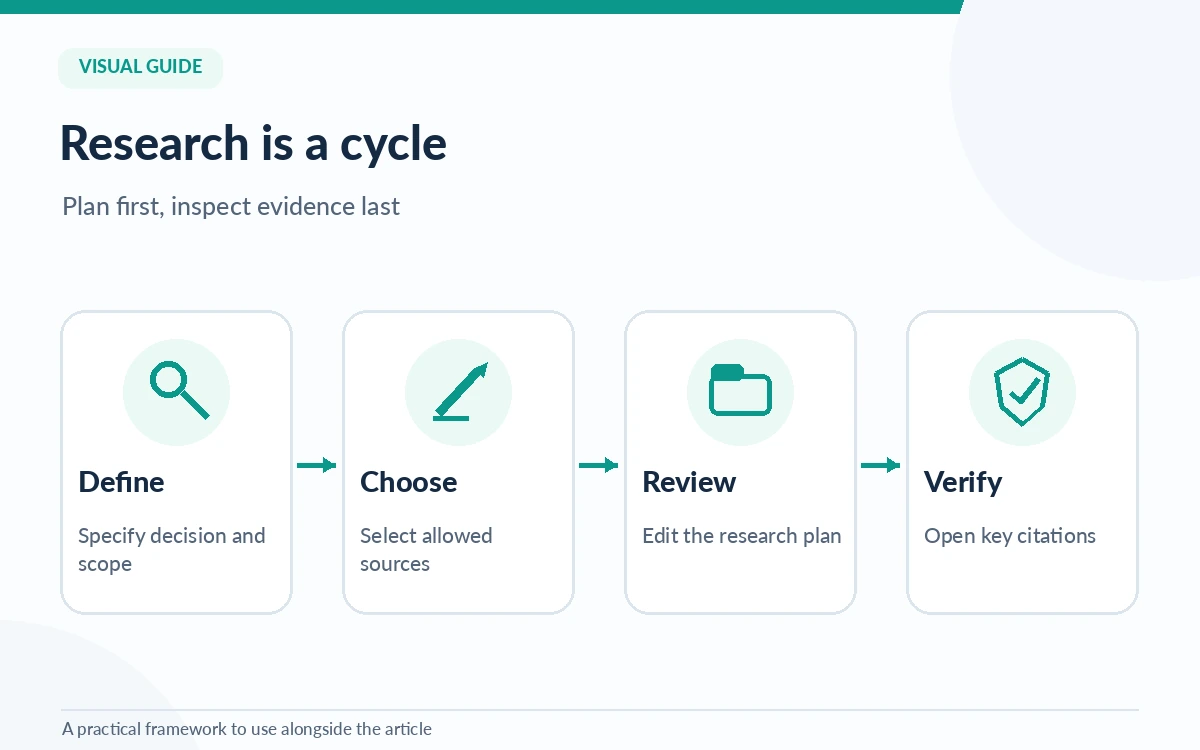
Edit the research plan before the long run
After submitting a prompt, Gemini can propose a research plan. Review it as you would a junior researcher’s outline. Are the questions answerable? Does it distinguish current facts from historical background? Does it include opposing evidence and caveats? Remove tangents and request a separate section for claims lacking support.
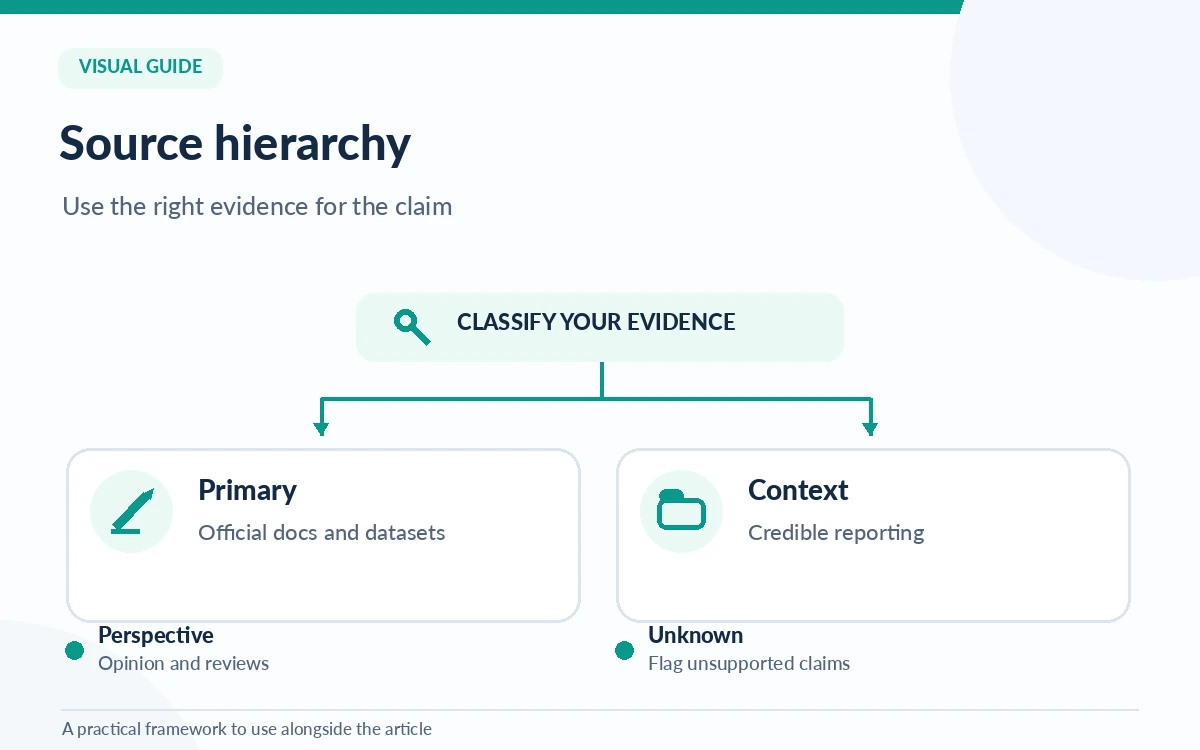
Use a simple brief: “Include only claims tied to accessible sources. Prefer official documentation and original datasets. Mark unknowns. Report conflicting dates as conflicts, not a single synthesized date.” Do not assume that asking for citations guarantees that every citation will substantiate the exact sentence next to it.
Explore Gemini for research tasksRead the report as an evidence map, not a verdict
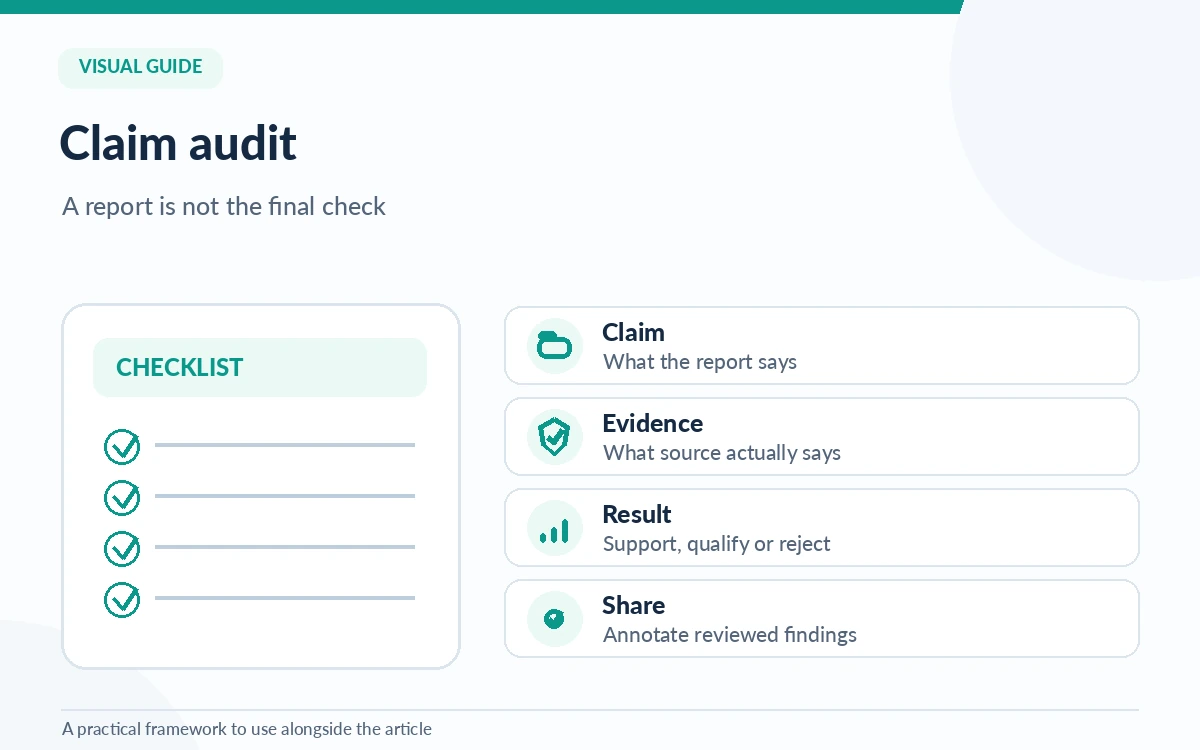
Open the completed report and identify high-impact assertions first: numbers, legal requirements, product availability, ownership changes and recommendations that could cost money. Compare the wording with the cited source. A source may discuss the same general topic while not supporting the claimed conclusion or time period.
Use a three-column audit note: claim; actual evidence; decision. Mark each item “supported,” “qualified” or “needs verification.” If a cited article is inaccessible, old or an opinion piece, either find an appropriate primary reference or remove the claim. This manual step creates much of the report’s real value.
Use a small example that exposes missing evidence
Suppose you ask whether a new customer-help channel should be launched. Require the report to identify official product capabilities, security implications, staffing requirements and a proposed pilot. Add an explicit instruction to distinguish vendor claims from independent user experiences and assumptions about your own team.
If the report recommends a tool based on a broad statement like “best accuracy,” inspect whether it offers a current, comparable measurement and a methodology. Without those, reframe the sentence as a possible fit for a specific workflow. Recommendations should be tied to verifiable constraints, not unsupported rankings.
Export and annotate before sharing the result
Google documents ways to open, share, copy and export report content, including export to Docs. Treat export as an editing step. Give the document a review date, evidence status and named owner; keep a separate log of changes to claims. A copied citation is not a license to quote the underlying material at length.
For stakeholder use, create a one-page summary with the decision, top supported points, open questions and what would change the recommendation. Readers should be able to reach key references without digging through dozens of pages. If the report contains private-source findings, review sharing permissions before distributing the export.
Compare research-focused AI toolsKnow the limits of plan labels and automatic research
Google currently describes Deep Research as available with usage limits, with higher allowances and model options for certain Google AI plans. The limits are account-specific and may move. Do not make a purchasing decision from an old screenshot or assume that two subscribers see the same interface.
Finally, Deep Research can surface and synthesize material but cannot establish whether every source is accurate, current or representative. Keep research tasks focused, review the plan and audit decisive claims. For a recurring research question, save the brief and checklist so that a future run can be compared against the same standards.
How We Research
We checked Google’s current Gemini Apps Deep Research instructions and Google Docs editing documentation on October 26, 2026. The source selection, three-column claim audit and stakeholder review template are our editorial methodology, not results from a completed Gemini research run. Google’s live account-specific limits should be checked in the product rather than inferred here.
Frequently Asked Questions
Google currently documents access for signed-in adults with account-dependent limits, and higher allowances or model options for some paid plans. Check the current account interface and Google’s plan documentation for your exact entitlements.
Google describes additional sources including supported Drive and Gmail connections, subject to Workspace app connection and account eligibility. Do not assume private stores are connected or authorized by default.
No. Citations can be misapplied, outdated or insufficient for the exact claim. Open high-stakes references and compare the report’s wording, numbers, dates and scope with the original source.
Google’s help documents an option to edit the proposed plan before starting research. Use it to narrow the scope, specify primary-source preferences and demand explicit treatment of unknowns.
Review decisive claims, flag unresolved evidence, add an owner and review date, and check permissions for any private sources. A concise annotated summary is often more usable than an untouched export.