
An AI chatbot for customer service is not just a cheaper chat window. It becomes part of the promise your business makes to customers: whether a return is allowed, when an order arrives and what happens when a question is too complicated to automate. A bot that cannot say “I don’t know” or reach a human can damage that promise.
This guide focuses on operating a support chatbot responsibly, not building a generic model from scratch. The practical goal is a limited pilot whose answers are grounded in your approved help content, whose failures go to a real person and whose results are reviewed before coverage expands.
Start with the questions you can answer authoritatively
Export or manually review a representative sample of support conversations, removing personal information. Group questions by intent: delivery time, opening hours, basic troubleshooting, account status, complaints and exceptions. Choose a small group where the policy is current and the answer does not depend on private account data. Do not start with refunds requiring discretion or promises your policies cannot guarantee.
For each selected intent, name the source of truth, the team member who owns it and when it was last reviewed. A product may retrieve your knowledge base, but it cannot repair a contradictory return policy. Clean documentation is the foundation of a trustworthy response.
Choose between decision trees and generative answers
A decision tree is often enough for deterministic questions: “Which department handles this issue?” or “Where is the form?” Generative support can interpret varied language and summarize policy passages, but needs safeguards against invented exceptions. Connected agents may use order tools, and those tools introduce identity checks and permission boundaries.
Choose the least powerful method that solves the customer’s problem. If a button linking to the correct policy is reliable, a free-form model is optional. Reserve account-specific automated actions for cases with strong authentication, explicit authority, logging and a fallback route.

Human handoff is part of the product
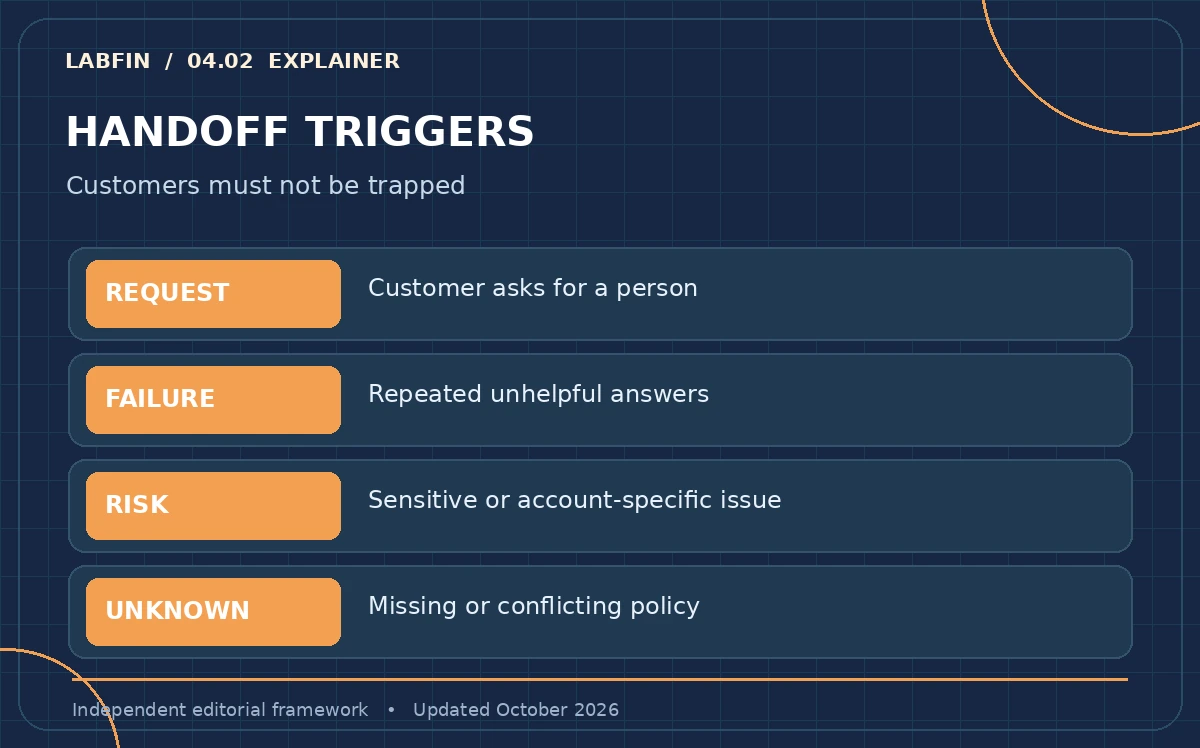
Escalation should be available on request, after repeated misunderstanding, when a policy is ambiguous and whenever sensitive or high-stakes issues arise. Specify what the human receives: conversation summary, relevant article, customer-selected contact details and the reason for transfer. Never force the customer to repeat the entire story just to escape the bot.
Intercom’s current Fin documentation describes configurable escalation rules and handoffs, but your chosen vendor may implement them differently. Test the literal phrase “I want a person”, a frustrated follow-up, and an out-of-scope request. Verify that a ticket or human queue really receives the case and that the bot stops or clearly explains its role afterward.
Measure successful outcomes instead of deflection theater
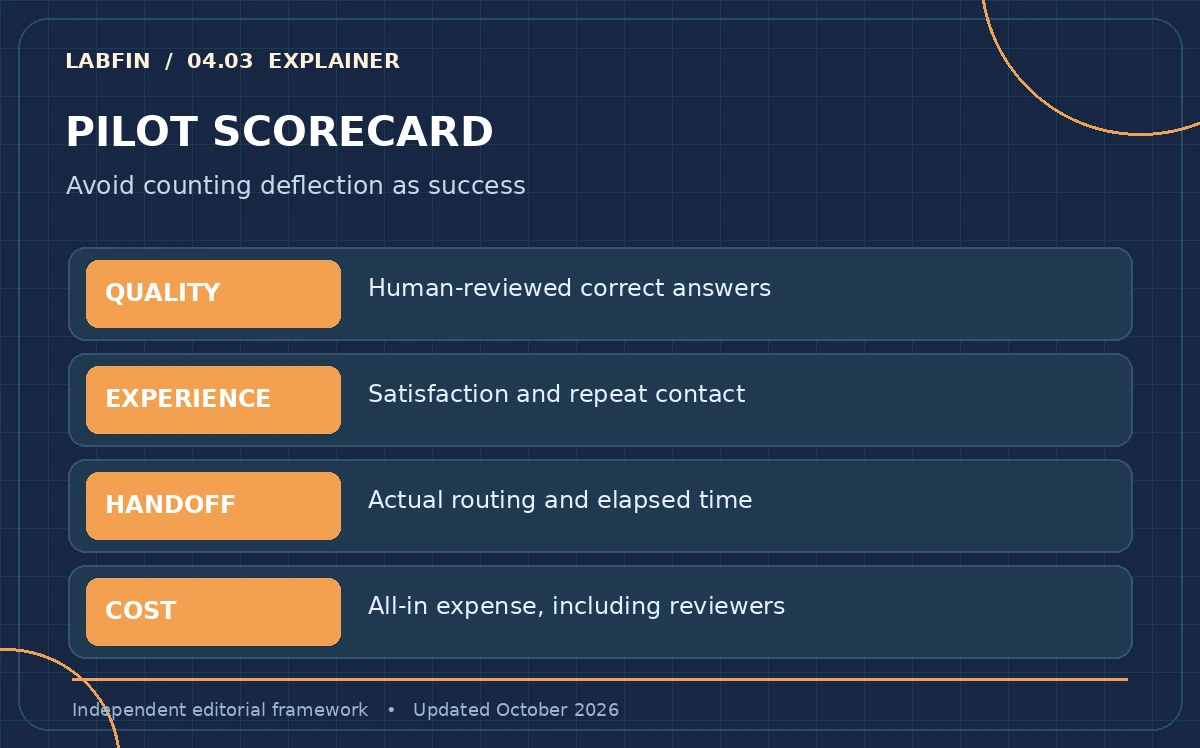
A falling human-ticket count can indicate a better self-service experience or customers giving up. Track confirmed answers, customer satisfaction, repeat contacts, incorrect-policy incidents, escalation time and unresolved conversations. Review a sample of transcripts, including abandoned and low-rated sessions, not just conversations the platform labels resolved.
Build a pilot scorecard with numerator and denominator definitions before launch. For example, “verified correct answer” means a reviewer matched the reply to the current approved policy; “handoff completed” means a human queue actually received the case. We do not assign hypothetical percentages or copy a vendor’s marketing resolution rate as an independent result.
Budget for the complete support operation
Pricing models vary: a vendor may charge per seat, message, conversation or outcome. One vendor’s named outcome may include a handoff while another vendor calls only self-service resolution a success. Read the billing definition, minimum commitment, channel coverage and overage terms; pilot numbers are not comparable until those definitions match.
Include documentation cleanup, staff review, integration work, monitoring, privacy assessment and real human coverage in the total cost. Estimate savings using actual avoided work that does not return later as a repeat contact. A cheaper bot with poor escalation can increase costs even if the vendor dashboard looks impressive.
Protect customer information at the boundary
The interface must be clear when a customer is communicating with automation. Minimize collected identifiers and avoid inserting full payment details, passwords or medical information into prompts. Decide which systems the bot may read, whether transcripts are retained, who can review them and how a customer requests deletion or human help.
For account actions such as cancellations or address changes, verify identity outside the model and enforce access rules in your backend. A chatbot’s ability to produce persuasive text is not authentication. Treat retrieved documents and incoming messages as untrusted input; the system must not obey instructions embedded in a customer message that conflict with its permissions.
Run the pilot in six observable stages
First, select a small set of low-risk questions. Second, fix and version their source articles. Third, configure answer constraints and escalation. Fourth, run internal scripted conversations including adversarial and ambiguous wording. Fifth, deploy to a limited audience with a visible human option. Sixth, review transcript samples and correct policy gaps weekly.
Set a clear stop rule before launch: suspend automation if it repeatedly contradicts an approved policy, blocks human access or takes an unauthorized action. The stop rule is more credible than an aspirational accuracy target with no known measurement method.
How to compare vendors without being sold a demo
Ask every vendor to demonstrate the same scenarios using your sanitized help content: an answer present in a known article, two conflicting articles, an unavailable answer, a direct human request and a task requiring identity verification. Capture the resulting source reference, ticket routing and audit record. Bring both support agents and a privacy reviewer to the demonstration.
An attractive prebuilt demo cannot reveal the quality of your policies or integrations. Prefer the product that gives your team control over source updates, escalation, cost definitions and transcript review. For the engineering details behind retrieval and action limits, keep a separate build plan instead of confusing selection with implementation.
How We Research
We checked Intercom’s currently documented escalation controls, its outcome definitions, and Zendesk’s overview of support chatbots. We also considered Gartner’s August 4, 2026 customer survey on access to human agents. These are provider documentation and an external survey, not a LabFin deployment study. Our pilot scorecard is a proposed method; no outcomes or savings are claimed.
Frequently Asked Questions
Customers should have a clear path to human support, particularly on request, repeated failure and sensitive issues. Test that the handoff creates a real queue item rather than a reassuring message only.
Start with high-frequency, low-risk questions grounded in current public policies, such as shipping windows or where to find documentation. Defer identity-sensitive and exception-heavy cases.
Compare verified correct self-service outcomes and repeat-contact rates with the full costs of software, staff review, documentation and escalation. Do not use ticket deflection alone as a savings proxy.
No reliable rollout should assume that. Human operators remain necessary for exceptions, appeals, sensitive issues, policy changes and audits of incorrect or incomplete automation.
Deploying on unreviewed help articles without clear escalation. The assistant may answer fluently while quoting the wrong or obsolete policy, and customers then struggle to reach someone who can fix it.