
A nonprofit maintains a Python CSV importer that reads membership identifiers such as ‘0042’ from a registration file. A developer wants GitHub Copilot CLI to explain the program and suggest tests, but does not want an agent to edit production code, access credentials, or run arbitrary commands. Copilot CLI can operate on local files and request tool permissions, so the review boundary matters as much as the prompt. This hypothetical tutorial uses fictional data and an illustrative code sketch; no repository, terminal session, or executable agent result was tested.
Write the invariant before starting an agent session
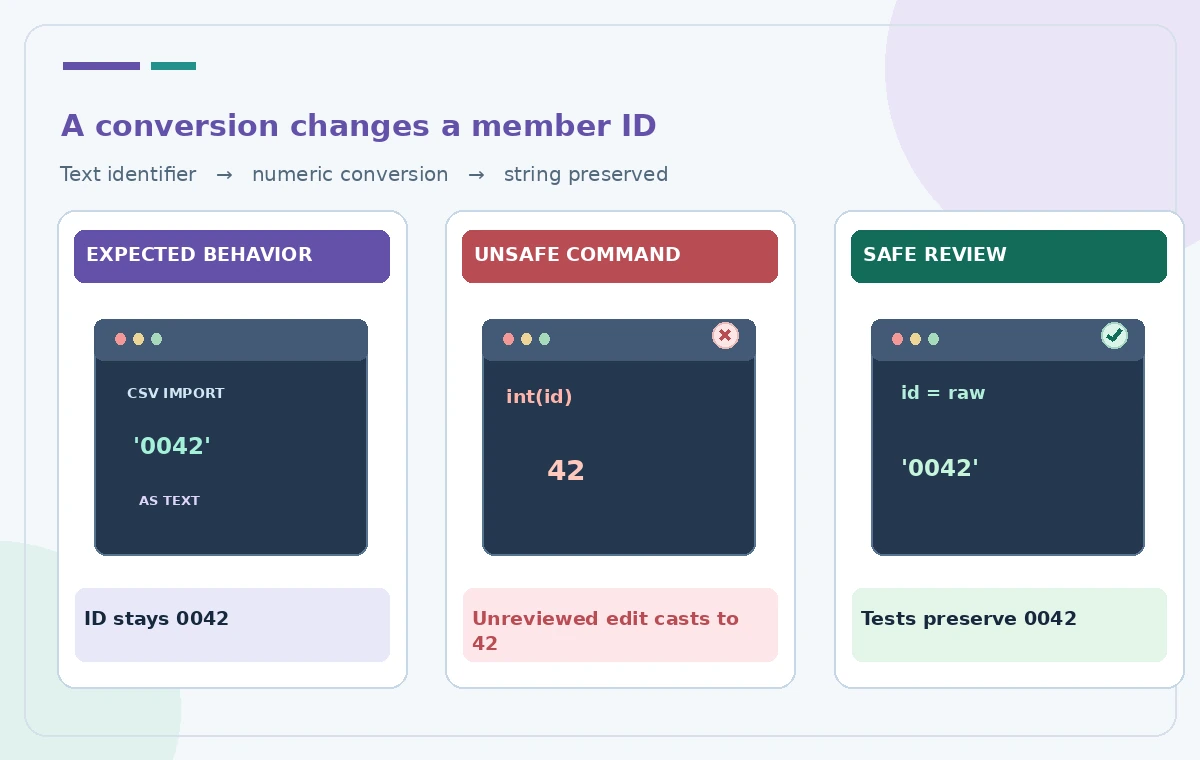
Create a one-page review brief that says every member ID is an opaque string, not a number, and that leading zeros must survive import, storage, and export. Document the CSV schema, expected encoding, duplicate rules, empty values, and rejected rows. For this example, ‘0042’ and ’42’ are different identifiers. Keep a small sample with invented records and the exact expected outcomes. The goal is code comprehension first, test design second, and implementation only after human authorization. A vague instruction to ‘clean IDs’ is dangerous because it invites a numeric conversion that silently changes business meaning.
Install and start in a deliberately scoped working folder
GitHub documents Copilot CLI for eligible Copilot plans, subject to an organization’s Copilot CLI policy. Install it according to the current official guide, navigate to a disposable checkout of the importer repository, and launch with the documented copilot command. The CLI asks whether the directory is trusted. That trust covers files beneath the chosen folder and can have lasting effects if you select permanent trust, so choose the session-only option when reviewing an unfamiliar repository. Do not launch from the home folder, a credential store, or a parent directory containing unrelated projects. Preserve a clean Git working tree for comparison.

Start with read-focused questions rather than an edit request
Ask the CLI to map the validation path: where rows are parsed, where identifiers are converted, and where rejected records are logged. Require a file-by-file explanation and proposed boundary tests rather than asking it to apply fixes. A useful prompt is ‘Identify code that changes the member_id type; propose tests for 0042, 42, blank, and duplicate IDs; do not modify files or run mutation commands.’ Tool behavior depends on approval mode and the selected tools, not just the wording of the prompt. Read every cited function yourself. If the program depends on generated files, describe their role without allowing the agent to rewrite them yet.
Understand what a trusted directory allows
GitHub’s configuration documentation says trusted directories affect what the CLI may read, modify, and execute. By default, path permissions encompass the current working directory, subdirectories, and a temporary directory, with additional settings available. Directory trust is therefore not a quality endorsement of code found there. Check symlinks, submodules, build scripts, and secrets in the checkout before granting long-lived trust. The docs also warn that path detection for complex shell expressions is heuristic. A cleverly constructed command can reach beyond what a simple-looking pathname suggests; human scrutiny remains necessary.
Treat shell and network prompts as consequential decisions
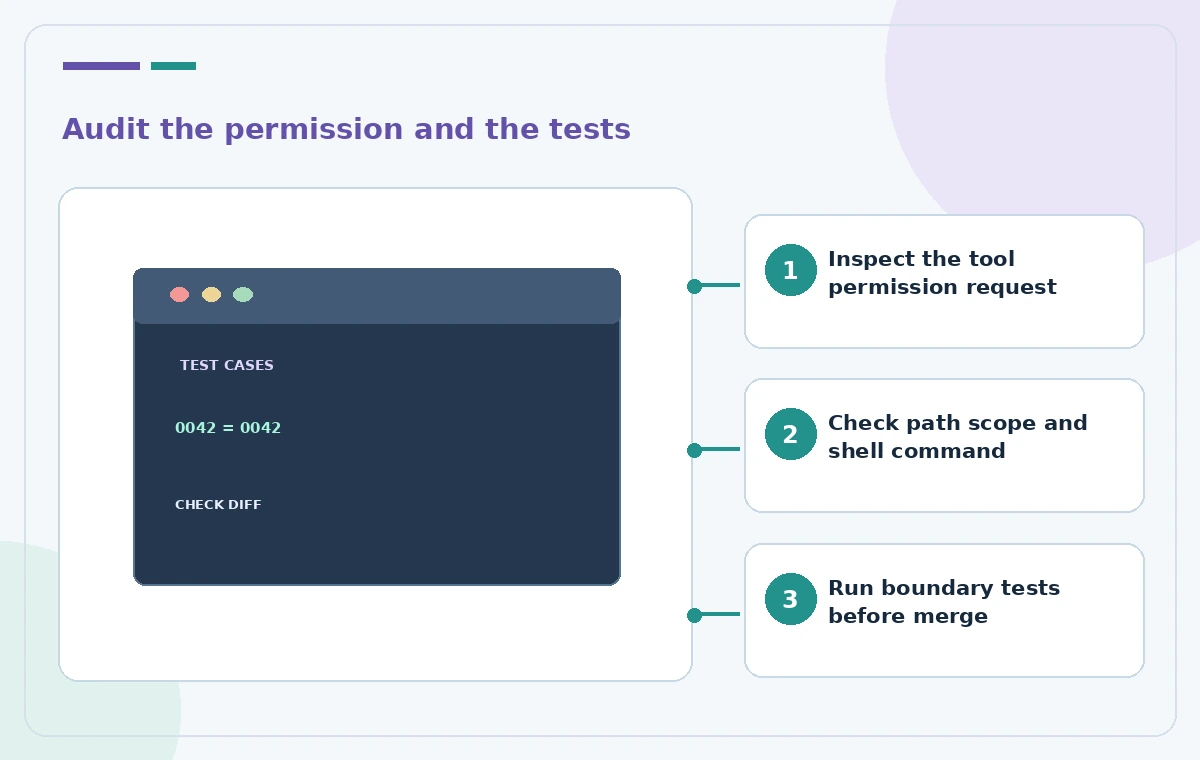
Copilot CLI may request permission for commands, file edits, or URL access. Review each proposed tool invocation, the target paths, and whether it writes to the filesystem or sends data externally. Reject an unneeded command such as pushing a branch or deleting test fixtures. GitHub exposes more granular allowed or denied tool settings, but broad allow-all modes remove important friction and are inappropriate for a first audit. Never paste secrets into a prompt or authorize upload of private donor records to a debugging endpoint. The illustration contrasts a risky numeric conversion with a reviewed, test-driven change; it is not a captured Copilot CLI session.
Build the minimum reliable regression suite
Ask for tests that assert exact string equality at import, intermediate representation, database write, and export. For example, input member_id ‘0042’ should remain ‘0042’ after a round trip; a separately supplied ’42’ should remain distinct. Include a missing field, a whitespace-only cell, a quoted comma, and a malformed date in separate cases. If the system rejects invalid IDs, verify the rejection reason and that a failed row cannot partially update another record. Review the fixtures for realistic privacy safeguards: use synthetic IDs and generic names. Do not call a test ‘passed’ until you actually run it and inspect the output.
Request a plan before permitting any code modification
Once analysis and tests look sensible, request a minimal implementation plan listing files to change, expected effects, and rollback steps. Review it with the maintainer. On an authorized feature branch, permit only the specific edit commands required, one step at a time. Compare the diff to the plan and challenge changes to formatting, dependencies, logging, or network behavior that were not requested. Do not rely on the agent’s statement that it ‘made no unrelated changes.’ If a change touches identifiers in a database migration, coordinate an explicit data backup and migration review outside the CLI session.
Prove behavior locally and check integration boundaries
Run linting and tests in the approved environment, then inspect any failing assertions before approving more changes. Exercise both import and export rather than testing only parsing. A service boundary might cast strings to integers even if the CSV reader does not. Check that audit logs preserve leading zeros while redacting personal information. Review package scripts before letting the tool execute them, because a test command may invoke unexpected subprocesses or network hooks. Save the actual test command, exit status, and reviewed diff for the pull request. A generated explanation alone is not evidence that the software now behaves correctly.
End the session with a permission and artifact audit
Confirm which folders were trusted, what commands ran, whether any URL was accessed, and whether temporary or generated files remain. Revoke or edit persistent trusted-folder entries if the review does not require ongoing access. Keep the approved analysis and synthetic test cases in the project issue, not in an uncontrolled personal log. If a tool permission was granted too broadly, stop and have an administrator review the exposure before continuing. This workflow reduces the risk of unwanted code changes but cannot guarantee safety from every shell, symlink, dependency, or prompt-injection scenario. Human code review remains mandatory.
How We Research
We reviewed these named official developer resources: GitHub Docs — Using GitHub Copilot CLI; GitHub Docs — Configuring GitHub Copilot CLI; GitHub Docs — Allowing and denying tool use. We checked the documented feature entry points, eligible platforms, administrator or licensing controls, and known sharing or source limitations against the tutorial steps. Editorial examples were designed as hypothetical failure-mode checks, not reports of hands-on testing. We did not have a live account, source files from a museum or nonprofit, user interviews, access to private records, or measured model outputs. Every illustration is original explanatory artwork rather than a vendor screenshot or measured before/after result. Features and entitlements can change. A responsible editor should confirm current product documentation, applicable organizational policy, and the original evidence before putting the workflow into consequential use.
Frequently Asked Questions
Yes. Depending on the trust scope and tool permissions, it can read, modify, and execute files in the working area.
No. Trust grants operating scope, not correctness or security. Prefer narrowly scoped, session-only trust for unfamiliar repositories.
For a cautious first review, no. Approve individual actions and restrict unnecessary modification and network tools.
Use synthetic round-trip tests that require the exact string 0042 to remain 0042 through import, storage, and export.
No. Examine the source and diff, run controlled tests, and retain the actual results for reviewer sign-off.