
Why a CI job should discover its GraphQL endpoint
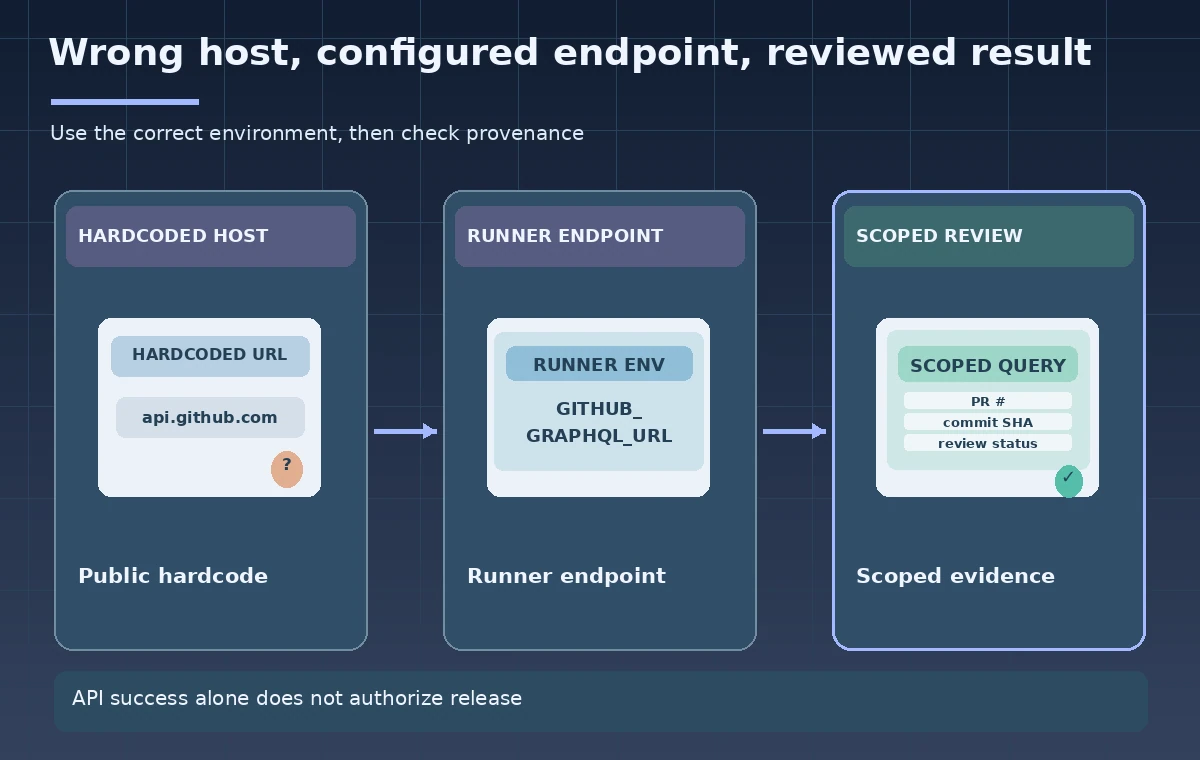
A museum may run caption-quality checks for pull requests in a repository hosted on github.com or in a GitHub Enterprise environment. Hardcoding `https://api.github.com/graphql` into a reusable workflow assumes that every runner should query the public service. GitHub documents `GITHUB_GRAPHQL_URL` as a default environment variable that provides the GraphQL endpoint for the workflow’s GitHub environment. The variable helps a script locate the service; it is not a token, a permission grant, or evidence that the pull request is approved. This tutorial uses hypothetical caption files and repository records. No GitHub repository or workflow was queried.
Read the variable in the right execution context
Default `GITHUB_*` variables are provided by the runner for steps and should not be confused with ordinary user-configured variables. GitHub notes that these default values cannot be overwritten in the usual way and that many have context equivalents, but not every shell expression has an identical workflow-expression form. Read `GITHUB_GRAPHQL_URL` in the script step that needs to call the API, and fail clearly if the variable is missing or malformed. Avoid printing every environment variable during troubleshooting because credentials and operational data may be exposed. Validate that the scheme and host fit the organization’s approved GitHub environment.

Choose the minimum metadata needed for caption review
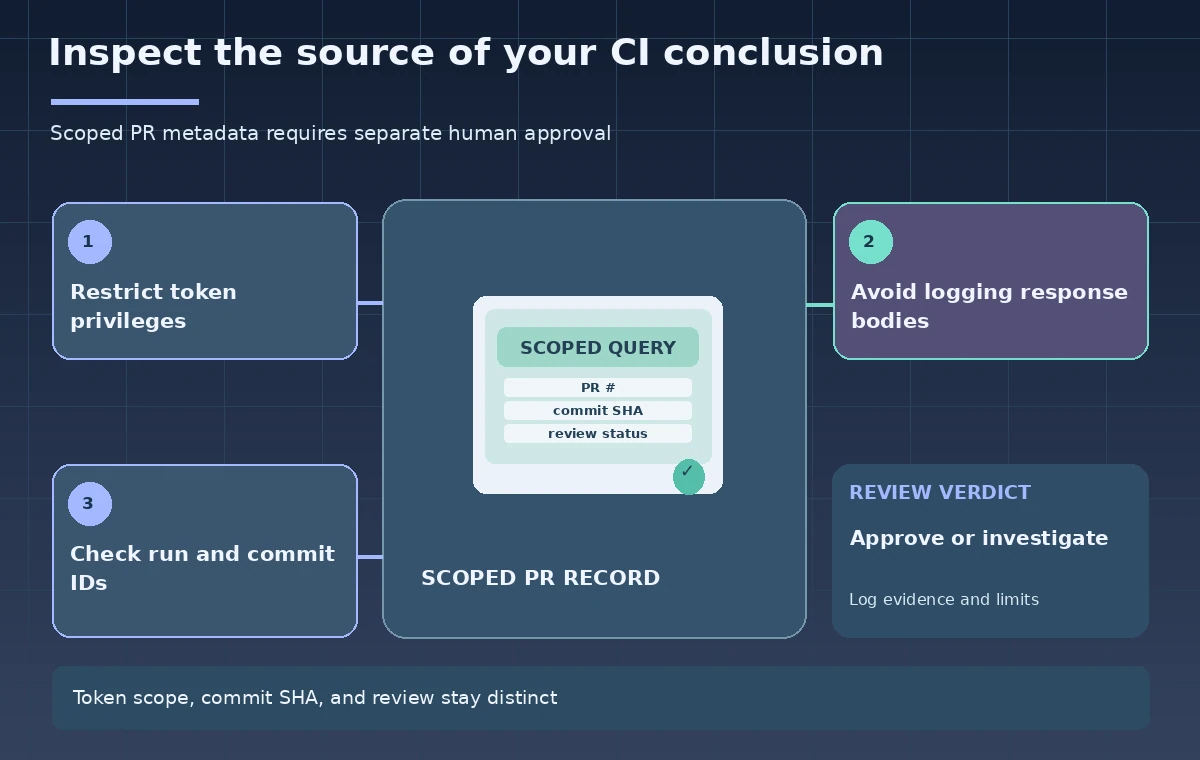
GraphQL allows a workflow to request specific fields, such as a pull request number, title, state, base repository, head commit, and the review metadata needed for a defined editorial rule. That does not mean the query should retrieve full comment bodies or private user data by default. Form a query with a narrow selection set and variables rather than concatenating untrusted pull request titles into query text. Save the exact query version with the audit rule. A green response from GraphQL means a request was handled, not that a human approved the captions or that the content is safe to publish.
Authenticate using a scoped token
The endpoint is only the URL; authentication comes from the workflow token or another approved credential. Give the job minimum repository permissions, and inspect how permissions differ on untrusted pull requests and forks. Avoid passing a high-privilege token into code checked out from an untrusted contributor. Store credentials in approved secret mechanisms rather than command-line arguments or plain logs. If a query fails due to permissions, report the denial instead of switching to a broader credential automatically. A token capable of reading PR metadata does not entitle the workflow to merge, publish, or modify repository settings.
Treat the hostname as configuration, not identity proof
Because the default variable is set by the runner, it is a better portable starting point than a public hardcoded URL. Still, a compromised job step or improperly configured self-hosted runner can undermine local assumptions. Protect the workflow file, action dependencies, and runner environment. Use TLS verification and an approved host allowlist for high-trust operations, and avoid following unrelated redirects with an Authorization header. If the organization moves between GitHub environments, review the endpoint, API behavior, access restrictions, and credential audience before reusing the workflow unchanged.
Handle pagination and GraphQL limits explicitly
Pull request connections can be paginated, so a query returning one page does not necessarily cover every review or changed file. GitHub documents GraphQL rate limits and node limits, which a review workflow should respect by selecting only necessary fields and following documented cursor rules. Record when a query was truncated, and do not infer that an omitted review means it never existed. If the job cannot complete due to limits, mark its evidence incomplete rather than publishing a success badge. Keep timing and retry behavior conservative, with a clear failure state for partial audits.
Connect API facts to the exact checked commit
A PR can change while a job runs. To avoid approving obsolete content, tie the query result to the head commit SHA, the workflow run and attempt, and the caption artifact hash actually tested. A metadata query after a new push may refer to a different commit from the one that produced the CI report. Record the source repository and event type, particularly for forks and `pull_request_target`, and decline to treat a passing check on one commit as approval of another. Use approved branch protections and human review as separate requirements from this endpoint discovery technique.
Keep audit artifacts useful but private
A useful log contains the endpoint host or an approved alias, query version, repository ID, PR number, requested commit, pagination completion, and review outcome. It should not include raw Authorization headers, complete GraphQL responses with private comments, or the entire event payload. Store only what the organization’s retention policy requires, and restrict access to reports as needed. If a query fails, provide structured error categories such as authentication, missing permission, rate limit, incomplete pagination, or schema mismatch. The instructional diagram illustrates possible states and has not recorded a live API response.
Make the release decision outside the GraphQL request
The final review gate should combine the source commit, caption test result, approved editorial reviewers, and any required rights or accessibility checks. `GITHUB_GRAPHQL_URL` ensures the script points at the appropriate GraphQL service but does not say what the returned data proves. Test the workflow in an authorized staging repository before expanding its privileges or using it for protected branches. Document assumptions about GitHub Enterprise, API schema versions, and forks. This produces a portable and auditable metadata check while preserving the distinction between data retrieval, verified CI evidence, and publication authorization.
How We Research
Official technical sources consulted November 11, 2026: GitHub Actions variables reference; GitHub GraphQL call guide; GitHub GraphQL rate limits. We checked GitHub Actions default variable documentation, GraphQL request guidance, and GraphQL rate-limit rules. We designed a conceptual caption pull request review and considered fork, permissions, and commit-consistency risks. No repository, GraphQL endpoint, PR, token, or runner was queried. Diagrams are original teaching illustrations rather than screenshots or real measurements. Product availability, API versions, access roles, model support, costs, and organizational rules can change; verify the current official contract in the target account before deployment.
Frequently Asked Questions
No. It provides the GraphQL endpoint URL; the caller still needs valid, appropriately scoped authentication.
GitHub Enterprise environments can use different endpoints, so a workflow should use the runner-provided URL.
No. API data retrieval and repository policy, CI results, and human release authorization are separate.
At minimum the repository and PR identifiers, checked commit SHA, workflow run and attempt, query version, and pagination status.
Usually not. Minimize private fields, redact credentials, and keep only approved audit metadata.