
An API hostname can be the hidden CI dependency
Imagine a media archive that validates subtitle files through GitHub Actions and posts a pass/fail status to an internal review system. The workflow works on GitHub.com but fails when the organization moves a repository to a GitHub Enterprise Server environment. The job assumes every REST call begins at api.github.com. GitHub supplies GITHUB_API_URL as a default environment variable for the API URL available to the current runner environment. Using that value avoids one common hard-coded-host assumption. It does not grant API permission, establish a security boundary or guarantee that the endpoint accepts every REST route.
Read the default variable at execution time
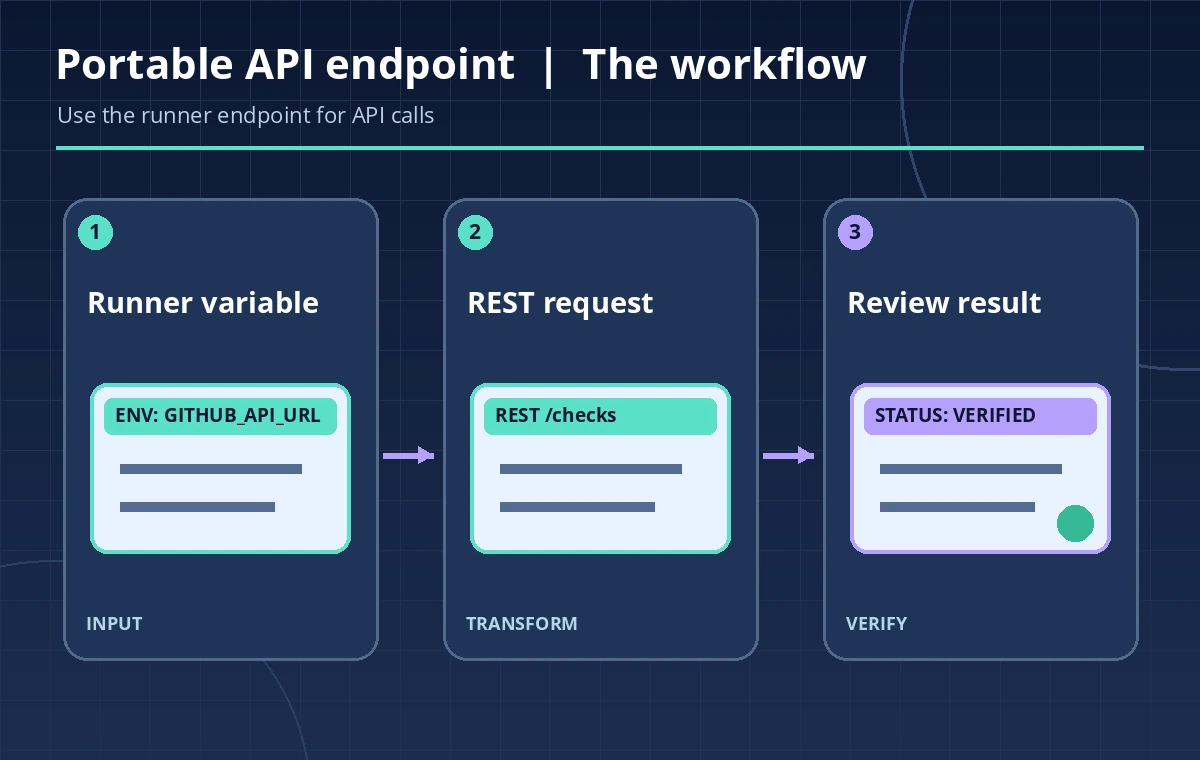
The official GitHub Actions variable reference lists GITHUB_API_URL and gives https://api.github.com as an example. It also explains that default GITHUB_* environment variables are provided by GitHub, generally cannot be overwritten and are different from arbitrary custom workflow variables. Read the value as an environment variable in a runner step, rather than constructing it from the repository name. Do not bake a GitHub.com host into a reusable action intended for multiple deployments. The value is an endpoint indicator, not an authorization token or proof that the target repository is safe to write to.
Keep the REST path separate from the base URL
For an approved read-only caption-check operation, the application can combine its documented REST path with the provided API base using a URL-safe client. On GitHub.com the base may be https://api.github.com; an enterprise deployment can use a different URL and path layout. Avoid simplistic string substitutions that assume every hostname shares the same shape. The workflow should construct an API request using supported SDK or HTTP client routines and verify the returned status and payload schema. Do not publish a worked example with a real private repository token, enterprise hostname or internal organization identifier.
Apply least-privilege token permissions
GITHUB_API_URL only selects where a request goes. GitHub’s GITHUB_TOKEN permissions still determine whether the workflow can read repository metadata or post a status. For a pure audit, request read-only permissions needed by the chosen endpoint and do not turn on broad write access by default. If the job must post a check or comment, document the precise permission separately and restrict it to an approved workflow path. Never print the token while debugging a connection. A 401 or 403 should trigger identity and scope review, not automatic escalation of the workflow token.
Treat pull-request data as untrusted
A caption file, pull-request title or branch name may be controlled by an external contributor. Those values must not become shell syntax just because they were returned by a trusted API endpoint. Pass data as quoted values or structured client parameters, validate file paths and keep scripts pinned to reviewed revisions. Avoid a pull_request_target job that checks out unreviewed code and immediately runs it with credentials. The API URL is provided by the runner, but the response data and requested repository content still need normal input handling and provenance checks. This distinction is essential for an automated editorial pipeline.

Compare hard-coded and environment-aware workflows
A hard-coded api.github.com endpoint may work in one hosted environment yet fail when the same action runs against another GitHub deployment. An environment-aware client reads GITHUB_API_URL and the authenticated repository context, then makes an explicit request to an allowed REST endpoint. It should verify that the endpoint responds with the expected JSON shape, rather than treating any HTTP 200 as a complete caption report. The diagram presents a conceptual comparison, not a live test against a particular enterprise server. An apparent success may still refer to the wrong repository if the script’s request path is incorrectly formed.
Make the status report auditable
Store the workflow run ID, attempt number, repository identifier, checked commit SHA, API endpoint class and returned result status in the job report. Avoid storing a full internal enterprise API URL when your policy treats hostnames as sensitive; a server class and approved opaque reference may be enough. Distinguish a caption syntax check from human sign-off on accuracy, accessibility and rights. A green CI result establishes that specified automated checks passed under a particular workflow version, not that an exhibit’s subtitles are editorially correct or legally cleared.
Handle failure modes without broad fallback credentials
Common failures include an unavailable enterprise endpoint, an unsupported route, a token with insufficient scope and a response truncated by network failure. Classify these conditions separately from an actual caption validation failure. Never fall back from an internal API URL to the public GitHub endpoint when private repository information is involved. Fail closed on identity mismatches, report which stage failed and let an authorized maintainer investigate. The selected API host should be an application-controlled configuration decision tied to the runner environment, not a user-supplied string in a pull-request comment.

Document a portable integration contract
A maintainable integration states that the job reads GITHUB_API_URL, uses an approved REST client, requests only required token permissions and treats every external filename or description as untrusted data. Include an allowlisted operation, expected response fields and a test strategy for both hosted and enterprise deployments if the organization supports both. The release checklist should verify the checked commit and the human editorial approval separately from API connectivity. Consult the current variables and REST documentation when upgrading the runner or API version. Avoid claiming cross-environment portability from a single successful run.
How We Research
We consulted named official technical sources on November 11, 2026: GitHub Actions variables reference; GitHub REST API getting started; GitHub Actions security guidance. We checked the documented parameter or operation, response details, limits and warnings against a narrowly described, hypothetical museum workflow. The examples and diagrams were designed as original instructional material, not based on captured account data. We did not run production tests, access customer archives, measure transfer speeds, confirm permissions on a live site or create genuine vendor screenshots. Check the latest official guides, use synthetic records and require an authorized owner before any production change.
Frequently Asked Questions
GitHub documents it as the API URL supplied to the runner; on GitHub.com it is typically https://api.github.com.
No. Endpoint selection is separate from GITHUB_TOKEN permissions and repository policy.
A reusable action may run in an enterprise deployment with a different API host or path.
No. Review documented permission scopes and endpoint requirements without exposing credentials.
No. Automated transport and validation results must be separated from human editorial approval and rights review.