
Deleting a queue is not the same as disabling deliveries
A fictional museum once used a dedicated Cloud Tasks queue to send exhibition reminder emails. The exhibition ends, but staff do not know whether the queue still holds delayed reminders. Someone suggests deleting the queue immediately and creating it again with the same name for next season. That is risky for two reasons: deleting a queue also deletes any tasks remaining in it, and Google Cloud Tasks documents a tombstone period that can prevent immediate, reliable recreation under the same name. A safe retirement begins with an inventory and business approval, not the delete call.
What projects.locations.queues.delete actually does
The Cloud Tasks v2 REST operation takes the fully qualified queue name, in the form projects/PROJECT_ID/locations/LOCATION_ID/queues/QUEUE_ID, and deletes that queue. Google explicitly warns that this operation deletes the queue even when tasks remain. The request body is empty, and a successful operation returns an empty JSON object. The permission cloudtasks.queues.delete is required. Success indicates that deletion was accepted; it does not provide a list of every task removed, prove downstream notifications were not already dispatched or undo messages previously delivered to recipients.

Establish an owner-approved task inventory
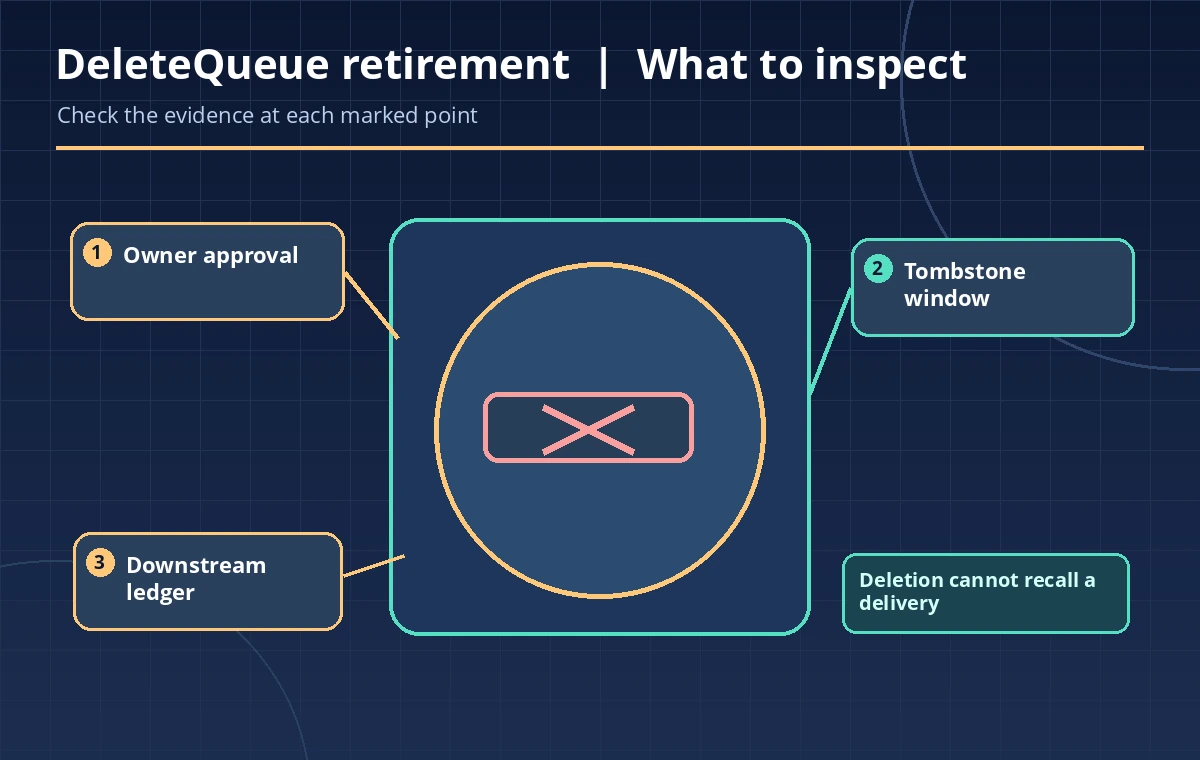
Before deletion, identify the project, location and queue precisely. Have the responsible event team confirm that the queue is no longer needed for reservations, customer notices or reconciliation. Review task counts and any task IDs required for financial or privacy investigations; a queue listing is operational state, not necessarily an immutable accounting record. If the task list is changing, document a cutoff time and stop producers using the supported queue-management process. Preserve only approved metadata in the retirement record. Exporting email payloads wholesale is rarely necessary and can create a second privacy problem.
Choose pause, purge or delete for the correct outcome
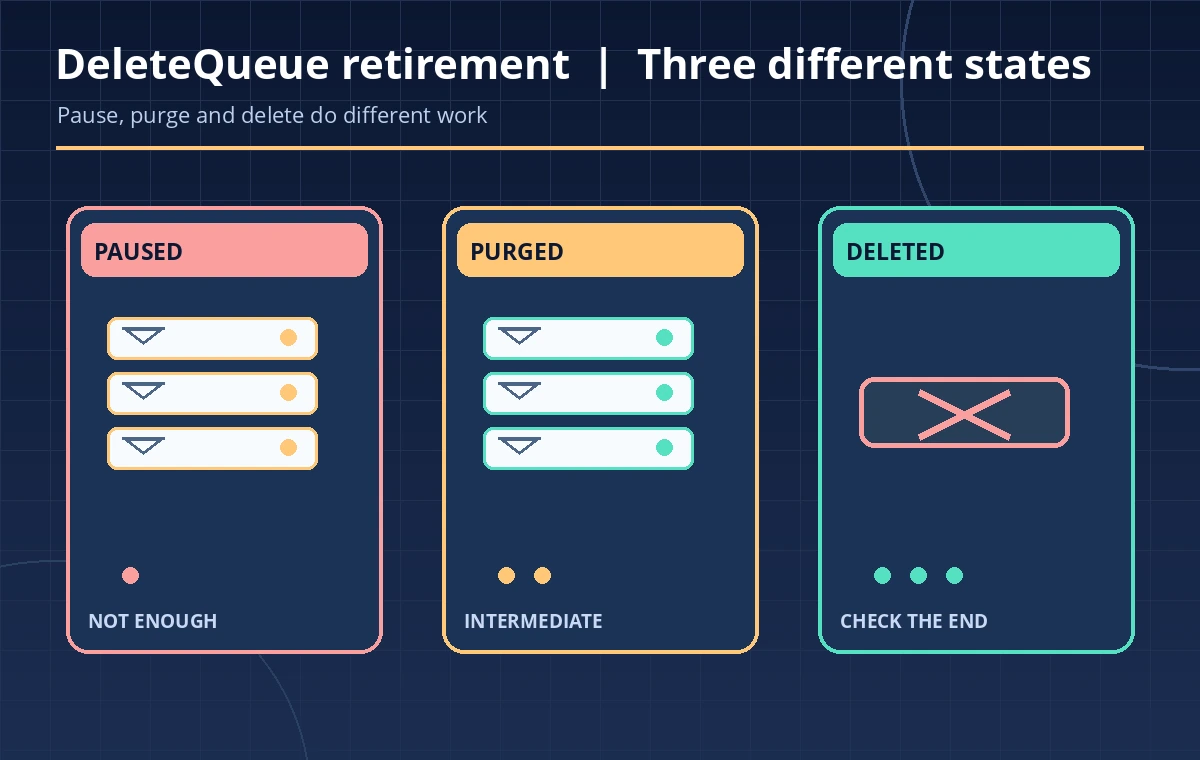
Pausing a queue prevents normal dispatch while keeping queued tasks available for later resumption. Purging removes queued tasks while retaining the queue resource and its configuration. Deleting removes the queue itself and its remaining tasks. These actions are not interchangeable: a campaign that may resume should generally not be treated like a permanently retired queue. For a synthetic scenario with uncertain attendance notices, first pause and reconcile outstanding obligations. Only delete when an authorized owner explicitly accepts the loss of remaining queued work. A restored queue name would not restore deleted task payloads.
Respect the tombstone window and name reuse
The queues.delete API describes a tombstone window of up to three days. The queue-management guide directs operators to wait three days before recreating a queue under the same name. An attempted immediate create can misleadingly appear to succeed, so a subsequent queues.get is needed to verify the resource truly exists. For a new exhibition, use an approved new name and location only if it aligns with the organization’s routing policies. Do not build recovery automation that repeatedly tries to recreate a deleted queue during the tombstone period. Repeated creates cannot resurrect removed tasks.
Check declarative App Engine queue management first
Cloud Tasks warns that queues managed through an App Engine queue.yaml or queue.xml can have surprising interactions with delete and recreate operations. Determine whether deployment configuration, Terraform or other infrastructure-as-code owns the queue. If the old name still appears in configuration, a later deploy could attempt to restore it or change it unexpectedly. Review those repositories and planned deployments with the owning team. Do not silently edit infrastructure while making a one-off API call. A queue retirement needs a documented change to both operational resources and whichever configuration defines the intended state.
Use a clearly scoped and authorized deletion
For a permitted change, the operation should target one fully qualified queue resource, not a prefix or an inferred current region. A command such as gcloud tasks queues delete OLD_QUEUE –location=REGION is an execution example, not a recommendation to run it without approval. Have a second person confirm the project and queue names from the actual management system. Record the approver and change ticket before proceeding. Use least-privilege credentials with the appropriate queue-delete permission; a 403 should trigger permissions review, not a search for broader credentials.
Verify outcomes without pretending delivery was recalled
After a confirmed deletion, verify that the resource is no longer returned as an active queue and that producers have stopped targeting it. Look for already dispatched work in the downstream application ledger: an HTTP task may have triggered an action before the queue disappeared. If a message was sent, deleting the queue cannot pull it back from a person’s inbox. Capture any outstanding customer-service actions in a separate approved system. Where retention obligations apply, keep the audit ticket and minimal task metadata rather than attempting to reconstruct private payloads from transient logs.
Write the retirement record and a restart plan
A useful change record states which queue was retired, who approved the loss of pending tasks, how producers were disabled, whether any tasks were reconciled and when the name may safely be reused. It distinguishes deleted queue state from confirmed downstream completion. Include a fallback procedure for future events that uses a new task queue and an idempotent delivery handler if needed. Do not claim that every reminder was canceled until the consumer ledger supports that conclusion. For implementation details, refer to the Cloud Tasks queues.delete reference and management guide before touching production.
How We Research
We consulted named official technical sources on November 11, 2026: Google Cloud Tasks queues.delete REST API; Google Cloud Tasks queue management guide. We checked the documented parameter or operation, response details, limits and warnings against a narrowly described, hypothetical museum workflow. The examples and diagrams were designed as original instructional material, not based on captured account data. We did not run production tests, access customer archives, measure transfer speeds, confirm permissions on a live site or create genuine vendor screenshots. Check the latest official guides, use synthetic records and require an authorized owner before any production change.
Frequently Asked Questions
Yes. The official delete method explicitly states that the queue is deleted even when it still has tasks.
Do not rely on it. The API documents an up-to-three-day tombstone window, and the management guide says to wait three days.
No. Pausing retains tasks and can be reversed; deleting removes the queue and its tasks.
No. Some tasks may already have been dispatched and processed before deletion.
Review the declarative App Engine configuration first; deleting a managed queue can cause unintended interactions with later deployments.