
A community museum is recruiting volunteers for a weekend cataloging event. The approved brief lists a date, an arrival window, a contact address, and a process for requesting accommodations. It does not guarantee travel reimbursement or free transportation. A coordinator wants a warmer invitation and considers Gemini in Google Docs to rewrite the copy. The dangerous failure would be a polished message that invents a benefit or changes who can attend. This hypothetical workflow combines Gemini’s documented drafting and refinement tools with a factual approval sheet, sentence-level review, and a conservative final handoff. No real invitation, account, or participant records were processed for this guide.
Build a one-page approval sheet before editing
Write a short source brief containing the exact event name, approved date and time zone, check-in location, accessibility contact, age or role restrictions if any, and confirmed coordinator contact. Mark claims that are not approved: paid travel, free meals, certification, and guaranteed placement are common temptations in recruitment copy. Distinguish a confirmed service from an invitation to ask about support. Store this sheet beside the invitation and give it a version date. If the organization has conflicting flyers, stop and reconcile them before using generative writing. Gemini can help with phrasing, but it cannot authorize a promise on behalf of a museum.
Choose the right Gemini drafting entry point
Google documents both creating text from a prompt and refining selected passages in Google Docs. Depending on the version of the interface and account eligibility, a user may see a document prompt bar, a Help me write control, or a floating refinement action after selecting text. Open the approved working document and identify whether you want an entirely new draft or a limited rewrite. For a nearly correct invitation, select only the paragraph whose tone needs help. Preserve a copy of the original, because replacing the whole document can accidentally remove legal or practical details. Confirm feature availability in the workspace before promising a specific menu path to colleagues.
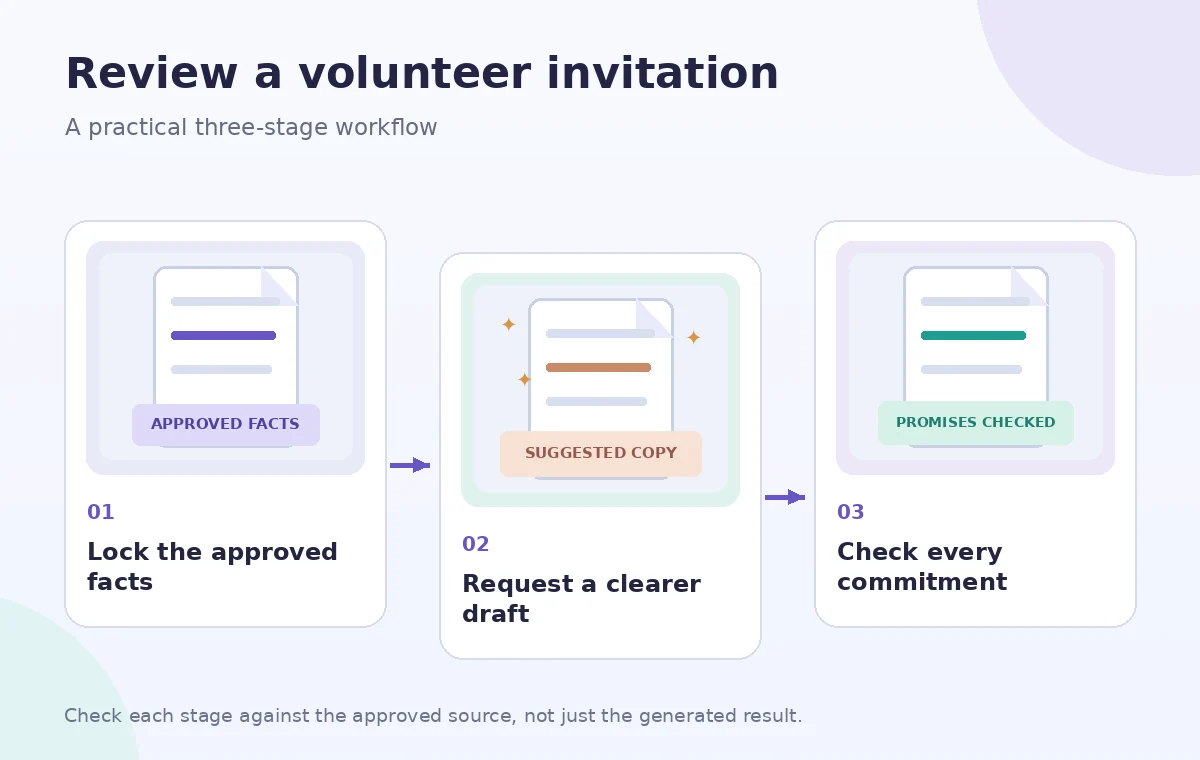
Write a prompt with explicit boundaries
The prompt should describe the audience, desired tone, length, and immovable facts. For example: ‘Rewrite this for first-time museum volunteers in plain US English. Preserve the exact date, arrival time, venue, contact details, and eligibility text. Do not add benefits, transport guarantees, discounts, or accommodation commitments. If any fact is missing, leave a placeholder.’ If the text uses branded program names, paste their approved spelling. Treat the generated wording as a suggested draft, not an automatically authorized communication. A well-defined prompt reduces review effort but cannot reliably prevent every added implication or altered condition.
Inspect the suggested draft line by line
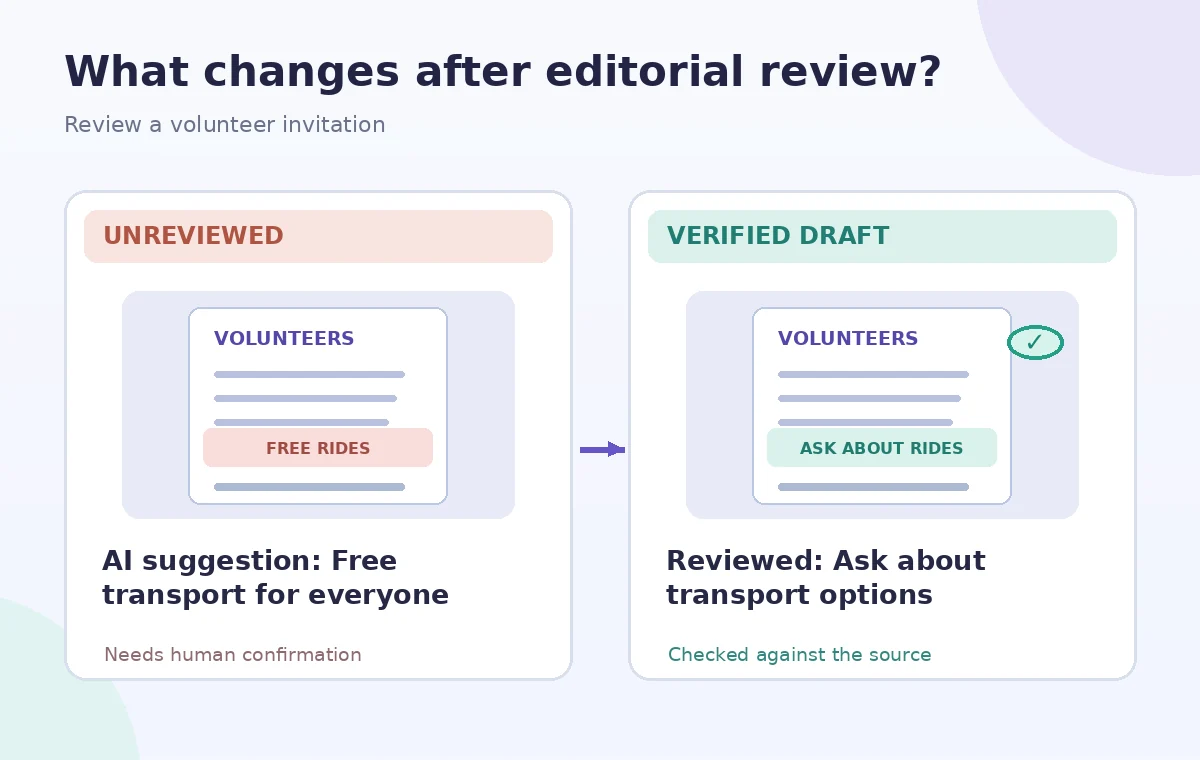
Compare every sentence with the source brief. Highlight verbs that express commitments: provide, reimburse, guarantee, reserve, certify, and arrange. The sentence ‘Contact us to discuss transport options’ is different from ‘Free transport will be provided.’ Verify that a suggested phrase such as ‘all volunteers welcome’ does not override a documented training prerequisite. Recheck the address, room number, day of the week, and time zone independently rather than copying AI output into a calendar. If the draft creates a confident answer where the approved sheet is silent, replace it with a neutral question or remove it entirely.
Use targeted refinement instead of broad regeneration
Once the factual content is stable, refine one issue at a time: shorten long sentences, make the action step visible, or remove unnecessary jargon. Google describes selection-based actions such as rephrase, shorten, and tone adjustments. Avoid asking for a completely fresh rewrite after legal, accessibility, or scheduling language has been approved, because new generations can quietly shift those statements again. Keep a diff or a manually marked before-and-after copy so reviewers can see exactly what changed. A plain sentence that preserves the source is preferable to a charming sentence that introduces a new organizational promise.
Make the invitation easy to use
Put the event date, check-in time, location, contact method, and response deadline near the top. If the message will be emailed, use a descriptive subject and one clear call to action. A screen-reader-friendly document should use meaningful headings and real links rather than pictures of text. Do not embed a private registration roster in the AI prompt or share a document with public editing permission. Provide accommodations contact information in the organization’s approved wording; do not claim that a specific support service is already secured unless the responsible team confirmed it. Read the final paragraph out loud for clarity.
Verify changes in a separate fact table
Create three columns: draft statement, approved source, and disposition. A disposition can be ‘confirmed,’ ‘reword,’ or ‘remove.’ Record who confirmed potentially sensitive commitments, including transport, expenses, supervision, and accessible entrances. This review method is more reliable than a vague question such as ‘Does the invitation look good?’ It also makes future updates easier: when the venue changes, the editor can locate each instance of the original address. A source-backed table does not prove the service has been provided; it documents what the organization has authorized the invitation to say.
Review as a recipient before sending
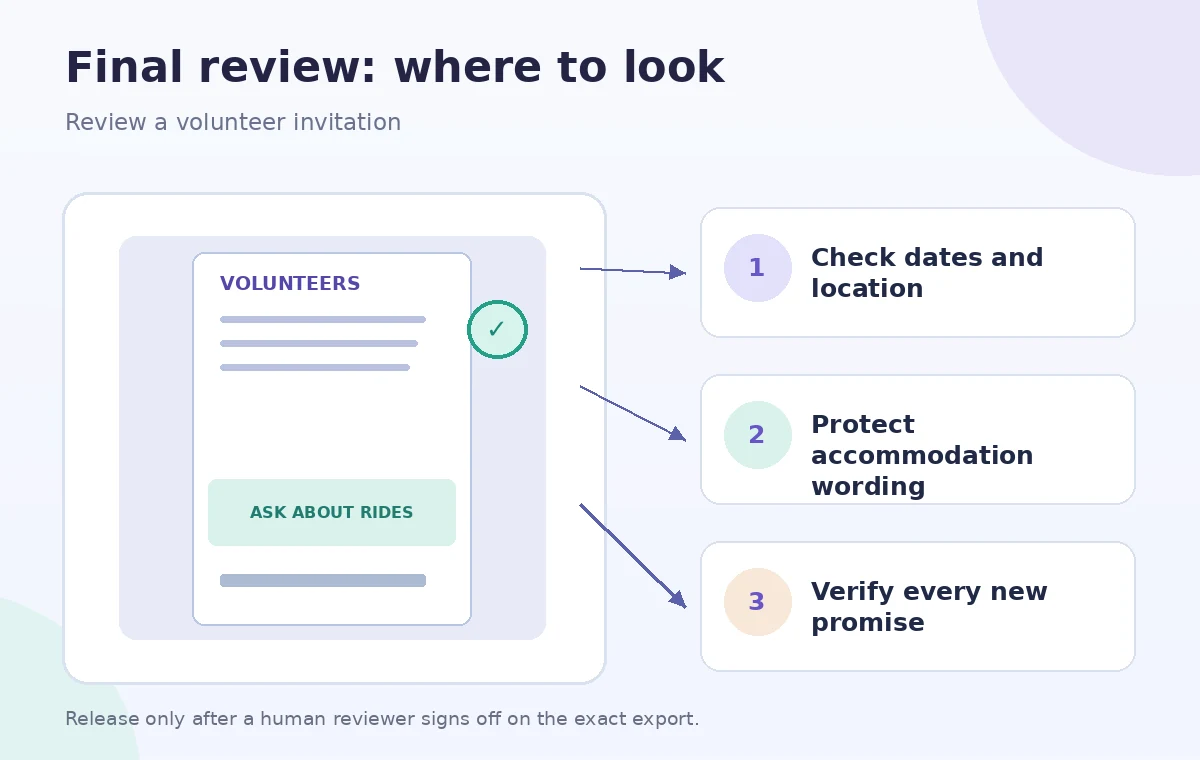
Ask a person unfamiliar with the event to find when to arrive, where to go, whom to contact, and what is or is not provided. Look for reassuring phrases that could be interpreted as guarantees. Check mobile line wrapping, linked forms, and whether the response form requests only necessary information. The approver should compare the final exported email or PDF with the approved working copy, not merely sign off on an earlier draft. If the email tool inserts preview snippets or automatically shortens the invitation, inspect those too. Do not schedule public distribution until the event owner approves the exact version.
Archive a reusable invitation workflow
Save the dated approval sheet, original invitation, proposed AI text, final approved text, and a short change log. Retire obsolete documents so a future editor does not start from the wrong address. If Gemini or Docs changes its interface, the approval method still works: source facts first, draft second, line-level verification third. Reconfirm Google’s feature availability, account controls, and privacy policy for the organization’s current plan. The visual diagrams in this guide are schematic examples rather than live Google Docs screenshots, and we did not test output quality or promise an improvement in volunteer response rates.
How We Research
The documented feature claims in this guide come from these first-party sources, checked for this editorial draft: Google Docs Editors Help — Collaborate with Gemini in Google Docs and Google Workspace Learning Center — Write a quick first draft. We verified that Google describes both document-level creation and selected-text refinement. We did not assume every account shows the same Help me write control. The editorial test here is whether each proposed invitation claim has an authorized source. We built the hypothetical scenario and four conceptual diagrams to illustrate where the reader must check evidence. They are not screenshots, transcripts, generated results or measurements from a live account. We did not use the products on customer data, confirm a plan entitlement in a real organization, run performance tests, or guarantee compliance, safety, eligibility, commercial rights, or financial correctness. Recheck source dates, platform permissions and tool availability immediately before a real workflow, and ask the responsible subject expert to approve the final output.
Frequently Asked Questions
Google documents drafting text in Docs, subject to account and interface availability. Provide an approved fact sheet and verify the complete draft before using it.
Treat that as an unsupported commitment. Remove it unless the organization has formally approved the service and exact wording.
Not usually. Select the passage needing revision and compare the change with the original to avoid changing approved facts elsewhere.
Only if organizational permissions and privacy rules permit the processing. A fictional or de-identified example is safer for learning.
The exact outgoing invitation, including date, time zone, address, eligibility, accessibility contact, benefits, and registration link.