
A neighborhood arts center is designing an RSVP interface with repeated guest cards: name, attendance choice, dietary note, and status. Rows of identical lorem ipsum do not reveal how the layout behaves with realistic names. Figma AI Replace Content can populate selected text layers with examples, but those examples should not be mistaken for real reservations. This article shows a privacy-first mockup workflow using fictional guests and unverified test copy. It does not claim to have run the generation in Figma.
Decide what synthetic data must demonstrate
Start from the screen’s real design questions rather than asking for realistic people in the abstract. Do cards still align when a name is long? Is a status recognizable without color alone? Can a dietary note wrap without covering the RSVP action? List the fields and edge cases before generating any copy. Avoid using a spreadsheet of actual attendees, because private event records are unnecessary to test typography and layout. The objective is to reveal design failures through synthetic text, not to build a hidden production database inside a prototype.
Create an example data matrix with short and long names, yes/no/maybe responses, empty optional notes, and an explicit pending state. Every item should be fictional.
Check Figma feature scope and eligibility
Figma documents Replace content for Figma Design and Figma Sites, with edit access required and supported paid or Education tiers as specified in its help center. The feature replaces selected text with AI-generated realistic copy; it does not replace placeholder images. The help page describes selecting one or multiple text-containing objects, using Actions, and choosing Replace content. The feature can also be suggested after duplicating placeholder layers. Do not assume that every team, view-only file, or plan offers the same menu. Check the current workspace before writing instructions for colleagues.
Make a copy of the design before replacing content so the component system and original placeholders remain available for comparison.
Prepare safe prompts and boundaries
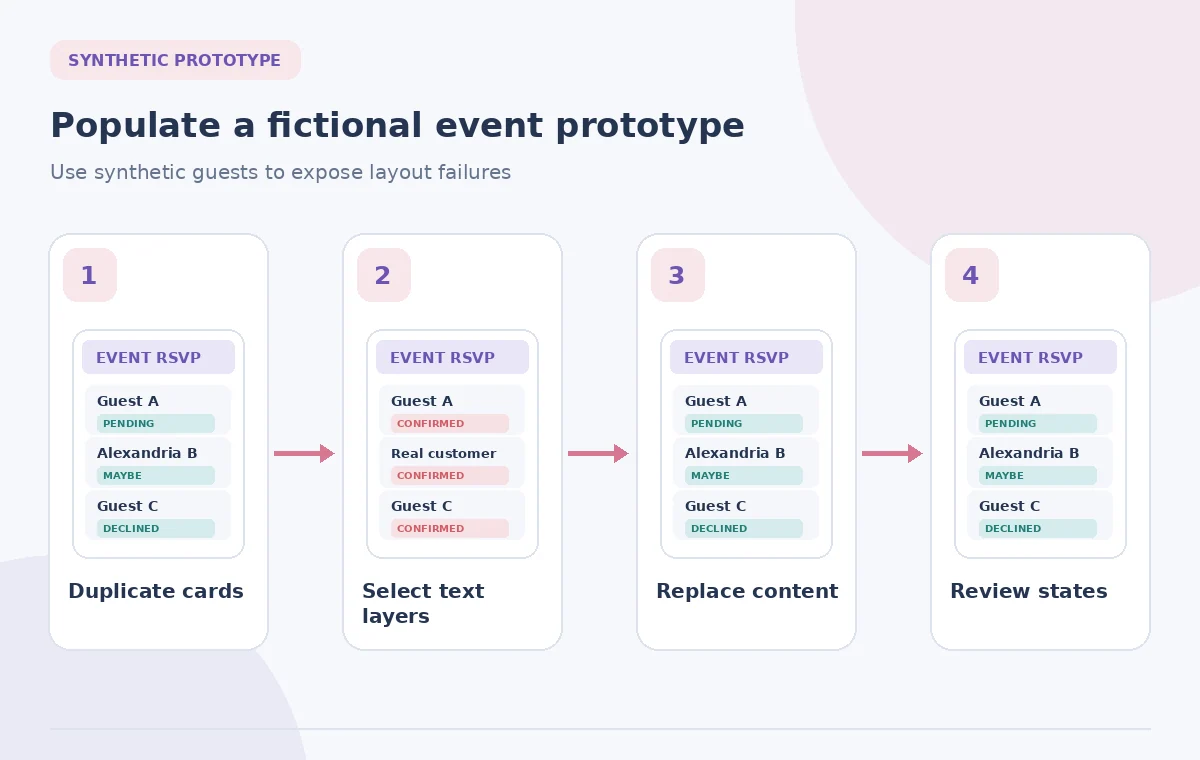
Give Figma a prompt describing the type of data, not personal details from the event. For example, request entirely fictional attendee names and short confirmation messages for a community exhibition. Specify that no generated text should look like a paid booking, a final admission guarantee, or an actual health record. Figma’s examples show realistic text generation for repetitive cards and tables, but the resulting copy is not verified source data. The design team must review every statement that seems operational: deposit due, invitation accepted, and allergy accommodated are not neutral filler when copied into a real product.
Use clear mock-data labels in the prototype handoff notes, not a production-looking banner that could mislead viewers into believing the data is genuine.
Replace selected text, not application logic
Select the repeated text layers or their containing objects, then launch Replace content from the Actions menu and give context in the prompt. Check which objects were actually selected. This feature changes text, not the logic of submission, storage, validation, or permissions. A card that displays Confirmed has not been submitted to an event system. Keep interactive prototype behavior separately documented and never connect invented attendee records to real invitation emails. After generation, check the undo path and whether components inherit unexpected overrides.
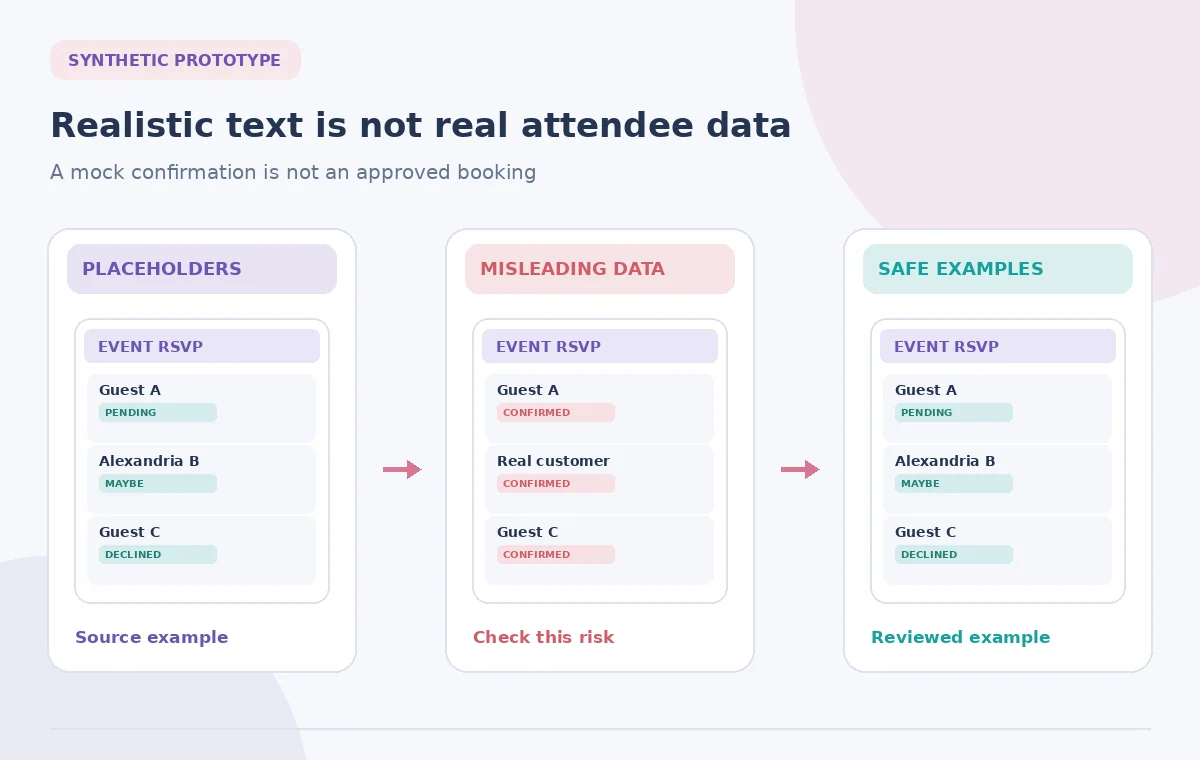
Treat each change as a visual draft. The comparison graphic contrasts harmless placeholder text, a misleading confirmed state, and clearly fictional review copy.
Stress-test the longest visible strings
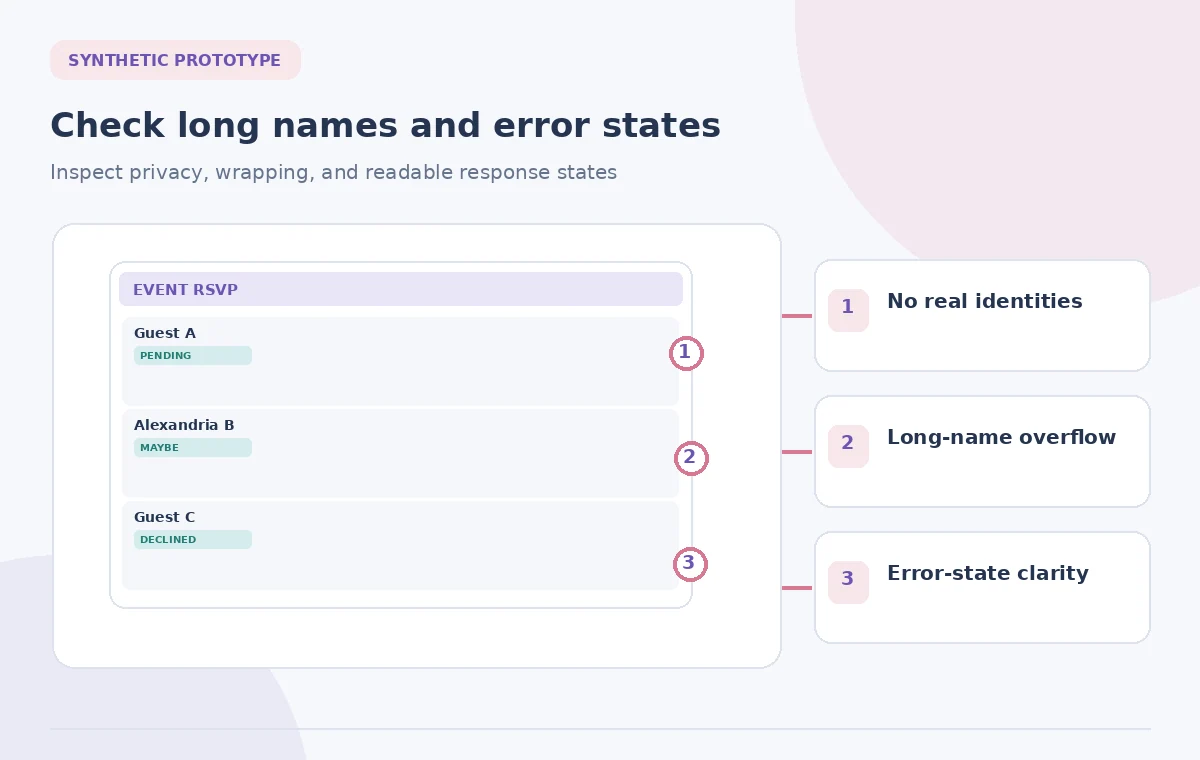
Review the generated list with a focus on width, line breaks, and responsive behavior. Include one longer full name, a two-line organization, and a short dietary note. Check that buttons stay visible when an optional field is blank or another language is longer. Test narrow mobile frames and a larger text scale rather than relying on the desktop canvas. A colorful mockup that clips the final word of a status is not ready for developers. Look for unexpected uppercase words, placeholder jargon, and differences between the component master and instances.
A practical test includes keyboard-visible focus and readable errors, even though Replace content itself is not a tool that fixes accessibility or interaction behavior.
Review semantics, inclusivity, and consent
Synthetic names should be diverse without becoming stereotypes. Avoid assigning sensitive characteristics, medical conditions, or protected traits to example people. A dietary note can say Request information instead of inventing an allergy diagnosis. The copy should explain whether the event is free, requires confirmation, or simply records interest, but only if that statement came from the approved event brief. AI text is a visual aid, not authority over admissions policy. If the interface needs a privacy notice, use approved legal or organizational language instead of generating a plausible but unreviewed statement.
Check that fictional text does not accidentally include genuine phone numbers, real email domains, or identifiable photographs carried over from another test file.
Hand off source and state definitions
Give developers an explicit state table: draft, invitation sent, accepted, declined, and error. Explain that the generated names are samples, while status labels and button behavior are specified by the team. Keep the component file, variants, and prototype links organized. Note which edge cases were manually added because a generative feature may not produce enough unusual content for testing. If reviewers ask for a change to wording, update the content spec as well as the mockup so the implementation does not silently diverge.
Do not export invented RSVP records as a CSV intended for real invites. A synthetic design fixture should remain separate from live registration workflows.
Make the final review about function
Ask someone unfamiliar with the prototype to find a pending invitation, change a response, and identify an error state. Watch whether the generated copy helps or confuses the task. Check at common screen widths and text sizes, then scan for private names, invented rules, and clipped elements. Finally, label the handoff as a prototype with fictional content and obtain approval for any real event information that appears. The goal is a design that behaves credibly without pretending the mock data came from genuine people.
The figures are original diagrams of safe and unsafe content states. They are not Figma screenshots or evidence that a specific prompt was tested.
How We Research
We reviewed the named official product documentation, including Figma Help Center: Replace text content with AI; Figma Help Center: Rewrite, translate, and shorten text with AI. We used those sources to verify the feature entry point, stated capabilities and limitations, and important access caveats. The use case, source documents, example objects, and all original diagrams are hypothetical; we did not operate a live account, measure model performance, or claim real-world permission. We recommend separate source-of-truth review, independent quality checking, and approval by the person responsible for the content. Current menus, plans, and restrictions may change after this review.
Frequently Asked Questions
No. Figma describes the feature for text; its help says placeholder images require other features.
No. It replaces design text in a file, not submissions or records in an event registration system.
Avoid doing so. Synthetic examples can test layout without exposing real invitees or sensitive details.
Figma documents paid and eligible Education tiers and requires edit access; check current account availability.
Long text, error states, label clarity, privacy, component overrides, and realistic but explicitly fictional sample data.