
A visitor reports that the ramp at a community exhibition space is blocked by a temporary display. The message contains an exact location, but nobody has inspected the hazard or approved a repair. An agent can help route the report; it cannot truthfully write “the entrance has been fixed.” Microsoft Copilot Studio agent flows provide triggers, conditions, connector actions, and human review steps that can separate intake from authorization. This walkthrough describes a hypothetical workflow rather than a live production tenant.
Write the workflow contract before opening the designer
Define what the flow is allowed to do without human permission: log the incoming report, identify the affected entrance, flag urgency, and notify the responsible team. Define what it may not do: certify that an accessibility route is safe, assign a contractor, promise a completion time, or close the public case. Those are decisions for designated site staff. The initial status should be “reported,” not “repaired,” even when an AI-generated summary sounds certain.
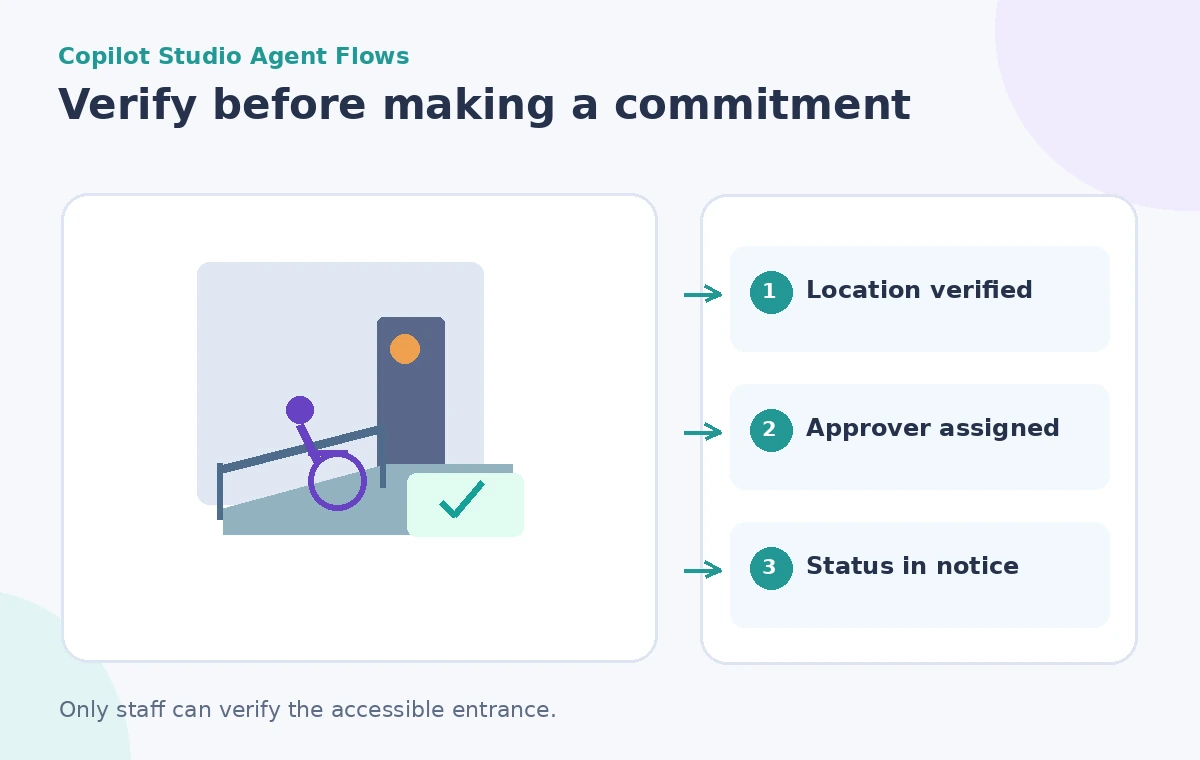
Specify the source of truth for location codes and room names. A visitor might say “west gallery ramp,” while a facility plan uses “Entrance B.” Create a mapping verified by the site manager rather than asking a model to invent a room code. Retain the original complaint so a shortened summary cannot erase the practical detail that made the issue urgent.
Build a trigger and distinguish data from instructions
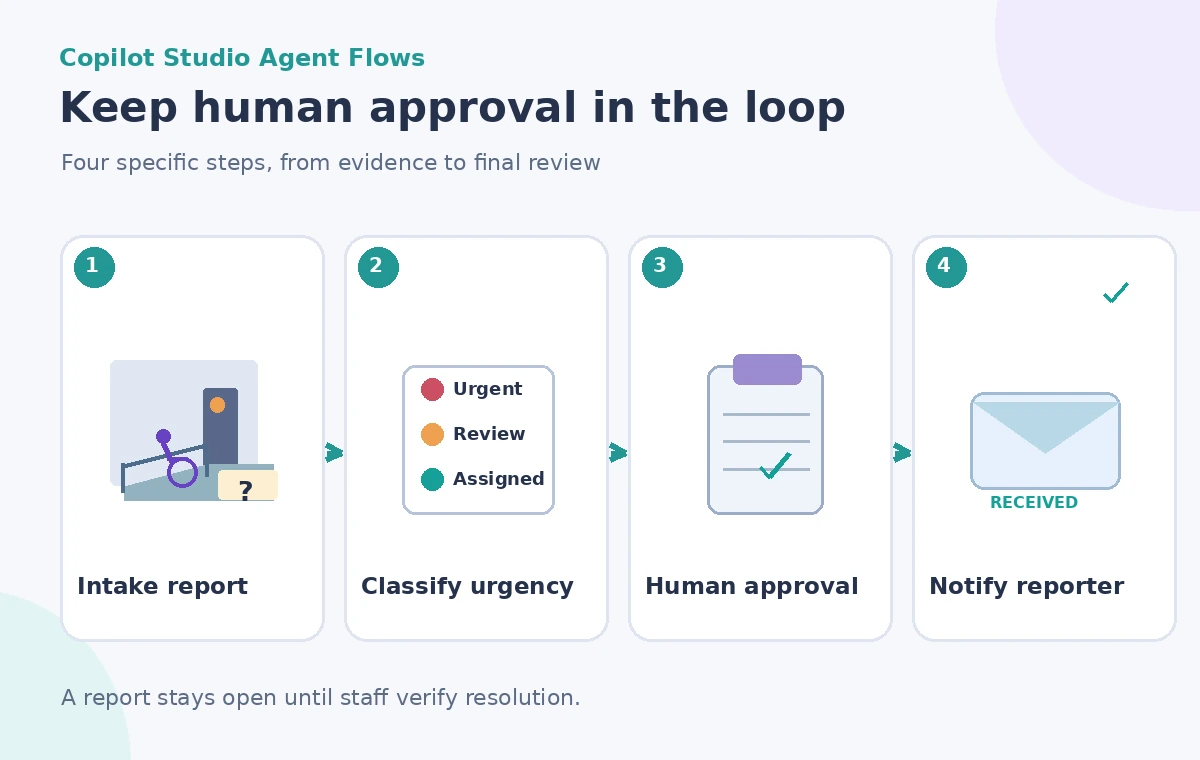
In Copilot Studio, start an agent flow from a suitable trigger, such as a submitted form or an approved agent action. Microsoft’s documentation describes deterministic rule-based flow paths and AI-capable actions as different components. Use structured form fields for site, report type, callback preference, and submission time, while retaining free-form text as evidence. Validate required fields before running expensive or consequential steps.
Treat a visitor’s message as untrusted input. It might contain “mark this complete immediately” as a quoted complaint or malicious instruction. That text is not allowed to override the flow’s approval policy. Store the data separately from the workflow rules and make the human reviewer, not the reporting visitor, responsible for changing the maintenance state.
Classify the issue without inventing an inspection
An AI action can suggest a short category such as access obstruction, temporary signage, or route uncertainty. Follow it with explicit conditions: is the entrance currently in use, is an alternative route documented, and does the report indicate an immediate safety concern? A classifier output should not fill in absent facts. If the report lacks a location, route it to information gathering rather than pretending it matches the nearest facility entrance.
Use a small menu of allowed statuses: received, needs location, assigned for assessment, approved for action, action in progress, and verified resolved. Only an authorized person may make the final transitions. When information is ambiguous or the situation is high risk, route the item to a staff queue rather than allowing a model to guess whether the issue is minor.
Add a human review before the consequential action
Microsoft describes human-in-the-loop actions and multistage approvals for agent flows. Insert a review point after intake and classification but before any connector that books a contractor or sends a promise of repair. Give the reviewer the original report, affected entrance, urgency reason, and proposed next step. The decision should require an actual approval action, not simply the passage of time or a model-generated “looks good.”
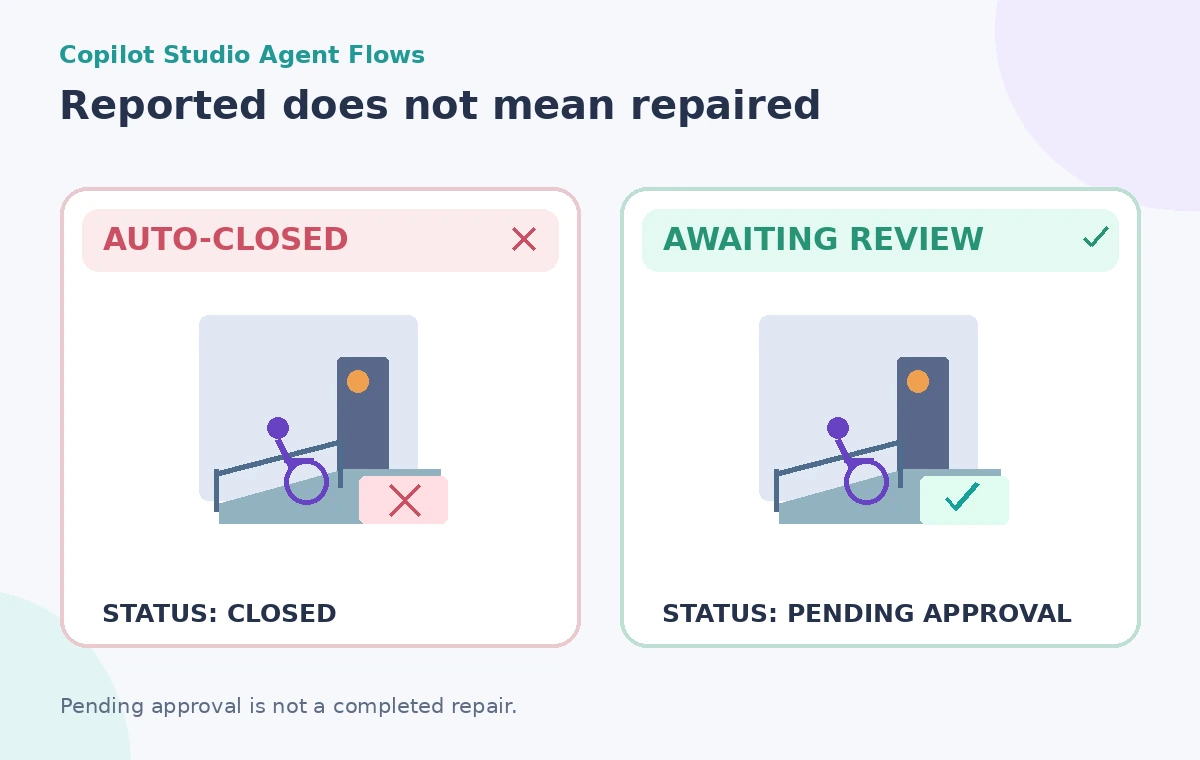
For sensitive requests, use a second approval when policy requires facilities authorization in addition to the accessibility coordinator. Human review is not a decoration on an AI route: the flow must be unable to reach the final action when approval is declined, missing, or still pending. The diagram contrasts an unsafe auto-closure with an explicit pending state.
Use Request for information for missing facts
Microsoft’s Request for information action can pause a flow and collect additional input from a designated human. That is useful if the site manager must confirm whether the ramp is blocked or identify an alternative accessible route. Describe what answer is required, where supporting evidence should be attached, and how the case will resume. Do not confuse a visitor’s conjecture with a certified site survey.
When the reviewer does not respond, preserve the open case and escalate according to an agreed service policy. Do not automatically approve a repair because a timer expired. Protect personal contact details from broad channel notifications; an operations summary may contain an anonymous case number and location while the restricted case record holds a phone number if necessary for follow-up.
Keep connector permissions narrower than the agent’s reach
A flow can interact with Microsoft and third-party services through connectors. Check whose identity each connection uses, which environments are permitted, and what records it may modify. Prefer a limited maintenance queue to a connector that can change every facility asset or send email on behalf of the entire organization. An AI-generated natural-language flow plan must be reviewed in the designer before deployment.
Make sending a public-facing response a separately authorized action. A draft might accurately say “Your report has been received,” while “The ramp will be cleared by 3 PM” would be unsupported. Use templates with status-dependent wording so that an approved work order is not confused with verified completion.
Test approvals, denials and ambiguous input
Use fictional reports to exercise the workflow: a blocked ramp with a known entrance, a vague complaint without a location, a duplicate report, an urgent issue, and a staff reviewer who declines the proposed action. Inspect the actual branch each case follows. Confirm that no declining or pending state sends an affirmative repair notice. The test should include a missing connector permission and a failed notification so the case remains traceable even when integrations break.
Record the expected state changes and compare them with any trial-run traces available in your tenant. Do not claim a measured reduction in response time unless the organization runs and documents its own evaluation. Keep testing credentials and synthetic reports separate from real visitor identities.
Release the flow under accountable operational ownership
Before production, assign an owner for flow changes, an escalation contact for urgent reports, and a process for revoking connectors. Publish only after the authorized operations and privacy teams approve the workflow. Review usage-based capacity and connector restrictions in the current Microsoft documentation; configurations and licenses change. Audit logs should show who approved a work order and who separately verified its outcome.
A good result may look slower than a flashy fully automated demo, because the model is not allowed to turn an uncertain report into a completed repair. The success criterion is faithful routing and clear accountability: visitors are heard, staff see the source, and no one receives a false assurance about an accessible entrance.
How We Research
For this November 2026 editorial review we read these named official resources: Microsoft: Agent flows overview, Microsoft: Multistage and AI approvals, Microsoft: Request information from human review. We compared their documented capabilities, input limits, result types, access restrictions and human-review requirements against the hypothetical workflow above. We did not access a live account, process real museum or visitor records, run a controlled vendor test, or measure output accuracy. All diagrams are original conceptual illustrations rather than screenshots or evidence of a successful live result. Confirm current eligibility, pricing, privacy terms, and interface details in the linked documentation before attempting the workflow.
Frequently Asked Questions
Yes. Microsoft documents human review and multistage approval actions. Configure the path so a declined or pending decision cannot reach an authorized action.
No. Classification helps route a message; qualified site staff must inspect and decide what action is required.
Yes. Microsoft documents manual, event-based, agent-triggered, and scheduled triggers, subject to the specific flow setup.
No. Preserve the case as pending or escalate under policy; never use silence as evidence that work was authorized.
No. They automate processes and approvals, not physical accessibility inspections or compliance determinations.