
A small business rarely needs five independent AI chat subscriptions on day one. It needs dependable help with repetitive, permitted work: summarizing documents, drafting customer communication, preparing designs, organizing tasks, and locating records. This buying guide groups actual products by operational job and delivers a 30-day rollout plan. It is narrower than a generic “best AI for business” ranking: the point is to reduce duplicate spend while preserving review and ownership.
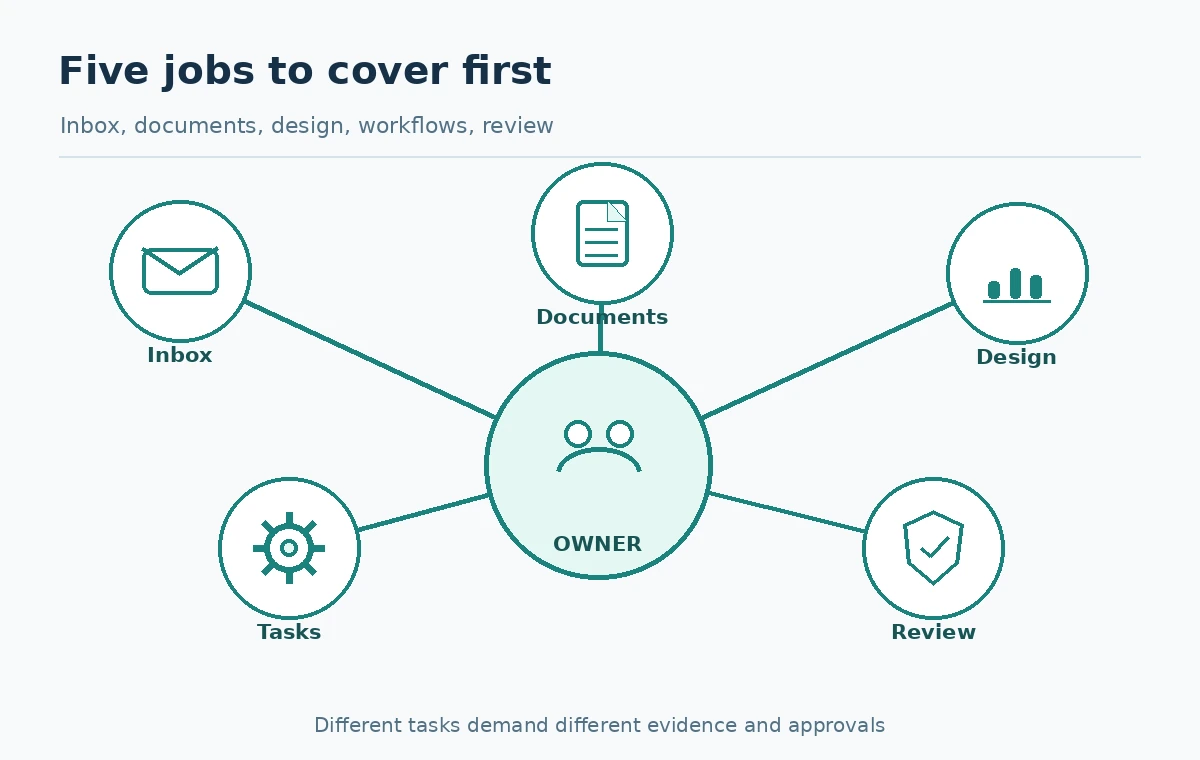
Define the five jobs and the data each needs
Start with an inventory: front-office messages, internal knowledge lookup, meeting or task follow-up, marketing design, and routine document preparation. Each has a different error cost. An incorrect internal idea may waste time; a misleading customer claim may create a compliance or reputational problem. Write the owner, input source, expected artifact, approval step, and a prohibited action for every job. Avoid purchasing software before you can describe its authorized task in one sentence.
Group job volume as occasional, weekly, or daily based on observed usage, not a guess that every employee will soon use AI for everything. If the company already pays for a suite that includes assistance, test its eligible features first. That is a purchasing heuristic, not a claim that bundled AI always performs better.
Evaluate workspace AI before paying twice
Google Workspace describes Gemini capabilities within qualifying business plans for Gmail, Docs, Meet and other productivity applications; tier and promotional conditions vary. A team that already creates nearly all content in these apps should test the built-in assistance for summarization and drafting. The same principle applies to any existing approved enterprise environment. Confirm the actual plan entitlement and administrator configuration before promising functionality to staff.
For broader analysis or reusable assistant workflows, ChatGPT Business may be worth evaluating as a separate managed workspace. It introduces new ownership and billing requirements rather than replacing the need to review source data. Choose this layer only when a documented task is not solved adequately by existing tools.
Pick design tooling based on actual deliverables
For flyers, social graphics, event promotions and simple presentations, Canva combines templates, asset editing and AI design functions. The current pricing page distinguishes AI tool classes and allowances; those features do not all represent unlimited design generation. A small shop producing a few approved graphics per week should calculate whether its existing design plan suffices before buying a separate image generator.
Make a deliverable test: one product announcement image, one event poster, one resized social asset, and one editable brand template. Assess accessibility, correct business names, text legibility, export options, and who can alter the template. AI can generate a draft, but humans must check trademarks, factual claims, licenses and final layout before publishing. Do not claim a copyright guarantee from a generic “commercial use” checkbox.
Keep shared knowledge separate from public communication
Notion documents an AI credit system for eligible Business and Enterprise workspaces and a phased 2026 transition. A workspace already organized in Notion can use supported AI features for internal knowledge work, subject to its credit pools and access controls. A new business should not buy a complex knowledge system solely because its AI demo is attractive. First ensure that documents have owners, current dates, and access permissions.
For customer-facing answers, require an approved source of truth such as a current service policy or pricing sheet. The assistant should provide a candidate reply with a source; the owner confirms before delivery. Do not feed unredacted customer records to a general model unless the data policy, product terms, and permission design allow it. Documentation quality is a more fundamental constraint than model brand.
Use an integration layer only for repeatable rules
Automations help after a process is stable. A first workflow might intake a support request, classify its broad category, prepare a suggested response from approved content, and assign a named owner. Do not automatically send refunds, delete files, alter customer entitlements, or email legal commitments. Keep an exception path when the assistant cannot confidently select an action. Record whether a human reviewed an item and what happened after approval.
The automation vendor’s unit may be tasks, credits or executions rather than seats. A team should compare the real monthly item volume and failure-retry behavior with its plan before enabling an expensive polling schedule. Test with synthetic examples, then move gradually to authorized data. Changing a workflow is a software deployment, not just editing a prompt.
Score tools on cost per approved business result
Use a matrix where rows are approved business jobs and columns are Candidate product, existing license, evidence quality, human correction, privacy fit, recurring cost, and adoption effort. The most useful measurement is cost and reviewer time per accepted result, not the maximum number of generated outputs. Where observed sample data is missing, mark the score “not yet tested” instead of projecting huge savings from a polished vendor demonstration.
A pilot can compare a baseline manual workflow with AI assistance using the same representative documents. Have reviewers note factual corrections, missing context, output quality, and elapsed time. Compare only like-for-like tasks. If an integrated existing tool completes the task acceptably, buying another AI app may add avoidable administrative overhead. If the existing tool cannot meet an accessibility or data boundary requirement, look for a specialized alternative.
Run the first month in four steps
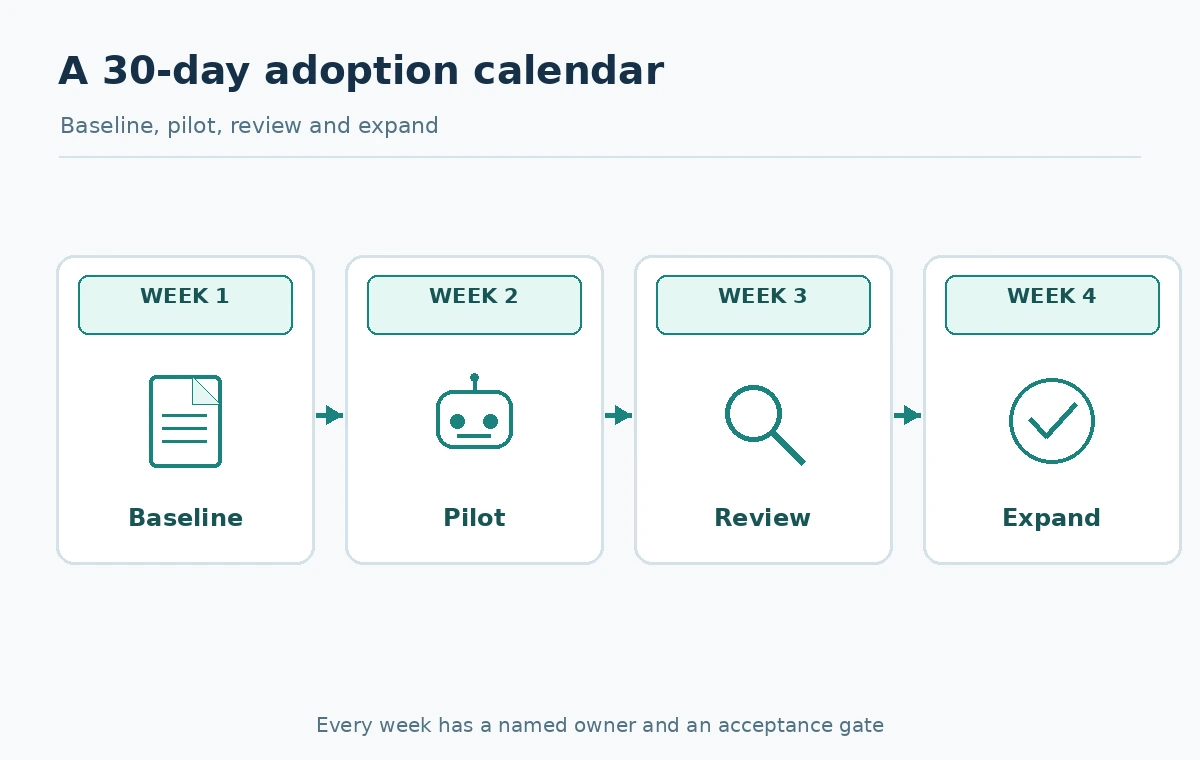
Week 1: inventory the recurring jobs, check current subscriptions, create an approved information policy, and pick one measurable output. Week 2: pilot two workflows with synthetic or authorized low-risk information and named reviewers. Week 3: review quality, usage meters, retried automations and staff feedback; fix unclear permissions or prompts. Week 4: expand only successful workflows to a small additional group, assign a monthly owner, and document rollback steps.
Do not use an unmeasured “AI saved us 50 percent” claim to justify scale. Record the number of accepted outputs, defects found before release, review minutes, and actual charges. These are internal suggested metrics, not LabFin-tested performance results. The process should feel easier to supervise after the pilot, not merely produce more drafts.
Choose a small stack you can actually administer
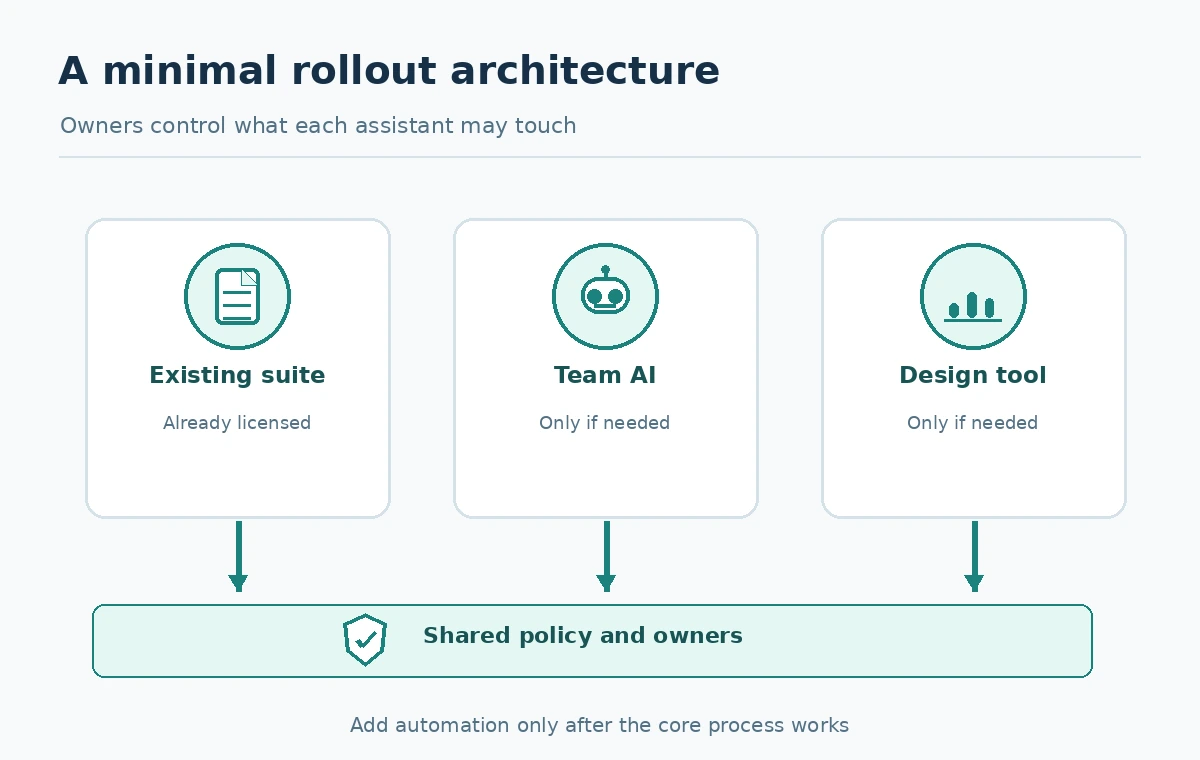
A practical initial stack may be one existing collaboration suite with included AI where eligible, one managed general assistant only for demonstrated needs, one design tool used by the creative owner, and an automation service added later if the task is stable. This is a role-based architecture, not a mandate to buy four vendors. If one approved product covers multiple jobs well, consolidate. If a job is rare, a manual process or existing software may remain cheaper.
Review security settings and invoices every month, keep one approval owner per customer-facing workflow, and retire unused seats. Update your product comparison when vendors change tiers, AI credits, or available capabilities. A lean operation benefits more from clear source documents and accountable decisions than from a long list of disconnected AI apps.
How We Research
Source verification date: October 27, 2026. We reviewed these first-party documents: Google Workspace plan capabilities, ChatGPT Business administration and pricing, Canva design and AI allowance, Notion AI credit system. This article supplies source-anchored product details and a proposed editorial worksheet or pilot, not claims of LabFin purchasing the products, testing customer accounts, measuring vendor performance, or providing legal opinions. Illustrative arithmetic and sample tasks are labeled and should not be treated as actual charges or measured results. Verify plan terms, eligible regions, rollout dates, entitlements, and privacy controls in your own account before adopting any tool.
Frequently Asked Questions
Check what AI capabilities its existing approved email or document suite includes, then pilot the highest-volume low-risk task.
No. Assign seats by demonstrated job requirements and plan terms, not by title or curiosity.
Only under an approved, bounded process; a review-first design is safer for claims, exceptions and customer-specific decisions.
Use actual branded deliverables, editability, accessibility, rights review and measured usage—not just sample images.
Count accepted outputs and the verification effort required, then compare with the original workflow and real invoices.