
Disclosure: LabFin is reader-supported. If you sign up for a tool through links on this page, we may earn a commission at no extra cost to you. Commissions vary between providers and our ratings do not — here’s our full disclosure.
This Beautiful.ai review covers a presentation maker built around Smart Slides, layouts that adjust themselves as you add content, plus AI that drafts a deck from a prompt. Pro, for example, costs $12 a month billed yearly.
Its design guardrails, for instance, keep decks consistent. However, there is no free plan, a single month costs $45, and collaboration needs the Team plan at $40 a user.
Beautiful.ai Review: Is It Worth It in 2026?
For individuals who build decks often and pay yearly, yes. Pro covers unlimited AI generation and PowerPoint export, and our list of the best AI for students covers study decks.
For small teams that need to co-edit, compare carefully. Gamma’s Team plan, as our Gamma review covers, costs less per seat.
What Beautiful.ai Does
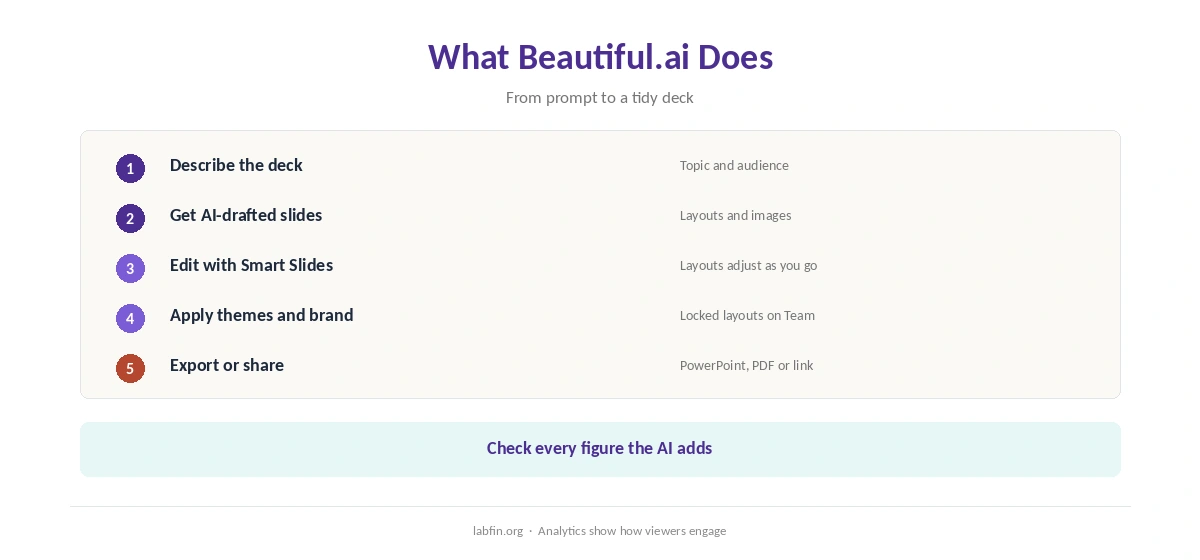
First, you describe a deck, and its AI drafts slides with layouts and images, for example. Smart Slides then rearrange spacing and alignment as you add or remove content, so slides stay tidy.
Pro, moreover, also includes custom themes, PowerPoint import and export, and viewer analytics, trackers report. Our guide to using AI for repurposing content shows how decks fit into a content plan.
What Beautiful.ai Costs
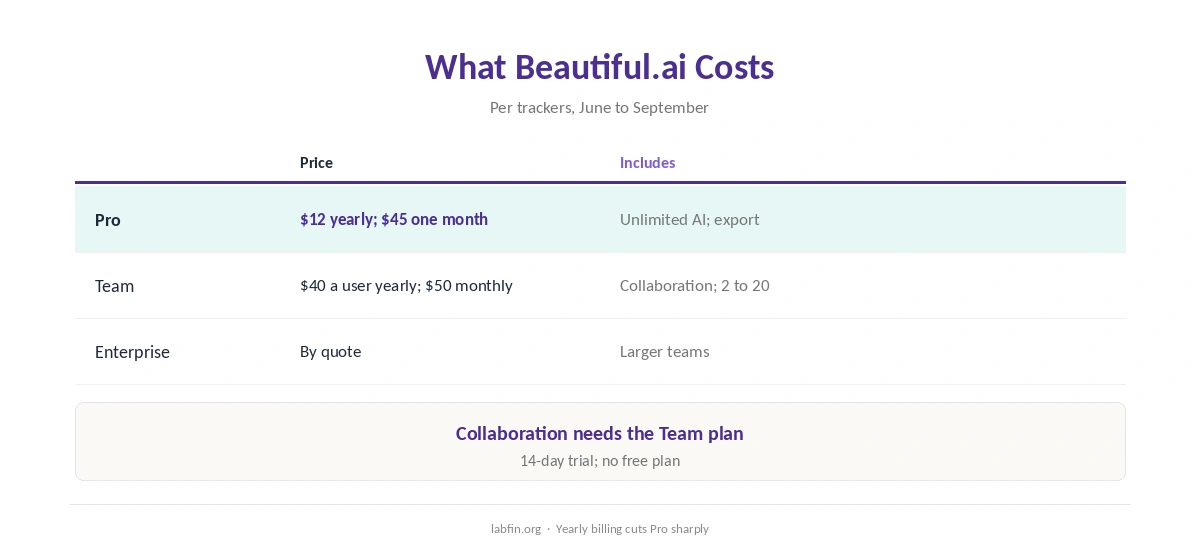
In addition, Beautiful.ai sells three plans, as trackers read its pricing page between June and September 2026.
| Plan | Price | What it includes |
|---|---|---|
| Pro | $12/mo yearly, or $45 for a single month | Unlimited AI generation; Smart Slides; PowerPoint export |
| Team | $40 per user/mo yearly, or $50 monthly | Real-time collaboration; locked slides; 2 to 20 seats |
| Enterprise | By quote | Larger teams; admin controls |
The 14-day trial asks for a card and renews automatically unless you cancel, one review reports. Our guide to AI free trials worth using covers how to avoid surprise charges, and our guide to reducing AI subscription costs lists more savings.
Accuracy
However, we found no independent test of Beautiful.ai’s AI drafts. AI decks, therefore, can state numbers or claims your source never gave, so check every figure before presenting.
Our guide to fact-checking AI output covers the routine.
Your Data
We could not find a stated rule on whether Beautiful.ai trains AI models on your decks. Therefore, treat its training terms as unconfirmed, and keep confidential plans out until you check the current policy.
Our guide to which AI tools train on your data compares other tools.
Beautiful.ai vs Gamma
Gamma, for example, also builds decks, documents and simple sites from a prompt, with a free plan of 400 credits and an opt-out from training in Data Controls. Beautiful.ai, by contrast, focuses on slide design guardrails.
Our Gamma vs Beautiful.ai comparison weighs the two directly. Microsoft 365 users, in addition, can compare Copilot in PowerPoint, as our guide to Microsoft Copilot for productivity covers.
Who Should Use Beautiful.ai
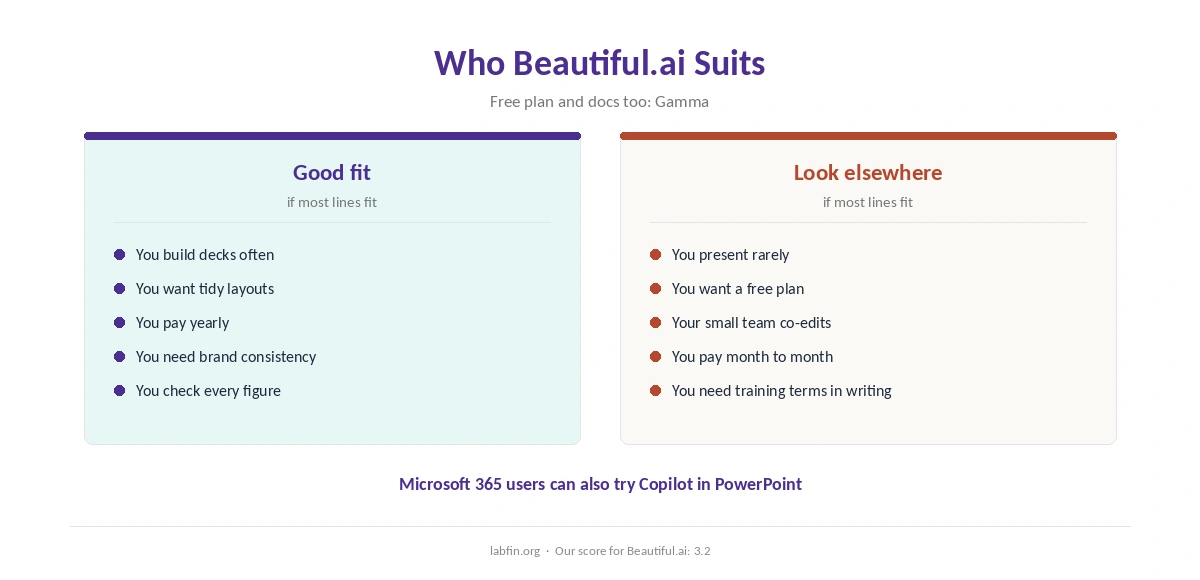
Overall, this Beautiful.ai review finds it suits consultants, founders and marketers who build polished decks often and pay yearly. It also suits teams that want locked brand layouts.
By contrast, however, it suits occasional users, tight budgets and anyone wanting a free plan less. Our list of the best AI for business covers wider tools, and our guide to creating brand voice guidelines for AI covers brand rules. Our guide to ChatGPT for marketing, moreover, covers pitch copy.
How We Research
This Beautiful.ai review takes plans from trackers that read its pricing page in 2026, including a July 2026 pricing check.
However, we found no independent test of its AI, and no stated training rule. Our about page explains the criteria.
Beautiful.ai Review FAQ
Pro costs $12 a month billed yearly or $45 for a single month; Team costs $40 a user yearly or $50 monthly.
No; it offers a 14-day trial, which one review says renews automatically unless canceled.
Yes, on paid plans; check layouts after export.
Real-time collaboration needs the Team plan.
Beautiful.ai for design guardrails; Gamma for a free plan, documents and sites from one prompt.
Beautiful.ai
Tidy decks with guardrails, at a team premium
Beautiful.ai drafts decks from prompts and keeps layouts tidy with Smart Slides, with Pro at $12 a month yearly. Against that, there is no free plan, a single month costs $45, collaboration needs Team at $40 a user, and training terms are unconfirmed.
The Verdict
Overall, Beautiful.ai makes consistent, polished decks quickly, and its yearly Pro price is fair. Its team pricing and missing free plan, however, push small teams toward alternatives.
The rest of this Beautiful.ai review sets the score at 3.2. So pay yearly if you present often, and check every figure before you present.