
A fictional conservation group has uploaded trail accessibility notices to an Amazon Bedrock Knowledge Base. One old PDF says a footbridge is closed, while the current approved notice describes a detour and a separate bridge inspection. A search for “bridge route” could retrieve both. Staff need controlled retrieval so their public-facing draft does not recycle a retired closure or claim an uninspected bridge is safe.
Separate document status from similar wording
Vector retrieval finds passages relevant to a query, but relevance does not equal authority. An old closure notice may repeat the same trail name, bridge identifier and detour language as the latest release. A semantic match without revision metadata can be convincing even when the policy no longer applies. Start by listing the sources that answer the visitor’s question and who approves them.
For each notice maintain a unique source ID, current-versus-retired status, effective date and official reviewing team. Keep the original signed or approved notice for direct verification. Do not let a generated summary decide that a document has been superseded merely because a newer-looking file exists; staff must make that status assignment.
Add typed metadata during ingestion
Amazon Bedrock documentation supports metadata attributes associated with source documents and filters at query time. A practical fictional schema might include trail_id, publication_epoch, revision_status and public_access. Use consistent attribute names, data types and allowed values; do not alternate between “approved,” “Approved” and “live” without normalization.
Metadata is only as trustworthy as its ingest process. An incorrectly tagged closure marked current will still pass a filter. Review a sample of PDF records after ingestion, especially documents with revisions and emergency updates. Keep source ownership, approval records and privacy classifications in a system that staff can audit independently of the embeddings.
Apply explicit retrieval filters
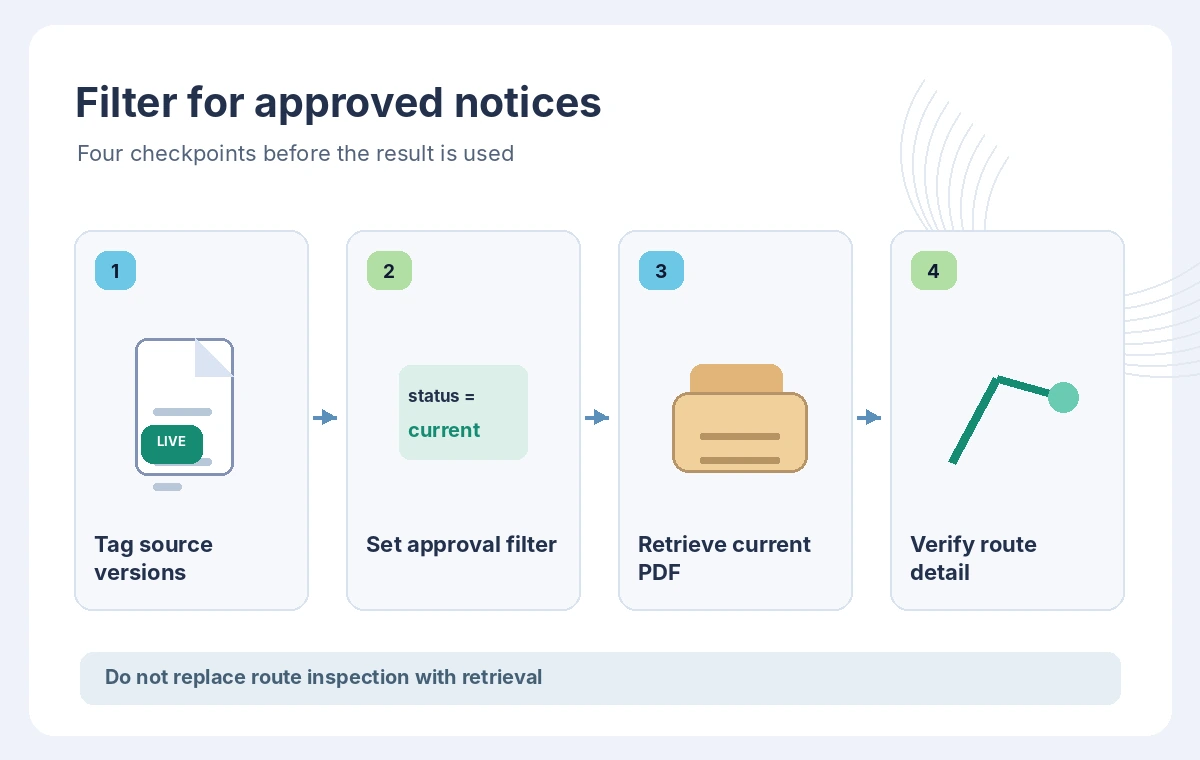
Before asking the model for an answer, constrain retrieval to the approved notice set using metadata conditions such as a matching trail identifier and revision_status equal to current. Depending on the source and backend, operators include equals, in, greaterThan and lessThan. Consult the AWS table of supported operators, attribute types and managed knowledge-base limitations before writing filters.
The article illustration shows two equally relevant documents: a gray archived PDF is screened out while the reviewed notice remains available. That drawing is conceptual, not a measured search result. If the filter yields no material, the assistant should say it cannot confirm the current route rather than falling back silently to a retired file.
Do not confuse freshness with authorization
A recent modification timestamp may be useful, but it does not prove that a ranger signed off on a route. A file uploaded yesterday could be an unapproved draft of a notice issued last year. Combine date logic with explicit publication status where practical. For high-risk route guidance, direct readers to the authoritative park operator and any live alert system.
AWS also discusses epoch modification metadata and filtering on updates. That is a retrieval capability, not a complete records-management policy. Keep a separate emergency override path: a temporary new closure must take priority over a printed annual brochure even if the brochure has a neat document title.
Inspect returned chunks and their origin
Review the retrieved chunks alongside source metadata before generating natural-language advice. The default number of returned chunks is documented as up to five, although actual results can be fewer. Do not interpret the absence of a chunk as proof that no contradictory safety notice exists. Set explicit coverage tests for each trail and inspect citations in your own application.
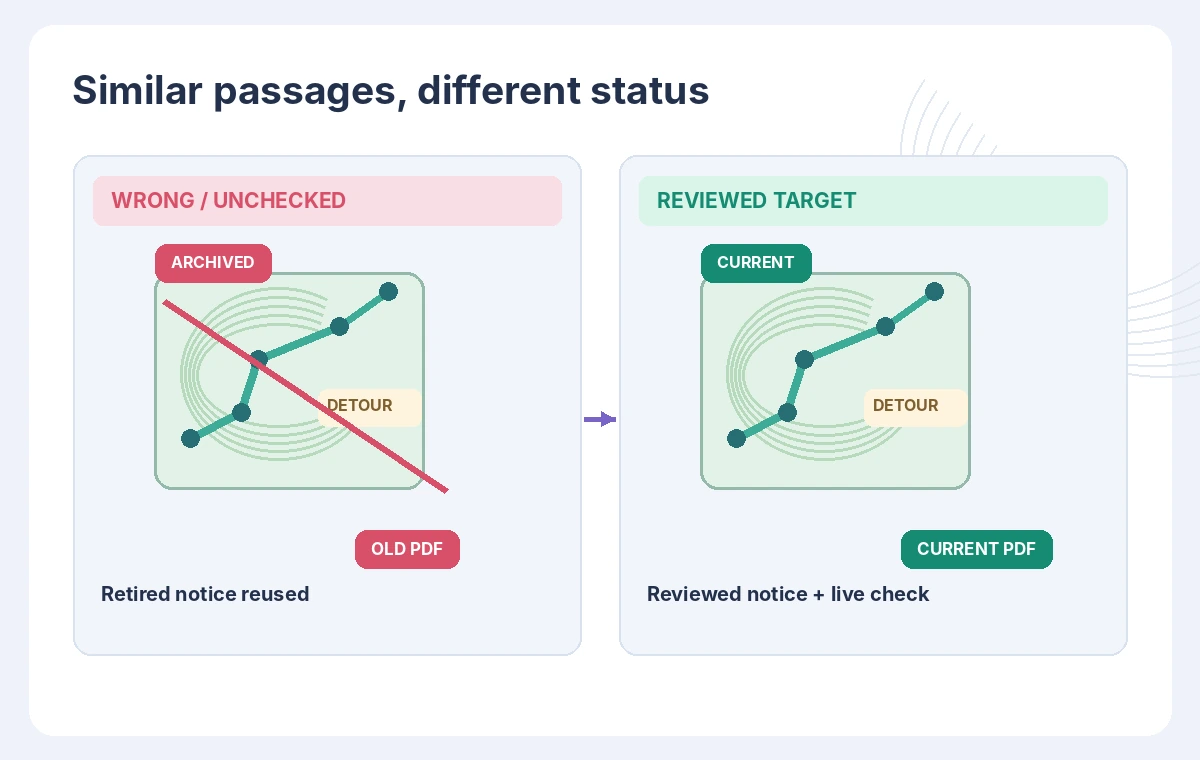
Map the final answer back to stable documents or original URLs. A retrieved paragraph might mention a footbridge without describing which direction a visitor should approach from. Keep quoted route information narrow, preserve closed-versus-open distinctions and label any unknown accessibility information as unverified.
Compare a risky answer with a grounded draft
The risky sentence says, “The west footbridge is open,” after relying on the old notice’s phrase “closure lifted,” without identifying which bridge. A controlled answer says, “The approved detour notice describes the eastern crossing; the status of the west footbridge requires confirmation from park staff.” The key difference is not better prose but explicit location and evidence boundaries.
Give reviewers a side-by-side view of the original notice, filtered passages and proposed public text. Highlight bridge labels and effective dates, and flag any statement that turns “inspect before use” into “safe to use.” The comparison diagram is illustrative and does not claim an actual Bedrock retrieval was executed.
Test filters and emergency changes
Create a fixture with two notices sharing keywords: one retired and one current. Check that explicit metadata filtering excludes the retired item and that an empty approved set produces a transparent “not verified” result. Add a third fixture for a newly issued closure so the system demonstrates how staff can revoke an earlier detour quickly.
If you use AWS implicit metadata filtering, understand that a model can propose filters based on a schema; for safety-sensitive publishing, test whether that automatic choice meets your constraints. Explicit application-side eligibility rules remain useful. Monitor permissions, data-source sync status and access controls, not only generated answers.
Publish only after route-specific review
Release guidance should name the date checked, the organization responsible for alerts and the exact trail segment discussed. A map thumbnail or generated summary should never be described as a field inspection. Public notices can change rapidly following weather, work or damage, so route status must be confirmed from the official live source immediately before use.
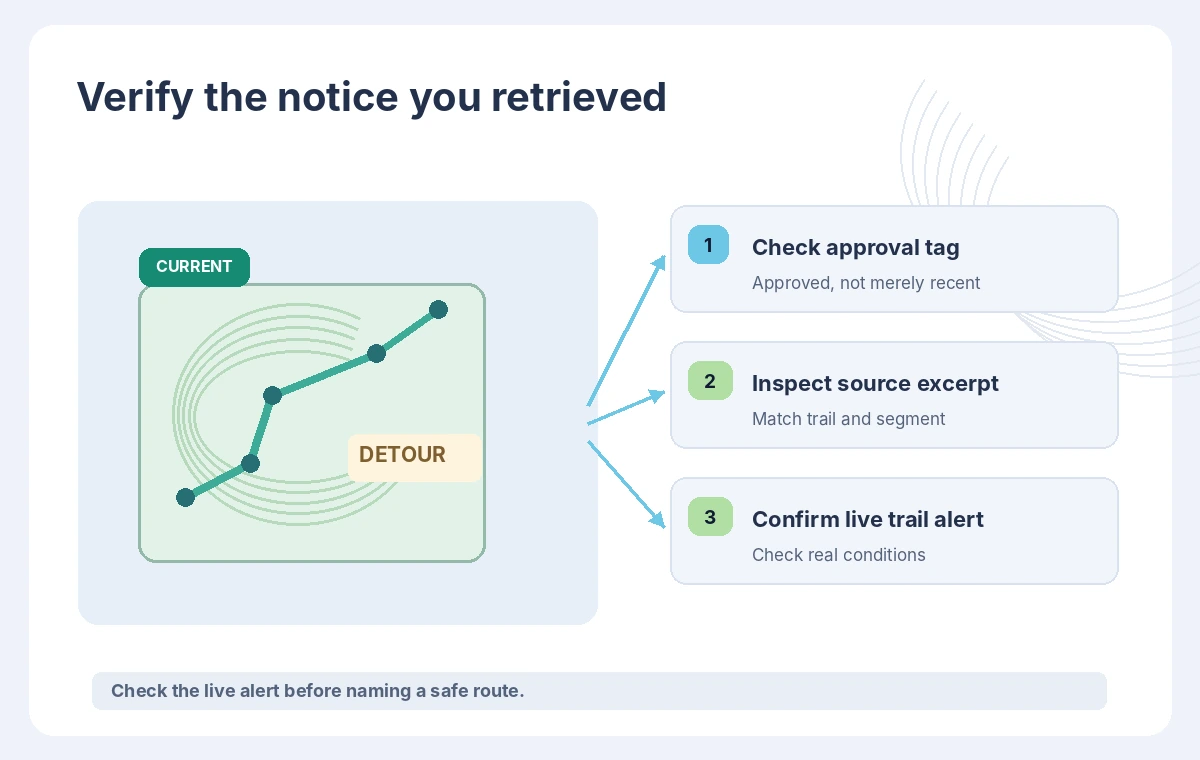
This example is about retrieval governance rather than real hiking recommendations. We did not query an AWS account, ingest trail documents or verify a physical crossing. Teams should evaluate the current service limits, region support, security, pricing and access permissions for their own data and deployment.
How We Research
For this November 2026 article we reviewed the current official developer and support documentation: AWS: Configure and customize knowledge-base queries, AWS: Managed knowledge-base query configuration. We compared documented feature scope, setup prerequisites, data flows, approval boundaries, and limitations that affect the proposed workflow. We did not execute an API request, connect an actual design file, reconcile business receipts, or edit real video. The examples, names, transaction amounts, approvals and outcomes are fictional; the drawings are original conceptual explanations, not product screenshots or benchmark results. Editorial checks and approval stages are recommended procedures, not guarantees supplied by the service. Review current provider documentation, billing, regional availability, privacy terms and the organization’s own policies before applying the process to sensitive records or live users.
Frequently Asked Questions
No. It limits which indexed documents are retrieved. Inspection, approval and live route status must be checked separately.
Report that there is no verified result and request a current source; do not silently use a retired document.
AWS documents epoch-based modification metadata and numerical comparison filters where the underlying source and configuration support them.
No. Supported operators and backend limitations vary; check the AWS operator table, especially for managed knowledge bases.
No. They are original conceptual illustrations of approval and filtering logic.