
A fictional volunteer repair café buys electrical tape, replacement fuses and a toolkit, then returns the toolkit the next day. Its bookkeeper scans the original receipt and receives a separate store refund slip. The task is to record actual expenditure rather than treating the original purchase total as final or subtracting the refund twice. Textract can extract document fields, but cannot replace bookkeeping reconciliation.
Define the ledger question first
Before using an OCR service, determine which figure the organization needs: original gross purchase, amount reimbursed, net spending, or cash outflow by date. A shop receipt can document a valid purchase even when a later refund changes the accounting result. Mixing these definitions makes the spreadsheet look inconsistent without necessarily revealing where the error occurred.
Give the original receipt and refund slip separate IDs. Link them only after a person verifies the vendor, item description, payment method, transaction date and amount. Keep the evidence images and accounting review record accessible to authorized staff. Do not put imaginary amounts or vendors into a production ledger merely to fill an extraction field.
Understand AnalyzeExpense output types
Amazon Textract provides AnalyzeExpense for invoices and receipts. AWS documents returned ExpenseDocuments with SummaryFields for document-level information such as vendor and totals, and LineItemGroups for itemized purchases. The API may normalize concepts such as ITEM, QUANTITY and PRICE and include geometry information to locate text on the original image.
This structure helps map a scanned page into proposed fields. It does not prove that a purchase was approved, goods were received, a refund posted, or a price is tax-inclusive. Treat the API response as extracted evidence requiring independent validation. Input format, size limits, regions, IAM roles and costs should be checked in current AWS documentation.
Prepare clean, privacy-conscious receipts
Capture the entire original receipt, including item lines, transaction date, taxes, total and any printed refund policy. Avoid cropping away a negative quantity or a line marked returned. If a digital invoice is available, preserve it alongside the scan. For a real organization, redact unrelated payment identifiers before sharing if policy requires it.
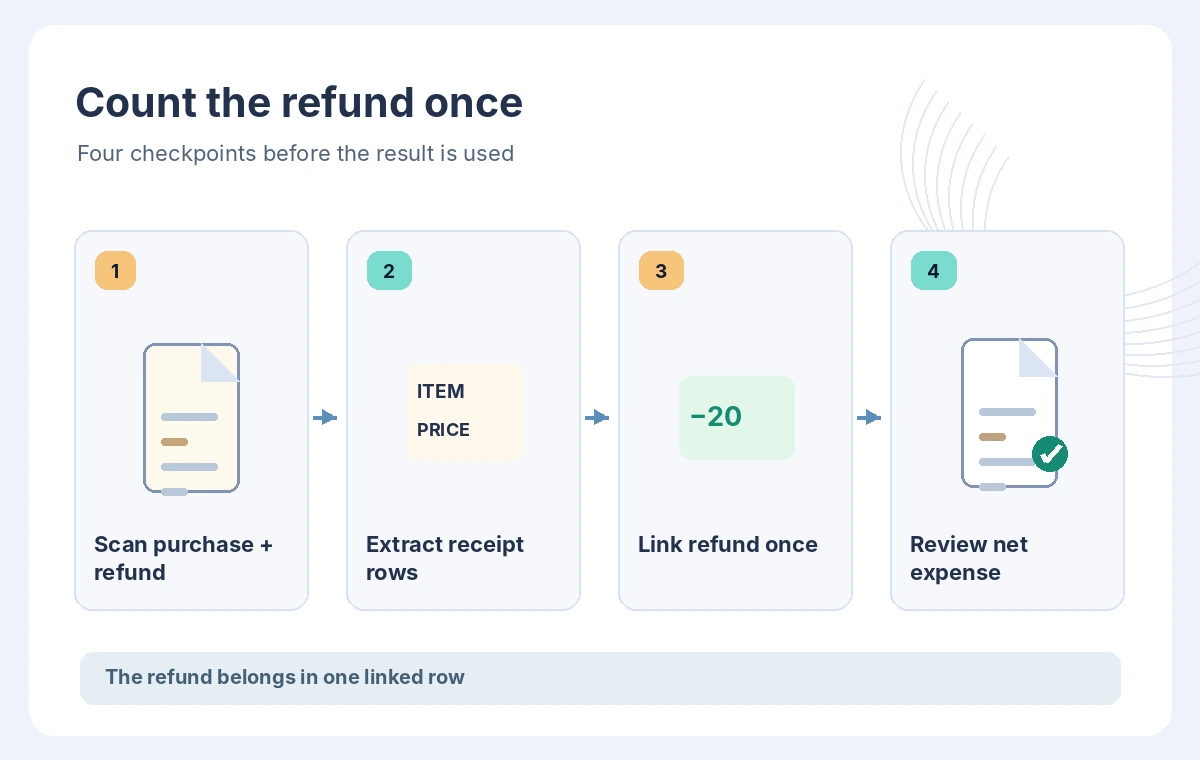
Give filenames stable transaction IDs rather than only dates. Two different purchases can occur on the same day, and a later refund can reference the original. Record the document source and reviewer before ingestion. Photos are a supporting record, not permission to expose employee purchasing histories to an unrestricted development environment.
Extract summaries and item rows separately
Parse SummaryFields and LineItemGroups into distinct structures. The store name and the receipt total belong to summary-level extraction; the toolkit and fuses belong to item lines. Keep source coordinates or references so reviewers can find the printed text. An item’s normalized label may differ from the exact receipt wording, so preserve the raw text too.
Validate currency, decimal separator, quantity and sign conventions. For example, the printed receipt may show a discount on one row and an item price on another. A model can identify a field with high apparent confidence and still misplace a decimal or associate the wrong line. Human review should be risk-weighted, not skipped because an API returned JSON.
Keep the refund as an independent transaction
A refund slip is not another copy of the original purchase. In the fictional ledger, the toolkit was purchased and later returned; the refund must be recorded exactly once in the appropriate period. If the bank reconciliation already includes a negative transaction, deducting the amount again from a manually reduced purchase total can understate expenditure.
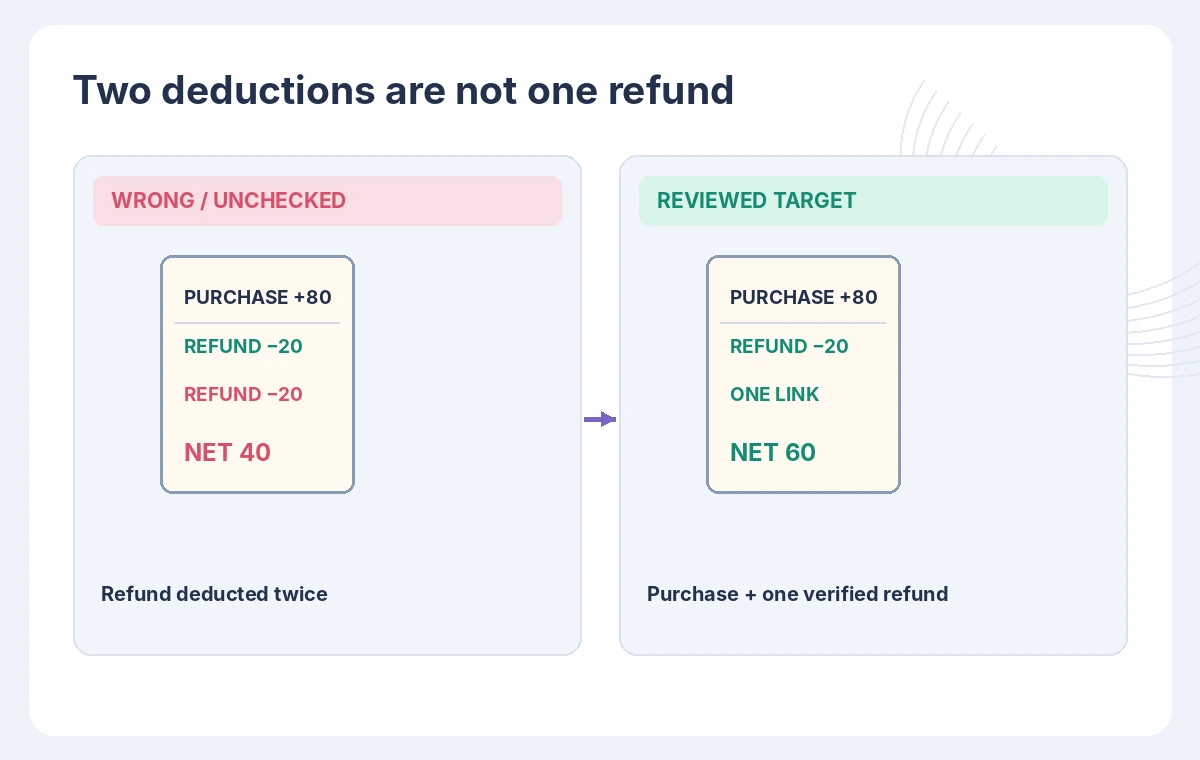
Model the ledger with explicit original_purchase_id and refund_reference rather than embedding a negative value in an ambiguous “price” field. Do not infer that the refund succeeded merely because a paper slip exists. Compare the credited amount with the actual statement or authorized finance system, allowing for delays and partial refunds.
Compare the common double-subtraction failure
The flawed workflow takes a receipt total, manually reduces it for the returned toolkit, and then imports the refund again as a second deduction. The reviewed workflow keeps the original expense intact and records one linked refund when confirmed. The comparison diagram uses synthetic values for teaching and is not a genuine extracted financial record.
For a reader, the visible difference should be two separate transaction rows with a single net calculation, rather than one mysterious adjusted total. Include a warning when a refund is pending or when the slip amount differs from the payment statement. Reject an automatic matching rule when a vendor issues several refunds for similar purchases.
Test extraction with controlled fixtures
Build sample documents that include a missing item description, two tax rows, a multi-page invoice and a separate refund. Check whether the parser keeps line-item groups associated with the correct source document. Verify that duplicate imports with the same source ID cannot add the same purchase twice. Test both successful and failed processing states.
AWS also supports asynchronous expense analysis with StartExpenseAnalysis and GetExpenseAnalysis for appropriate use cases. That workflow has job state and pagination considerations; do not confuse a queued job with a completed import. The synchronous AnalyzeExpense API and asynchronous pathway are different operational choices. This article does not report tests or results for either service.
Approve a clean bookkeeping export
Before posting transactions, an authorized reviewer should see receipt image, extracted fields, refund evidence, linked transaction IDs and the proposed ledger impact. Flag unsupported fields rather than guessing. Keep an audit trail for corrected decimal positions, vendor IDs and manually confirmed refunds. A small expense can still produce a serious control failure when duplicated across many receipts.
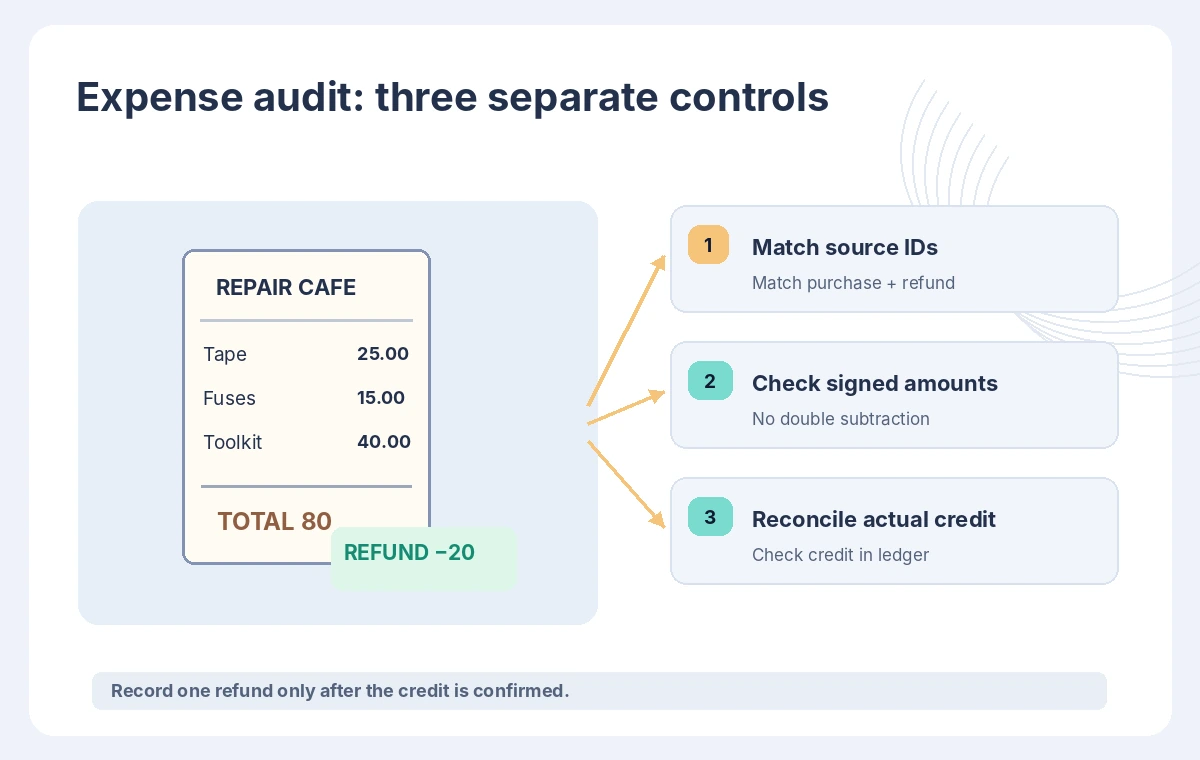
Invoice analysis is a source extraction tool, not an accounting system or tax advisor. Organizations must apply their own reimbursement, retention and financial controls. For this hypothetical repair café, the deliverable is a reviewable ledger proposal, never a claim that funds have settled or a receipt was automatically approved.
How We Research
For this November 2026 article we reviewed the current official developer and support documentation: AWS: AnalyzeExpense API, AWS: Invoice and receipt response objects, AWS: Analyzing invoices and receipts. We compared documented feature scope, setup prerequisites, data flows, approval boundaries, and limitations that affect the proposed workflow. We did not execute an API request, connect an actual design file, reconcile business receipts, or edit real video. The examples, names, transaction amounts, approvals and outcomes are fictional; the drawings are original conceptual explanations, not product screenshots or benchmark results. Editorial checks and approval stages are recommended procedures, not guarantees supplied by the service. Review current provider documentation, billing, regional availability, privacy terms and the organization’s own policies before applying the process to sensitive records or live users.
Frequently Asked Questions
No. It extracts receipt and invoice information. Linking a refund to an authorized finance transaction requires separate logic and review.
AWS documents them in LineItemGroups inside ExpenseDocuments, separate from SummaryFields.
Yes. OCR and field normalization need review against the original image, especially signs, quantities and decimal places.
Yes. AWS documents StartExpenseAnalysis and GetExpenseAnalysis, which have their own completion and pagination handling.
No. All receipts, transactions and visual calculations in this guide are hypothetical teaching examples.