
Treat previews as a lower-trust workload
A museum accepts volunteer corrections to exhibit text through pull requests. Its GitHub Actions preview job needs to check out the proposed changes, run spelling and accessibility tests, and publish a temporary report to reviewers. The job does not need to push commits, create releases or modify the main site. GitHub actions/checkout can persist an authentication token or SSH key for later Git commands by default. The persist-credentials input controls that behavior. Setting it to false is useful defense in depth for jobs that should only read repository content, but it is not a substitute for a restricted workflow token, safe event triggers or isolation from untrusted code.
Configure the permissions before checkout
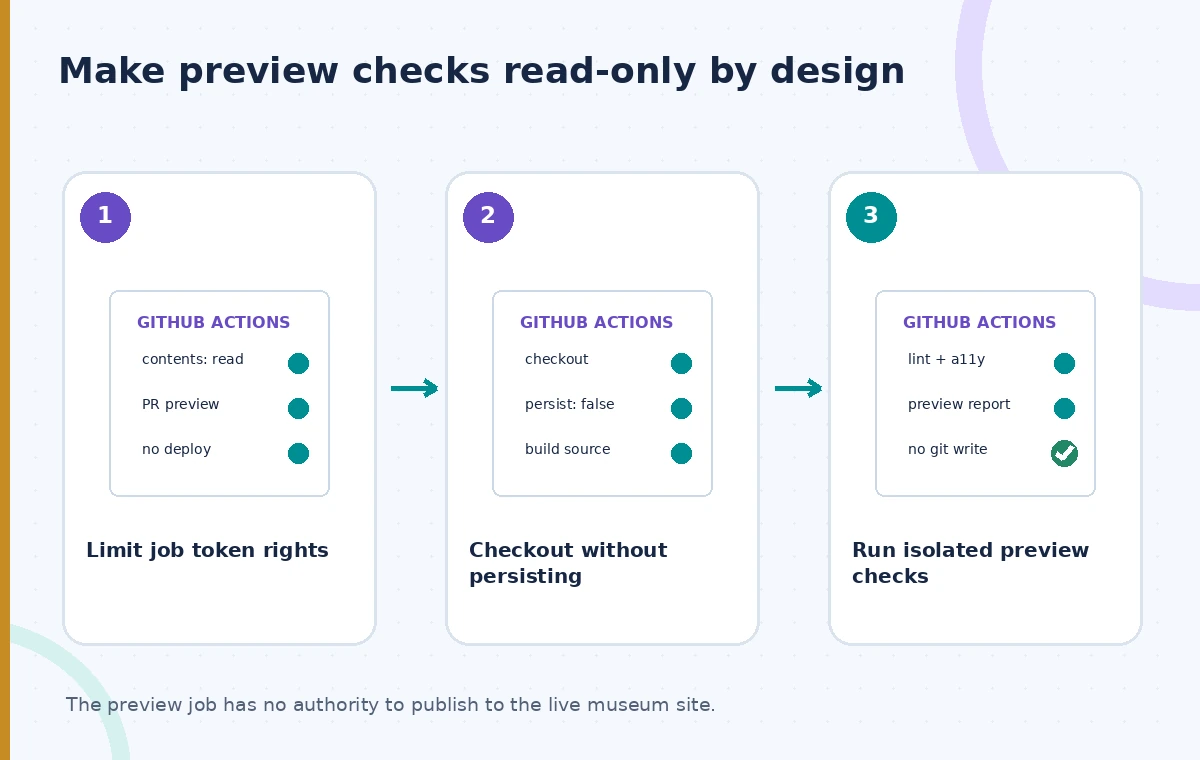
Start by declaring least-privilege permissions on the job or workflow, such as contents: read for source access. Avoid granting write scopes merely because a future release step might need them. Use a separate privileged job or workflow with explicit approval for publishing changes. In workflows triggered by external contributions, examine whether the event is pull_request, pull_request_target or workflow_run and understand the different trust boundaries. A user-controlled branch name, pull request title or script can create injection risk if copied into a shell. The checkout flag reduces one credential exposure path; it does not transform arbitrary user code into a trusted program.
Use the checkout input deliberately
In the checkout step, set with: persist-credentials: false when later job steps only need the local working tree. The maintained checkout action documents true as the default setting. With the option disabled, checkout still obtains the files using the configured authentication method, but does not leave that credential configured for subsequent Git commands. This can prevent a build tool or compromised script from reusing checkout credentials to perform authenticated Git operations. Check the behavior of the exact checkout major version you deploy. Version differences may affect where credentials are stored when persistence is enabled, but the intent of the opt-out is consistent.
Do not confuse checkout opt-out with token revocation
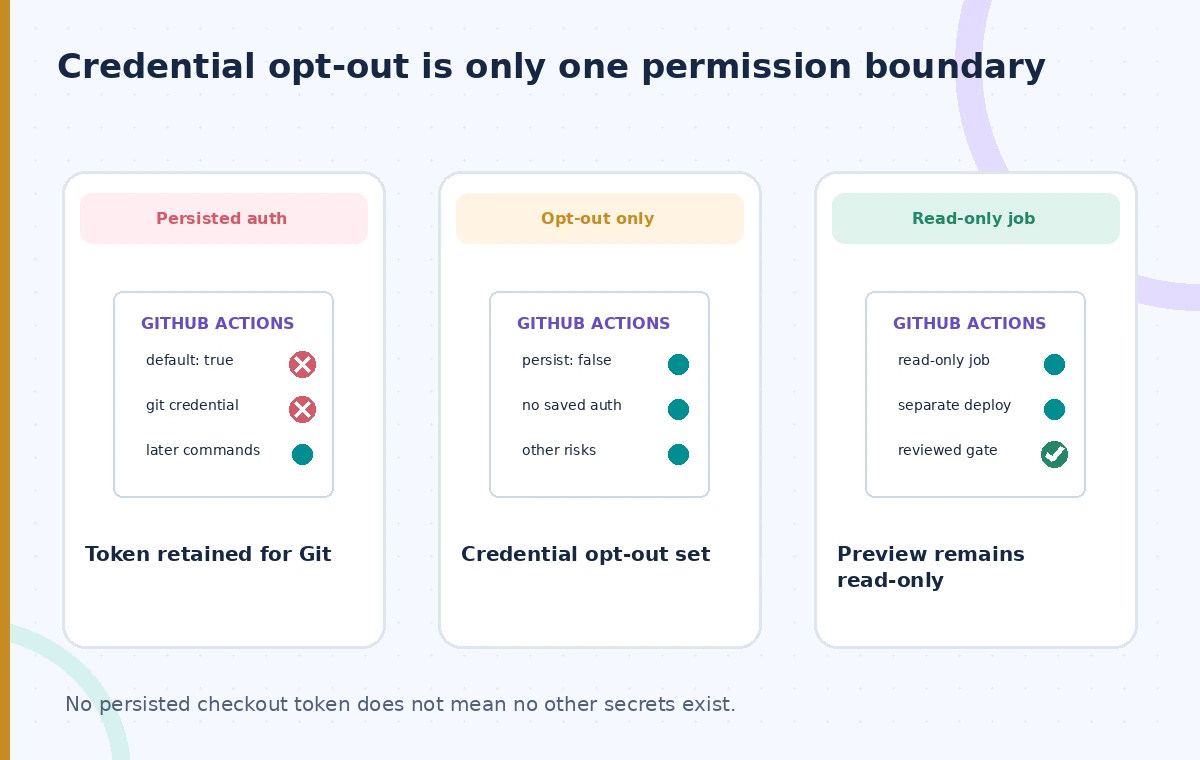
The GITHUB_TOKEN and any separate secrets may still be available through other workflow contexts or steps when permissions and event settings allow them. Setting persist-credentials to false does not delete a token, revoke a personal access token, remove a cloud service secret, or block all outbound network traffic. A malicious dependency can still attempt to exfiltrate other environment variables or access exposed services. Minimize secrets available to preview workflows and avoid running privileged cloud publishing steps in the same job. Use repository policies, protected environments and restricted runners according to your organization’s threat model. This setting is one layer of a broader least-privilege CI design.
Compare persistent, nonpersistent and approved states
The conceptual diagram shows a default checkout where later Git commands can use stored authentication, a checkout with credential persistence turned off, and a final read-only preview with restricted job permissions and separated publish rights. The second state is safer for an untrusted preview, but by itself does not prove that the job is unable to make an authenticated request through another route. In the third state, a separate approved workflow owns deployment. None of these scenes is a screenshot or a live penetration-test result. The labels illustrate permissions boundaries, not guaranteed success or failure rates of a particular GitHub runner.
Test with a synthetic untrusted contribution
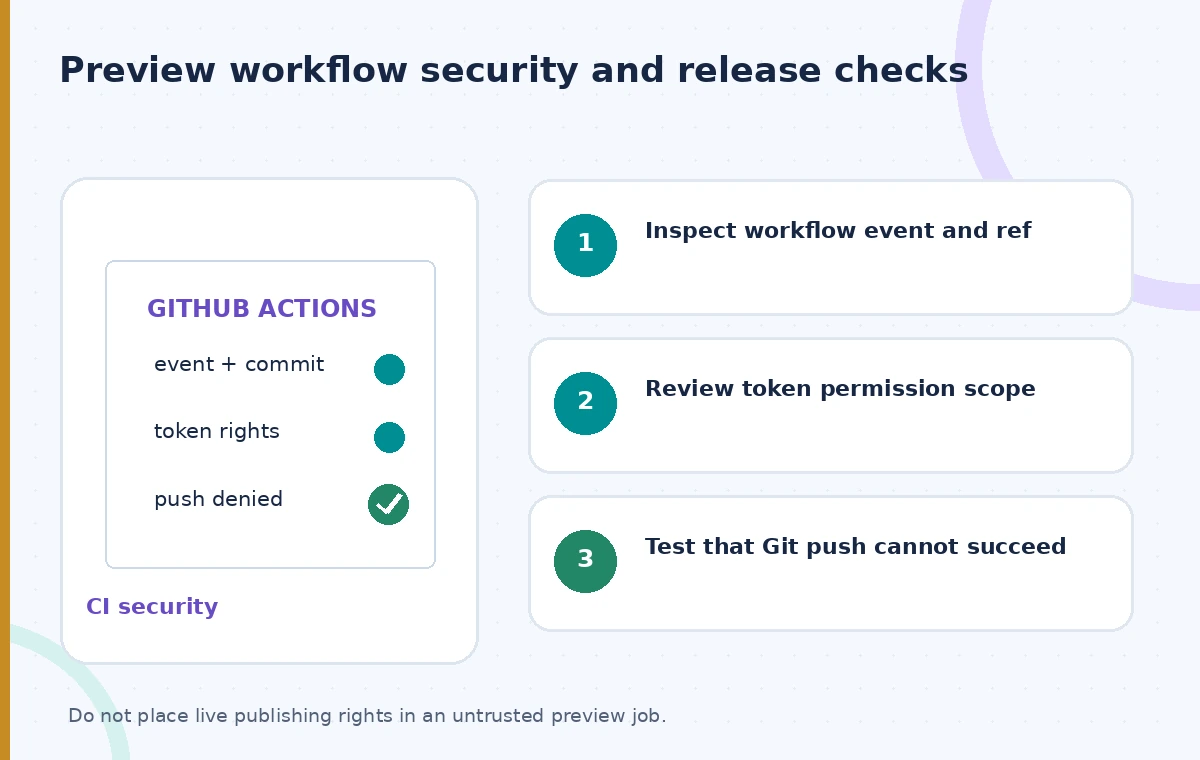
Use a dedicated test repository or controlled branch to exercise the configuration. Confirm that the preview checks can fetch the intended commit without exposing secrets. Add a harmless diagnostic that inspects whether the checkout action left credentials available for later Git operations without printing any token values. Verify that an unauthorized push attempt fails in the intended read-only job, and that the publish workflow can still operate after its separate authorization. Do not test with live patron data, production credentials or a real malicious pull request. Preserve the tested action version, event type and permissions as part of the CI security review.
Check release workflows that really need a Git write
Some workflows legitimately need to tag a release, update a version file or push generated docs. For those, an explicit authenticated step in a controlled high-trust job is preferable to accidentally relying on credentials left behind by checkout. Explain which identity performs the write and why its permissions are required. An ordinary preview job must not inherit those rights simply to make a shared build script work. If your build tooling invokes git fetch or checks out submodules, test that it still functions with persistence disabled; supply narrowly scoped credentials only for operations that demonstrably need them. Document the expected failures rather than turning the flag back on without review.
Account for checkout versions and fork protections
GitHub has changed the implementation of credential storage across major checkout versions. The current repository documentation distinguishes older releases that placed credentials in local Git config from newer versions that use a separate temporary file when persistence is enabled. Some versions also introduce specific protections around checking out code from forks in privileged event contexts. Pin and review the action version appropriate to your runner, consult current release notes, and test any migration before adopting sample YAML copied from a blog post. Avoid disabling fork protections just to make a risky preview workflow green. A green job is not evidence that the trigger and permissions are safe.
Keep evidence of the preview decision
For each preview run, record the source commit, checkout version, workflow trigger, token permissions, lint and accessibility results, and whether the job was allowed to deploy. A reviewer should be able to verify that a preview did not modify the live catalog and that failure reports are attached to the exact contribution under review. Audit workflow changes like code changes: a small modification to permissions or event type can expand the attack surface substantially. Make the public release a distinct approval step. Checkout credential persistence helps prevent accidental reuse of a Git credential, but source trust, test validity and publication authorization remain independent controls.
How We Research
Our research consulted these named official documents: GitHub: actions/checkout README; GitHub: checkout action inputs; GitHub Docs: Use GITHUB_TOKEN for authentication. We checked tool behavior, version-specific options, and stated limitations against an illustrative museum scenario. The examples are suggested implementation and editorial review procedures, not production tests. We did not call the services with live patron records, benchmark latency or accuracy, measure storage savings, or obtain third-party consent. All images are original explanatory drawings rather than screenshots or claimed measured results. Verify provider documentation, service availability, access policies and current organization rules before adoption; keep final publication approval with authorized staff.
Frequently Asked Questions
The checkout action documents true as its default; set it explicitly to false for jobs that do not need authenticated follow-up Git commands.
No. It is intended to prevent the authentication material from remaining configured for later Git commands, not to skip the initial checkout.
No. Other tokens, secrets and permissions must be managed separately.
Yes, but authorized Git writes may require a separate explicit credential or step.
No. Verify the event trigger, action version, runner isolation, token permissions and any fork-specific protections.