
A Green Indexer Job Can Leave Missing Permit Files
A municipal archive runs an Azure AI Search indexer over scanned permit records. The nightly job is marked successful, yet a researcher cannot find a specific building permit. One explanation is that the indexer’s configured failure allowance let the run continue while individual documents failed parsing, extraction or upload. Azure exposes maxFailedItems and maxFailedItemsPerBatch to control how many errors an execution may tolerate. Default values are documented as zero, but a project’s active configuration may be more permissive. Job-level success is therefore not equivalent to complete record coverage. The safe workflow checks individual error details, reconciles the expected permit IDs, and holds publication of any ‘complete archive’ claim until the missing records are understood. All counts and sample permits here are hypothetical.
Distinguish the Execution Threshold From the Batch Threshold
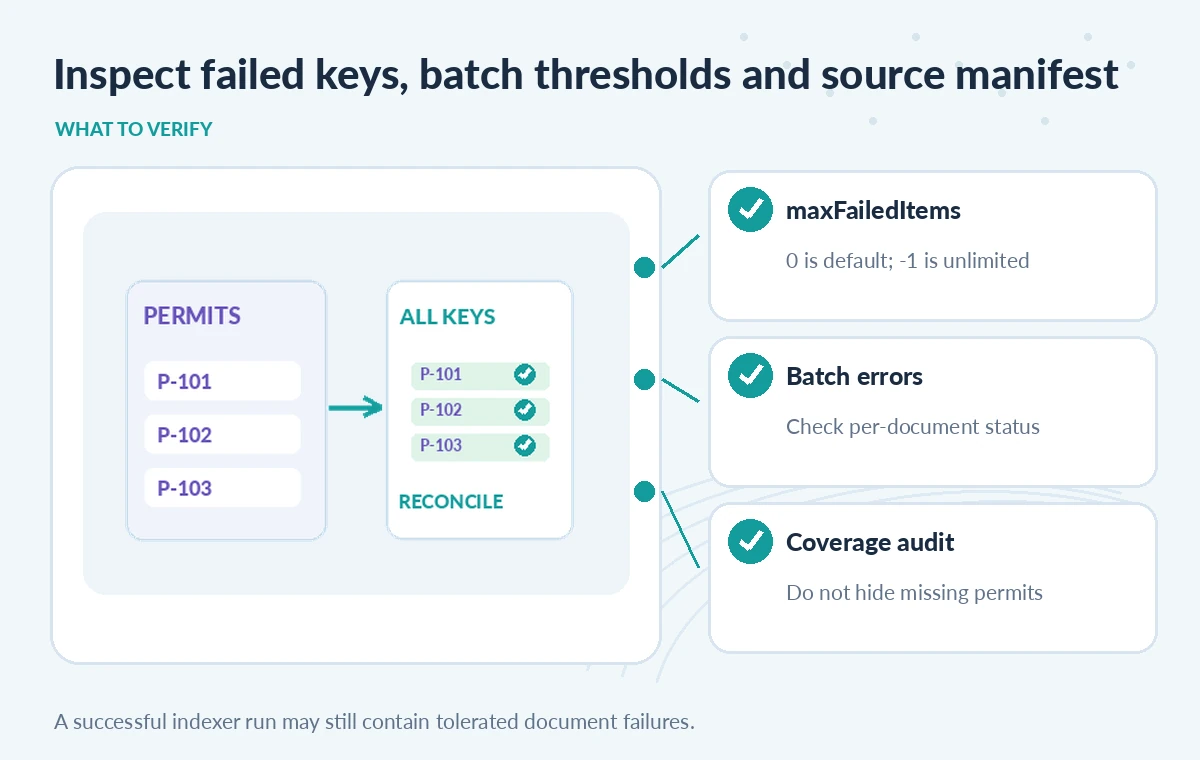
The maxFailedItems parameter permits a configured total number of failed items during an indexer execution before the run is considered unsuccessful. maxFailedItemsPerBatch applies a limit to failures inside one processed batch. In the REST reference, a value of -1 means unlimited tolerated failures, while zero is the default no-failure allowance. A batchSize setting controls how many items are read and indexed together, with defaults that depend on data source type. Raising a threshold may let a large migration finish without one malformed file halting everything, but it also creates an obligation to inspect the skipped failures. Never choose a high allowance merely to make dashboards green. Establish a project-level maximum missing-document budget and an independent coverage requirement.
Keep an Authoritative List of Expected Accession or Permit IDs
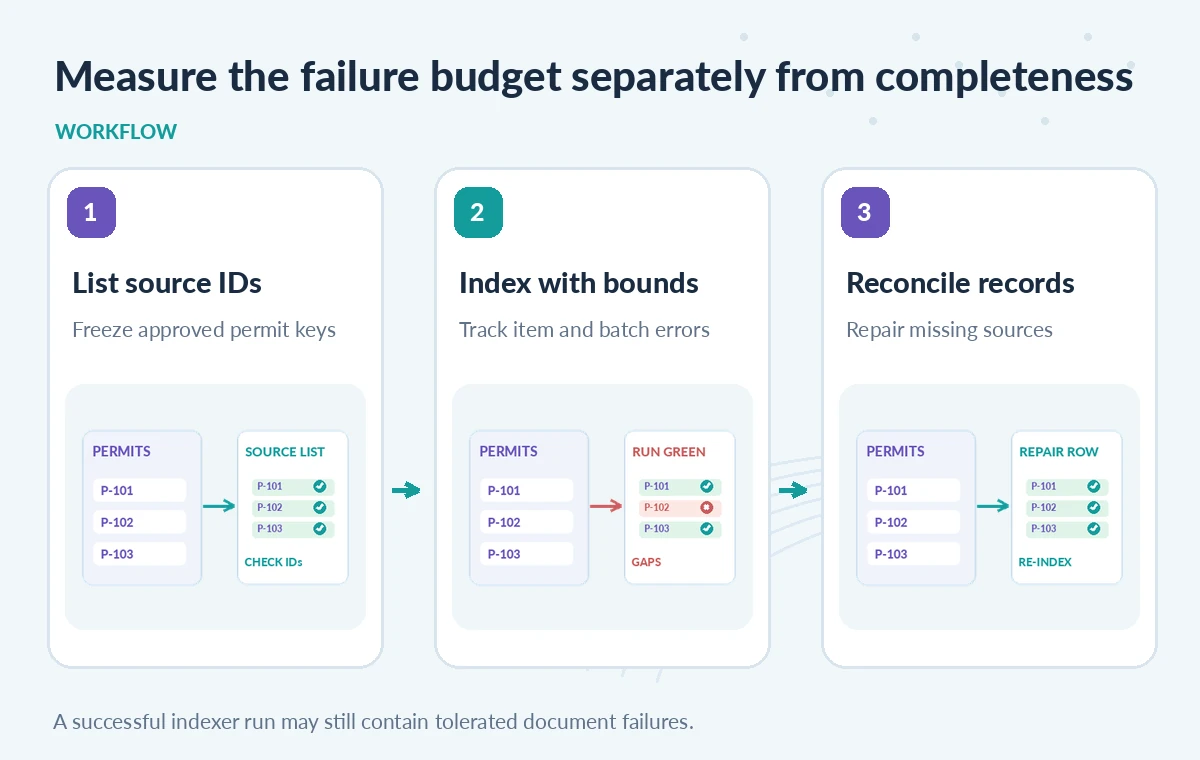
Before running an indexer, create a source-side manifest listing the expected record identifiers and approved source file versions. For a small digitization set, this can be a controlled inventory rather than an automated count. After indexing, compare those expected IDs against the actual searchable records. Use immutable or versioned source references so an OCR retry does not silently swap the document edition. A search query that returns no result cannot by itself tell whether the source was never present, failed extraction, was excluded by filters, or used an unexpected key. Cross-check the source manifest, indexer execution history, error keys and search index. A curator may also need to verify that a permit belongs in the public catalog rather than a restricted internal collection.
Read Per-Document Errors, Not Just the Run Status
Azure’s error and warning documentation explains that indexing stops when the failure count exceeds the maxFailedItems limit; it also notes that tolerating failures lets failed documents be uploaded later after correction. Individual failures, including the document key when available, appear in execution status. Collect these errors into a remediation queue with the source version, failure reason and retry owner. An OCR document can have a warning that deserves attention even when it did not fail the run. Do not indiscriminately treat warnings as harmless; some affect extracted content quality. Conversely, do not infer that a reported failed item is permanently unreadable. Inspect whether it is corrupt, unsupported, oversized, misconfigured, or temporarily unavailable before assigning responsibility.
Compare Strict, Tolerant and Unbounded Configurations
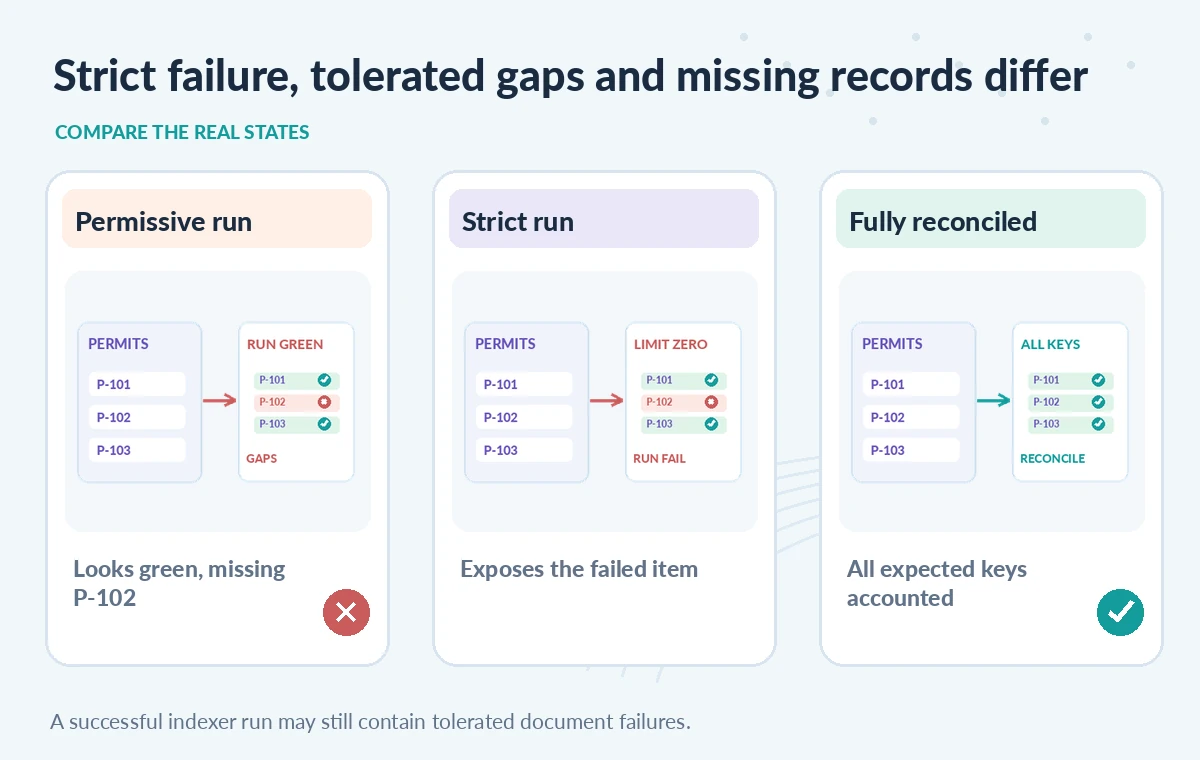
In a fictional batch of archival permits, a strict configuration using maxFailedItems of zero would surface a failure as a failed execution. A tolerant configuration could finish under its allowed threshold while leaving two items unindexed. A setting of -1 removes the total failure cap, which may be operationally useful in certain explorations but unsuitable as proof of a complete public archive. These three states should be visually distinct: one stops, one completes with gaps, and one permits potentially extensive omissions. They are illustrative system behaviors, not measured ingestion results. A responsible report displays both the job state and the reconciled coverage, such as a list of missing IDs, without inventing a success percentage.
Avoid a Retry That Creates Duplicate or Stale Records
When fixing a failed record, use its expected search key and the correct document edition. If an indexer reprocesses the file under a different key, the old result may remain and create confusing duplicates. Keep source, extracted text and index records linked through stable identifiers. Before retrying, find the root cause in logs and verify that the corrected input is authorized for indexing. A public search service should not expose a formerly restricted permit just because someone re-ran extraction. For manual re-upload of a failed document, preserve the same provenance fields and log the corrective action. The goal is to close a documented gap, not simply to make the next run greener.
Test a Deliberately Broken Mini-Batch in Staging
Create a sample source manifest with invented permit numbers, a valid PDF, a malformed attachment, a file whose OCR is incomplete, and an intentionally excluded record. Check how the chosen thresholds affect execution state and what per-document errors appear. Then repair the test input and verify that the expected key becomes searchable without creating duplicates. Check whether the warning stream reveals a degraded record even when the indexer run succeeds. This is a proposed validation approach; LabFin has not executed the service or measured its error rates. If staging behavior differs from the documented setting, capture the API version, data source type and config before deciding on a production migration.
Add a Separate Coverage Gate to Your Release Process
An indexer can be permitted to tolerate operational errors while a publication workflow applies stricter editorial criteria. For example, a large internal index may proceed with a known remediation list, but the public collection launch can require every approved permit ID to be accounted for as searchable, restricted, intentionally excluded or outstanding. Record which documents are unavailable and why. Ensure that public search summaries do not say ‘all permits’ when a source category has unresolved gaps. A query result showing a current permit does not validate missing neighboring records or their rights. Maintain a report that distinguishes technical ingestion success, source inventory completeness and curatorial authorization.
Reassess the Failure Budget as Data Sources Change
Thresholds chosen for uniform text files may not be appropriate after adding scans, multilingual OCR, or document enrichment. Review the batch size, failure counters, warnings and total expected source keys after each schema or processor update. Alert when a single batch has unusual failures even if the overall allowance is not exceeded. Keep a remediation backlog with deadlines and periodically retest records that were manually uploaded. Azure can help diagnose processing failures; it cannot determine if a missing permit was never donated or if an archival restriction applies. That conclusion requires records management and human review, separate from the search engine’s status icon.
How We Research
For this guide, we reviewed the official product documentation on November 8, 2026: Azure AI Search Indexer REST Reference, Azure AI Search Indexer Errors and Warnings, Azure Blob Indexer Parameters. We checked the named setting or feature against its published behavior, mapped the documented constraints to the specific hypothetical scenario, and reviewed whether the topic duplicated titles in the supplied LabFin WordPress inventory or prior B0267–B0280 ZIPs. No authenticated vendor service was run; we did not perform a benchmark, observe real customer data, verify third-party rights or claim operational outcomes. All illustrated records and comparisons are teaching examples. Confirm product documentation and security requirements again before implementing a workflow in a real organization.
Frequently Asked Questions
Not necessarily. Nonzero failure allowances can permit an execution to finish with some individual document failures.
The REST documentation defines -1 as no limit on tolerated failures; do not use it as evidence of complete coverage.
It limits tolerated failures within a single batch, while maxFailedItems concerns the execution overall.
Review indexer execution status and its per-document errors, then reconcile with a source manifest and the actual search index.
No. Check identity, source version, authorization and cause before reprocessing to avoid duplicate or restricted records.