
The hidden gap behind a green indexer run
An archive team imports accession notes, conservation PDFs, and approved image captions into Azure AI Search. One malformed document can stop a batch, but configuring the indexer to tolerate failures introduces another risk: the service may report a successful execution even though specific source records were not indexed. That may be an acceptable operational choice only when the missing documents are explicitly accounted for.
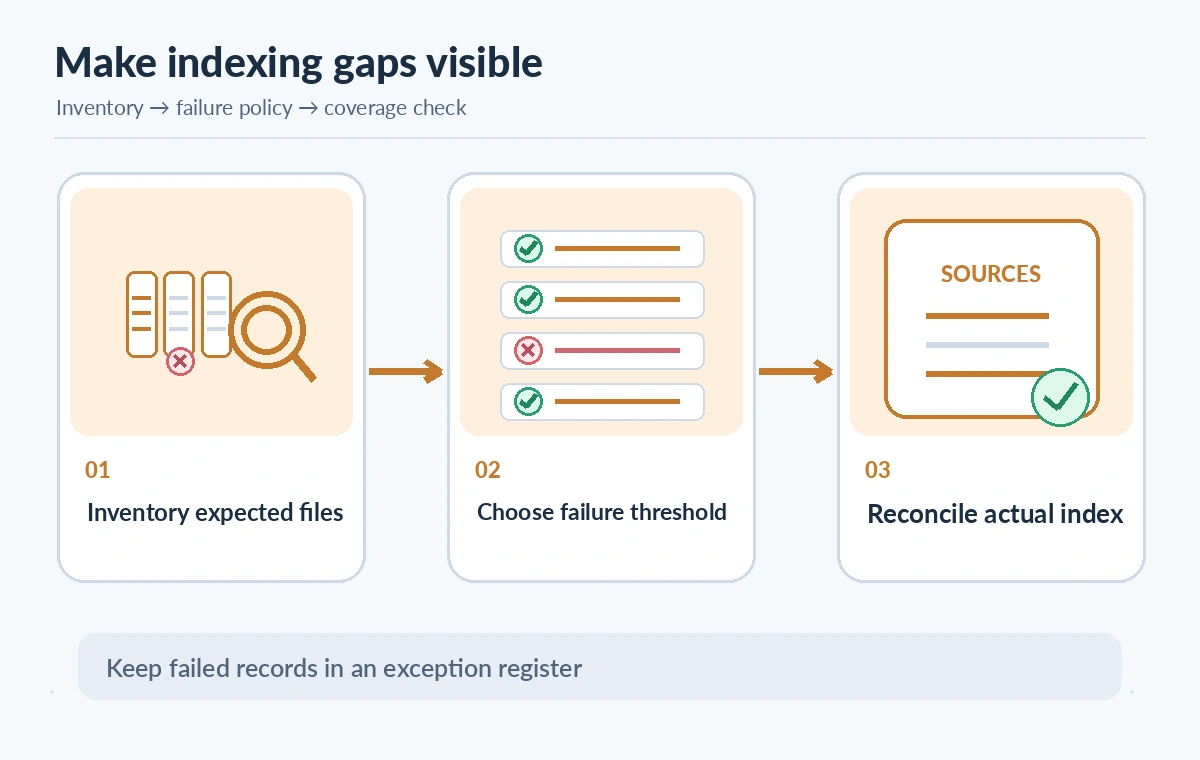
maxFailedItemsPerBatch controls the maximum number of indexing failures permitted within a single batch for that batch to count as successful. It is not a promise that every source was read, nor a setting that fixes corrupt files. Build the workflow around a source inventory so editors know which records are searchable and which require remediation.
Separate per-batch and overall thresholds
Microsoft’s indexer parameters include maxFailedItems and maxFailedItemsPerBatch. The first applies to failures across an indexer execution; the second applies to each individual batch. Microsoft lists a default of zero for both. A value of -1 means there is no limit on the tolerated failures for the corresponding threshold, which can be dangerous for coverage-sensitive archives.
Select a threshold based on the importance of the records, not on how to make a dashboard green. For a complete legal or preservation register, zero may be the only acceptable value. A lower-priority exploratory search index may deliberately continue after a small number of exceptions, but the release report must still identify missing sources and their impact.
Do not confuse batchSize with error allowance
The indexer batchSize parameter controls how many items the service reads and indexes together; its default depends on the data source. maxFailedItemsPerBatch is a separate failure threshold applied to the items in that batch. Changing batchSize can change how failures are distributed across batches and affect observed run outcomes. Do not compare two configurations solely by the number of green executions.
Record the chosen batch size, data source version, failure thresholds, indexing configuration, and the run identifier with each audit. If a batch contains fewer items than usual, even a numerically small failure allowance could represent a large missing share. Report counts as well as the affected stable document identities.
Use configuration deliberately and review before edits
The Azure Blob indexer guide shows parameters inside the indexer definition, with maxFailedItemsPerBatch alongside maxFailedItems and content-type handling options. When configuring via REST or an SDK, apply the schema version supported by your service, inspect the existing indexer first, and limit configuration writes to an approved administrator. A failed response is not permission to overwrite the configuration repeatedly.
Keep unknown or unsupported content types distinct from ordinary text extraction errors. The failOnUnsupportedContentType and failOnUnprocessableDocument settings control related but separate failure paths. If a scanner stored an image-only PDF, indexing metadata or running OCR does not prove its handwritten notes became searchable. The archive must document exactly what was extracted.
Compare strict, tolerant, and reconciled outputs
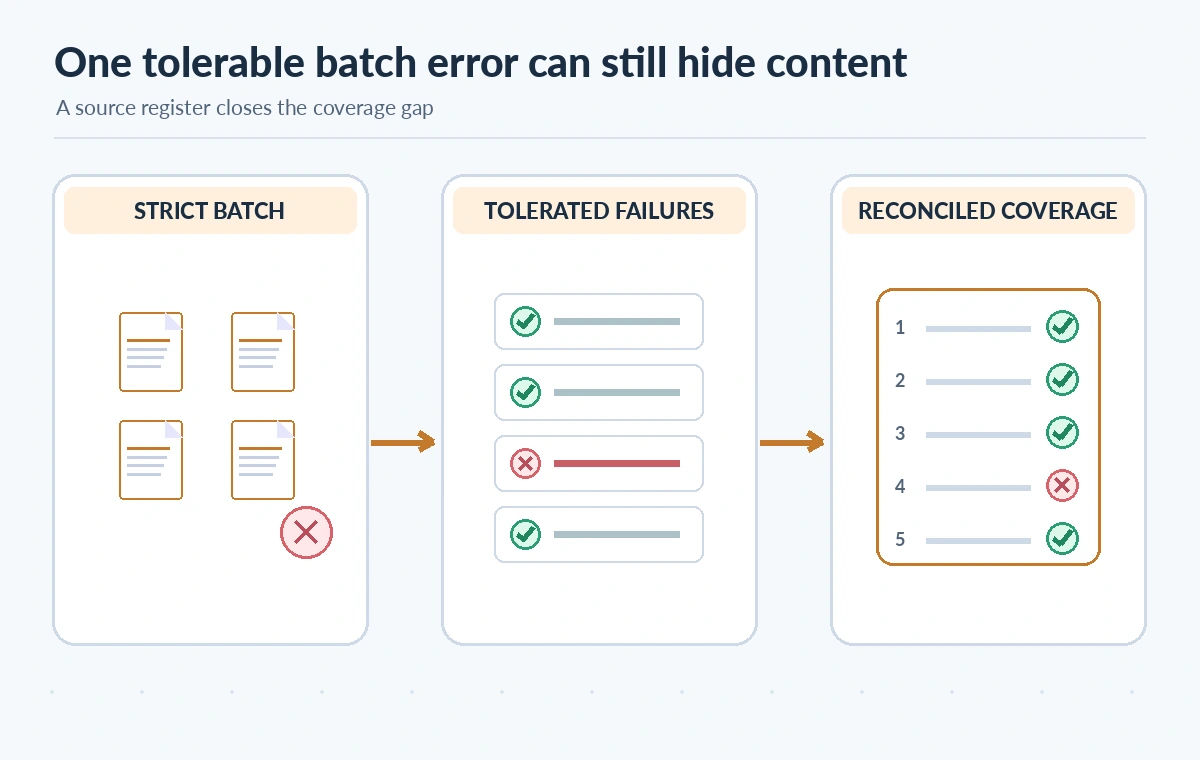
In the first conceptual state, an error stops the batch under a strict threshold and creates a visible exception. In the second, some failures are allowed and other records proceed, but a green status can conceal an omitted document. In the third, the source inventory is matched to searchable records and a gap list. This diagram describes operating models, not results from a real Azure indexer.
A malformed conservation note should remain on a repair list with its source identity, failure reason, and owner. Once corrected, rerun the applicable ingestion step and confirm the expected indexed document exists and can be retrieved. Do not treat a retried batch as proof that every original record appeared exactly once.
Read indexer warnings and execution status
Microsoft’s error guidance describes failed documents and available document keys in indexer execution status. Warnings may not stop an indexer, but they can still indicate incomplete or low-quality content. Capture the error count, affected record IDs, source file type, error category, and run time. Preserve enough context for an editor to follow up without exposing restricted archive contents in logs.
Watch for storage authorization failures, malformed content, mismatched field mapping, enrichment limits, and records excluded by configuration. A failure threshold does not resolve any of these. Prioritize missing items by their impact on users; a single omitted conservation warning may matter more than several duplicate thumbnails.
Reconcile source inventory to searchable index
Maintain a list of expected source records with stable identifiers and accepted revisions. After indexing, compare it with indexed documents and with a separately maintained exception list. A record can appear in the index with empty content or stale metadata, so presence alone is insufficient. Inspect representative fields and, where necessary, query the index for a known accession identifier.
Store ingestion status per record: indexed and verified, indexed metadata only, skipped intentionally, failed and awaiting repair, or withdrawn. These categories make the coverage report understandable to curators. If source permissions change, remove or restrict affected indexed content instead of assuming an old successful run is still authorized.
Design a failure-focused test matrix
Use fictional or licensed test files: one valid text PDF, one unreadable file, an unsupported extension, a scan without recognized text, and two records sharing a misleading filename. Check how the indexer reports failures under a strict limit versus a small tolerance. Verify the audit process identifies missing documents regardless of the execution status.
Do not publish coverage percentages as measured results without a real test and explicit denominator. A screenshot of a green job is not enough evidence. Have a reviewer confirm the index version, source inventory, expected record count, and whether warnings were accepted intentionally or remain outstanding.
Publication gate and limitations
Before exposing search results to visitors, approve the failure threshold, confirm the indexed document inventory, inspect warnings, resolve critical omissions, and record exceptions with owners and repair deadlines. Audit permissions, privacy, and withdrawn material independently. Use the threshold to manage ingestion reliability, not to declare documents complete.
No Azure indexer or live archive was accessed for this article. The examples are hypothetical and the drawings represent conceptual comparisons. Microsoft may change API versions, limits, pricing, and service behavior; verify the deployed configuration and official documentation before changing production indexing.

How We Research
Official primary documentation reviewed November 11, 2026: Azure AI Search Blob indexer guide; Azure AI Search indexer error guidance; Azure Search Indexers REST reference. We compared the named technical feature against its provider reference and designed a hypothetical archive workflow covering configuration, risks, error handling, and human authorization. We did not run an API call, inspect a customer account, benchmark software, or verify outcomes in a production environment. Images are editorial diagrams rather than product screenshots or observed results. Confirm current documentation, support, privacy requirements, quotas, costs, and actual deployed settings before making changes.
Frequently Asked Questions
Microsoft documents a default of zero: any batch failure exceeds the permitted count.
It removes the corresponding failure count limit, which can conceal extensive omissions without an independent inventory audit.
No. One threshold applies within a single batch and the other across the indexer execution.
No. Tolerated failures, exclusions, warnings, and metadata-only outcomes require separate reconciliation.
Record each source identity, review the error, repair or intentionally exclude it, then confirm indexed content and permissions.