
A community dance group rehearsing with a recorded folk ensemble wants to hear the underlying drum pulse more clearly. A stem separator can help, but it cannot promise to identify every hand-drum hit correctly when claps, strings, and voices overlap. BandLab Splitter offers a practical way to isolate a drums stem and loop difficult passages. This guide follows a fictional, permission-cleared rehearsal recording rather than an unlicensed commercial song. The success criterion is not a pristine studio stem: dancers need a trustworthy rhythmic reference, and the editor must recognize where separation artifacts make a pulse uncertain.
Understand what the split represents
BandLab’s official Splitter documentation describes separating an imported song into groups such as vocals, bass, drums, and other instruments. Its public page advertises four basic stems, with additional instrument separation associated with paid membership; feature groupings and subscription labels vary across help pages, so verify the current interface before paying. The stems are algorithmic estimates of material in the existing mix. They are not the isolated microphone recordings or multitrack session files used by the ensemble that originally played.
This matters most when a drum shares a frequency range with plucked strings or a foot stomp. A percussive attack can land in the drums stem even if it came from a different instrument, while a soft drum ghost note may remain in the ‘other’ stem. The original mix is the reference for hearing the ensemble’s intent. The split track is a listening aid, not an authoritative transcription of its rhythm or instrumentation.
Prepare a lawful, useful source recording
Start with a file that the group owns or has permission to edit and use for rehearsal. Clarify rights to any recording, composition, and performer contributions before uploading audio to a third-party service. For this hypothetical example, assume the ensemble recorded and licensed its own practice material. Export a clean, unclipped WAV or another supported high-quality file; lower-quality compression can obscure soft attacks and create false rhythmic textures after separation.
BandLab documents a maximum of 100 MB and 15 minutes per song on its public Splitter page. For longer rehearsals, create a focused excerpt with several measures before and after the passage of interest. Write down the source start time and tempo notes, but do not silently change the speed while making the reference clip. A dry-counted entrance and a known downbeat are useful anchors when judging whether a separated pulse is correct.
Separate the mix and audition the stems
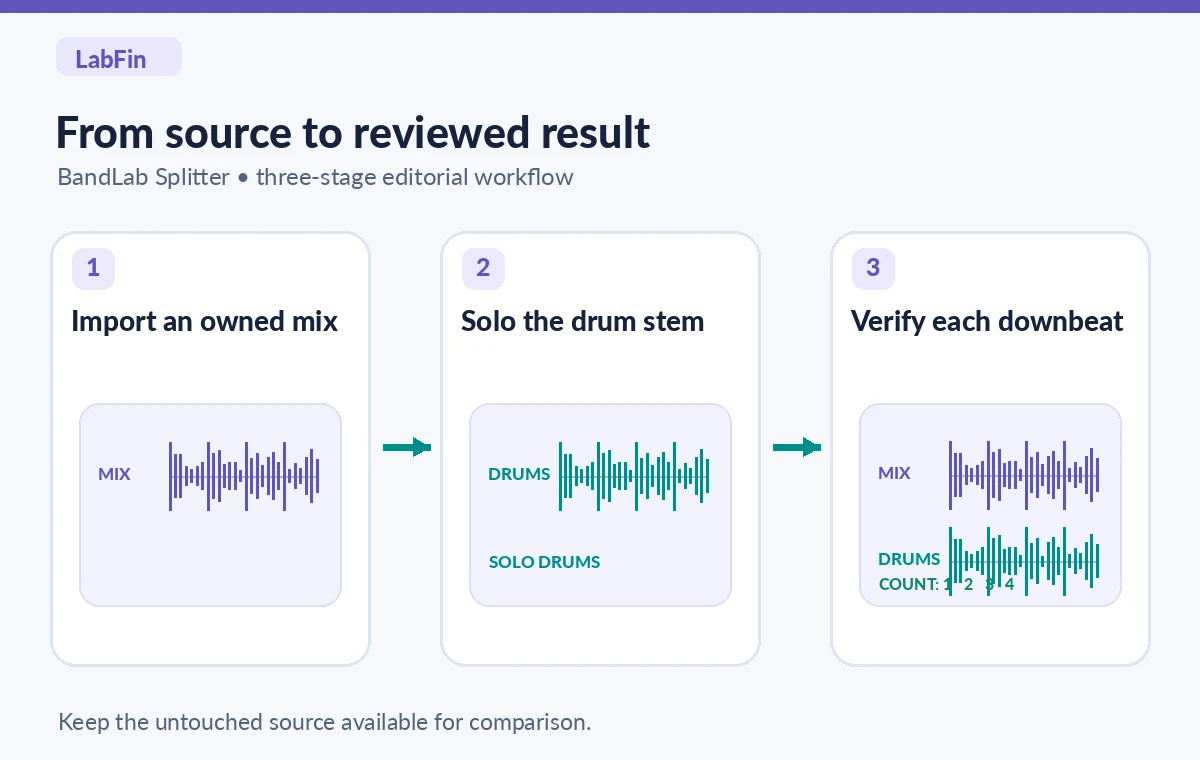
Open Splitter on BandLab’s web or mobile service, import the permission-cleared file, choose the available stem configuration, and let analysis finish. The official help center explains how to solo or mute stems and adjust their volumes; it also describes opening stems in Studio and exporting audio, with some features dependent on access level or device. For this task begin with drums, bass, vocals, and other. Do not assume that a paid guitar or piano stem improves isolation of hand percussion.
Use the AI tool selection checklist
First listen to the unmodified full mix, then solo the drums stem without immediately applying EQ or limiting. Alternate every few measures between the original and separated audio. If a clap sounds like a snare hit in the stem, it is a separation choice rather than a newly discovered percussion instrument. Write the uncertain timestamp into a review log. Keep both the full mix and the isolated track available so a rehearsal leader can resolve ambiguous accents from the musical context.
Detect bleed and missing ghost notes
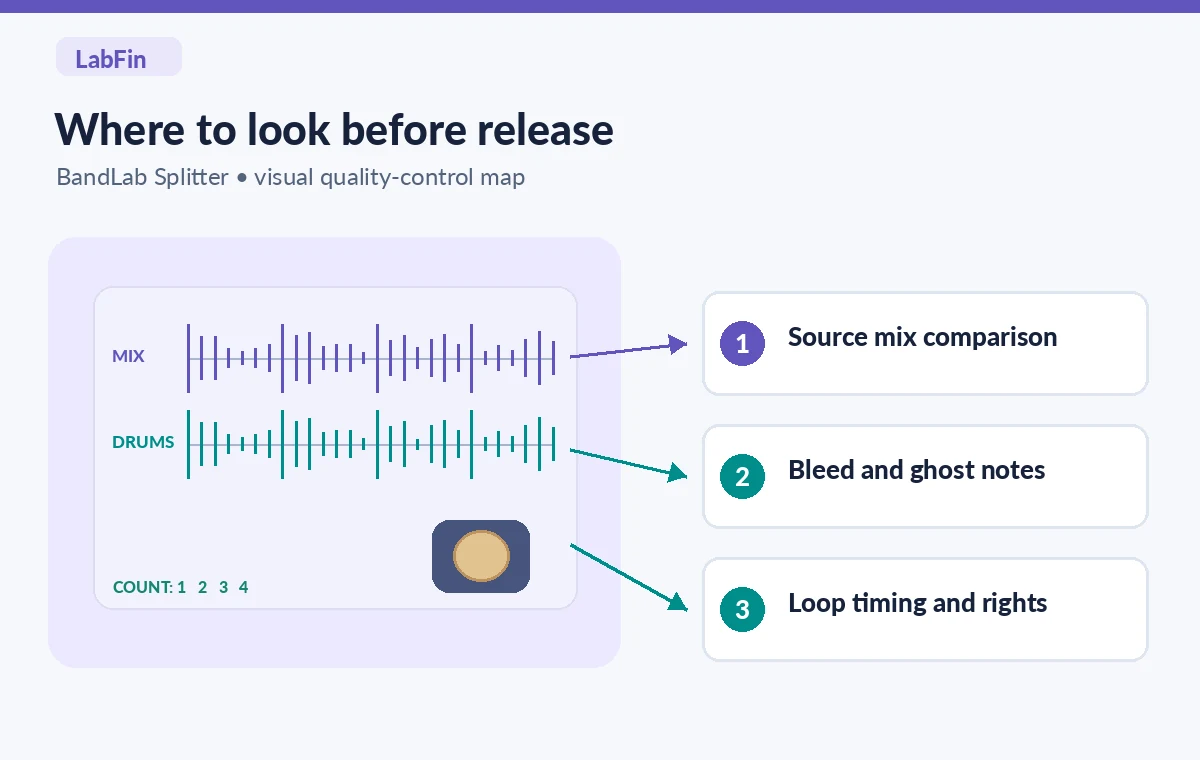
Look at a simplified waveform aligned to the original downbeat. Some transient peaks will match obvious drum attacks; others may be guitar strums, shoe taps, or compressed vocal consonants. A quieter syncopated drum note could vanish from the drums stem entirely. Listen to the ‘other’ and vocal stems around any suspicious gap. If rhythmic information is split across stems, note it rather than editing two guesses into a falsely exact sequence.
The comparison illustration shows two generic paths: a misleading extra transient that suggests a new accent, and an inspected rehearsal cue that retains only independently confirmed beats. This is an educational diagram, not a measured export from BandLab. If the recording permits, ask the original percussionist to mark the intended groove or supply a click reference. A musician’s review is more dependable than inferring musical intent from the highest peaks in an AI output.

Build a loop without changing the groove
Use Splitter’s playback controls to select a short repeated phrase. The official product describes loop, pitch, and speed adjustment; changing playback speed can help learners practice a phrase, but record the change and distinguish it from the source tempo. Keep the loop boundaries on musical beats and audition across the join. A tiny gap or duplicated attack at a looping seam can teach the wrong rhythm. If the editor allows, add a count-in outside the music rather than fabricating an extra drum hit inside it.
See how to combine AI tools safely
Create two labeled practice versions: one with the full mix and one with the isolated drums stem. If you make a slower version, call it a practice tempo rather than a new original master. Ask a dancer and a drummer to try the loop from a cold start. Can they agree on the downbeat without peeking at the waveform? If not, include a verbal count or an authorized instrument-only guide rather than forcing the AI stem to serve as an infallible metronome.
Export with limitations and rights intact
BandLab describes different stem formats for web and mobile exports, and newer guide pages discuss additional options such as MIDI conversion. Choose an ordinary audio export that the rehearsal leader can play reliably rather than assuming MIDI carries the exact original performance. Check the destination device, speaker level, file naming, and silence at the beginning and end. A successful export should preserve timing; matching sample peaks is less important than keeping the musical phrase recognizable and in sync.
A stem extractor does not grant redistribution rights. Treat a private rehearsal copy differently from an uploaded tutorial, public performance backing track, or commercial remix. Keep a note of who supplied the original recording, what uses were permitted, and which algorithmic derivative was made. When authorization is missing, the correct step is to secure permission or choose your own rehearsal material—not to assume that separation makes someone else’s recording free to distribute.
Decide whether to return to the full recording
If the source has crowd clapping, tightly blended acoustic instruments, or severe compression, isolation may create more confusion than clarity. A guide musician can often produce a clean drum demonstration faster than repeated stem splitting. You can also rehearse with a click track aligned by a musician, provided it is visibly presented as a practice aid. Avoid advertising every extracted peak as a documented part of the original performance.
No audio file was processed or listened to for this article, and no actual artifact rate was measured. The diagrams are original conceptual illustrations. The recommended verification is repeatable: compare the same bars across the full mix and every stem, confirm any important beat with a musician, and document what was changed before sharing the rehearsal aid.
How We Research
We read BandLab’s Using BandLab Splitter help article, the official Splitter product description and limits, and its October 2026 Splitter guide. These sources establish the tool’s basic workflow, export and tier differences, and size limits, not the quality of a specific drum extraction. We translated that documented workflow into a hypothetical rights-cleared rehearsal checklist. There was no listening session, permission review, or direct product test.
Frequently Asked Questions
No. Splitter estimates the drums content from a mixed recording. The original multitrack session, if it exists, remains the authentic isolated source.
Instruments share transient and frequency characteristics, so a separator can route some strums or claps into the percussion estimate. Compare the same moment with the full mix.
Yes, provided the practice tempo is clearly labeled and loop boundaries keep a stable downbeat. Check for duplicated or missing attacks at the seam.
No. Rights to the recording and underlying composition remain relevant. Seek permission before sharing public practice tracks or remixes.
The public BandLab product page states a maximum of 100 MB and 15 minutes per song at the time of review. Confirm current limits before preparing a long session.