
Disclosure: LabFin is reader-supported. If you sign up for a tool through links on this page, we may earn a commission at no extra cost to you. Commissions vary between providers and our ratings do not — here’s our full disclosure.
Adobe Firefly vs Ideogram compares two AI design tools. Adobe Firefly generates images, vectors and short video, and edits photos with Generative Fill. By contrast, Ideogram generates images with readable text for posters, thumbnails and logos.
Our reviews, for example, score Adobe Firefly 3.6 and Ideogram 3.3. So the choice depends on the job and how much you care about data terms.
Adobe Firefly vs Ideogram: The Short Answer
Choose Adobe Firefly, first, on our scores: it scores 3.6 against 3.3 and fits commercially safer images and photo edits.
Choose Ideogram, however, if you want readable text in images; its entry paid plan is Plus $15 a month yearly.
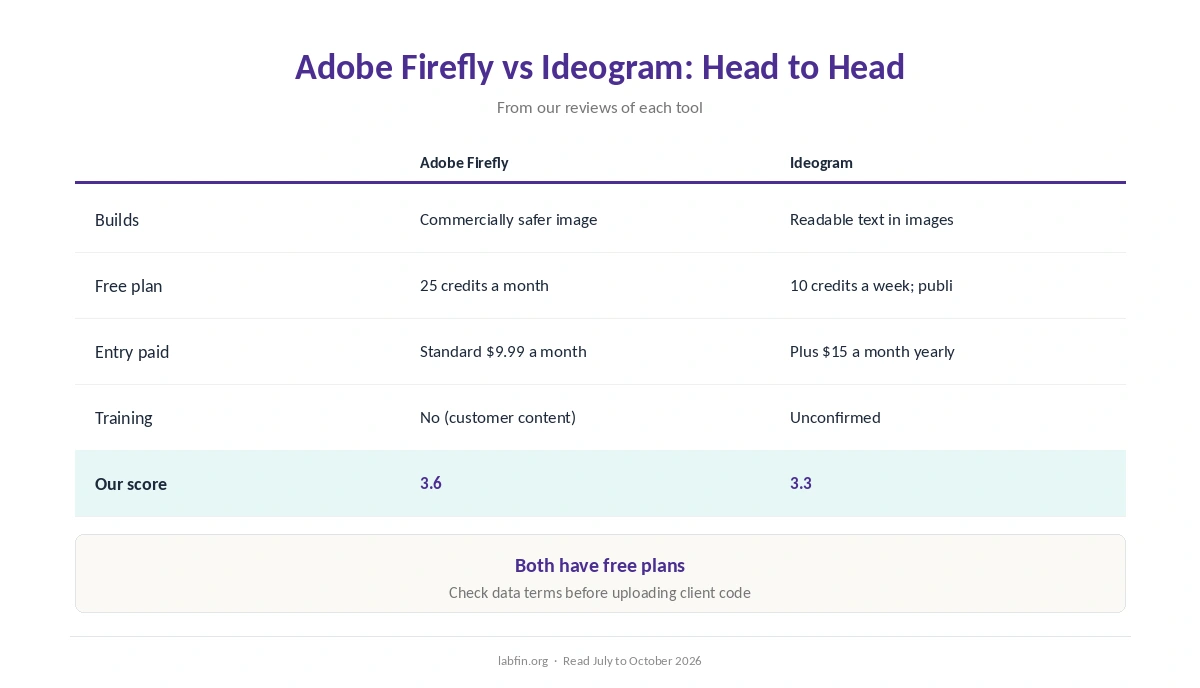
Head to Head
| Criterion | Adobe Firefly | Ideogram |
|---|---|---|
| Best for | Commercially safer images and photo edits | Readable text in images |
| Works in | Web; Photoshop, Illustrator, Express | Web; API |
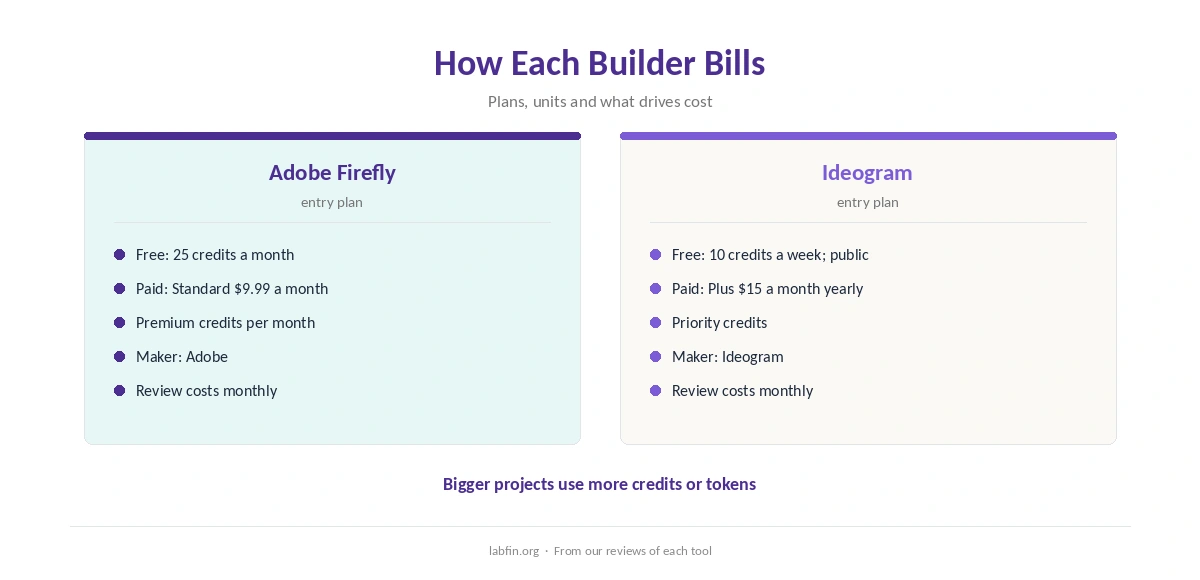
| Free plan | 25 credits a month | 10 credits a week; public |
| Entry paid plan | Standard $9.99 a month | Plus $15 a month yearly |
| Billing | Premium credits per month | Priority credits |
| Training on your data | No (customer content) | Unconfirmed |
| Our score | 3.6 | 3.3 |
What Each Does
To begin with, Adobe Firefly generates images, vectors and short video, and edits photos with Generative Fill. As a result, it suits you if you want commercially safer images and photo edits.
In contrast, Ideogram generates images with readable text for posters, thumbnails and logos. It suits you if you want readable text in images.
Prices and Billing
Adobe Firefly starts with 25 credits a month with watermarked outputs, and its entry paid plan is Standard $9.99 a month. Ideogram, meanwhile, starts with 10 slow credits a week, with public images, with Plus $15 a month yearly as its entry paid plan.
Billing also works differently. Adobe Firefly uses monthly premium credits that do not roll over.
Ideogram, however, uses monthly priority credits that expire each cycle. Our list of the best AI design tools compares more options.
Data and Training
On training, for Adobe Firefly, Adobe says it does not train Firefly on customers’ content. For Ideogram, by contrast, its terms state no training rule that we could find.
Therefore, keep client assets out until training terms are clear. Our guide to which AI tools train on your data compares more tools.
Rights and Review
Firefly’s partner models follow their own terms, so note which model made each asset. Ideogram’s free images appear in a public gallery, so use a paid plan for client work.
AI images can include odd details or echo existing work, so review every image and check each model’s terms before commercial use.
Our guide to fact-checking AI output also covers the checklist, and our list of the best AI for marketing ranks more tools.
Winners by Category
In short, Adobe Firefly wins for commercially safer images and photo edits. The other tool, by contrast, wins for readable text in images.
Overall, in Adobe Firefly vs Ideogram our scores favor Adobe Firefly, 3.6 against 3.3.
Which One to Choose
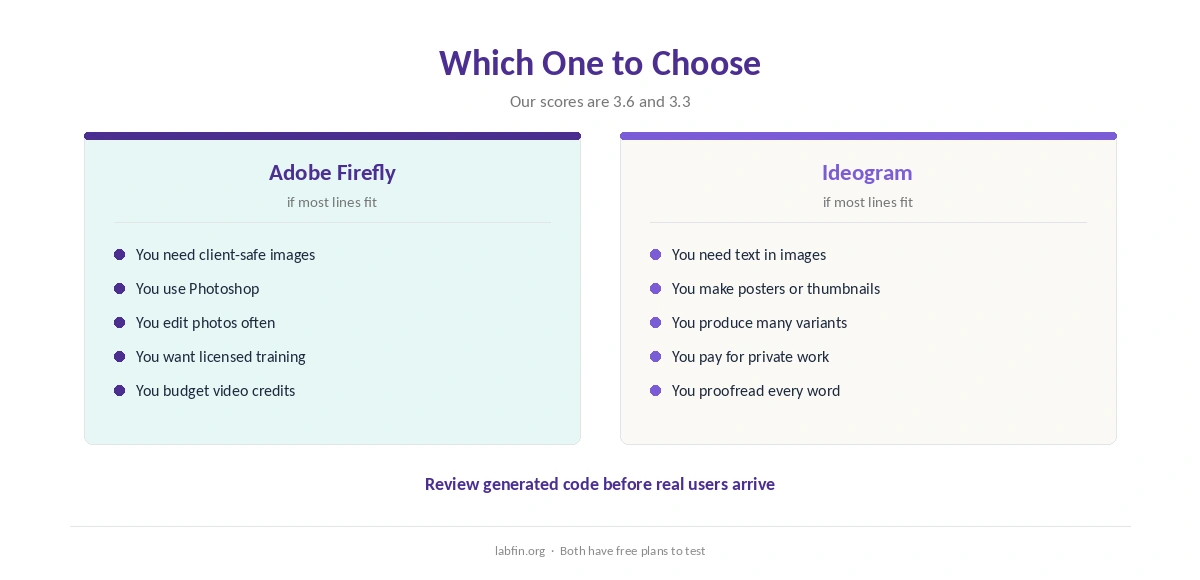
Therefore, take Adobe Firefly if you want commercially safer images and photo edits. Otherwise, the other tool may fit better.
Our pages on using AI for repurposing content and using AI for headlines, in addition, cover other options.
Whichever you pick, our guides to creating brand voice guidelines for AI and the best AI for presentations also help.
Other pairings are covered in our Canva AI vs Adobe Firefly and Canva AI vs Ideogram comparisons.
How We Research
This Adobe Firefly vs Ideogram comparison reuses the sources behind our reviews of each tool, read between July and October 4, 2026, including Ideogram’s pricing page and Adobe’s Firefly plans page.
However, we run no tests of our own. Our about page explains the criteria, and our list of the best AI for business covers more tools.
Adobe Firefly vs Ideogram FAQ
Our scores favor Adobe Firefly, 3.6 against 3.3.
Entry paid plans are Standard $9.99 a month and Plus $15 a month yearly, in that order.
For Adobe Firefly, Adobe says it does not train Firefly on customers’ content. For Ideogram, its terms state no training rule that we could find.
Adobe says its own Firefly models train on licensed content; check the other tool’s terms, and review every image.
Yes; many designers generate in one tool and lay out in the other.
The Verdict
Overall, Adobe Firefly vs Ideogram favors Adobe Firefly on our scores. The other, however, still wins for its own kind of job.
So pick by the job, check the output, and also keep sensitive material out of lower plans.