
Disclosure: LabFin is reader-supported. If you sign up for a tool through links on this page, we may earn a commission at no extra cost to you. Commissions vary between providers and our ratings do not — here’s our full disclosure.
The best AI for presentations on this list is Gamma, then Beautiful.ai: the two dedicated deck makers we review. Copilot in PowerPoint, ChatGPT and Claude, moreover, help in other ways, covered below.
Gamma, for example, builds decks, documents and sites from one prompt, with a free plan. Beautiful.ai, by contrast, keeps slides tidy with design guardrails from $12 a month billed yearly.
Best AI for Presentations: The Short Answer
Among the best AI for presentations here, Gamma ranks first: it scores 3.4 in our review, starts free with 400 credits, and shares decks as web links or PowerPoint files.
Beautiful.ai, at 3.2, suits people who present often and want locked layouts. If your team lives in Microsoft 365, however, check Copilot in PowerPoint before adding another tool.
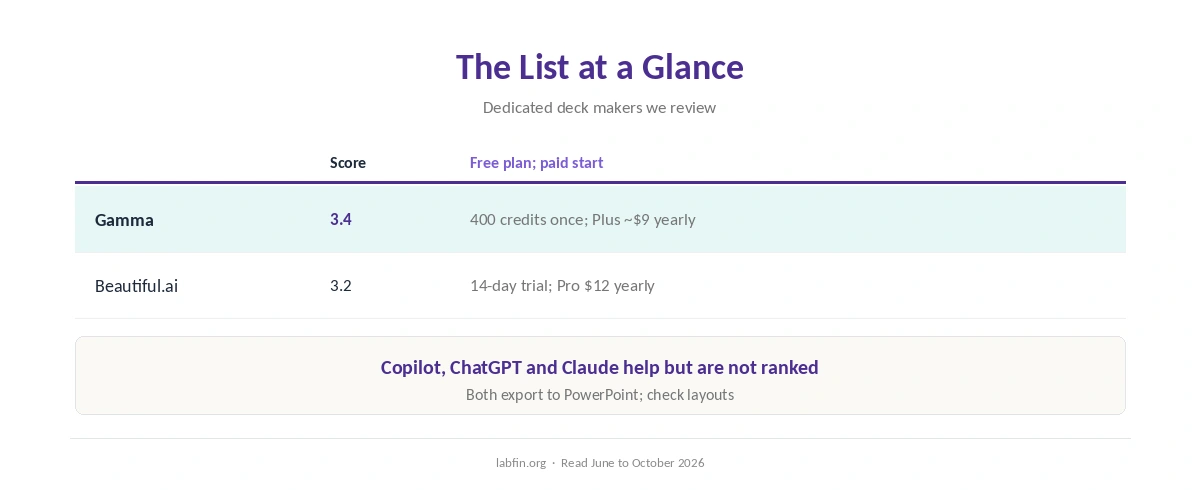
The List at a Glance
| Tool | Our score | Free plan; paid plan to start |
|---|---|---|
| Gamma | 3.4 | 400 credits once; Plus about $9 a month yearly |
| Beautiful.ai | 3.2 | 14-day trial; Pro $12 a month yearly |
How We Ordered This List
This list ranks the dedicated presentation makers we review, by our review scores. Tools that help with slides but are not deck makers, such as general assistants, appear in their own section instead.
Our list of the best AI tools explains how we score.
1. Gamma: Decks, Docs and Sites From One Prompt
First, Gamma drafts a designed deck from a topic or your notes, and the same card format also makes documents and simple sites. Viewer analytics come with Pro.
What to check, though: free credits arrive once, and PowerPoint exports may need fixes. Individual plans also train by default, with an opt-out in Data Controls, as our Gamma review covers.
2. Beautiful.ai: Design Guardrails
Beautiful.ai, by contrast, drafts decks and then keeps layouts tidy with Smart Slides as you edit. Pro costs $12 a month billed yearly or $45 for a single month.
What to check, however: there is no free plan, collaboration needs Team at $40 a user, and training terms are unconfirmed. Our Beautiful.ai review and Gamma vs Beautiful.ai comparison cover both.
Copilot in PowerPoint
Microsoft announced Claude Opus 5.5 and GPT-6 Sol for Word, Excel and PowerPoint in September 2026. Plans and limits, however, vary, so check what your Microsoft 365 plan includes, as our guide to Microsoft Copilot for productivity explains.
ChatGPT and Claude for Slide Text
General assistants draft outlines, speaker notes and slide text well, which you can then paste into any deck tool. Our guides to ChatGPT for writing and Claude for writing cover drafting.
Students, in addition, can compare study tools in our list of the best AI for students.
A Workflow That Works
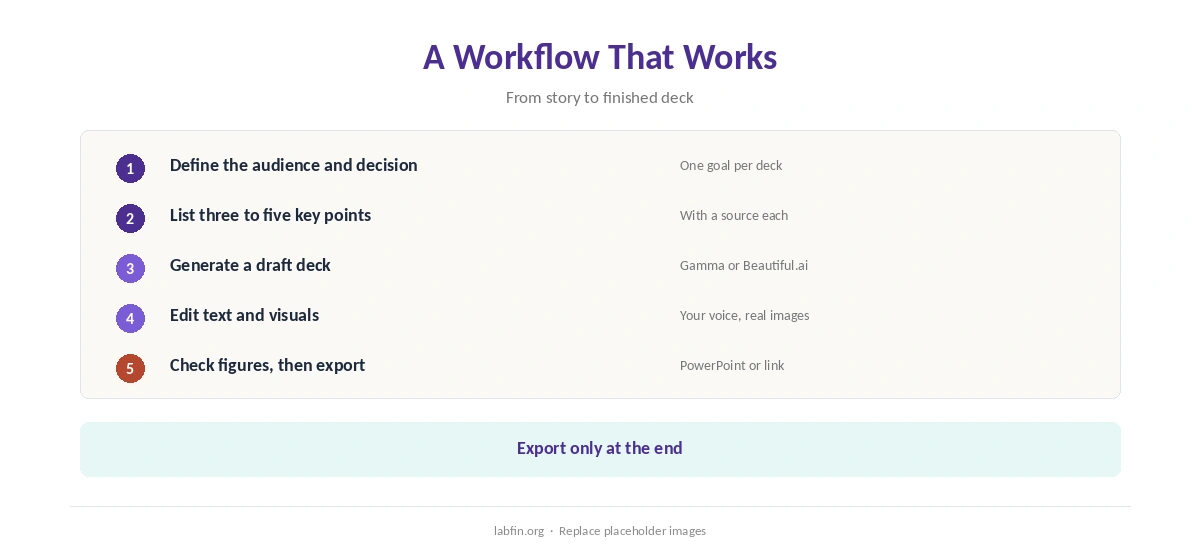
Start with the story: the audience, the one decision you want, and three to five key points. Then generate a draft deck, replace placeholder images, check every figure, and export only at the end.
Our guide to using AI for repurposing content shows how to turn an article into slides.
Checks Before You Present
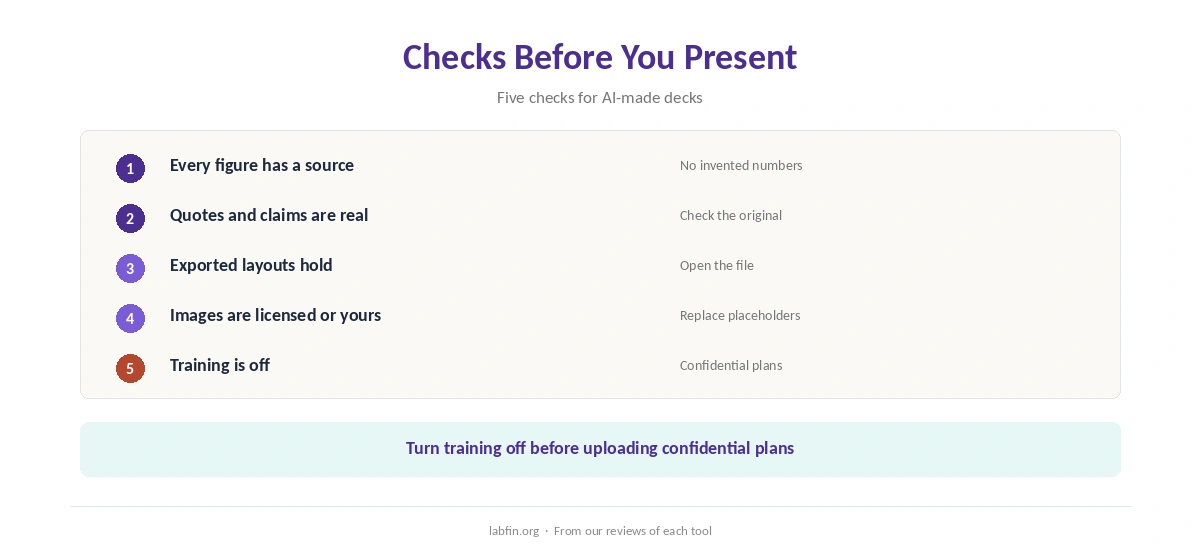
AI decks can state numbers your source never gave, and exports can shift layouts. So check figures against sources, open the exported file, and turn training off before uploading confidential plans.
Our guides to fact-checking AI output and which AI tools train on your data cover both.
How We Research
This list of the best AI for presentations draws on our reviews of each tool, read between June and October 4, 2026, including a July 2026 Beautiful.ai pricing check.
We run no design tests of our own. Our about page explains the criteria, and our list of the best AI for business covers team tools.
Best AI for Presentations FAQ
On this list, Gamma, at 3.4: decks, docs and sites from one prompt, with a free plan.
Gamma has a free plan with 400 credits once; Beautiful.ai offers only a 14-day trial.
It drafts outlines and slide text well; a deck tool then handles layout and design.
Microsoft announced Claude and GPT models for PowerPoint in September 2026; check what your plan includes.
Both Gamma and Beautiful.ai export to PowerPoint; open the file and fix layouts before presenting.
The Verdict
The best AI for presentations depends on how you work: Gamma for flexibility and a free start, Beautiful.ai for guardrails. Microsoft 365 teams, however, should check Copilot first.
Whichever you use, tell the story first, check every figure, and open the export before you present.