
Disclosure: LabFin is reader-supported. If you sign up for a tool through links on this page, we may earn a commission at no extra cost to you. Commissions vary between providers and our ratings do not — here’s our full disclosure.
This Make review covers Make, formerly Integromat, a visual automation builder owned by Celonis, with an AI assistant called Maia that builds scenarios from conversation.
It costs far less per run than Zapier and states that it does not train models on customer data. However, its visual builder takes longer to learn.
Make Review: Is It Worth It in 2026?
For cost-conscious teams that automate a lot, yes. Core starts at about $9 to $12 a month billed yearly for 10,000 credits.
For people who want the simplest setup, Zapier is easier. Make’s branching and data mapping, however, reward the extra learning.
What Make Does
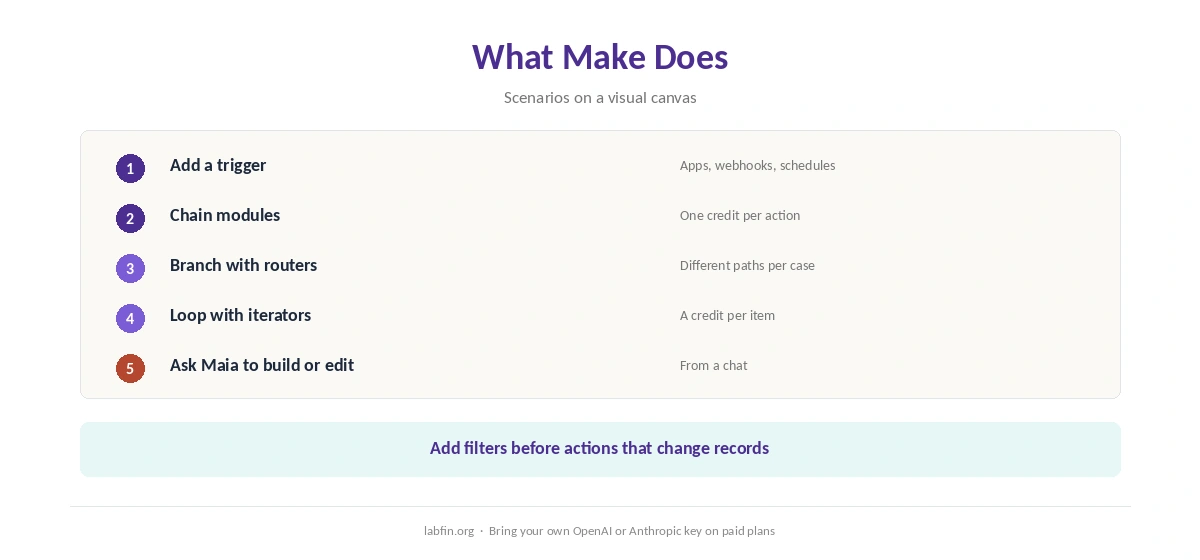
First, a scenario chains modules on a visual canvas: a trigger, then actions, filters, routers and iterators. Make connects thousands of apps and supports webhooks and its own API.
Maia, moreover, builds and edits scenarios from a chat, and AI modules can call your own OpenAI or Anthropic key on paid plans. Our guide to building a personal AI workflow shows where automation fits.
What Make Costs
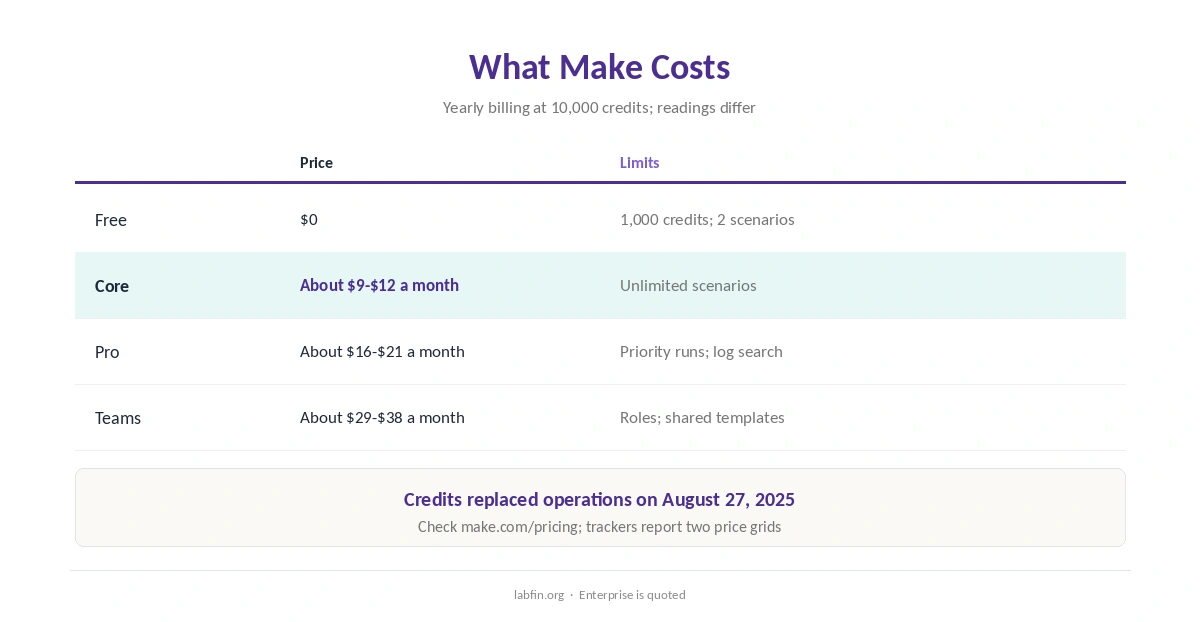
Make sells plans by credits, one per module action, since it replaced operations with credits on August 27, 2025.
| Plan | Price | Limits |
|---|---|---|
| Free | $0 | 1,000 credits a month; 2 active scenarios |
| Core | About $9 to $12/mo yearly | 10,000 credits; unlimited scenarios |
| Pro | About $16 to $21/mo yearly | Priority runs; log search |
| Teams | About $29 to $38/mo yearly | Team roles; shared templates |
Credits scale with volume, and a scenario that loops over many items uses a credit per item per module. Our guide to understanding AI usage limits explains metered billing.
To keep costs down, in addition, our guide to reducing AI subscription costs lists tactics.
AI Features
Maia builds scenarios from plain-language requests inside the scenario builder. AI modules, in addition, can run on Make’s credits or on your own provider key.
Such steps, however, can misread inputs, so add filters before actions that change records. Our list of the best AI for productivity covers assistants that pair well, and our guide to combining AI tools shows how to split jobs.
Your Data
Make’s system card for Maia says it does not use customer data, such as prompts, scenario structures or outputs, to train or fine-tune the underlying models.
Prompts and scenario data stay in Make, except for calls to the AI provider under its data agreement, the card says. Our guide to which AI tools train on your data compares more tools.
Reliability and Safety
Automations act on real accounts, so a wrong step can send emails or change records at scale. Therefore, test with sample data, add approval steps for sensitive actions, and give connections the least access they need.
AI steps add another risk: prompt injection through emails or documents the workflow reads. Our guide to reviewing AI-generated code covers checks that apply to generated logic too, and our guide to reducing AI hallucinations covers AI steps.
Make vs Other Automation Tools
Zapier, for example, is easier to start and connects more apps, while n8n can run free on your own server.
Our reviews of Zapier and n8n cover the alternatives.
Who Should Use Make
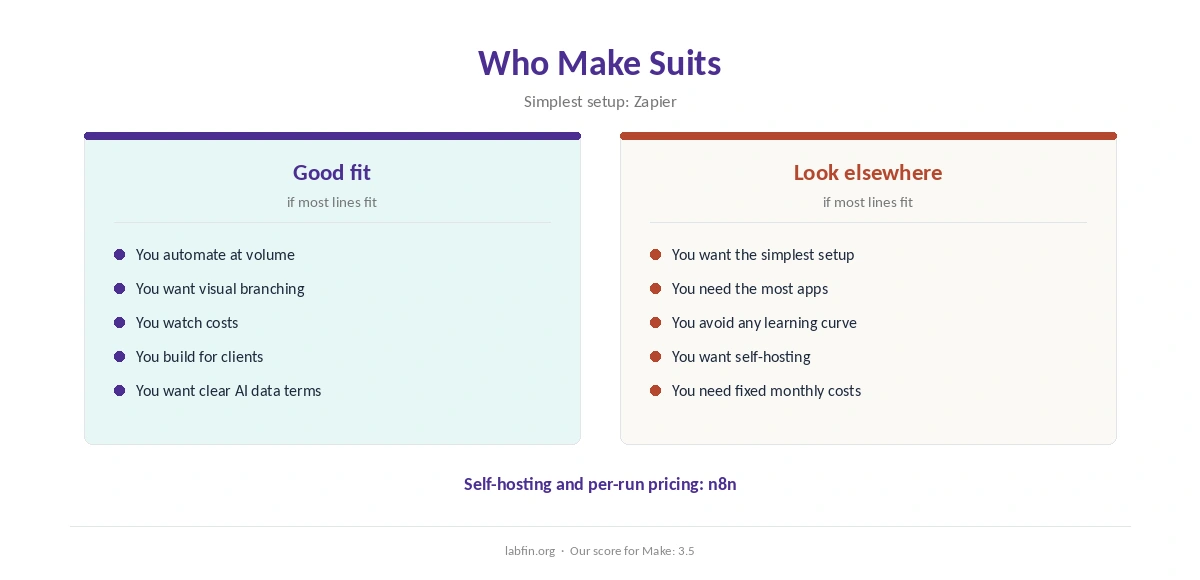
Overall, this Make review finds it suits teams that automate at volume and want visual control over branching. It also suits agencies building workflows for clients. Our Make vs n8n comparison also weighs price and data terms.
By contrast, however, it suits people who want the simplest possible setup less. Our list of the best AI for business covers team tools.
How We Research
This Make review takes plans from trackers that read its pricing page in 2026, and data terms from Make’s Maia system card.
However, we ran no automation tests of our own. Our about page explains the criteria, and our guide to measuring AI tool ROI helps judge the cost.
Make Review FAQ
Free with 1,000 credits; Core about $9 to $12 a month yearly for 10,000 credits, depending on the reading.
One module action; credits replaced operations on August 27, 2025.
Its Maia system card says customer data is not used to train or fine-tune the models.
Make’s AI assistant that builds and edits scenarios from a chat.
Make for a hosted visual builder; n8n for self-hosting and per-run pricing.
Make
Cheap, visual and clear on data
Make chains modules visually, builds scenarios with Maia and costs little per run, and its system card rules out training on customer data. Against that, it takes longer to learn than Zapier, and trackers disagree on current prices.
The Verdict
Make offers more automation per dollar than Zapier, with clear data terms for its AI assistant. Its visual builder, however, asks for more learning up front.
The rest of this Make review sets the score at 3.5. So start small, test with sample data, and watch usage as workflows grow.