
Disclosure: LabFin is reader-supported. If you sign up for a tool through links on this page, we may earn a commission at no extra cost to you. Commissions vary between providers and our ratings do not — here’s our full disclosure.
This Zapier review covers the automation platform that connects thousands of web apps, now with an AI Copilot that builds workflows from plain language and agents that run multi-step jobs.
It is the easiest of Zapier, Make and n8n to start with. However, every action step counts as a task, so costs climb with volume, and its terms allow training on de-identified data unless you opt out.
Zapier Review: Is It Worth It in 2026?
For non-technical teams that want automations working quickly, yes. Professional costs $19.99 a month billed yearly for 750 tasks.
For high-volume workflows, it gets expensive. Make and self-hosted n8n cost far less per run, as our reviews show.
What Zapier Does
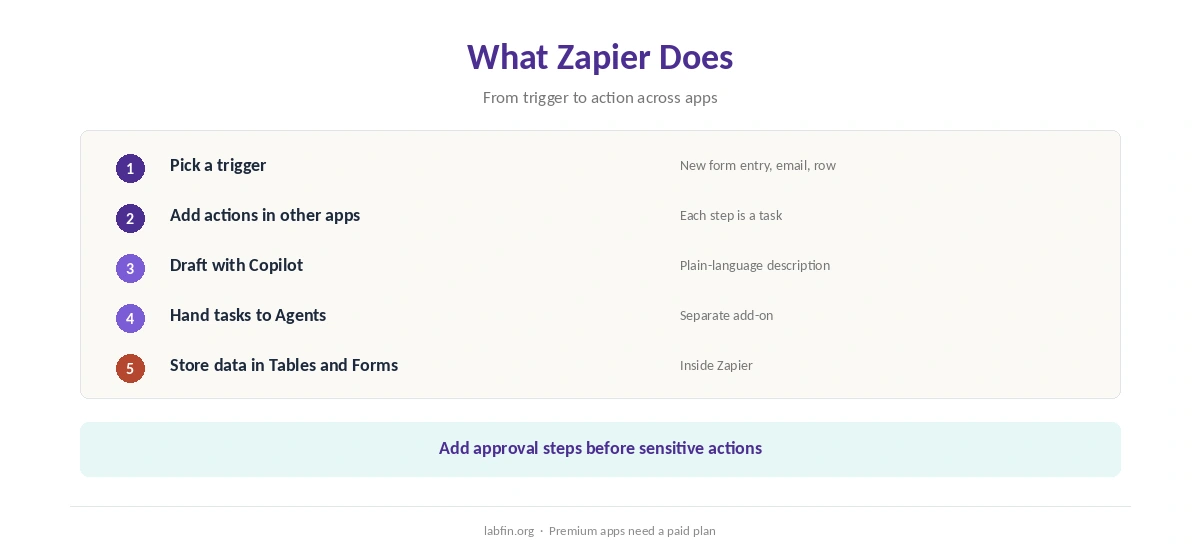
First, a Zap starts with a trigger in one app, such as a new form entry, and runs actions in others, such as adding a row and sending a message. Zapier connects thousands of apps, and premium apps need a paid plan.
Copilot, moreover, drafts Zaps from a plain-language description, and Tables and Forms store and collect data inside Zapier. Our guide to building a personal AI workflow shows where automation fits.
What Zapier Costs
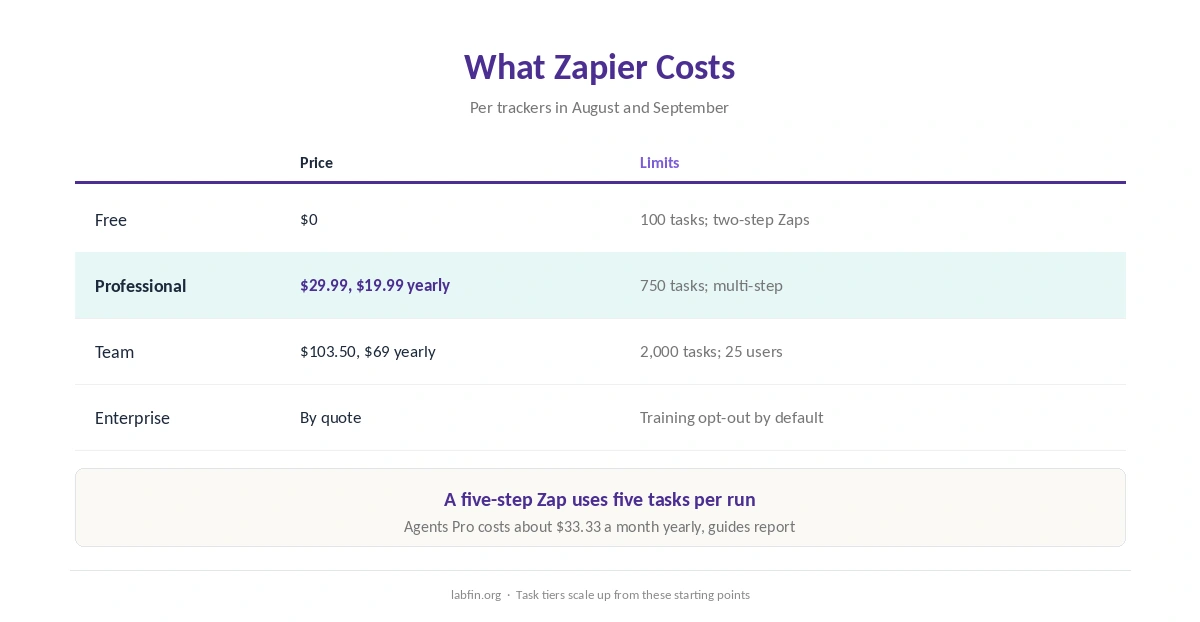
Zapier sells four plans, as trackers read its pricing page between August and September 2026.
| Plan | Price | Limits |
|---|---|---|
| Free | $0 | 100 tasks a month; two-step Zaps |
| Professional | $29.99/mo, or $19.99 yearly | 750 tasks a month; multi-step Zaps |
| Team | $103.50/mo, or $69 yearly | 2,000 tasks; 25 users; SSO |
| Enterprise | By quote | Admin controls; training opt-out by default |
Each action step in a Zap counts as a task, so a five-step Zap uses five tasks per run. Agents, moreover, are a separate add-on, with Agents Pro at about $33.33 a month billed yearly, guides report. Our guide to understanding AI usage limits explains metered billing.
To keep costs down, in addition, our guide to reducing AI subscription costs lists tactics.
AI Features
Copilot builds Zaps from descriptions, and Zapier Agents run multi-step tasks across connected apps. Zapier also offers an MCP server that lets outside AI assistants trigger its actions.
Such steps, however, can misread inputs, so add checks before actions that send or delete anything. Our list of the best AI for productivity covers assistants that pair well, and our guide to combining AI tools shows how to split jobs.
Your Data
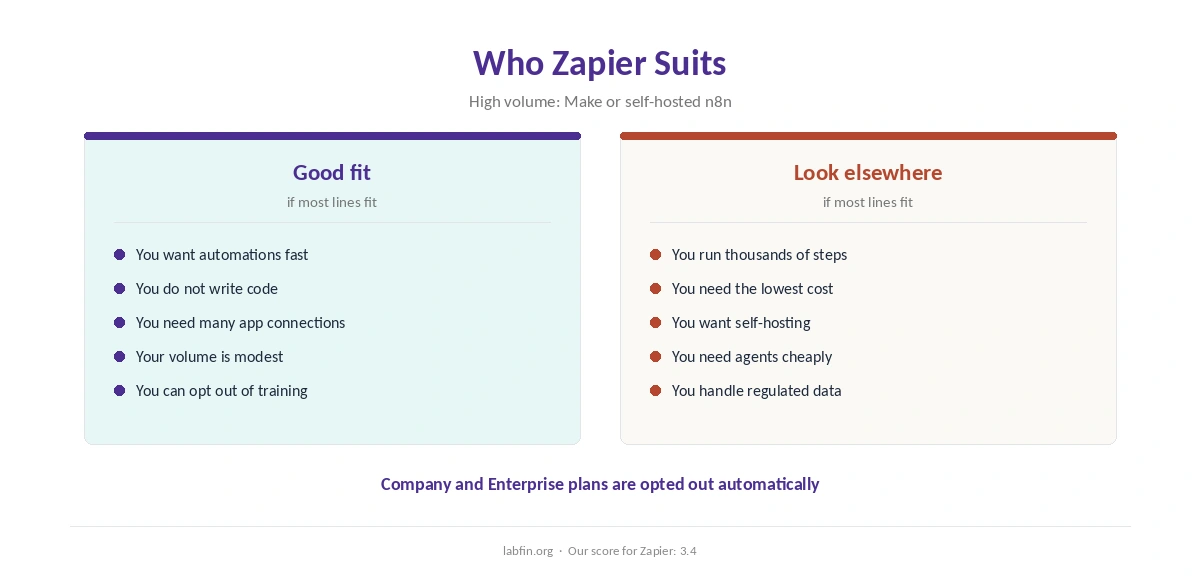
Zapier’s terms say it may derive de-identified data sets from your content and use them for model training, unless you opt out through a form. Company and Enterprise plans, by contrast, are opted out automatically.
Its legal page also says subprocessors may not train their own models on customer content. Our guide to which AI tools train on your data compares more tools.
Reliability and Safety
Automations act on real accounts, so a wrong step can send emails or change records at scale. Therefore, test with sample data, add approval steps for sensitive actions, and give connections the least access they need.
AI steps add another risk: prompt injection through emails or documents the workflow reads. Our guide to reviewing AI-generated code covers checks that apply to generated logic too, and our guide to reducing AI hallucinations covers AI steps.
Zapier vs Other Automation Tools
Make, for example, prices by credits per module and costs less at volume, while n8n can run free on your own server. ClickUp, in addition, sells its own AI agents as an add-on, as our ClickUp AI review explains.
Our reviews of Make and n8n cover the alternatives.
Who Should Use Zapier
Overall, this Zapier review finds it suits non-technical teams and solo operators who want many app connections without code. It also suits quick prototypes of a workflow before scaling.
By contrast, however, it suits high-volume workflows and teams with strict data rules on lower plans less. Our list of the best AI for business covers team tools.
How We Research
This Zapier review takes plans from trackers that read its pricing page in 2026, and data terms from Zapier’s automation platform information page.
However, we ran no automation tests of our own. Our about page explains the criteria, and our guide to measuring AI tool ROI helps judge the cost.
Zapier Review FAQ
Free with 100 tasks; Professional $29.99 a month or $19.99 yearly; Team $103.50 or $69 yearly; Enterprise quoted.
Each action step that runs in a Zap; a five-step Zap uses five tasks per run.
It may use de-identified data unless you opt out by form; Company and Enterprise plans are opted out automatically.
Yes, as a separate add-on, plus Copilot for building Zaps from plain language.
Zapier for ease and app coverage; Make for lower cost per run and visual branching.
Zapier
The easiest automation, at a price
Zapier connects thousands of apps, builds Zaps from plain language and runs agents. Against that, tasks per action step make volume expensive, agents cost extra, and lower plans allow training on de-identified data unless you opt out.
The Verdict
Zapier remains the easiest way to connect apps, and its AI Copilot lowers the bar further. At volume, however, task pricing adds up fast, and its training opt-out takes a form.
The rest of this Zapier review sets the score at 3.4. So start small, test with sample data, and watch usage as workflows grow.