
The unexpected morning arrival spike
A hypothetical museum opens online check-in for a school visit at nine o’clock. Dozens of visitors submit the form nearly together, and the downstream verification worker receives a brief burst of tasks even though the queue has a modest configured average dispatch rate. Operators can mistake that spike for a broken limit. Cloud Tasks uses a token-bucket approach to control dispatch and exposes maxBurstSize as part of its queue rate limits. The important question is whether a short burst is compatible with the documented queue behavior, not whether every second must have exactly the same request count.
Read maxBurstSize as an output, not a setting
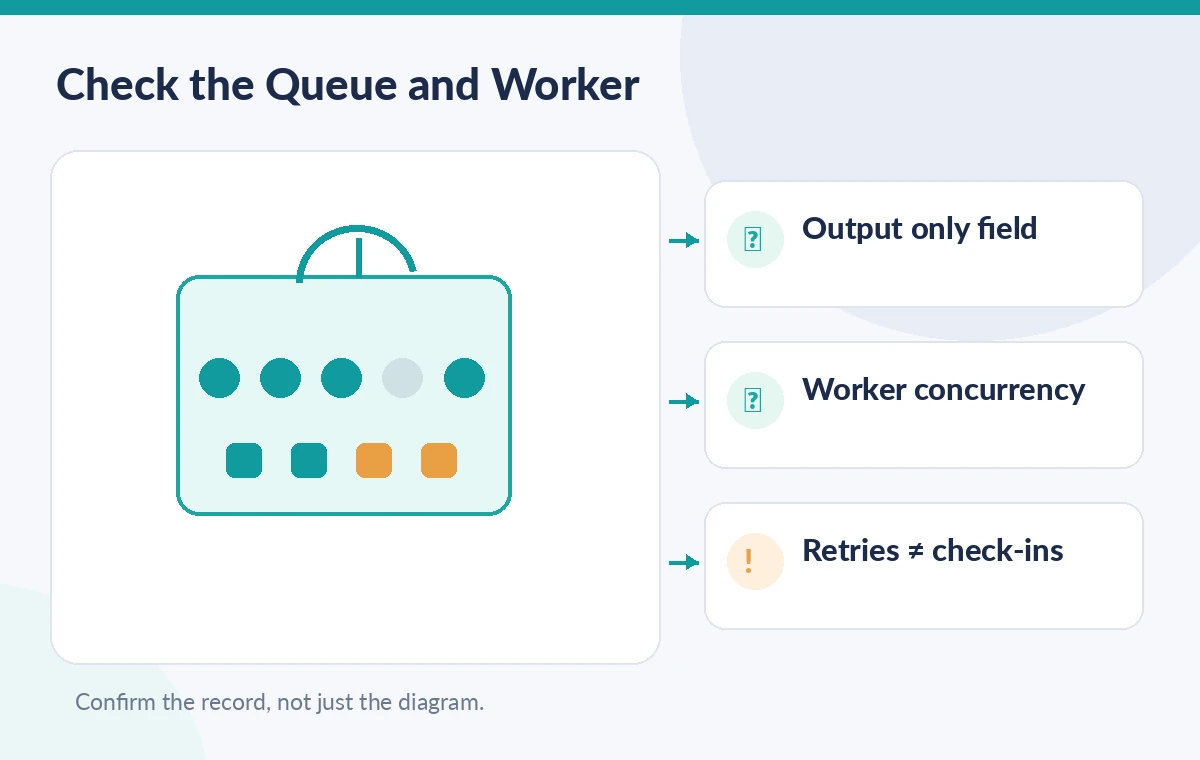
The v2 Queue resource documents maxBurstSize as output only. It limits the size of the token bucket, while maxDispatchesPerSecond controls the token refill rate. Cloud Tasks normally calculates an appropriate burst size automatically from the configured dispatch rate. Do not invent a queues.patch request that directly changes maxBurstSize: such a request is not the supported control. The resource documentation also notes special behavior for queues originally configured using queue.yaml or queue.xml, where patching through the API can reset the burst value. Record configuration history before changing an older queue.
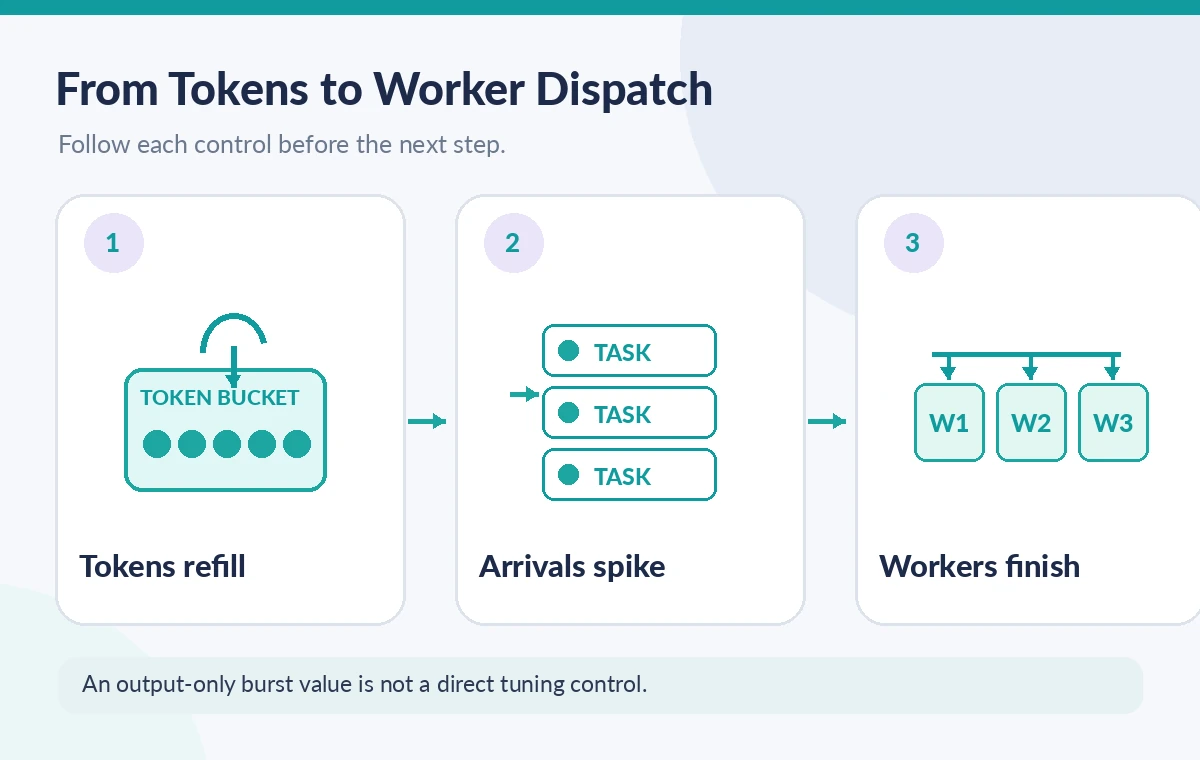
Follow tokens across a simple timeline
Imagine a synthetic token bucket that has been idle long enough to accumulate tokens. When several check-in tasks arrive together, each dispatch uses a token, so multiple requests can leave in a short interval until the bucket is depleted. New tokens then arrive according to the refill rate. This illustration is meant to explain the mechanism; it is not a measured trace from a Google project or a promise about exact seconds. Worker response time, retries and queue availability affect the observed pattern. A queue can exhibit a burst without sustaining that rate indefinitely.
Separate average rate from concurrent work
maxDispatchesPerSecond and maxConcurrentDispatches answer different questions. The first addresses how quickly dispatch tokens are replenished, while the second limits how many dispatched tasks can be active concurrently. A check-in worker that remains busy for several seconds can reach the concurrency limit even when the rate target is not unusually high. Conversely, a very fast worker might process a short token-funded spike without accumulating many concurrent requests. Plan worker capacity around both dimensions, plus downstream service quotas. No single Queue field proves that visitors successfully completed check-in.
Prepare a low-risk observation plan
Before an event, inspect the queue resource with the documented read method and capture region, rate limits, state and an observation timestamp. Ask the service owner whether the queue was deployed through the API or legacy configuration files. For synthetic load tests, use a dedicated nonproduction queue and a worker that cannot send real invitations or charge visitors. Avoid changing the production rate solely to see a graph move. Use a time series of dispatch attempts, response codes and worker processing duration to understand a pattern. Queue configuration is one part of the evidence, not a substitute for it.
Compare three dispatch patterns
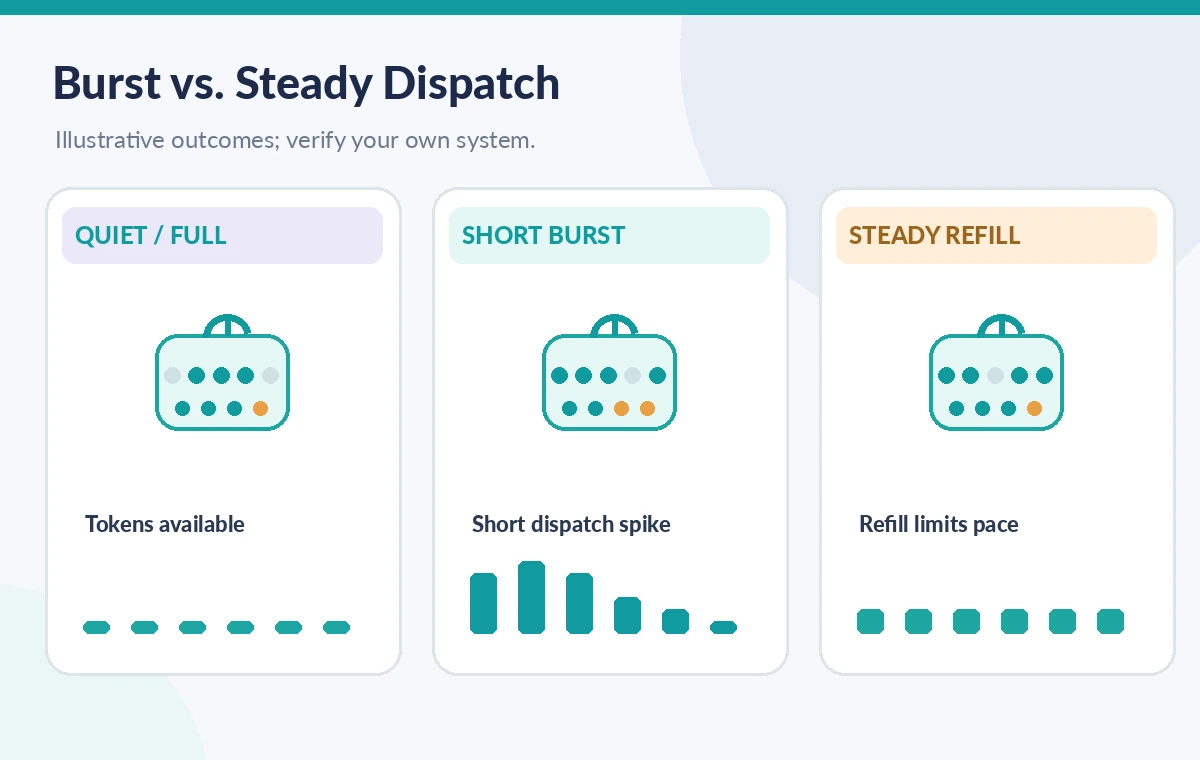
A helpful diagram distinguishes an idle bucket with available tokens, a brief arrival surge that uses those tokens and a later steady-state interval governed by refill. These are illustrative states rather than measurements or numerical guarantees. Label a peak as expected burst capacity, not proof that the system can process that rate for an entire event. If retrying tasks reenter the queue, they can increase apparent work while representing the same original check-in. Count unique check-in requests separately from task dispatch attempts, and keep idempotent processing at the destination.
Avoid the dangerous patch shortcut
If someone suggests increasing maxBurstSize directly, stop and check the Queue resource reference. For v2 API-managed queues the documented field is output only. A supported rate change involves the writable queue rate settings and a reviewed queues.patch operation; it can affect every pending task. A patch applied to an older queue created through queue.yaml or queue.xml has additional burst-size consequences documented by Google. Require an owner-approved change window, a rollback plan for writable settings and worker alarms. Do not treat the absence of an API error as proof that a requested performance policy took effect.
Check fairness when one exhibit dominates
Museum operations may send photo-processing jobs, group check-ins and volunteer notifications to separate queues. A burst in one should not silently starve time-sensitive work in another. Review whether shared workers, databases or identity providers impose a bottleneck beyond Cloud Tasks queue controls. Use separate queue names and explicit task types where justified, but do not present queue separation as unlimited isolation: the same downstream service may remain a shared dependency. During launch, watch completed user-facing check-ins and worker failures, not just dispatched task counts. A high queue throughput graph can coexist with unacceptable visitor delays.
Create a useful runbook entry
The operator runbook should record the configured maxDispatchesPerSecond, maxConcurrentDispatches, observed output-only maxBurstSize, deployment method and a recent queue read. Then define what counts as abnormal: sustained worker errors, age of oldest pending task or failed check-ins after retries. Include who can approve a rate change and how idempotent handlers prevent duplicate entries. Do not write an emergency procedure that assumes maxBurstSize is directly editable. Short diagrams of token refill and concurrent requests help new staff distinguish a predictable spike from a failing worker.
What the source review can and cannot prove
These recommendations derive from current Google Cloud Tasks resource and queue-configuration documentation. We have not measured a real museum’s dispatch throughput, tested legacy queues or confirmed the available quotas in a particular project. Token sizes and queuing behavior can vary by the queue’s configuration history and service decisions. Test on isolated synthetic tasks before any live event. Permission to inspect a queue is not permission to modify it, and a configured rate does not establish email delivery, ticket issuance or visitor identity verification. Use actual service logs and business outcomes for those claims.
How We Research
Our November 11, 2026 editorial review consulted these named primary references: Google Cloud Tasks Queue resource v2; Cloud Tasks configuring queues. We compared the field definitions, scope, constraints, failure cases and feature-specific caveats against a hypothetical museum operations workflow. We did not access private accounts, send production API requests, record actual user information, measure benchmark outcomes, inspect a live WordPress instance, or present the drawings as real vendor screenshots. Illustrations show synthetic educational scenarios. Product settings, documentation and account entitlements may change; verify the current reference and obtain operational or privacy approval before applying any change.
Frequently Asked Questions
No. The v2 Queue resource describes maxBurstSize as output only. Review the writable rate settings and legacy queue behavior instead.
A token bucket may accumulate tokens during a quiet period and spend several when tasks arrive together; refill governs the longer-term pace.
No. One limits simultaneous dispatched work; the other represents the token-bucket burst capacity.
No. A dispatch attempt can fail or be retried; confirm processing and deduplicate at the worker.
Worker errors, queue age, throttling, retry growth and unfinished user-facing check-ins are more informative than a short dispatch spike alone.