
A neighborhood planning meeting ends with dozens of digital sticky notes about lighting, walkways, public seating, and quieter spaces. Zoom Whiteboard’s AI content tools can create or organize notes, but clustering similar words may hide a less common concern such as wheelchair turning space. The facilitator still owns the interpretation. In this invented scenario, we use AI grouping as a provisional organizing aid, preserve every original note, and make overlooked issues easy for participants to find. The finished board is not a vote, a safety certification, or an approved design.
Set the workshop outcome and preserve original notes
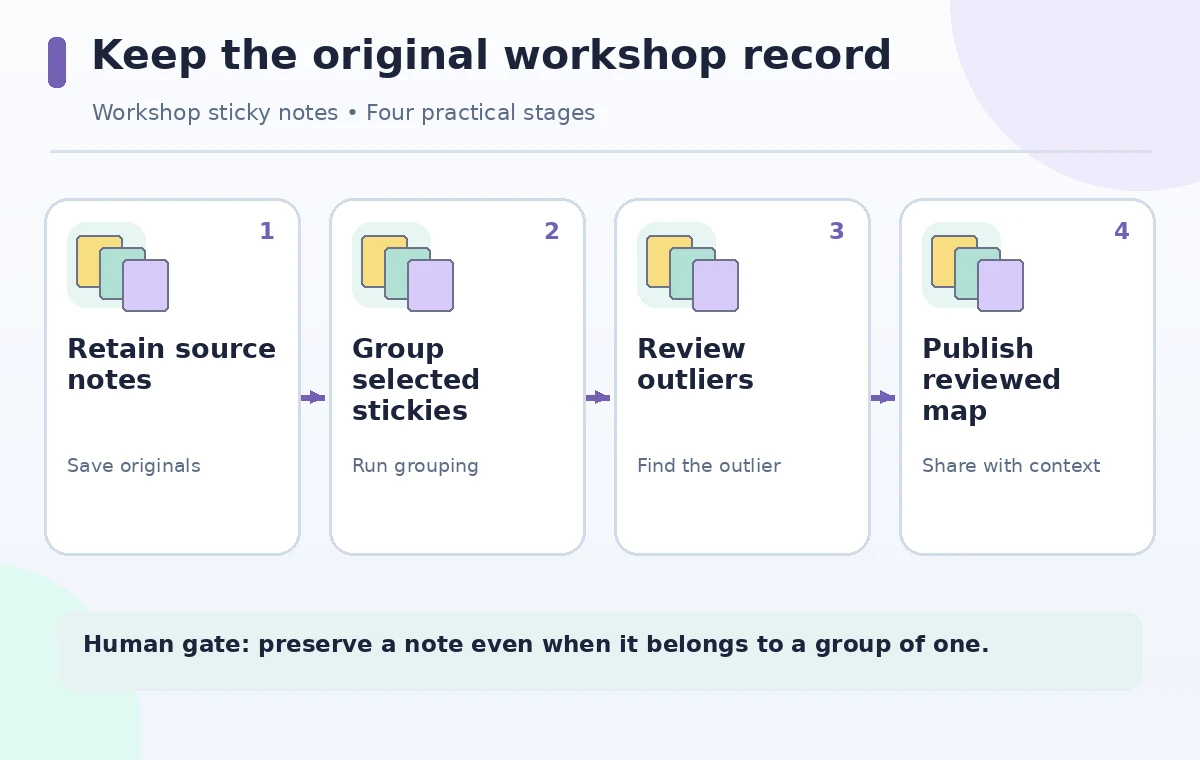
Agree on an output that the meeting can honestly produce: a readable issue map for later review, not a final decision about construction. Copy the original whiteboard frame or export a snapshot using permitted controls before requesting AI help. Count the source notes and note any handwriting, sketches, or attachments that may not group like plain text. Ask participants to avoid putting sensitive personal details on public sticky notes. Create an ‘Uncategorized and disputed’ area so novel concerns have a legitimate destination. An empty miscellaneous box is not evidence that every point fits a theme; it may mean the classifier was pushed too hard.
Confirm Whiteboard AI access and meeting consent
Zoom documents Whiteboard Content Generation with AI, including generating stickies and organizing selected groups. The help page lists eligible Zoom Workplace account tiers together with a Whiteboard or Whiteboard Plus add-on and applicable feature availability. Check the organization’s actual settings, platform, and supported language rather than promising the tool to every guest. Tell participants that an AI system will help sort their comments and explain whether the raw board will be retained. Whiteboard permissions and data-handling policy matter more than a polished cluster layout. If AI is unavailable, manual grouping remains a valid workflow.
Prepare note wording before asking for clusters
Read the notes for ambiguous pronouns and duplicates. A sticky saying ‘This corner feels unsafe’ should remain visible with its original wording and position; do not silently rewrite it as ‘traffic safety.’ Avoid adding invented counts or changing ‘could help’ into ‘must build.’ If the meeting has explicit categories, list them in a facilitator note, but allow participants to propose a new label. Record suggestions that oppose one another rather than averaging them into a synthetic compromise. A system that cannot separate conflicting preferences should display the conflict, not smooth it away.
Select the right objects and use AI organization deliberately
Zoom’s help describes selecting multiple sticky notes and using the AI Companion action to identify and group related ones. Another flow lets the user generate new sticky notes from a prompt. Keep those operations separate: generated ideas are not participants’ contributions. When grouping existing notes, select only the intended frame and review the result before accepting or rearranging it. If the output introduces a novel heading, check whether every note under it truly supports that meaning. Leave uncertain notes visible outside clusters. Don’t treat a generated theme as an attendee quote unless the original note actually says it.
Compare a neat but misleading cluster with a faithful board
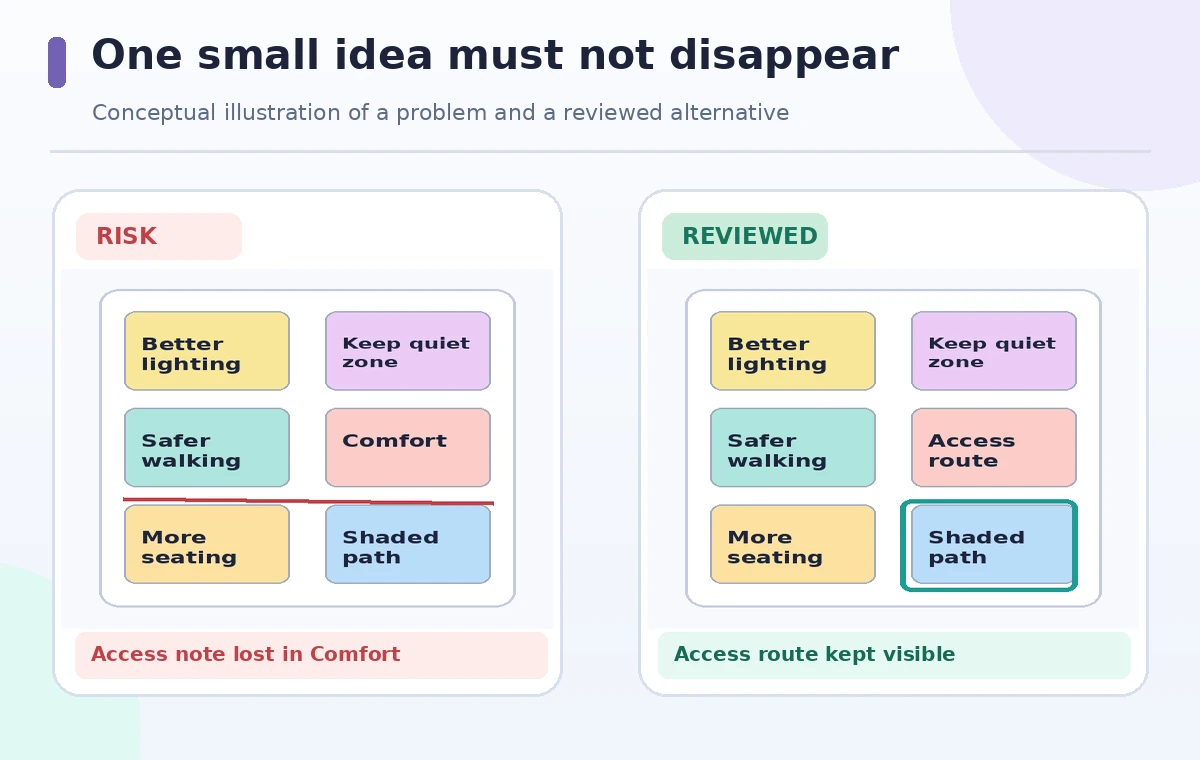
In the comparison illustration, an accessibility concern is incorrectly absorbed into a broad ‘comfort’ group. The reviewed version restores a distinct ‘Access route’ theme and retains the exact note. The drawings are fictional and intentionally exaggerated to teach checking; they do not show a real Zoom classification. Count notes in the source frame and in the organized frame, and make sure none disappeared behind shapes. Revisit any small group of one or two notes with the participants: rarity can signal a critical exception rather than an irrelevant outlier. For controversial statements, use neutral titles instead of evaluative adjectives.
Use a facilitator-led second pass for dissent and duplicates
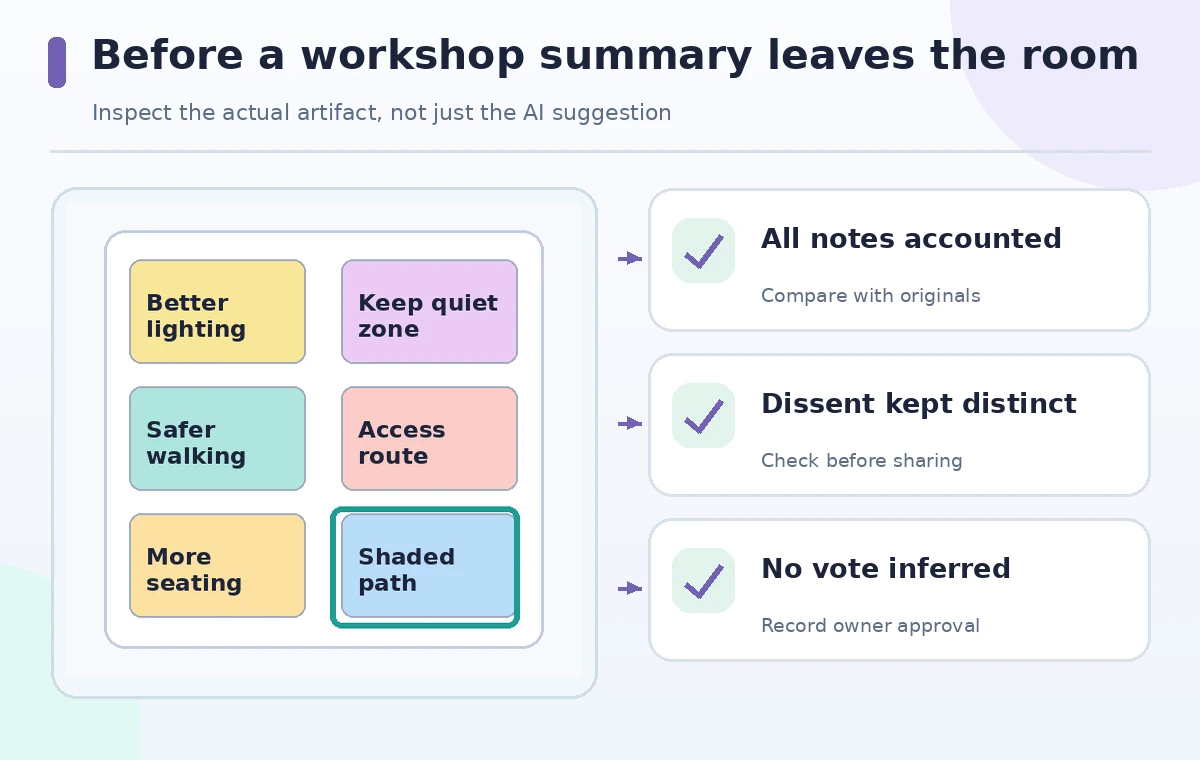
Ask another reviewer to inspect the board without seeing the AI’s justifications. Let them flag missing minority views, duplicate stickies, mislabeled priorities, and items that combine two distinct needs. Where two participants disagree about lighting, show both ‘brighter routes’ and ‘protect dark-sky areas’ instead of silently selecting one. Do not infer consensus from cluster size; the count may reflect talkative attendees or repeated phrasing. Record who recommended a change and whether a participant confirmed the interpretation. Respect requests to anonymize personal stories before moving the notes into a public summary.
Turn clusters into questions, not unauthorized commitments
Use each category to formulate a follow-up question with an owner, such as ‘Does the existing access-route survey include the north gate?’ Separate factual checks from preferences: a route width can be measured, while a desire for quieter seating needs an inclusive design discussion. Assign proposed next steps to named meeting roles only after those people accept them. Avoid writing ‘approved’ on AI-generated clusters. The Whiteboard may help present ideas, but it cannot replace a budget decision, a site inspection, or public consultation. Keep unresolved matters explicitly labeled so follow-up teams can identify what still needs evidence.
Archive a readable board and an accountable summary
Retain an unmodified source version and a dated reviewed version with clearly labeled clusters. Export only through approved workspace controls and check whether collaborators can open the saved board. Your summary should distinguish participant statements, facilitator grouping decisions, and future actions. Include a link to the underlying notes for readers authorized to see them, and explain how people can request corrections. If the team plans a later voting exercise, design that separately; AI cluster frequency is not a vote. Success means the participants recognize their views in the record, including the views that were difficult to categorize.
How We Research
We consulted Zoom’s official Whiteboard Content Generation with AI instructions for sticky-note generation, group organization, and listed account/add-on requirements, plus its Whiteboard release notes for grouping features. The neighborhood workshop, note counts, labels, and images are instructional inventions. We did not analyze an actual Zoom Whiteboard or measure grouping accuracy. Administrators must confirm availability, privacy policy, and participant permissions.
Frequently Asked Questions
No. Zoom documents both generating new sticky notes and organizing existing selected notes into related groups.
No. Similarity grouping can combine duplicate remarks or obscure dissent and does not measure agreement or support.
Keep it visible in an unassigned area and ask a facilitator or participant to clarify rather than forcing an inaccurate grouping.
No. The official help lists eligible Zoom Workplace tiers and a Whiteboard-related add-on, with other restrictions possible.
Preserve the raw notes, compare counts and wording, and create separate themes or exception callouts when a concern is distinct.