
Adding web search to an AI app requires more than attaching a network request to a language model. An application should keep credentials private, return inspectable source URLs, handle failures and decide when snippets are enough. The You.com Web Search API is designed for developers who want ranked web and news results; it does not automatically turn every result into a correct final answer.
This guide describes a small, reproducible implementation plan based on You.com’s October 2026 documentation. It is a workflow checklist rather than a claim that we ran the endpoint or independently benchmarked its relevance. For exact SDK imports or endpoint signatures, copy the current official quickstart instead of reusing stale snippets.
Start with an API key and server-side boundary
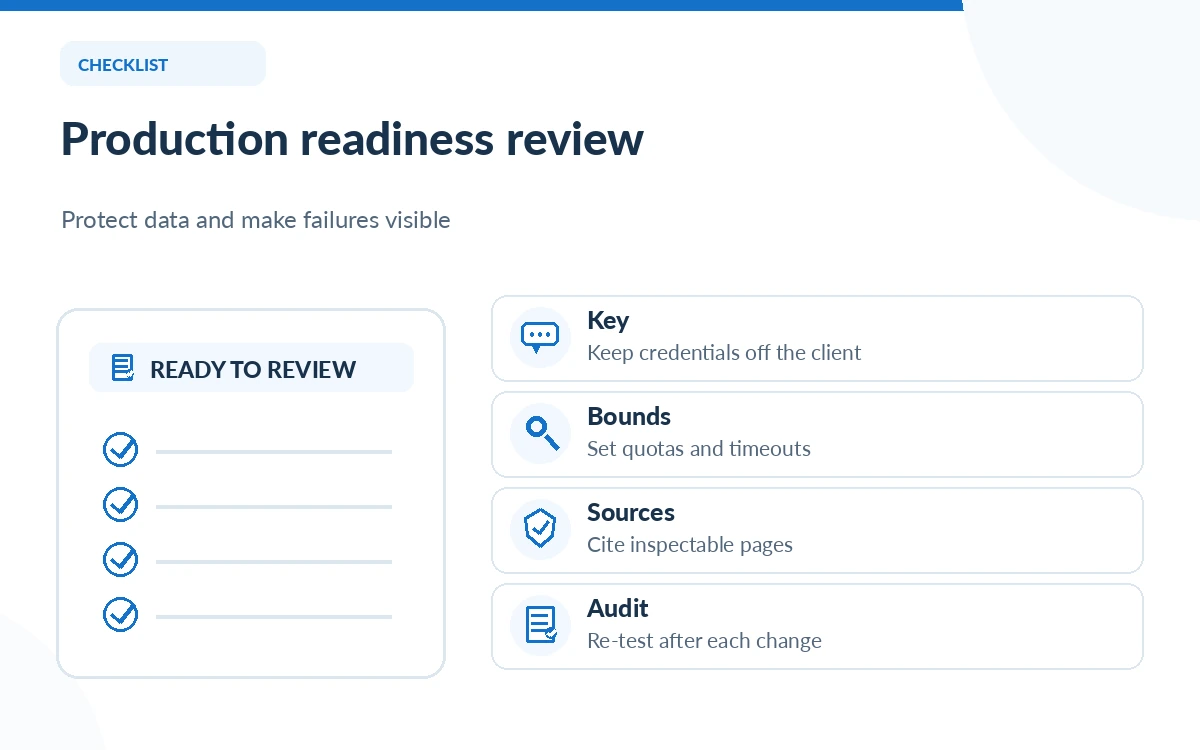
Create credentials in the You.com developer platform and review the plan’s billing and request limits. Store the API key in the server’s secret manager or an environment variable, not in a browser bundle, public repository or screenshot. Use a backend route that accepts a restricted search query from your application and applies authorization, quotas and input validation before contacting You.com.
Keep distinct credentials for development and production when your account supports that arrangement. Do not give a model unrestricted authority to call search in a loop. Bound the number of requests per user action so a malformed prompt or automated retry does not consume the month’s budget.
Make one narrow request with the official client
You.com documents SDK and HTTP ways to invoke Web Search. In the Python SDK example, a `You()` client performs `search(query=…, count=…)`; the documentation shows result objects with web entries and fields to inspect. The actual returned data may be empty or partial. Check that web results exist before trying to access the first item.
Choose an informational query where you already know a trustworthy primary source, such as release notes from an official vendor. Start with a small result count and log status, processing time, result titles and URLs. Do not log secrets or confidential query text. A basic successful request proves connectivity, not quality or completeness.
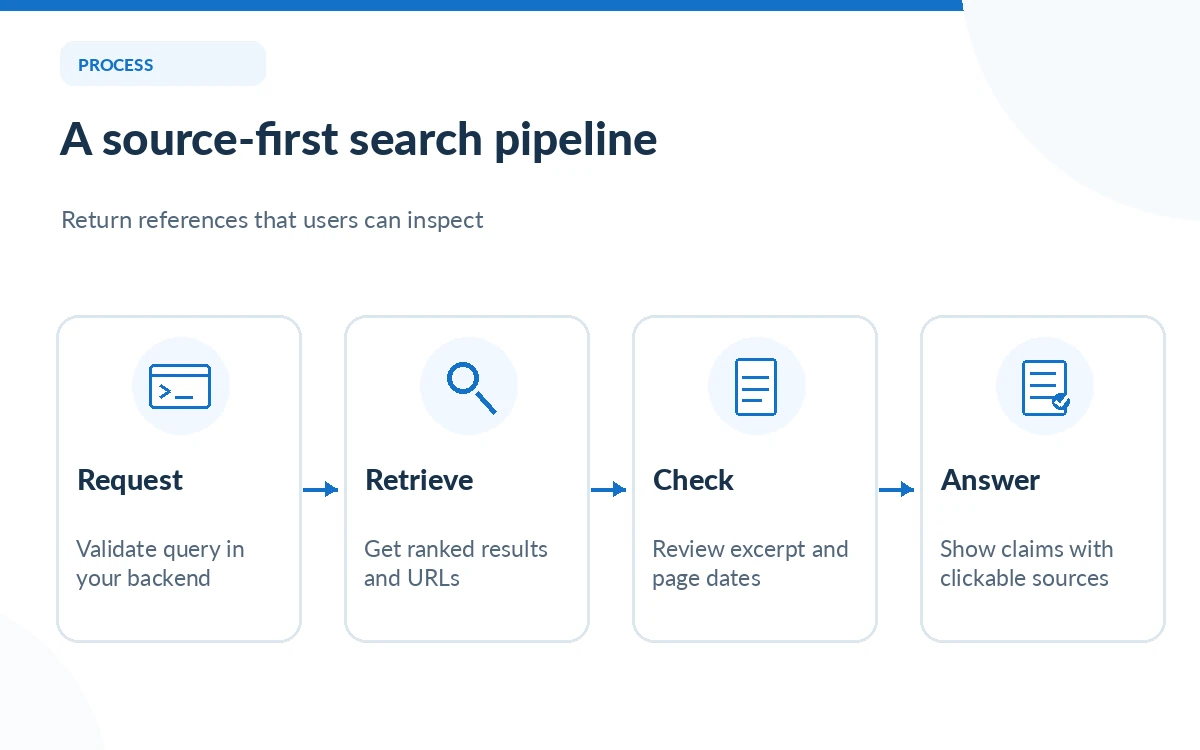
Separate search retrieval from answer generation
The Web Search API retrieves ranked results; your application decides which excerpts to place in an LLM prompt and how to cite them. You.com also offers an Answer API that returns a cited answer, but it is a different endpoint with different outputs. Mixing those patterns without documenting them can leave users uncertain which component actually generated a statement.
For a simple RAG application, construct a context list of source title, URL, retrieval timestamp and short excerpt. Ask the model to respond only to supported points and indicate when evidence is missing. In the final UI, show working links and make it easy to inspect the page. Do not equate a generated inline citation with independent verification.
Choose snippets, highlights or full-page content
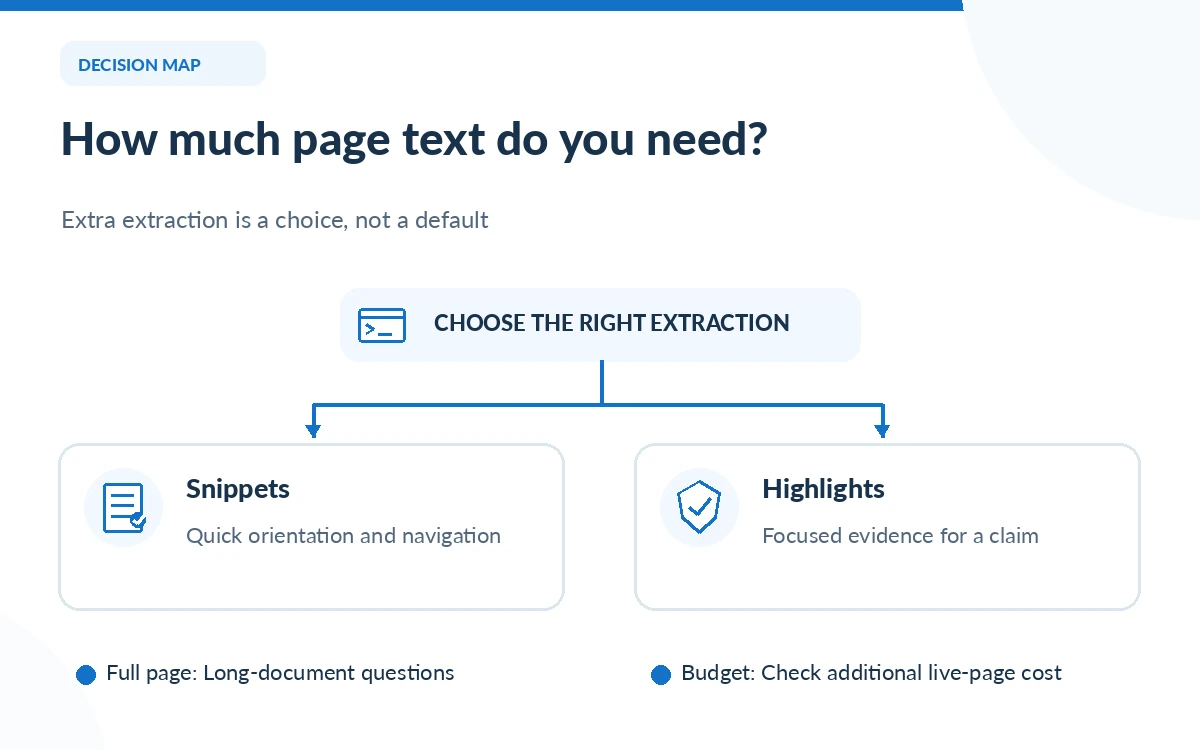
A short snippet can be sufficient for navigation or quick entity checks. The current You.com quickstart describes a highlights extraction mode for targeted passages and full-page extraction for longer document context. Full-page extraction may add a separate live-page charge and latency. It should be selected when the application truly needs the body of a page, not enabled globally as a convenience.
Prefer targeted retrieval for frequently asked questions and use complete page text only when the question requires comparing details across multiple sections. Confirm that your application respects website terms, handles inaccessible or paywalled sources, and does not silently substitute a cached page for a current announcement when timing matters.
Verify references before showing answers to users
Create a small evaluation set of twenty representative queries from your actual product workflow. For each, define which kind of source would be acceptable, whether the answer needs freshness, and what counts as failure. Check that cited pages exist, support the specific assertion and correspond to the requested geographic or product version. This is a suggested evaluation design, not a measured success-rate claim.
Record failures such as irrelevant domain, obsolete version, misleading excerpt, missing citation and overconfident synthesis. Compare a snippet-only run with a highlights run on the same questions, holding the evaluation rubric constant. Do not claim a winner from a single vivid example or from vendor-reported latency figures that do not match your deployment.
Budget for production, retries and rate limits
The official pricing page lists Web Search at $5 per 1,000 calls as reviewed. That is $0.005 per call before page extraction, model inference and your own hosting. Estimate how many searches a typical end-user task generates, including occasional retries. A five-step agent that searches on every step can have a different cost profile from one intentional search followed by local reasoning.
Implement timeouts, bounded exponential backoff for clearly retryable network errors, request IDs and alerts. Do not automatically replay side-effecting actions with unknown outcomes. For search, retries may still be billable; cost monitoring should include attempted requests. Cache only when freshness and licensing policies permit.
Launch with a human-auditable output format
A useful response card should contain an answer or “not enough evidence,” then a small set of source links with titles and dates where available. Keep links visible on mobile and distinguish the page publication date from the time it was fetched. Mark model-generated summaries as summaries rather than raw source statements.
Before launch, review data-handling terms for the query content, add abuse controls and confirm who owns monitoring. Repeat the evaluation after changes to the retrieval provider, prompt, model or source ranking. The production goal is not maximum apparent confidence; it is trustworthy, explainable answers with costs the team can predict.
How We Research
We read You.com’s current SDK and HTTP quickstart, API pricing and per-call billing definitions, and production agent guidance on October 26, 2026. The suggested evaluation set and architecture are editorial engineering recommendations, not results of a live integration test. Readers should use the provider’s current example code, keep credentials secret and validate all results against their own requirements.
Frequently Asked Questions
No. It primarily returns web and news retrieval results. Your application can synthesize an answer, or use You.com’s separate Answer API for a vendor-generated cited response.
No. Keep it in server-side configuration or a secret manager and let your authenticated backend control access, quotas and request handling.
Use it when snippets or highlights do not provide enough evidence for the task. The official documentation notes added cost for live pages and potentially longer response times.
Open the actual source, confirm it supports the precise claim, check its date and context, and compare with an authoritative source when the topic is high impact.
Handle an empty results collection explicitly, report that evidence was not found and offer a narrower search. Do not fabricate a source or silently generate an unsupported answer.