
You.com is now easy to misunderstand if you remember it only as a consumer search chatbot. Its current public pricing materials emphasize APIs for web retrieval, article extraction, cited answers and deeper research. Those endpoints have different billing units. A quoted five dollars per thousand searches does not buy a thousand exhaustive research reports or unlimited full-page retrieval.
This article focuses on API budgets for US developers using the official price page as reviewed October 26, 2026. It does not conflate API pricing with older YouPro subscriptions, and it separates published vendor prices from worked examples that we calculate ourselves.
Pick the endpoint before comparing the price
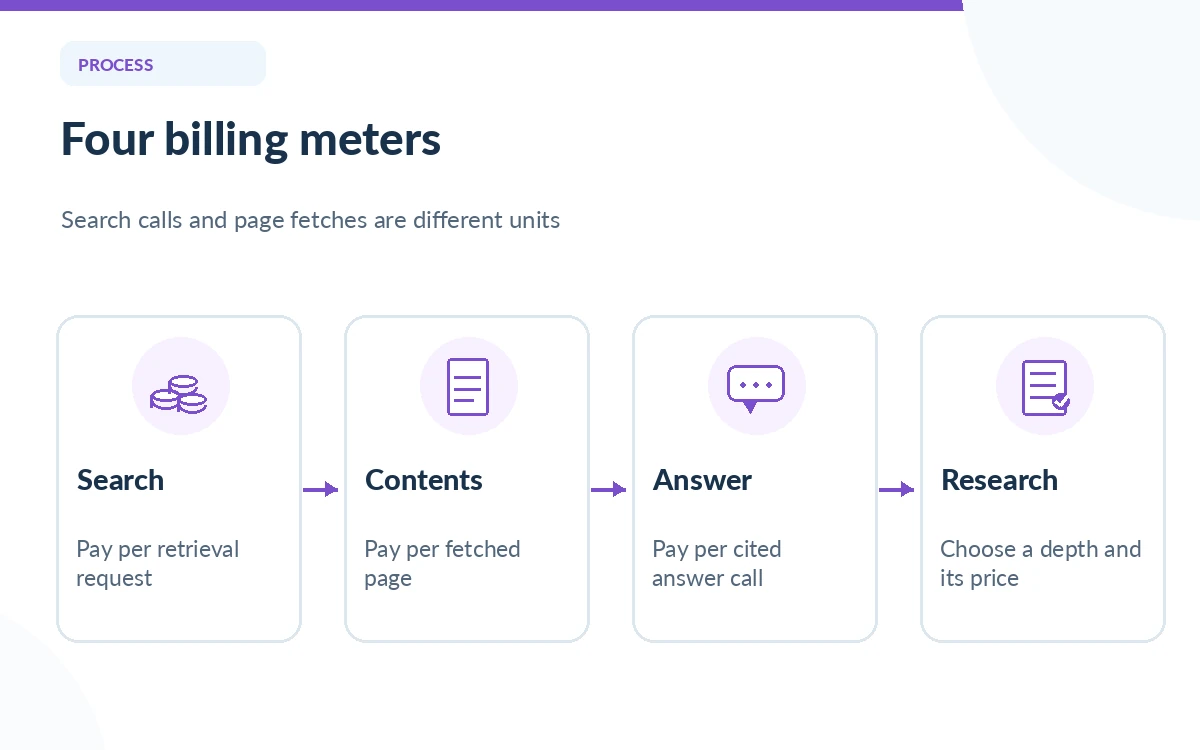
The Web Search API returns ranked results for a product that performs its own summarization. Contents fetches cleaned text from known URLs and uses a page-based billing unit. Answer produces a cited answer in one call, while Research runs a more elaborate information-gathering workflow with selectable effort. They may all feel like “web search,” but their output and compute responsibilities are not the same.
For a retrieval-augmented chatbot, Web Search plus your own model may be appropriate if you already control the summarizer. For an internal dashboard that needs complete article text, Contents is the closer fit. If you want You.com to synthesize directly, compare Answer or Research and include the cost of any other services in the total application budget.
Read the published rates and billing units
You.com listed Web Search at $5 per 1,000 calls, and Contents at $1 per 1,000 pages on its current official pricing and quickstart pages. Answer was also shown at $5 per 1,000 calls. Research had separate effort tiers, beginning with Lite at $12 per 1,000 calls and rising sharply for deeper multi-step investigations. These are published rate-card values, not negotiated enterprise quotes.
Importantly, the price is not per result for Web Search: the official FAQ says a call returning one result and a call returning one hundred results both count as one request. Contents is different because fetched pages, not search queries, are the meter. Design your logging to capture endpoint name and consumed unit rather than lumping every event into a single “API request” column.
Budget for full-page extraction separately
Search snippets can suffice for quick orientation. When you enable full-page extraction, the quickstart documentation states that live page fetches add $1 per 1,000 fetched pages on top of the search-call cost. Cached pages may be treated differently; the documentation tells developers to inspect the extraction source. Do not assume every result can be extracted or that cached material is automatically current.
An illustrative month with 20,000 basic search requests would have a $100 search base at the published rate. If that workload also fetched 30,000 chargeable live pages, the page-extraction increment would be $30, producing $130 before any model, hosting, storage or other service fees. Actual invoices depend on successful billable operations and plan terms.
Calculate a mixed-workload scenario
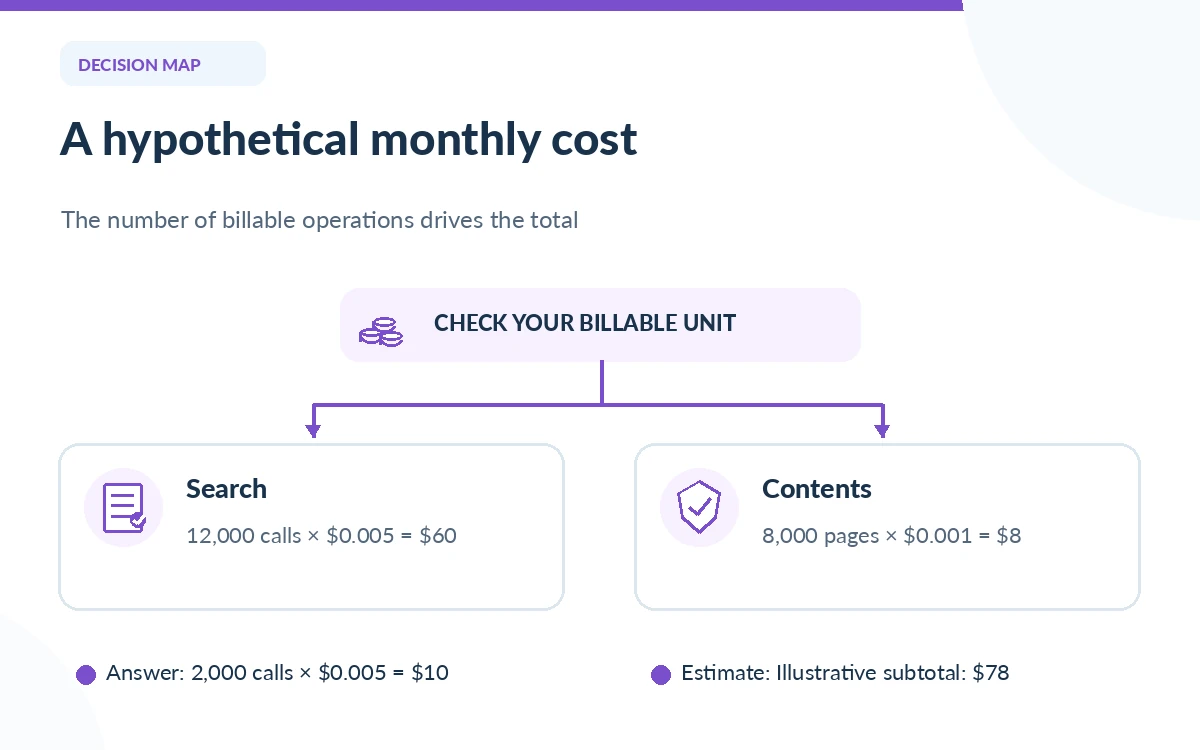
Consider a prototype that issues 12,000 Web Search calls, 8,000 Contents page fetches and 2,000 Answer calls in a month. At the listed public units, the estimated charges are $60 for Search, $8 for Contents and $10 for Answer, or $78 before other API, infrastructure and tax costs. This is transparent arithmetic on a hypothetical workload, not a screenshot of a billing account.
Now imagine upgrading 2,000 requests from simple Answer calls to Research Deep at the published research rate. That tier is far more expensive than Answer and changes the economics quickly. Measure how often a customer really needs multi-step research before offering it by default, and give admins explicit budget limits and a fallback to cheaper retrieval.
Do not mistake trial credits for recurring free service
The current pricing page advertises a $10 free credit in its Web Search selector, while another official You.com quickstart resource has referenced larger complimentary credits for new accounts. Promotions, eligibility and expiration are subject to change. We therefore do not promise any trial-credit amount to every new developer. Open the actual billing dashboard before modeling the first month.
Also separate rate limits from fees. A low per-call price does not ensure enough throughput for bursts, and enterprise arrangements may differ. Establish daily request budgets, alert thresholds and retry policies. Excessive automatic retries can consume money without making an application more useful.
Connect unit economics to user value
Compute cost per useful completed answer, not just cost per search. Track whether the retrieved sources were relevant, whether a quoted claim can be checked and how many calls were needed to complete the workflow. If users repeatedly receive empty or irrelevant results, fewer but better-targeted requests can reduce both spending and support load.
Keep product analytics separate from personal query text where possible. A service asking about confidential customer information should have a documented retention and data processing review. You.com mentions enterprise zero-data-retention options, but such features should not be assumed to apply to every self-serve account automatically.
Build a monthly cost control sheet
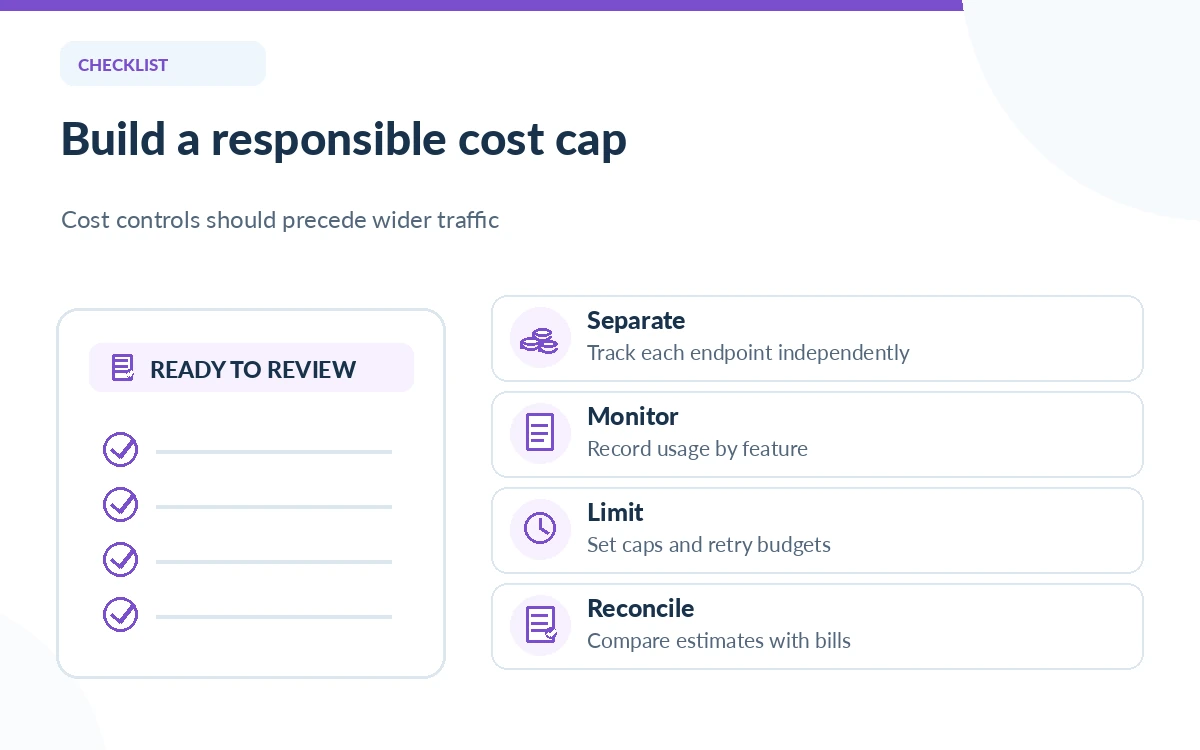
List Web Search calls, Contents pages, Answer calls and each Research effort tier in separate rows. Multiply units by their verified price per thousand, then add model-inference costs, observability, hosting, caching and contingency. Reconcile this estimate with real billing each week, and save the rate-card date so finance knows which assumptions were used.
As the application matures, add a cost cap per user action and a review process for the most expensive workflows. The point of the worksheet is not to predict every future API invoice perfectly. It is to prevent the basic category error of treating all You.com capabilities as a single unlimited subscription.
How We Research
We checked the official You.com API pricing page, developer quickstart and billing examples, and Web Search API product page on October 26, 2026. Published tier prices are distinguished from our hypothetical usage arithmetic. We have not accessed a private You.com billing dashboard or measured latency under a customer contract; promotional credits and enterprise fees require checkout confirmation.
Frequently Asked Questions
Its pricing FAQ says one request counts as one Web Search call whether it returns one result or many. Full-page extraction has its own per-page charge when pages are fetched live.
No. That is a Web Search rate; Research uses effort-specific prices that can be much higher. Compare the exact endpoint name on the current pricing page.
No. Contents is priced per page retrieved, while Web Search is priced per request. Mixing those units can create an inaccurate cost model.
Official materials show offers that can vary by page and promotion. Check the amount, eligibility and expiration in your own billing dashboard rather than relying on a historical advertised credit.
Include model inference, hosting, storage, retries, logs and staff time to verify outputs. The quoted API rate is only part of the cost of a customer-facing application.