
A Gemini Notebook can organize a semester of material, but it should not become a machine that writes answers students never understand. In July 2026 Google renamed NotebookLM to Gemini Notebook, keeping its emphasis on grounding responses in selected sources. In the Gemini app, study notebooks also offer personalized lessons and progress tracking. The products connect, but those two experiences are not identical.
This guide shows an exam-preparation workflow that starts with an instructor syllabus and ends with an independently graded recall session. It is different from a general product review or a plan-limits guide: the question here is how a student can learn reliably, identify gaps and respect academic rules.
Build one notebook per course or coherent exam
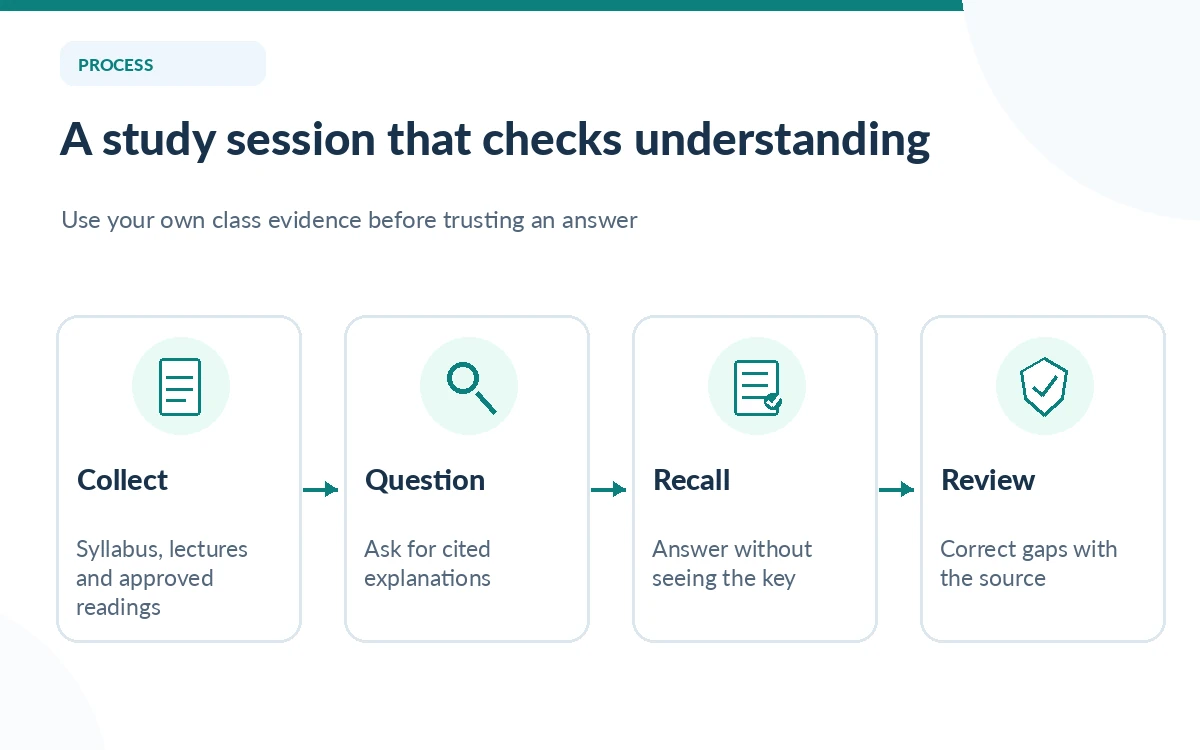
Start with a small, well-labeled source set: the syllabus, instructor slides, assigned readings and your own handwritten notes after you have checked their transcription. Put one course in one notebook unless units are so large that they need separate source collections. Name files with week and topic so a citation can be found later; “lecture-final-new.pdf” is much less useful than “Week-06-Cell-Division.pdf.”
Keep a separate note of your course outcomes and the instructor’s exam format. An assistant that sees lecture slides cannot infer every emphasis from verbal discussion or in-class demonstrations. Use the notebook to help you navigate the material you actually possess, not as permission to ignore missing textbook chapters or required laboratory practice.
Ask source-grounded questions before requesting a summary
Begin with a narrow question such as, “From the uploaded Week 4 lecture and reading, explain the difference between correlation and causation, and point to the supporting passages.” Inspect the cited section rather than trusting a fluent paraphrase. When the cited passage does not support the answer, correct your notes or ask a narrower question; treat the assistant as a study partner, not a final authority.
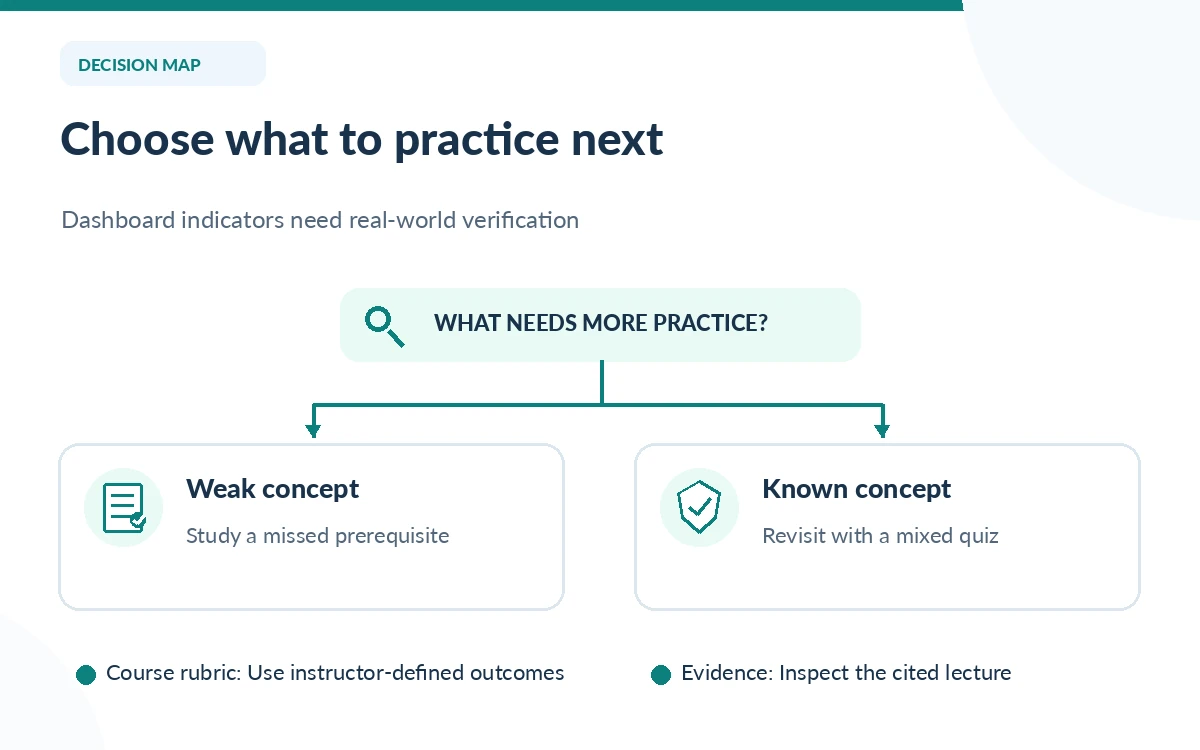
For a dense chapter, first ask for a glossary with short definitions and a source reference for each term. Then ask which points in the glossary are prerequisites for the next topic. The result is a map of dependencies, which is more useful than an elegant summary that hides what you have not understood.
Turn material into active-recall prompts
Generate practice questions that require an explanation or calculation rather than repeating sentences from a summary. Ask for a mix of short answer, identify-the-error and worked-example questions. Do not show the answers until you have tried them without looking. Put your response and the cited source passage next to each other and note where they disagree.
Google describes flashcards, quizzes, Audio Overviews and other study outputs in its notebook product family. Their availability and usage allowances vary by account and may change under compute-based limits. If a generated quiz has a defective answer key, flag it and write a corrected card manually. A polished quiz is not automatically a reliable quiz.
Use the diagnostic quiz as a prioritization tool
Study notebooks in the Gemini app can start with a diagnostic quiz and track strengths, focus areas and unfinished topics. Use that dashboard to decide which concepts deserve more practice, but compare its labels with results from real assignments. One lucky multiple-choice answer is not evidence that you can explain a concept or transfer it to a new problem.
Build a simple weekly schedule: fifteen minutes of unaided recall, twenty minutes on the two weakest concepts, then a short mixed quiz. Rotate previously covered topics into new sessions. This schedule is an editorial example, not a Google feature or a scientifically proven optimal timing rule for every course.
Make a two-column evidence and answer sheet
In the first column write what you can recall from memory; in the second write the specific source page or paragraph that confirms or corrects it. For a history course, include dates and primary quotations. For biology, attach the figure or mechanism that supports the explanation. For math, recompute the intermediate steps yourself instead of accepting the model’s final number.
When the notebook combines two sources with different definitions, do not force them into one sentence. Record both definitions and check which one your instructor expects. This is particularly important for disciplines with changing terminology, contested interpretations or different methods across textbooks.
Protect class data and academic integrity
Never upload another student’s work, identifiable grades, unpublished research data or copyrighted course packs merely because the interface accepts them. Follow school policies for permitted material and AI assistance. A personal account does not inherit the privacy and retention assurances of an institution-managed account; ask your administrator which service is approved.
Use AI to generate questions, explain confusing passages and suggest alternative examples. Do not present generated writing as your own if that violates course rules. If asked to disclose AI assistance, document which materials were used and how you checked the output. The purpose is understanding and transparency, not a hidden shortcut to submission.
Finish with a closed-notes exam rehearsal
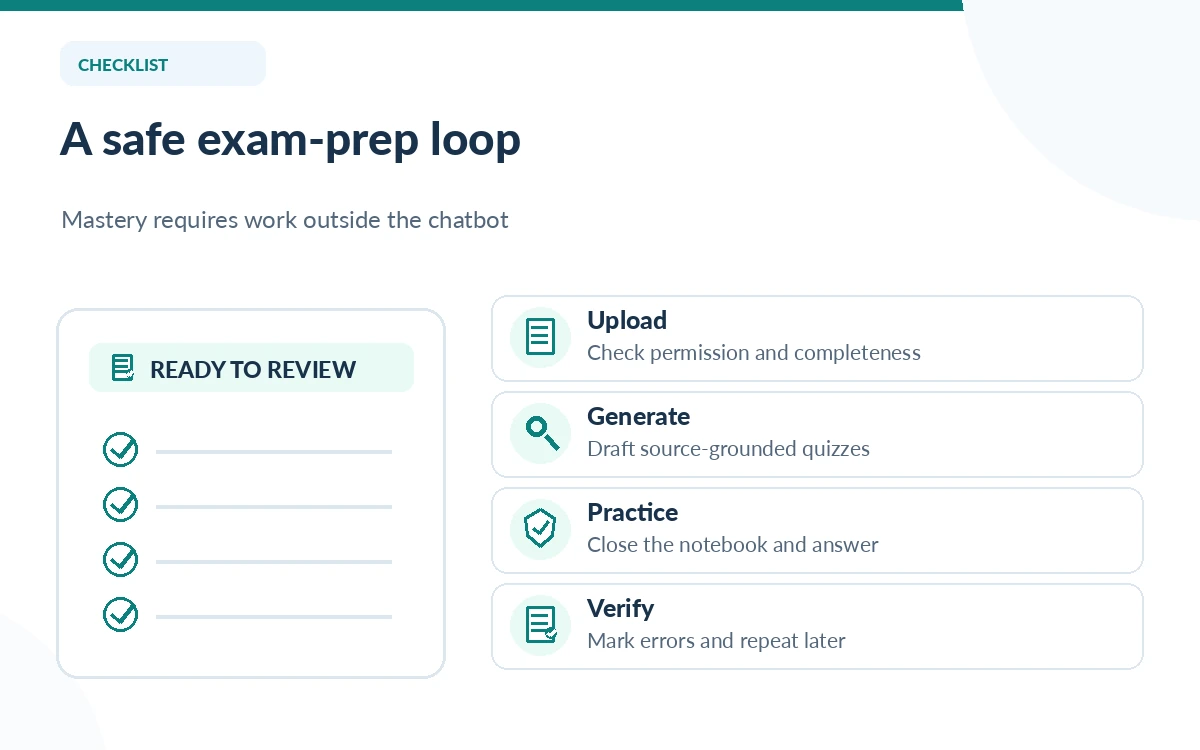
At the end of each unit, close the notebook and attempt a timed, instructor-style set of questions without AI. Grade your answers against the lecture notes, mark uncertainty and review only the missed concepts. Keep your corrections in a separate document so repeated errors remain visible from one practice session to the next.
If a notebook reaches a usage cap, continue using your own notes and the spaced practice you already prepared. Google announced flexible compute-based usage limits refreshing on a shorter cycle in 2026, so do not plan a whole exam around an assumed unlimited generation allowance. Your learning system should still function offline.
How We Research
We reviewed Google’s July 2026 renaming announcement, study-notebook explanation, September study-tool update, and usage-limit update as of October 26, 2026. We designed the study routine editorially and did not conduct a student learning trial; instructors and source documents remain the authorities for graded work.
Frequently Asked Questions
Google renamed the standalone NotebookLM product Gemini Notebook in July 2026. Notebooks in the Gemini app can connect with it, but the learning interfaces have different features and account conditions.
Google describes flashcards and quizzes based on uploaded sources. Review the answers against the lecture materials and your course expectations because generated practice content can contain mistakes.
No. It may help organize study and create practice prompts, but results depend on accurate sources, unaided retrieval practice, feedback and the exam tasks. No learning outcome is guaranteed.
Do not upload another person’s identifiable records or restricted materials without permission. Follow the institution’s data policy and check the account’s privacy controls before adding documents.
Continue with saved notes and already created questions, then check Google’s current usage meter and refresh behavior. An upgrade is not necessary unless repeated limits obstruct an important workflow.