
The WOMBO Dream AI art generator is convenient for sketching visual directions, but a striking preview does not guarantee a useful downloadable asset. A creator planning an event poster, a personal print or a campaign illustration must decide what should remain constant between generations, whether the export survives the intended crop, and whether the license permits the planned use. This guide builds a practical one-brief style trial that can be repeated without pretending we conducted performance tests on every device or subscription.
Identify the real job before opening a style menu
Define a specific output: for example, a vertical fantasy illustration with a quiet sky above a small island and open space for manually added event text. Record the delivery dimensions and where the headline will sit. A poster composition needs negative space, while a small profile image needs an instantly recognizable subject. Asking only for “beautiful art” is insufficient because almost any visually attractive generation could pass that test.
The WOMBO Dream US App Store listing describes text-to-image generation, photo-to-art transformations, style selection and text-directed image editing. The listing is developer-supplied feature information, not evidence of image quality or unlimited access. It also distinguishes a free download from optional in-app purchases. Start with the actual project brief rather than the promotional style examples.
Design a controlled prompt-and-style test
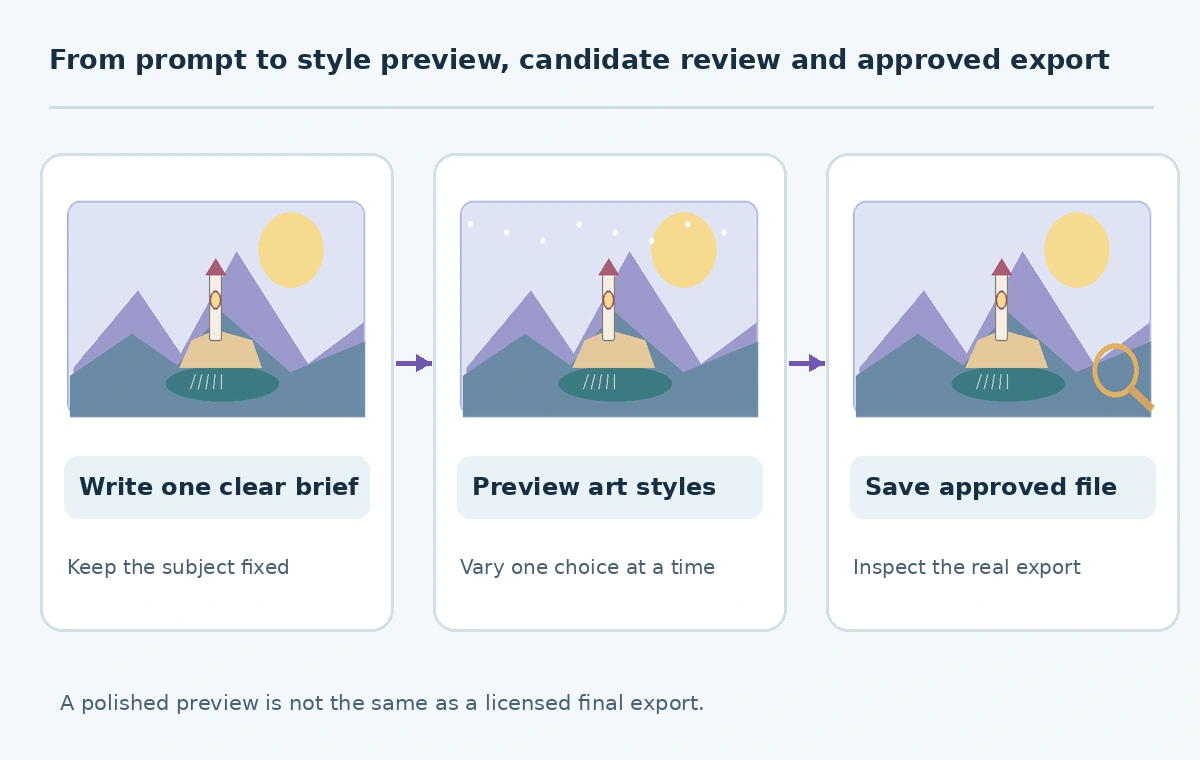
Write a stable one-sentence subject, then append camera, perspective, color and negative-space requirements. An illustrative brief could be: “Small stone lighthouse on a misty island, wide sky above, soft dawn colors, no writing or logos, portrait composition.” Change only the art style between initial candidates. If you change the subject and style at once, it becomes difficult to say which choice improved the composition.
Keep a simple comparison log with columns for prompt, style label, screen size, visible artifacts and selected candidate. Save the generation date and whether the image came from text or an uploaded reference. In an example test grid, watercolor might soften edges, while a graphic style emphasizes outlines; those are artistic expectations to inspect, not independently measured Dream performance. Do not claim a particular style has guaranteed typography accuracy or realistic hands.
Check the actual free tier before making promises
The US App Store page lists the app as free with in-app purchases and shows several Dream Premium entries, including more than one annual offer. That is not a promise that every user receives identical premium options, unlimited generations, a fixed watermark rule or a single globally valid price. Billing terms can depend on platform, region, campaign and account state.
Before a paid test, read the checkout screen for renewal period, eligible trial, cancellation route, output access and any export restrictions. Note the version and operating system, and do not reproduce screenshots of a paywall as if they apply universally. If the free export is insufficient, evaluate the license and actual downloadable file before purchasing, rather than paying solely because the preview looks sharp.
Separate subject preservation from style transformation
Compare candidates at full resolution. Look at repeated features: a lighthouse should keep one consistent tower, connected railing and plausible door. Generated mountains can look persuasive even when the buildings and coastline shift illogically. If a prompt includes a real person or branded location, evaluate consent, likeness and trademark risk before sharing the result. Artistic changes do not confer permission to use someone else’s identity.
For a landscape poster, score candidates against five criteria: subject recognition, useful open space, coherent lighting, clean edges and legibility when reduced. This is a human editorial scorecard, not a benchmark of the model. When the intended title must be exact, add that title in a conventional design editor rather than relying on generated letterforms. Preserve the version with no lettering as a separate master.

Inspect the delivered file, not only the preview
Save a copy, then open the image in a separate viewer and verify the actual pixel dimensions and format. Check both the full-size scene and the proposed crop. A painting that looks detailed on a phone may expose repeated brush marks, mangled windows or unwanted signatures when used at a larger size. Test the piece at the final viewing scale and against a contrasting background if transparency or edge blending matters.
Keep a brief handoff package: approved file, prompt, style, generation date, project purpose and a record of the export screen or subscription terms used. Store the creative draft separately from the final deliverable so later revisions do not overwrite it. If a vendor changes available styles, this metadata enables a fresh comparison without claiming an identical reproduction is possible.

Review commercial permissions and personal-data exposure
An image is not automatically commercially cleared because an app generated it. Open the current Dream terms through the app or developer-linked legal page and verify whether your intended merchandise, client campaign or redistribution is allowed under the current account. Our research could confirm developer and purchase information on the official app listing but could not independently verify one universally applicable rights grant for all tiers. Accordingly, this article makes no blanket commercial-use guarantee.
The store privacy disclosure says the developer may collect user-linked information including user content. That is a developer disclosure rather than an independent privacy audit. Avoid uploading confidential client images, children’s photos or personal documents without an appropriate disclosure and permission review. Store approvals with the image, not only in a separate email thread.
Use a repeatable creative approval checklist
Set an approval threshold before reviewing candidates: does the selected file communicate the exact concept, preserve important objects, leave enough text-safe area, survive the final crop and meet the project’s rights policy? A person who did not write the prompt should inspect the full-size output. This catches implied objects that the artist mentally fills in but the audience cannot recognize.
If any gate fails, return to the earlier stage: revise the brief for subject errors, try a different treatment for style errors, or switch tools if the required export cannot be obtained. Do not hide a licensing limitation inside design QA. The useful result is an auditable artwork decision, not a count of generations or a promise that Dream is best for every design job.
How We Research
We reviewed the developer-supplied WOMBO Dream US App Store listing, its in-app-purchase information and linked privacy disclosures on October 27, 2026, and used an independent editorial workflow to explain image approval. Feature listings and pricing signals are not direct product tests. We did not verify all subscription tiers or a universal commercial license, and the fictional lighthouse example is illustrative rather than a Dream-generated benchmark.
Frequently Asked Questions
The app is free to download but includes in-app purchases; verify generation and export conditions on your account.
No. Inspect subject details across outputs and retain approved references for manual review.
Treat generated text as a draft; add final, proofread lettering in a conventional editor.
Check current Dream terms and the rights attached to your account and intended use; do not assume blanket permission.
Save the chosen export, prompt, style, file dimensions, usage approval and original brief.