
A small venue has an English training video built in Synthesia and wants a Spanish version for staff. The video describes a meeting point, the direction of an accessible exit, and whom to contact if a route is obstructed. Synthesia Video Translation can create localized versions of a video made inside Synthesia, including translated script and editable on-screen text. It is not a substitute for a bilingual safety reviewer. A single mistranslated left/right direction or a missing qualifier could send viewers the wrong way. This guide uses a hypothetical briefing to demonstrate source control, translation review, and version management, not to claim a real safety certification.
Verify the original briefing before translating
Freeze the English source script and identify who owns the venue’s approved safety language. Compare every route, room name, phone number, and emergency role against current signage and the site safety plan. If a section of the English video is already ambiguous, correct and approve it before localizing. Save the original video version and an evidence sheet with controlling source phrases. Translation cannot make the underlying instruction true; it only creates a different-language presentation of its claims. Keep the permitted audience narrow until both languages have been reviewed by qualified venue staff and a fluent language reviewer.
Check whether the account has video translation
Synthesia documents one-click translation of videos created within Synthesia as an Enterprise feature. Confirm that your account exposes the Translate action on the video overview or in the video list. Do not confuse this workflow with dubbing an external uploaded clip: the vendor treats those as different capabilities with different handling of visuals and text. If the feature is unavailable, do not promise it to the team or seek workarounds that skip review. Check credit and contract terms within your own account rather than copying a price or entitlement from an old blog post. The goal is a controlled localization, not the fastest generation.

Prepare a terminology and route glossary
Create a small approved glossary before using the Translate tool: the actual exit name, assembly point, role titles, and any fixed label printed on venue signs. Include context for words such as “left” and “upper level” so a reviewer can map each phrase to the physical route. Synthesia’s docs describe glossary support as an Enterprise capability; where available, apply it for consistent terms. A glossary is a starting constraint, not proof of a correct video. Keep instructions that must remain in the original proper-noun form clearly identified. Ask a fluent safety reviewer to confirm the target-language terms rather than relying on literal translation.
Translate the video and inspect every scene
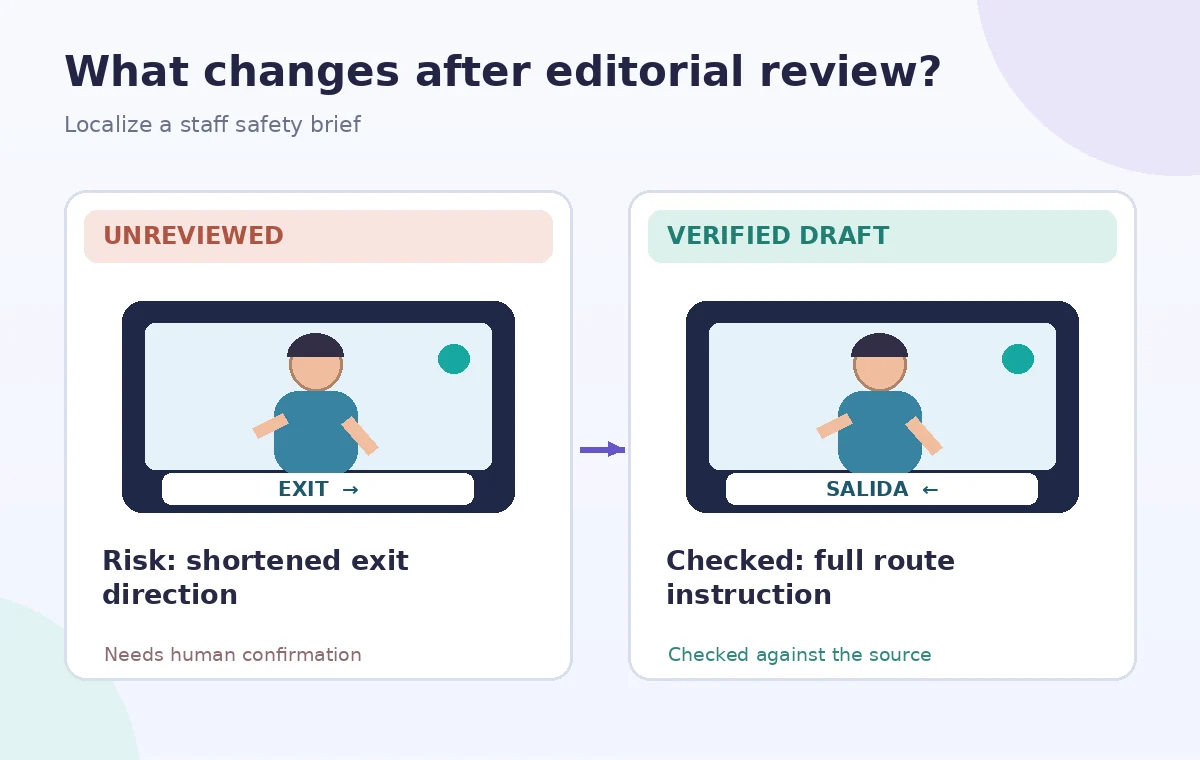
In the video list or overview, select Translate and choose a target language, or use the documented XLIFF upload workflow if that fits your team’s localization process. Synthesia says translations can preserve the scene design while changing the narration and on-screen text; text may be repositioned or rescaled to accommodate longer phrases. Examine every translated scene. A line that is accurate in the audio may be clipped in a callout, or a numeric sign may remain in the original graphic. Do not assume that editable text translation also interprets every embedded photograph or floor plan. Those visual assets need separate review.
Audit navigation words against a real map
Make a route-by-route table showing the approved original sentence, translated narration, on-screen label, and mapped location. Ask a bilingual reviewer to read the target text with the floor plan rather than in isolation. Check negations and conditional instructions: “do not use this door if locked” cannot become a generic encouragement to use that door. Inspect right and left, upstairs and downstairs, and names of protected areas. If a route is temporary, include its validity date. Neither the vendor documentation nor an AI translation proves the venue’s exits. Only the local site authority can verify a route description.
Check pacing, captions, and text geometry
Translation often changes line length and spoken duration. Review title positions, lower thirds, arrows, subtitle timing, and the point at which a visual direction appears relative to narration. The vendor describes automatic text resizing and repositioning in translated scenes; review is still necessary to ensure legibility. Watch the Spanish and English versions at normal speed, including on a phone, and check whether an instructional arrow remains visible long enough. If your audience needs captions, verify which caption tracks the viewer can actually enable. Do not assume captions in one language serve every translated version.
Distinguish translated variants from later revisions
Synthesia documents that changes to a source video do not necessarily update existing translations automatically. When the English route instruction changes, identify the source revision and rebuild or update the translated versions through the supported workflow. Compare new translations to previously approved ones and have every language owner sign off again. Maintain a version map with video title, target language, source date, reviewer, and publication status. Never leave an old Spanish briefing accessible alongside a corrected English safety video without a prominent version warning. Archive superseded copies according to the organization’s retention policy.
Control what a viewer can access
Synthesia offers sharing options for multilingual video variants and a player that can let viewers choose languages. Review the actual publishing and share settings for your plan, then open the link as an intended viewer rather than a project owner. Make sure the language selector leads to the reviewed version and that unpublished drafts are not accidentally exposed. If a shared link can open both English and Spanish, check both paths after each update. Provide a maintained text briefing for staff who cannot use the player. Keep a real contact person for urgent route questions, because a video cannot report a door blocked today.
Record approval without pretending to test the tool
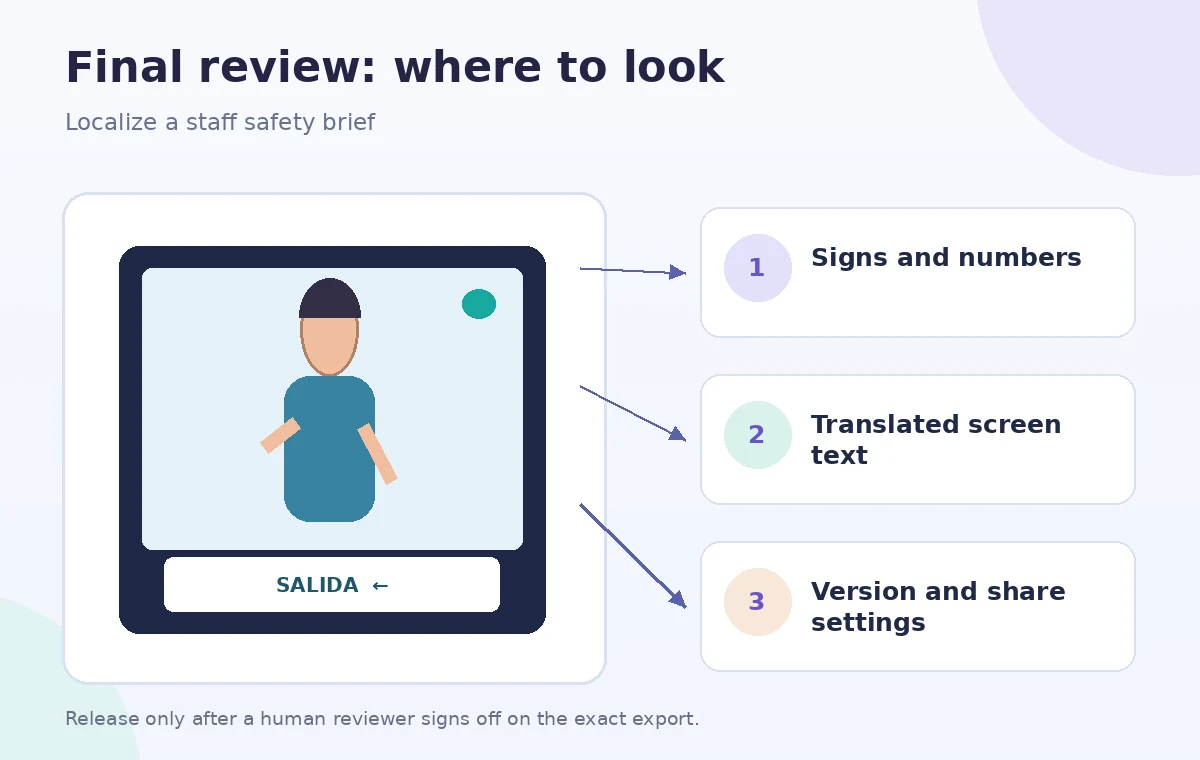
Collect a sign-off from the venue safety owner and a separate target-language reviewer for the exact rendered video. Save the approved glossary, source script, translated script, scene review notes, link permissions, and final file identifiers. Retire earlier versions when signs or procedures change. This example is hypothetical: no Synthesia account was operated, no translation quality was measured, and no physical exit route was inspected. The diagrams illustrate possible failure checks, not a verified product output. Treat vendor instructions and the venue’s current documented procedures as two different forms of evidence that both require verification.
How We Research
This guide is grounded in first-party product documentation: Synthesia Docs — Video Translation. We checked the vendor’s named capability, interface guidance and eligibility notes as described in its official help material, and constructed a separate fictional teaching example to show where editing judgment is needed. The checklists and drawings are conceptual editorial illustrations, not screenshots or outcomes from a live user account. We did not operate this service, process private customer content, measure AI quality, or certify the example’s safety or accuracy. Our source review checked Synthesia-made video translation versus dubbing, its Enterprise plan boundary, translated editable text, and how translated versions need review after source changes. The proposed audit compares route vocabulary and on-screen signage in every language. Because interfaces, plan entitlements and rules can change, reconfirm availability with the vendor and obtain appropriate subject-matter approval before using the workflow for real people.
Frequently Asked Questions
No. Synthesia distinguishes translation of Synthesia-made scenes, including editable text, from dubbing external videos.
No. Synthesia documents video translation as an Enterprise plan capability.
The product may resize or move editable text, but a human reviewer still needs to inspect legibility and whether graphics contain untranslated wording.
Do not assume so. Follow the product’s update workflow and regenerate and reapprove affected language versions.
The venue’s responsible safety professional and a qualified target-language reviewer should approve the exact final video.