
An operations team wants a short orientation video in which a new hire chooses between “Office visitor” and “Warehouse visitor” instructions. Both paths must return to a common closing scene, and neither branch should leave a viewer stuck. Synthesia supports clickable elements and branching in its hosted interactive video experience. We design a navigation map, link matrix, and accessibility proof for this fictional lesson, keeping the instructions nontechnical. The diagrams are conceptual course plans—not screenshots or published interactive videos.
Describe the branches as a real navigation graph
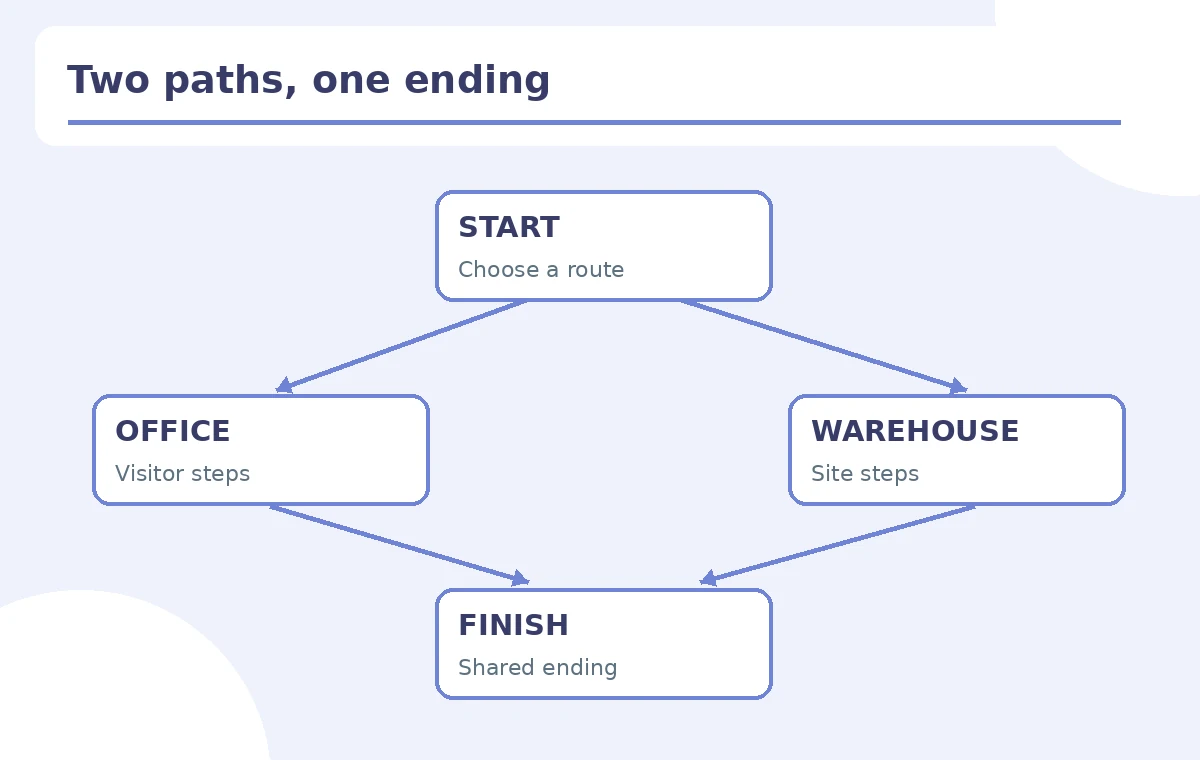
Draft a first scene with two clear options, one office branch, one warehouse branch, and one shared finish. Write the destination of every clickable choice in a simple matrix. Avoid branches that silently skip essential information or lead to no exit. Record who owns each scene’s factual instructions and secure approval before building the video. Since the learning goal is to help visitors find a correct orientation, include a way to return to the menu. Our illustrations use a map with explicit arrows and an end state to make broken loops visible; colorful cards alone would not show how the lesson behaves.
Check the plan gates and player restrictions first
Synthesia’s interactivity help states that interactive buttons and branching are available on Pro and Enterprise, while quizzes and SCORM export require Enterprise. It also states that interactive elements function when the video is published through Synthesia. Its download guidance explains that interactive videos cannot simply be exported to a normal MP4 retaining branching. Check the actual account plan before promising an interactive deliverable. If the stakeholder needs an offline MP4, consider a separate linear edit instead. Do not label a link-only video a scored quiz; clickable scenes and assessed responses have different licensing and functional requirements.
Create clear buttons and define the behavior after each scene
The official branching guide describes creating clickable text or shape elements and configuring a link to another scene or a URL. It also describes choosing what happens after a scene: advance, jump, return or end. Use concise labels such as “Office route” and “Warehouse route,” and write a one-sentence preview of what the learner will encounter. Do not insert links to private staff tools into a public demo. Record each button’s intended destination, any automatic transition, and whether the viewer can change their choice. This route matrix is a concrete QA artifact the training owner can sign off.
Distinguish branching navigation from Enterprise quizzes
A choice between office and warehouse information is navigation, not a knowledge assessment. Synthesia’s July 2026 quiz guidance describes Enterprise-only questions, pass/fail scoring and conditional logic. If an organization needs to assess comprehension, design the questions, thresholds and retry paths deliberately, then check licensing; do not imply every Pro branch can record an exam score. For a simple orientation, two scene buttons plus a common closing may be enough. Avoid invented claims about completion analytics or SCORM support in non-Enterprise plans. Keep any mandatory policy acknowledgment outside the video unless the actual platform can reliably record it.

Test every path, loop and end condition
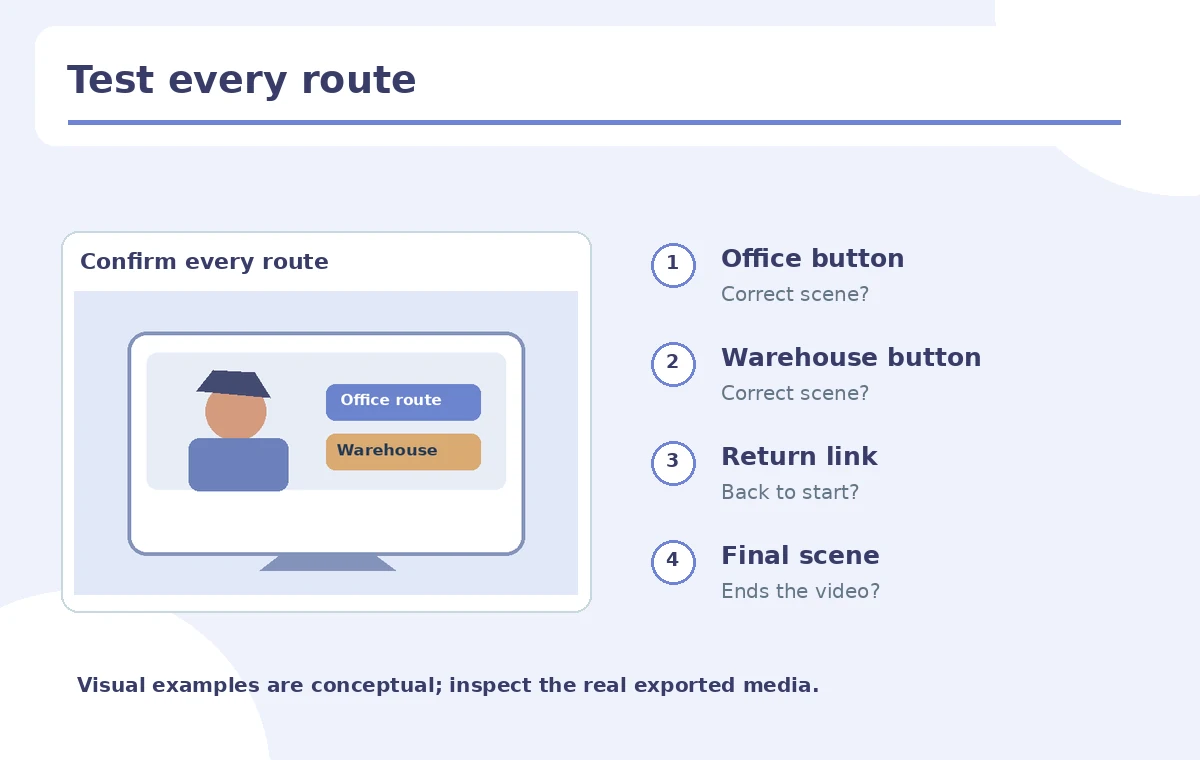
Publish to an approved review location within Synthesia and click through each route as a learner, not an editor. For each option, record source scene, destination scene, whether the return button works, and whether the end state is reached. Verify keyboard access and readable focus where supported by the hosted player; if those controls are absent, add an accessible text alternative with the same information. Test small-screen labels so the buttons do not overlap an avatar or captions. Pay particular attention to what happens if the viewer takes one route then uses Back: a logical map should not trap them in a cycle.
Handle localization and alternate delivery formats
If the course is localized, do not assume the same button text fits in all languages or that translated quiz elements are automatically maintained. The official interactive-question help notes that quiz questions require manual updating in translated versions. Use separate route matrices for each language and confirm destinations, labels and subtitles independently. For sites or learning management systems, test the actual published embedding rather than relying on a downloaded file. If an offline archive is required, create and label a linear substitute with all branches included as sections. This is not equivalent to interactive playback and should not be sold as such.
Produce a reviewer-ready branching map and acceptance test
Hand off the content script, approved scene map, link-to-scene matrix, screenshots of the available player settings, test evidence for every route, and owner sign-off. Include a fallback reading version so critical instructions remain available without video playback. Record which account plan and sharing method were used. Do not invent learning improvement percentages without an actual controlled study. A branching lesson is ready only when every choice takes the viewer to the promised content and there is a documented way to finish or restart. Version the map whenever a scene is inserted or renamed.
How We Research
We checked Synthesia’s branching instructions, July 2026 interactive-question guidance and hosted playback/download limitations on October 28, 2026. We have not authored or published a Synthesia lesson; the two visitor paths and player map are editorial examples. Plan and accessibility features should be tested in the production account.
Frequently Asked Questions
No. A flat MP4 does not preserve Synthesia’s hosted interactive navigation.
Synthesia documents quizzes and SCORM export as Enterprise-only.
No. Branching can route viewers without scoring or testing knowledge.
No. Click through every possible destination, return and ending.
An approved route map, destination table, published review link and route-by-route test log.