
A training organizer has a short safety video in English and wants a Spanish-language version for a mixed-language workshop. Synthesia AI Dubbing can replace spoken audio in an existing video, optionally adjusting lip movement, but it does not make an incorrect transcript or translated exit number safe. In this invented scenario, the source says ‘Use Exit 4,’ while an unreviewed target caption could say a different number. The article explains a review-first dubbing workflow: secure rights and speaker consent, inspect the transcript, use an approved terminology list, compare timing, and have a qualified reviewer validate every operational instruction before sharing.
Secure permission and an approved source recording
Before uploading a training video, confirm who owns it, whether the speaker consented to voice transformation, and whether the organization permits third-party processing. AI Dubbing can preserve recognizable voice qualities and may add lip sync, which can make synthetic speech seem like a new authentic performance. Document the intended language, audience, and review owner. Keep an unmodified copy of the original video and its signed-off script. For safety instructions, the authoritative material is the actual evacuation or workplace plan, not a transcript produced by a model. If consent or reuse rights are uncertain, obtain them before proceeding.
Understand what AI Dubbing does and does not translate
Synthesia distinguishes dubbing from translation of videos made inside its editor. Its AI Dubbing accepts an existing uploaded video or YouTube link and replaces speech with translated audio; optional lip sync changes the presentation of mouth movements. It does not automatically guarantee that every on-screen arrow, printed sign, or caption in an external video will be replaced with localized artwork. If the clip contains English text reading ‘Exit 4,’ plan an explicit on-screen text review and any required manual graphics update. Do not describe this workflow as one-click localization of all visual content.
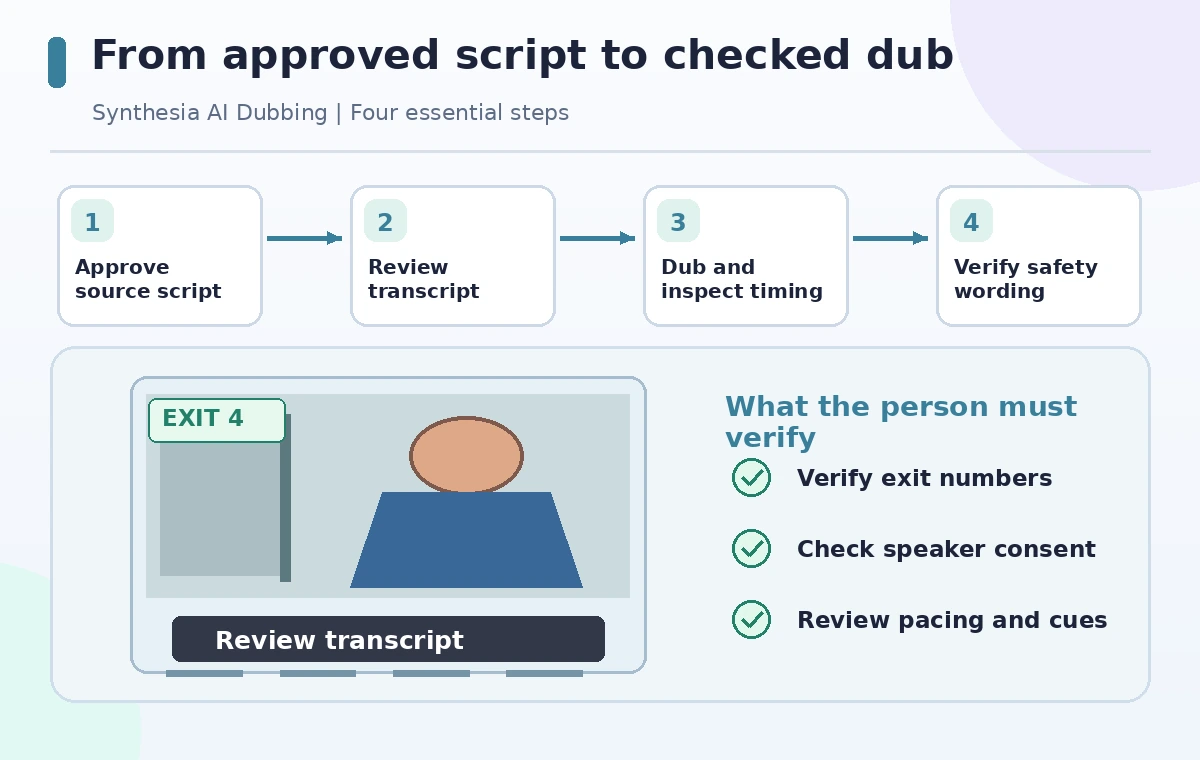
Review the source transcript before spending credits
Synthesia’s documentation describes a Review transcript option before dubbing a single video, and says that this step does not consume dubbing credits. Use it to correct recognized words, names, numbers, and speaker separation before translation. In an imaginary clip, ‘Exit four’ must not become ‘Exit for’ or ‘Exit forty.’ Have the subject-matter owner compare the transcript to the original audio and approved emergency plan. Listen for quiet phrases, background noise, and overlaps that could create transcription errors. Bulk workflows may have different review controls, so do not assume the same source-transcript step exists for a batch of videos.
Choose languages, glossary entries, and timing options
Choose the original and target languages carefully; automatic language detection is helpful but can be wrong for short or accented clips. Synthesia documents workspace glossaries to stabilize company names and specialist terminology, and it offers timing choices such as adaptive and original duration for some dubbing flows. Use the language that your audience actually needs, not the first language label available. Put crucial terms such as Exit 4, assembly point, and fire door on an independent review sheet. Glossaries can reduce inconsistency but do not replace fluent human review, particularly for words that carry legal or safety consequences.
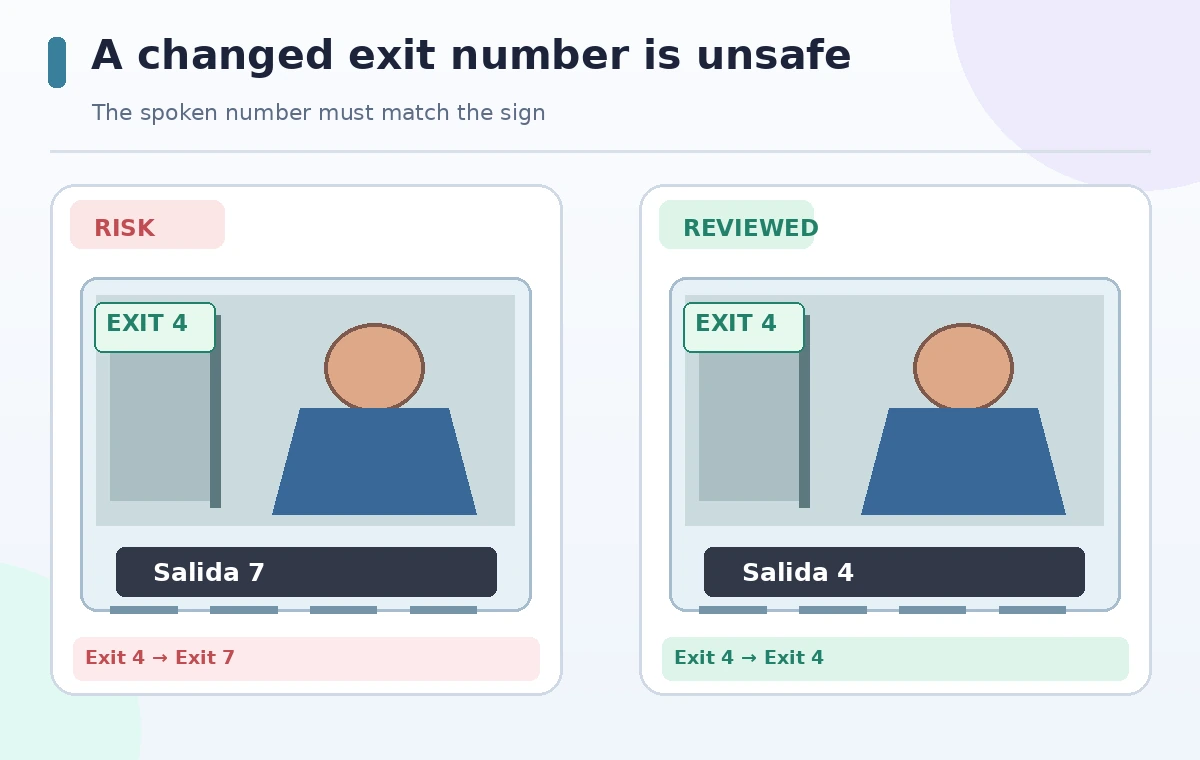
Compare a wrong number with a verified instruction
The comparison illustration contrasts a fictional dangerous mistranslation of the exit number with a corrected target instruction preserving Exit 4. It is not a captured Synthesia failure and makes no claim about error frequency. Read every number while watching the video, not just the accompanying transcript. An AI-generated dub may sound fluent even when the operational meaning is altered. Compare location names, distances, warnings, and prohibitions against the approved master in both languages. If the translated instruction conflicts with a visible sign, stop the release and fix the assets rather than adding an ambiguous footnote.
Check lip sync, duration, and speaker identity
Lip sync may improve the apparent match between voice and mouth but adds processing cost and can create unnatural movement. Some plans do not include it, and admin controls may limit dubbing. Compare the source and target clips at normal speed and listen to pauses before caution words. If an adaptive timing option changes scene duration, check that arrows, diagrams, and demonstrations still line up with the instruction. Confirm that multiple speakers were identified and assigned correctly; a mistaken voice identity may create an implied endorsement. A natural-sounding delivery is not proof of a semantically correct translation.
Use a bilingual reviewer and an action-based QA pass
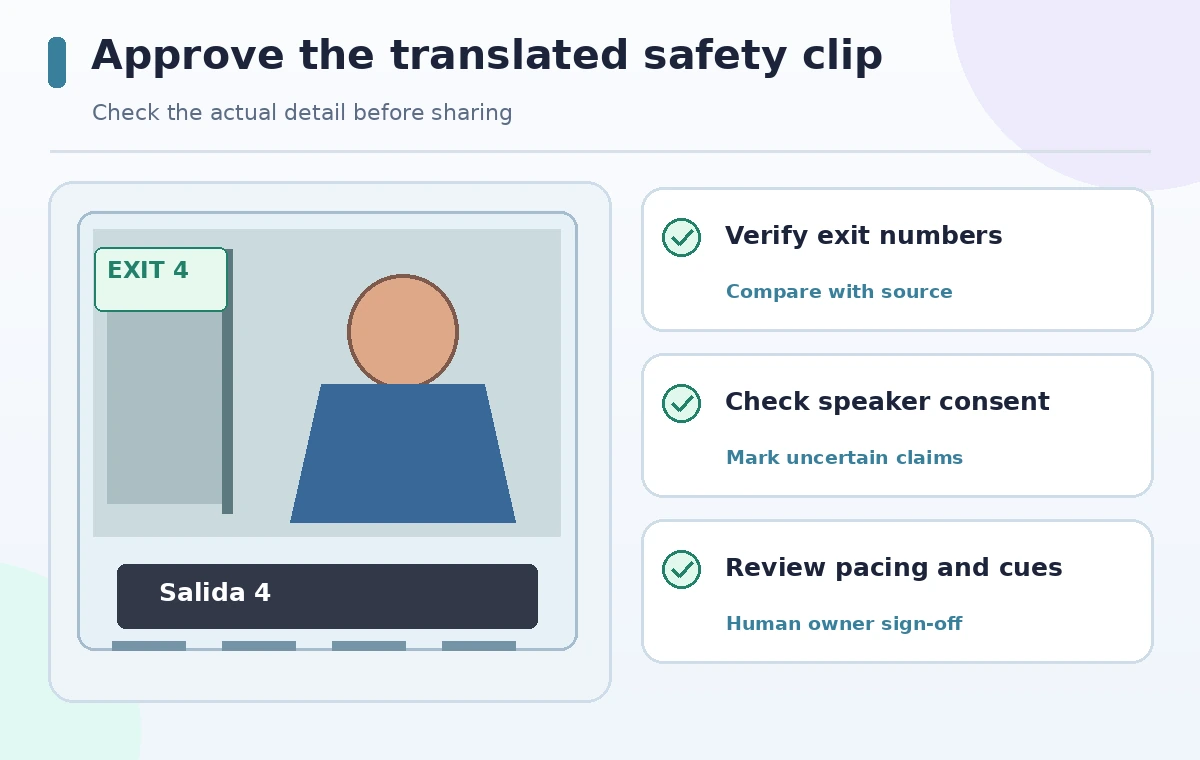
Have a qualified bilingual reviewer check the translated transcript alongside source audio and approved policy. For each instruction, ask the reviewer to state the action that a listener would take. For example, ‘go to Exit 4 and wait outside’ must be unambiguous and match what the signs show. Include accessibility checks: accurate captions in the target language, a readable text alternative, appropriate subtitle timing, and clear audio for those who cannot read signs. If the review identifies a critical error, correct the text or re-record; do not publish a warning that the AI may have made mistakes and consider the job finished.
Publish with version and localization control
Save the original, transcript corrections, glossary version, reviewer sign-off, final dub, and release date. Compare each output again after any retranslation because Synthesia notes that retranslation can overwrite manual changes to the translated version. Keep a link to the authoritative written safety plan for readers who need details. Notify staff which language version is approved and ensure old links do not keep circulating after a policy change. The final criterion is faithful instruction across spoken, written, and visual channels, not an impressive voice simulation. Do not upload or publish until the responsible organization confirms the translation.
How We Research
We reviewed Synthesia’s official AI Dubbing documentation for uploaded videos, Review transcript, glossaries, speaker changes, timing, lip sync, and plan limits, and its Video Translation guide to distinguish external-video dubbing from editing source-made videos. The training scenario and wrong-number diagram are fictional. We did not dub a real speaker, measure accuracy, or verify workplace policy. Rights, consent, and translation approvals remain the user’s responsibility.
Frequently Asked Questions
Yes. Its documented AI Dubbing workflow accepts uploaded video files and supported YouTube links.
Not automatically for external videos. Review and localize visible signs, graphics, and captions separately.
Yes for a single-video flow; Synthesia documents a review step before dubbing and notes different options in bulk processing.
No. Availability and credit usage depend on plan; the official documentation lists restrictions and additional costs.
A qualified bilingual reviewer and the organization responsible for its approved safety policy.