
A small museum records a short English audio guide for two rooms and wants another language. Names, room numbers and exhibit dates must survive translation intact. This guide treats every example as a hypothetical editorial exercise, with human review of the underlying facts and a saved original before changes.
Lock down the facts before translating
Consider a fictional museum audio clip explaining where visitors can find a textile display in Room 12 and a ceramics gallery in Room 14. The museum should first approve a source transcript that includes exhibit titles, dates, proper names and directions. Room numbers are navigation data, not stylistic text. Keep a separate glossary that spells out how numbers should be spoken in the target language and how local place names should be pronounced. If the recording mentions a temporary exhibition, confirm the opening date against the latest approved label rather than against an earlier marketing draft.
Check the supported input and consent requirements
Adobe’s Firefly Translate audio guide specifies supported source types including MP3, AAC and WAV, with clips from five seconds up to ten minutes and at least five seconds of continuous, intelligible speech. Minimal background noise and reverb help the translation process. The tool aims to preserve characteristics of the original voice, so obtain appropriate recording and voice-use permission from the narrator before uploading. Confirm which plan and generative-credit balance apply. Do not upload confidential visitor records or unpublished collection notes merely to test the interface. For longer narration, plan separately reviewed clips with clear, stable boundaries.
Choose the source language deliberately
Firefly detects a source language on upload and exposes the detected value for review. It is an editable setting rather than proof that the detection was right. Check the first and last sentences, named objects and any code-switching before generating target versions. If the clip contains multiple voices, make an editorial plan for speaker identity and attribution rather than treating the whole file as a single person. Select the actual target language or languages from Firefly’s list and keep a record of which variant was generated, particularly when pronunciation and regional word choice matter for visitor directions.
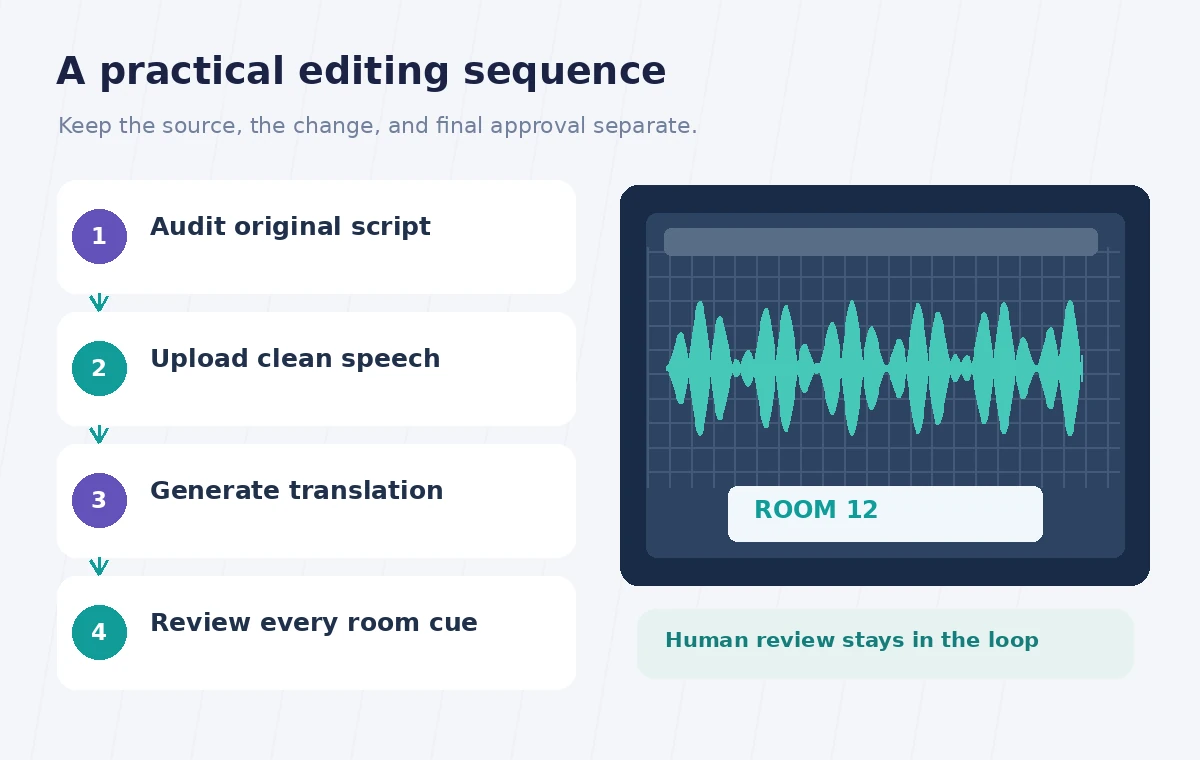
Prepare an independent transcript for checking
Adobe’s Translate audio documentation notes that the generated transcript cannot be edited inside the workflow. That limitation makes preparation especially important. Have a bilingual reviewer compare the original speech with an approved written script before upload, then listen to the result with the same fact list. Do not assume that a translation that sounds fluid is faithful. A product name, surname or exhibit date can be plausible and still be wrong. If an essential phrase cannot be corrected within the product, adjust the source clip and regenerate only with appropriate rights and credit awareness, or use a separate human-recorded translation.
Listen for altered room numbers and directions
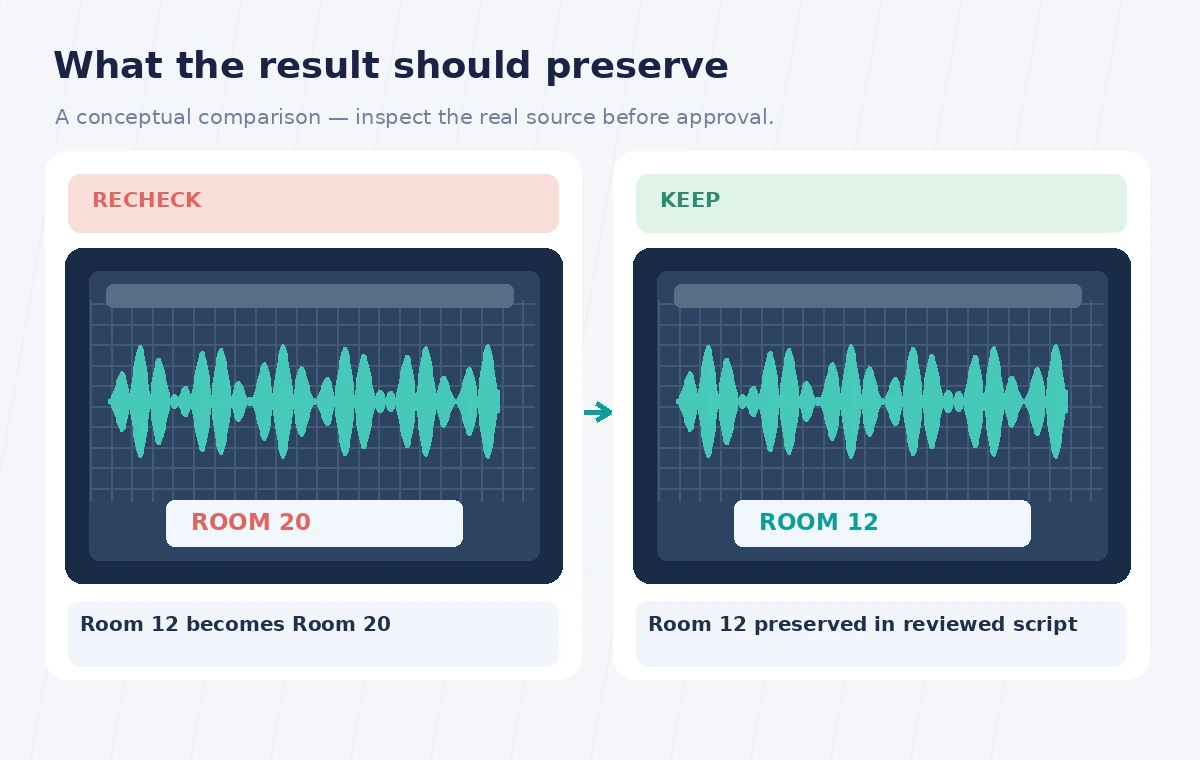
The teaching comparison shows an incorrect target-language direction that says Room 20 and an approved version that retains Room 12. These are conceptual examples, not actual Firefly outputs. Listen slowly to each numbered phrase, then ask the reviewer to write down what they heard without seeing the script. Compare that independent rendering with the official room map. Check left/right, upstairs/downstairs, and accessible entrances as carefully as exhibit names. A small translation error in a museum direction can cause a real access problem even when the synthesized voice is clear and appealing.
Review voice identity and disclosure
Voice similarity is a feature, not a guarantee that every utterance will sound like the same human narrator. Check whether the audio contains unnatural pauses, stress on the wrong syllable or a name pronounced in a way that changes meaning. Adobe attaches Content Credentials to generated dubbed files, which helps communicate the use of generative AI; the page also describes output as downloadable WAV. The organization should still decide whether visitors need a brief disclosure in the player interface or adjacent guide text. Never describe the voice as a real bilingual performance if that was not what occurred.
Download, archive and check the whole player
Adobe says translated files remain in Your media for a limited seven-day download period, so plan to retrieve and back them up promptly after approval. Name the export with target language, review date and the related approved script revision. Test the actual visitor audio player at a normal listening volume and through a basic headset. Check whether the clip begins with the correct room identifier, whether it stops before the next unrelated exhibit, and whether the interface offers a text alternative. Do not use speech translation as a substitute for captions or an accessible transcript.
Use a bilingual release signoff
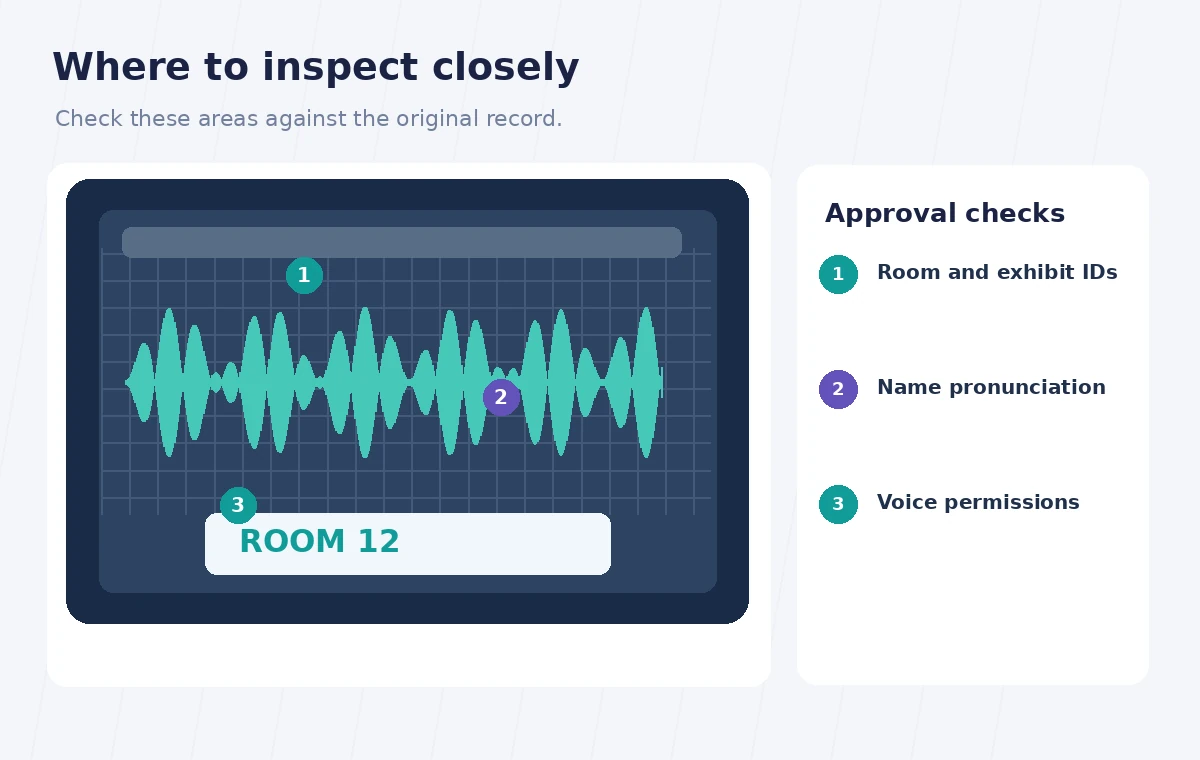
A practical release checklist contains the original recording identifier, language pair, reviewer name, glossary version, verified room numbers and date of signoff. One reviewer checks linguistic meaning; another checks the museum’s factual and wayfinding claims. If no qualified bilingual reviewer is available, postpone visitor-facing publication of directions or commission a professional translation. A generated draft can still be useful for internal comparison, but it is not the approved voice of the institution until its claims, permissions and navigation language are verified. Keep the signed-off source alongside the final audio.
How We Research
We reviewed the official Translate audio in Adobe Firefly and Generate speech from text documentation on November 1, 2026. We checked the stated feature controls, prerequisites, limitations and practical failure cases against the sequence above. Availability and plan terms can change, so readers should consult the live help before using the tool. The organization, names, records, photos, numerical examples and diagrams are fictional. We did not run a live account test, upload a real person’s materials, or measure model accuracy. Suggested comparisons are editorial verification procedures, not claimed empirical results.
Frequently Asked Questions
Adobe says the generated transcript is not editable within this workflow; prepare the source carefully and review the output.
Adobe documents MP3, AAC and WAV inputs, subject to duration and speech-quality requirements.
Do not assume so. Have a bilingual reviewer verify every room number against the approved map and source script.
The tool is designed to preserve aspects of the original voice, but listen for changes and obtain permission for voice processing.
Adobe documents seven days of download availability; save and archive reviewed outputs promptly.