
The PDF folder is not the storage ledger
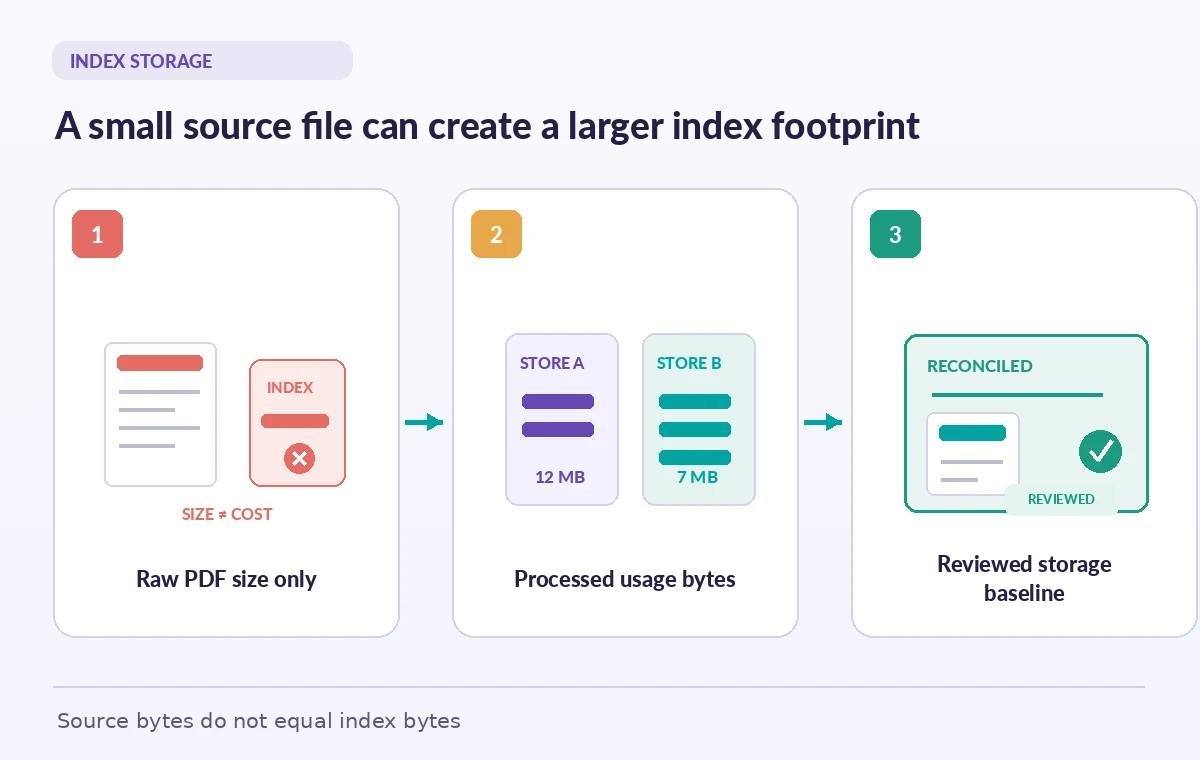
A museum digitizes grant decisions, conservation notes, and accessibility policies. Its shared drive says the approved PDFs occupy a modest amount of space, so staff enter that figure as the estimated OpenAI vector search footprint. The estimate overlooks the processed representation used for retrieval. An uploaded file is an input artifact; a vector store is a separate searchable collection with its own usage reporting. OpenAI exposes usage_bytes on vector stores and vector store files, and explicitly notes that processed usage can differ from original file size. Treat that distinction as the beginning of a storage audit rather than a reason to distrust either number. The grant report should preserve both the source archive inventory and the usage measured for the service. Neither figure is a quality score for the retrieved answers.
Read the store object before totaling costs
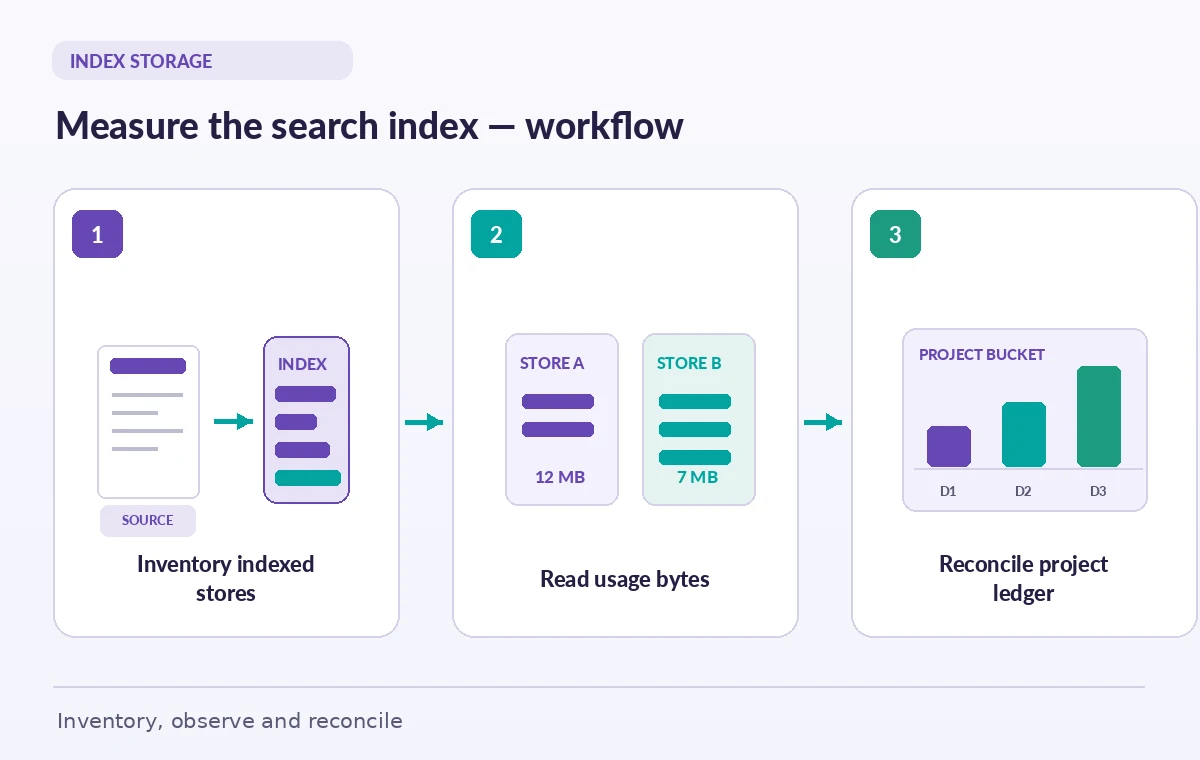
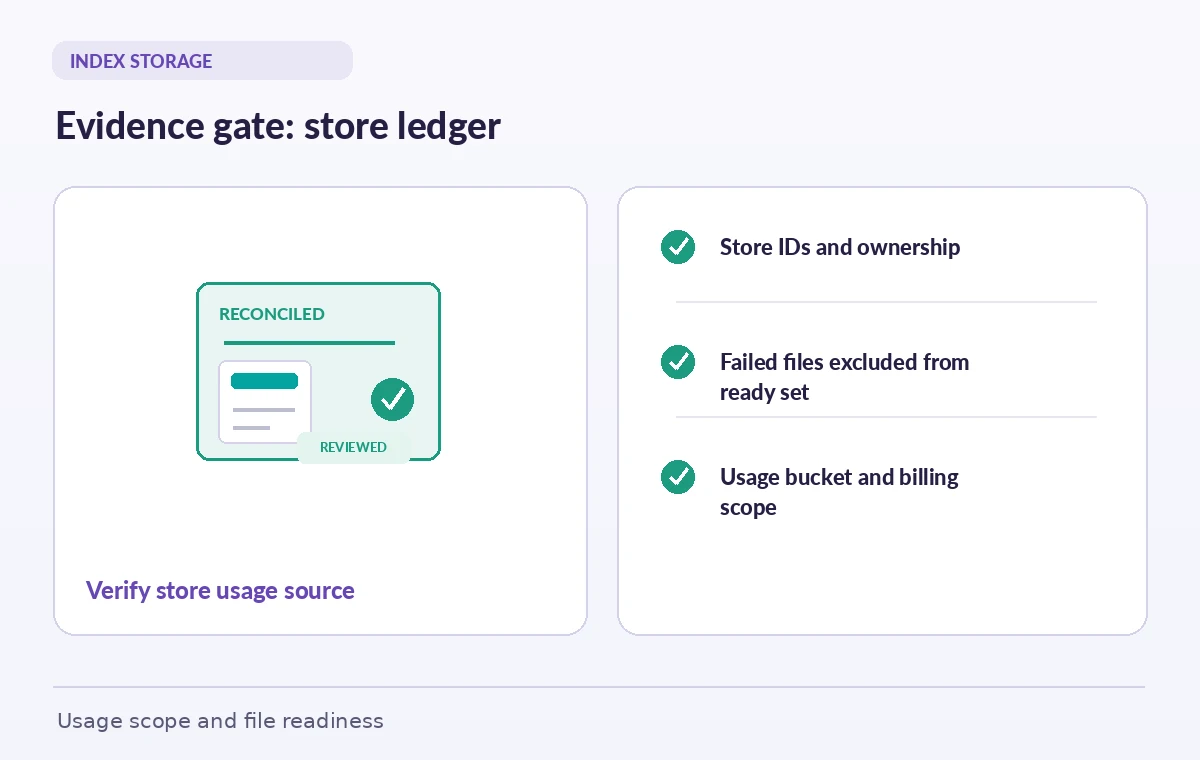
Retrieve or list vector stores and capture each store ID, name, status, usage_bytes, and file_counts at a defined observation time. The file counts distinguish completed, processing, failed, and cancelled entries. A store showing usage does not mean every policy is searchable, and a completed store does not mean all files are licensed for public use. Record an owner and purpose for each store, such as grant drafts, approved program rules, or temporary staging. Use the vector store ID as the reconciliation key rather than relying on display names that may be reused. Keep empty and expired stores visible in an administrative register until the inventory is reconciled. Do not delete an unfamiliar store merely because its name looks old or its reported storage seems inefficient.
Check per-file processed usage and status
The vector store file API also returns usage_bytes and status for an attached file. Match file IDs to the approved source inventory, record ingestion status, and compare document versions before interpreting their contribution to the index. The API warns that this usage may differ from the size of the source file. A source PDF can contain images, repeated boilerplate, or scanned pages that the retrieval workflow treats differently from a simple text document. Do not assume one universally accurate compression ratio or predict a bill by multiplying the source byte count by a guessed factor. If a file is failed or still processing, investigate that status separately from the cost question. A correct usage ledger with a missing safety policy is still an unusable evidence set.
Reconcile with organization usage buckets
OpenAI provides an organization vector store usage endpoint returning time buckets and usage_bytes, with options for bucket width, project grouping, project filters, and pagination. This is an administrative view; the documented example uses an admin credential. Record which time window and project scope a report covers and keep that privileged token on an authorized backend. Do not assume a single instantaneous store-level value equals a historical organization-level time bucket. Retention rules, indexing activity, and project boundaries can change between observations. Compare trends in the appropriate granularity, noting collection changes and known ingestion jobs. Keep separate columns for storage usage, model calls, and file-search activity instead of calling every service usage number a token bill.
Build a reproducible monthly comparison
For each reporting date, export a list of vector store IDs with their store-level usage, file status counts, project owner, and the report time. Next capture the corresponding organization usage buckets and the active price schedule from the billing documentation. Identify additions, removed stores, and material growth since the prior snapshot. If a large change coincides with a batch of scanned policy revisions, inspect the actual file register and ingestion results before attributing it to ordinary growth. Present storage consumption as an observed metric and the projected charge as a calculation under stated pricing assumptions. Never present a diagram’s invented numbers as production billing data. Ask finance to sign off on the cost interpretation and curators to sign off on the document cohort independently.
Avoid summing overlapping scopes as if they were separate
A common accounting error combines a vector store usage value, a set of vector store file usage values, and an organization usage bucket as though they represented three independently billable services. They are related views of storage activity and must not be added without understanding their scope. Label every line of the ledger with its source API, resource ID, observation time, and unit. Be especially cautious when one file is associated with multiple collections or an organization report groups activity by project. Reconcile the reported organizational total against the chosen project and billing context rather than manufacturing perfect equality from incompatible timestamps. If the team cannot explain a discrepancy, mark it unresolved and collect the next scheduled reading; do not adjust source figures to make a chart balance.
Control stale documents without damaging evidence
Storage reduction discussions often turn immediately to deleting a large index. For a museum, that index may contain versions of conservation and safety rules that are needed for a legal record, even though they should no longer appear in public search. Separate the preservation requirement from the serving requirement. Keep canonical files under the organization’s archival policy and use the index lifecycle appropriate for temporary experiments. Before removing a store, document which assistant, project, or review job still references its ID. Test retrieval from the intended replacement set using a current approved rule, a superseded rule, and a deliberately excluded donor document. Reducing usage_bytes is worthwhile only after someone has verified that it does not remove the evidence needed to perform a safe review.
Create a storage variance gate before release
A release checklist should include four distinct gates: the observed store usage, the ingestion status of required documents, the allowed document versions, and the organization’s current cost assumption. If usage grows unexpectedly, investigate ingestion duplication or unnecessary staging stores. If usage shrinks unexpectedly, look for missing sources, expiry, or deletion rather than celebrating the reduction. If all documents appear present but the retrieval assistant quotes an obsolete clause, reopen the editorial review regardless of the storage numbers. Ensure dashboards show the unit as bytes and do not quietly convert it to dollars without a date-specific rate. This prevents a technically correct billing graph from becoming a misleading claim about the completeness of the museum’s grant evidence.
What a signed-off audit actually proves
At the end of the review, the team should be able to answer which stores were measured, which project owned them, which source documents were ready, and how the organization-level usage bucket relates to the local inventory. Save a timestamped inventory, unresolved variance notes, and a reviewer decision alongside the grant records. Recheck the values after major ingest or retention changes. This audit establishes accountability for the storage footprint, not the factual validity of AI-generated policy advice. A separate content gate must still verify every proposed statement against the current source and the museum’s release rules. The strongest process makes both evidence and expenditure traceable without pretending that either one can substitute for the other.
How We Research
We consulted the original provider documentation: OpenAI Vector Stores reference; OpenAI Vector Store Files reference; OpenAI Organization Vector Store Usage. We compared the store, attached-file, and organization usage schemas to distinguish processed size, ingestion status, and time-bucket reporting. We did not access a paid account, estimate any unpublished rate, or inspect private grant files. We checked the terms and limits against the cited references but did not manufacture benchmarks, source access, or simulated production outcomes. Recheck provider settings and local organizational policy before a live rollout.
Frequently Asked Questions
No. OpenAI documents vector-store processed usage separately and notes that it may differ from the original file size.
Retrieve or list vector stores and inspect usage_bytes together with the store ID, status, and file counts.
Yes. The organization vector store usage endpoint supports project filtering and grouping, subject to the documented access requirements.
No. Processing status is not a document rights or content review decision.
Not without understanding whether their resource scope and observation periods overlap. Reconcile them as related views.