
Imagine a library’s facilities board receiving requests about a flickering reading-room light, a loose door handle, a printer jam, and water on a stair landing. They should not all be handled like routine maintenance. monday AI’s Assign labels block can use text from a board item to suggest a Status or Dropdown category. It cannot inspect the hazard or determine whether a building is safe. The method below uses a hypothetical intake board, an explicit escalation path, and a review queue that protects urgent reports from the comforting appearance of automation.
Agree on a small, operational label set
Design categories before adding any AI-powered column: “Routine equipment,” “Building repair,” “Accessibility,” “Possible immediate hazard,” and “Needs clarification.” Decide whether a single status or multiple dropdown labels best describes your actual workflow. The purpose of a label is routing, not diagnosing severity. A request about a loose handrail should remain visible to a responsible person even if the text model focuses on the word “staircase” and selects a general repair category. Write a local escalation procedure separately and ask the facilities lead to approve it. An AI classification must never serve as the sole safety assessment.
Prepare the board and protect incoming details
Create a text field for the original report, an AI suggestion field, a human-reviewed final category, a reviewer, and a follow-up status. Keep the raw report unchanged for auditability. Remove unnecessary patron identities, phone numbers, and sensitive personal details before using AI processing, consistent with your organization’s data rules. Establish who can view request records and who can approve closure. A good board separates “what the requester wrote” from “what automation guessed” and “what operations decided.” This simple distinction makes later corrections possible without rewriting history.

Locate the correct AI block
monday’s current help center explains that AI blocks are available through AI columns, automations, and the workflow builder. In a board column menu, use a supported AI action; the Column Center also has an AI-powered section. Choose Assign labels and connect the source text to a Status or Dropdown field. Your workspace must have AI enabled, and available capabilities can depend on subscription and role governance. The documentation lists credit consumption for actions, so preview on a limited set before broad deployment. Do not invent a “fully automatic approval” toggle where the interface only offers classification.
Write a prompt that respects uncertainty
Tell the block to choose among the agreed labels using only the reported text, and to use “Needs clarification” when there is not enough evidence. Provide examples of ambiguous wording: “There is a damp patch by the back stairs” needs human triage, while “Printer tray needs paper” is routine equipment. A prompt can include a rule that mentions of smoke, exposed wiring, water near electrics, blocked exits, or inaccessible routes must be escalated for immediate human examination. These examples teach review priorities rather than guaranteeing reliable AI detection; all incoming safety reports still need the organization’s usual response process.
Preview several contrasting reports before saving
Use monday’s Preview AI results to inspect representative inputs and adjust the instructions. Include easy cases, misspellings, mixed issues, very short descriptions, and one report that could have urgent consequences. Check how Assign labels handles a multi-label request, because a single status field cannot always express two unrelated problems. Record mismatches in a test worksheet. Do not claim model accuracy from a handful of examples or a made-up percentage. The preview establishes whether the current configuration behaves sensibly enough for a controlled pilot, not whether it is safe to remove human triage.
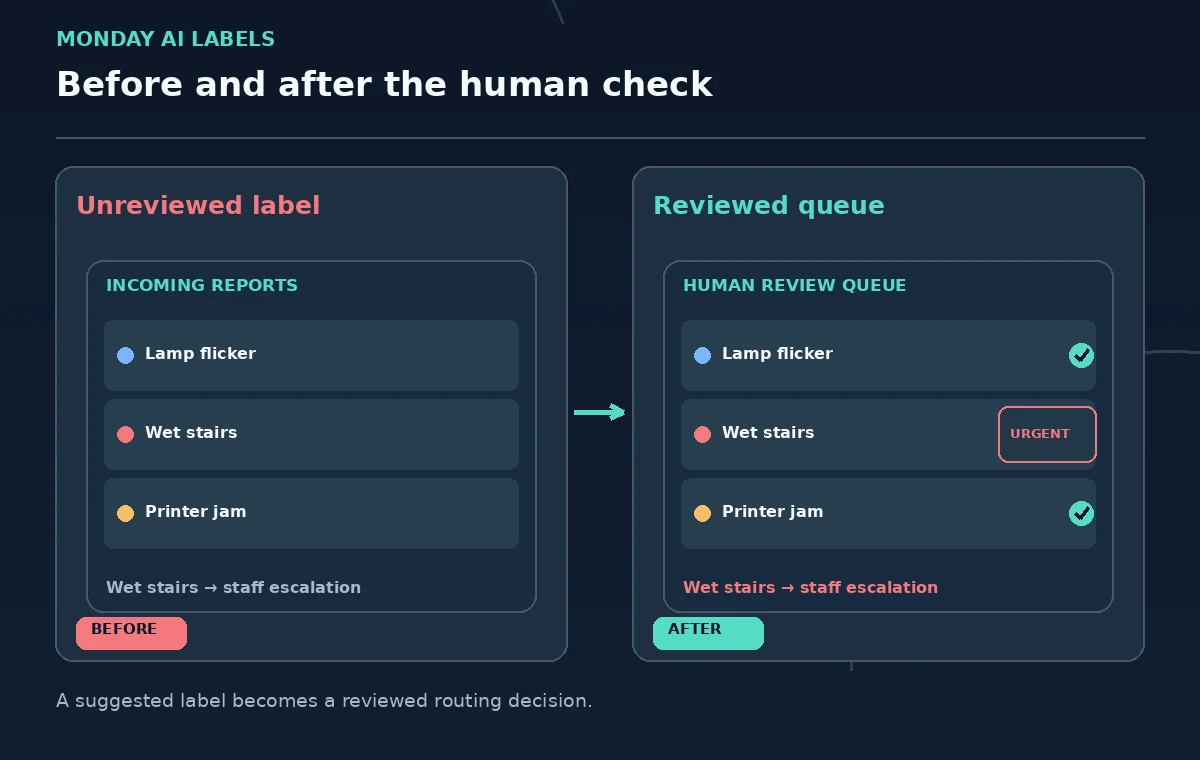
Keep machine suggestions separate from final action
A suggested label should land in a field or stage that makes human review obvious. The facilities coordinator should read the source description, confirm the location, choose the final category, and follow the existing callout policy. If a report implies danger, responders should use the library’s established contact and incident procedures regardless of what label AI generates. Never let a label change alone close the request, send a “resolved” message, or delay immediate reporting. Automation can prioritize a queue; it cannot attest that someone inspected the site.
Watch credits and repeated automation triggers
monday’s documentation describes AI credits and run history. Before enabling an automatic trigger, estimate how often items are created or modified and check whether the same item may be processed repeatedly. When a result is missing, open the Automation Center’s Manage and Run history areas for a failure explanation rather than silently re-running unknown operations. Credit accounting and quotas can change, so consult the current feature catalog instead of copying an assumed monthly allotment from another account. Keep the first pilot deliberately small and easy to stop.
Audit errors using real but appropriately sanitized reports
Review a small, permission-appropriate sample from every category and compare the AI label with the human-reviewed classification. Track two distinct failures: a low-stakes misroute, such as a paper jam tagged “Furniture,” and a high-impact missed escalation. Analyze the wording that led to disagreement, then decide whether the label definitions, intake questions, or review procedure needs improvement. Avoid putting personal reporter details in a public QA dataset. Change the rule set only with a recorded reviewer and preserve the prior configuration for investigation.
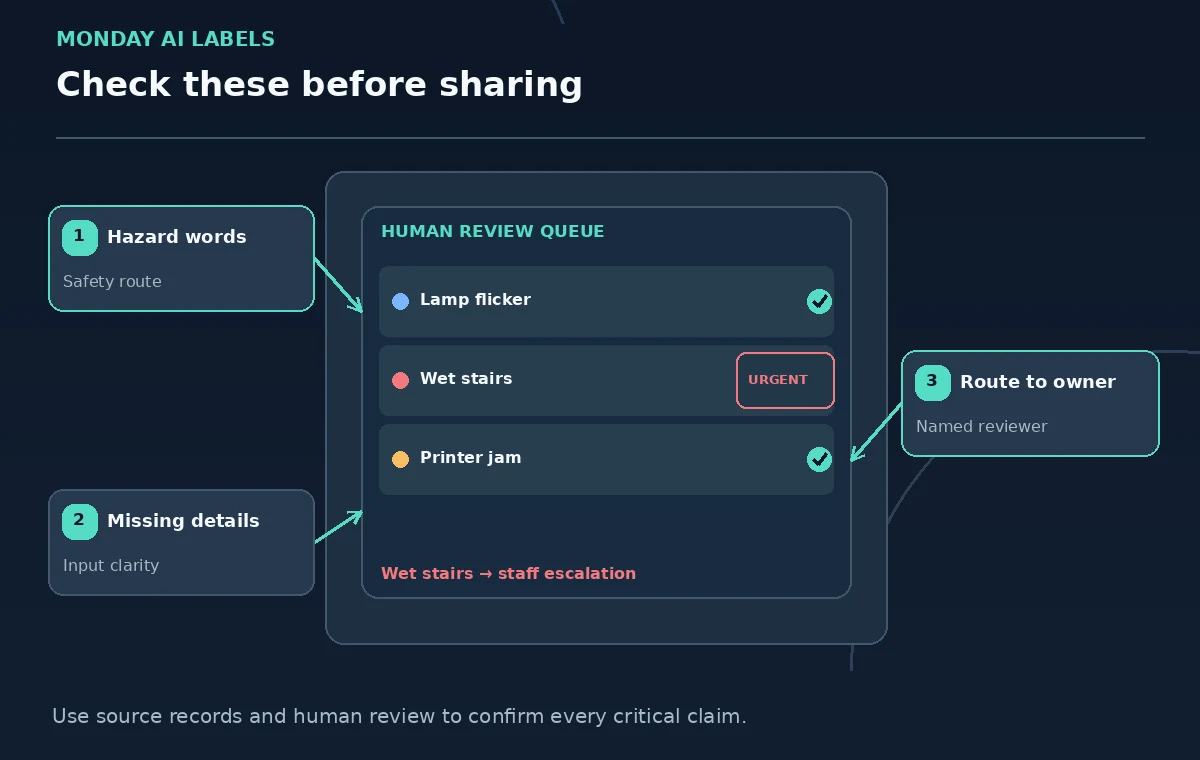
Launch with an escalation owner and rollback plan
Before using classification in daily operations, name the person responsible for monitoring the queue, responding to urgent reports, and disabling the automation if it misroutes items. Publish a one-page guide explaining what the AI label does and does not mean. Add a manual intake route for outages and inaccessible forms. Recheck results after major prompt or column changes. Success means staff can find, evaluate, and resolve the right problems faster—not that the system produces a convincing label for every report. A human must remain accountable for safety and completion.
How We Research
This guide was prepared by reading the named official documentation—monday.com Support, AI blocks and monday.com Support, AI Feature Catalog and monday.com Support, Get started with monday AI—and cross-checking the described feature, its workflow, platform or plan restrictions, and the point at which a person must review the result. The scenario, illustrations, example inputs, approvals, and sample outputs are hypothetical editorial teaching aids; we did not access a customer account, run a live product test, measure model accuracy, or verify an actual organizational policy. Screens, plan rules, and labels can change after this documentation review. Always confirm the currently available feature and the authoritative source documents before acting on any AI-generated wording.
Frequently Asked Questions
No. A text classifier can suggest routing, but the facilities team must evaluate hazards and follow established incident procedures.
monday’s AI blocks documentation explicitly lists Assign labels for Status and Dropdown columns, subject to supported configuration and workspace access.
Yes. monday documents Preview AI results in the configuration flow. Test ambiguous examples and preserve a human review step.
Check the automation Run history and the source input, access permissions, configuration, and available credits. Do not quietly treat an empty suggestion as a low priority.
Compare sanitized original reports, AI suggestions, and human outcomes, concentrating on missed escalations rather than reporting an unsupported accuracy figure.