
A volunteer workshop stores borrowed tools in a handwritten paper ledger. On one page, a previous entry for three clamps is crossed out and replaced by an updated count of nine. A smooth-looking OCR table might copy both numbers and report twelve clamps available. That is a plausible extraction, but it does not represent the ledger. The right result retains the scan, flags the amendment, and lets a human decide which line is authoritative.
Mistral documents an OCR processor that extracts text and structured content from PDFs and images, with table formatting, optional blocks, and confidence metadata for supported model versions. The example below is an invented training ledger, not a demonstration of measured OCR accuracy. The objective is a defensible review workflow rather than a claim that OCR understands every crossed-out mark.
Treat the scan as evidence, not an editable spreadsheet
Before uploading, photograph or scan the entire page at a useful resolution, including margins, dates, correction marks, page numbers, and column headers. Do not trim away the line connecting a handwritten note to its row. A crop that isolates a neat quantity may remove the very evidence needed to tell a cancellation from a replacement. Use a consistent filename and page index in the local source inventory.
Keep a read-only original and a separate working copy. If the paper contains borrower names or telephone numbers, follow the organization’s data-handling rules and do not upload private records without authorization. An invented ledger is sufficient to rehearse the extraction process; operational records require access review, retention planning, and a known owner who can resolve ambiguous amendments.
Choose the right OCR input and structure settings
Mistral’s documentation describes sending images or document URLs to the OCR processor, then receiving extracted content and per-page information. Check the current supported file types and limits rather than assuming a Word file and a multi-page PDF behave identically. For a table-heavy ledger, decide whether a separately returned Markdown or HTML table makes review easier than inline page text.
The `table_format` choice and header or footer extraction depend on the OCR model version; Mistral’s documentation specifies OCR 2512 or newer for these features. Block extraction with `include_blocks` has its own minimum version. Do not copy a request from a tutorial without checking model support. Record the model name, options, and input page ID beside the extracted table so future reviewers can reproduce the configuration.
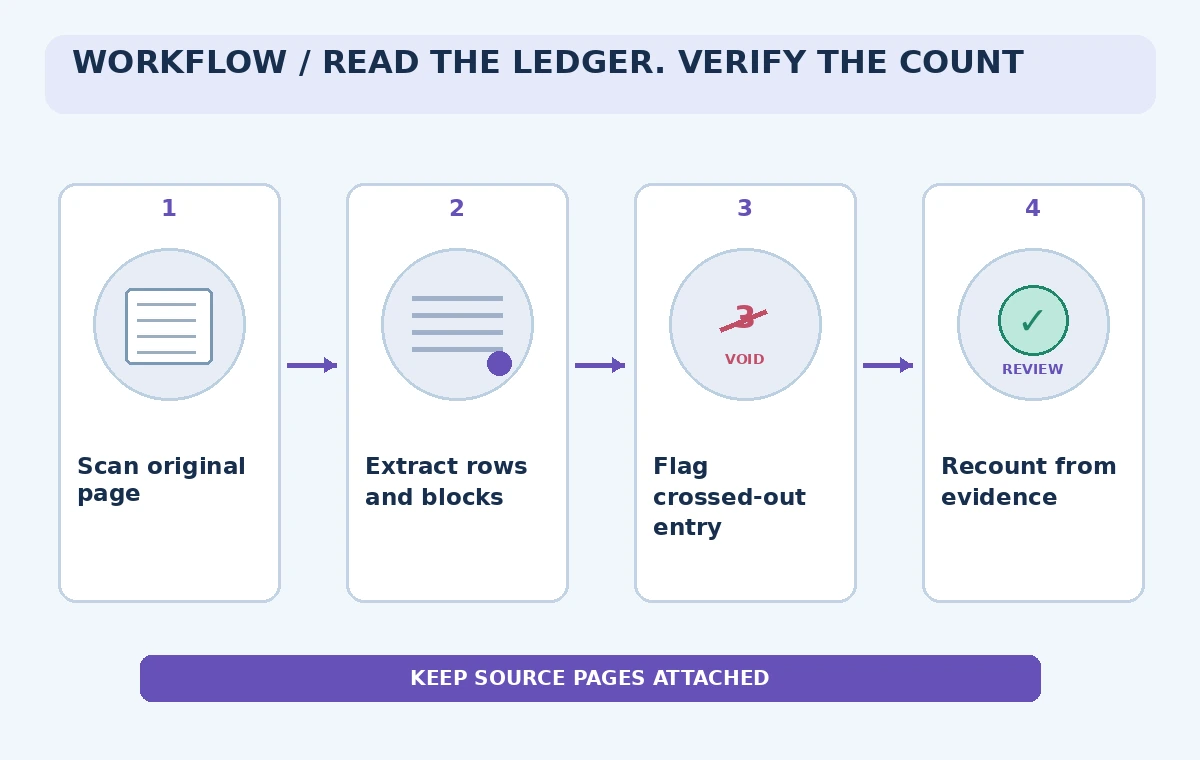
Extract row data while retaining page references
Create a staging table with one record per visible source row and columns for source page, row label, raw extracted text, tentative quantity, and review status. Do not write directly into the live inventory database. A correction may have one original row and a separate replacement note; collapsing them prematurely makes it difficult to explain why the final quantity changed.
If the processor returns positional blocks or other structural metadata, use it to help match a text fragment to the visible row. Positional hints assist navigation but do not prove the meaning of a handwritten strike-through. Where a number seems unclear, enter “needs visual check” instead of treating a guessed digit as confirmed. Keep extraction output alongside the underlying scan.
Resolve struck-through quantities with a human rule
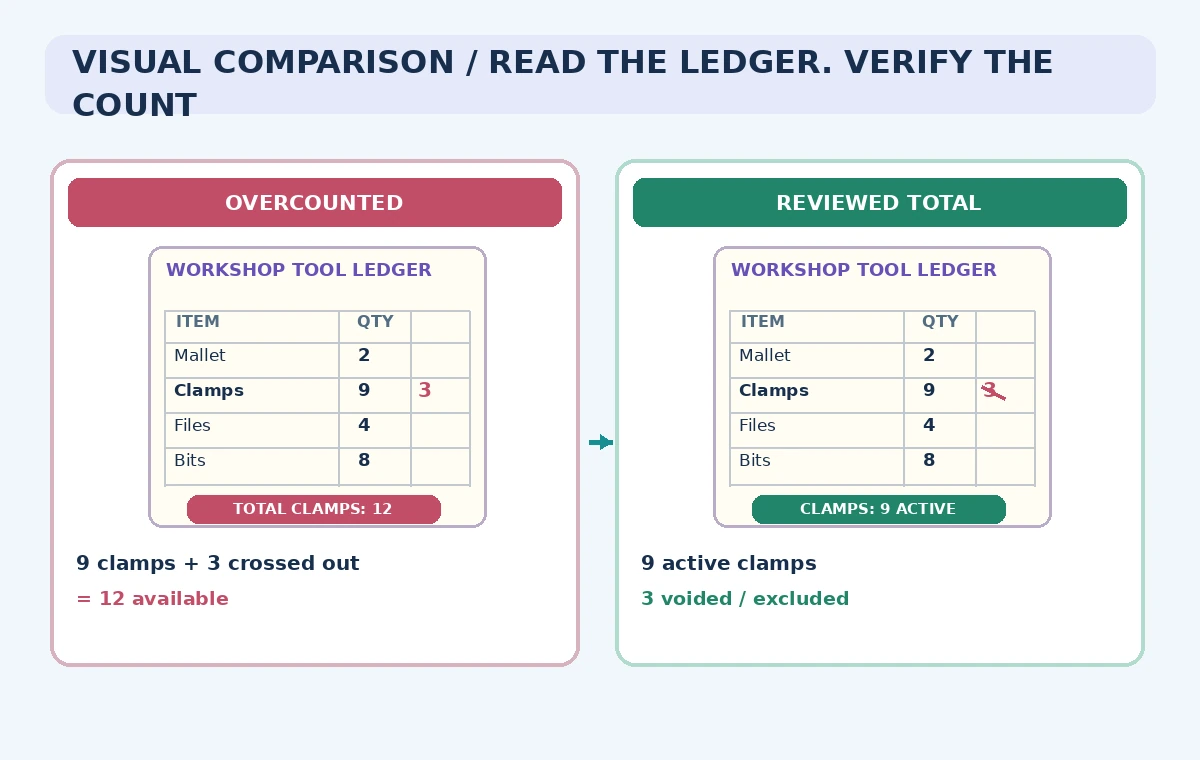
In the fictional example, a struck-through “3” is superseded by a clearly dated “9” in the same tools row. A human reviewer confirms that the correction replaces, rather than adds to, the earlier count. That decision yields nine active clamps, not twelve. The actual rule must come from the workshop’s ledger conventions, not from a general instruction to ignore every crossed-out line.
Compare the OCR text to a zoomed view of the mark. Some strikethroughs are checkmarks, some indicate returns, and some show corrections to names rather than counts. Record the reason and reviewer initials for every nontrivial adjustment. The comparison illustration shows an invented overcount and its reviewed interpretation; it is not evidence that a particular model produced either result.
Separate extraction confidence from record certainty
Where available, confidence values can help prioritize which words or blocks need attention. They are not a legal or inventory approval state. A confidently recognized digit can still be the wrong digit to use if the document cancels it. Conversely, a low-confidence reading may become certain after a person checks the handwriting against the physical ledger.
Triage by consequence. Review crossed-out quantities, negative balances, serial numbers, and page totals first. For each high-impact field, require either a clear source match or an explicit exception note. A confidence threshold alone cannot establish whether a crossed-out item is physically in the storeroom. If physical counts and paper records disagree, schedule a separate stock check.
Reconcile totals without hiding unknown entries
Make three separate buckets: active quantities, voided or superseded entries, and unresolved rows. A total labelled available should include only verified active entries. Do not substitute zero for an illegible quantity, since that turns uncertainty into a factual absence. For financial or safety-critical ledgers, use the organization’s approved reconciliation process instead of relying on a generated narrative.
Run a simple cross-check: count rows in the scan, rows in the staging table, and rows needing review. Investigate mismatches rather than editing totals until they look tidy. In our scenario, the correction note and inventory count are both visible, so the reviewer can explain the difference between extracted numerals and the adopted final value.
Build an auditable approval handoff
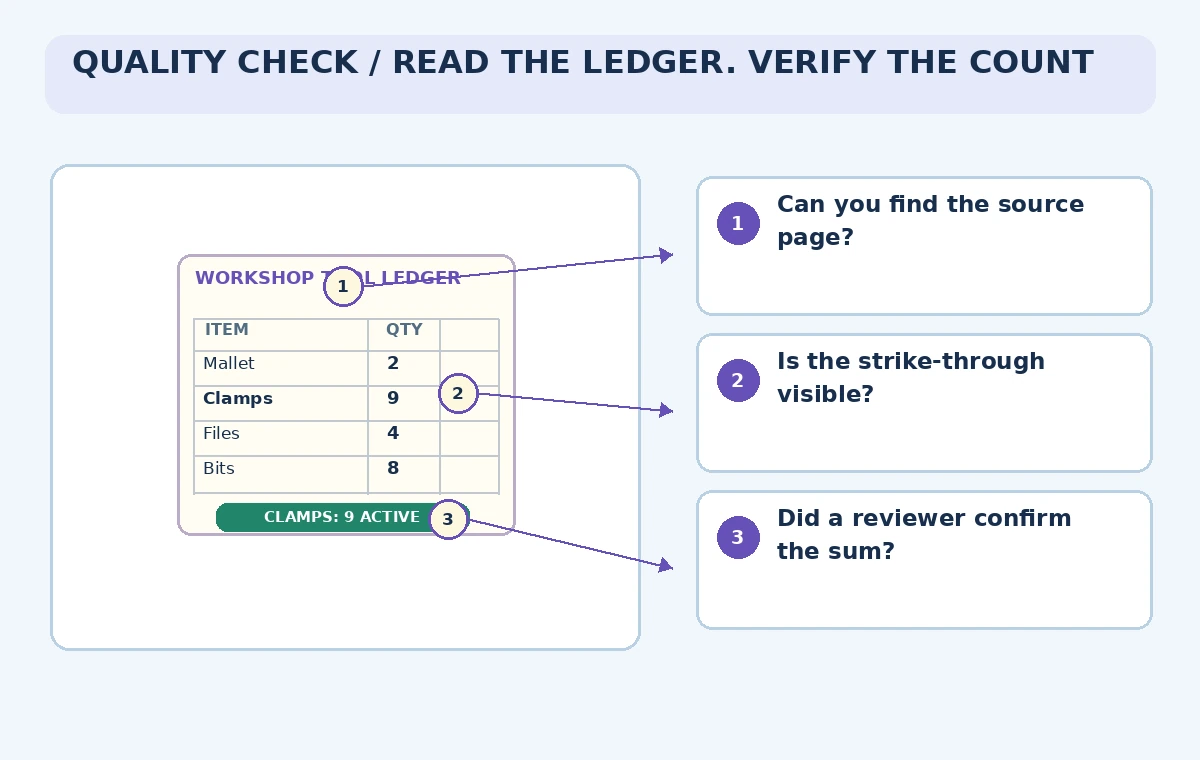
For each approved quantity, keep an image link, page and row position, extracted text, correction decision, and reviewer. A later volunteer should be able to reopen the source and see why twelve was rejected. Store exports in a versioned location that does not overwrite the original scan. Include a short list of ambiguous rows still awaiting a decision.
The verification diagram marks where to look: crossed-out strokes, an adjacent replacement value, the date of the note, and the sum at the bottom. A reviewer does not need to believe OCR is perfect; they need a practical path to challenge individual fields. Before importing into the operational stock sheet, get sign-off from the person responsible for the inventory.
Retest against difficult pages before scaling up
Try a small, permission-safe sample containing clear numerals, faint pencil, rotated scans, crossed-out lines, and two-line notes. Record the kinds of mistakes that matter rather than quoting an invented overall accuracy score. Compare outputs with a manually checked reference and document how long exceptions take to resolve. The threshold for acceptable performance depends on the cost of an incorrect stock count.
If the workflow cannot preserve amendments reliably, constrain it to searchable transcription and leave quantity entry manual. A modest tool that exposes uncertainty is better than a fast import that quietly changes the meaning of source records. Recheck vendor limits and pricing before automating many pages; neither an OCR API nor this example establishes data ownership or record retention requirements for your organization.
How We Research
For our November 5, 2026 documentation review we consulted the following named official sources: Mistral Docs: Document AI OCR processor; Mistral Docs: Document understanding; Mistral API: OCR endpoint. We checked vendor-described product capabilities and known limitations, then mapped them to a fictional use case with explicit human review gates. We did not sign in to a paid account, send real documents or audio, run generated code, publish a live website, generate video through the vendor, or measure results. All images are original explanatory art rather than screenshots or test evidence. Version availability, access conditions, data terms, and legal responsibilities can change; check the latest official docs and your organization’s approved source materials before using this workflow.
Frequently Asked Questions
Yes. Its OCR documentation describes structure-aware extraction and table formats, subject to supported file and model versions.
Do not assume it. Review corrections against the original page and the ledger’s local recording convention.
No. Scores prioritize review; they do not establish whether a quantity was superseded or physically present.
No. Mark it unresolved and request a source review or physical stock check.
No. The ledger, numbers, and illustrations are invented to explain a verification workflow.