
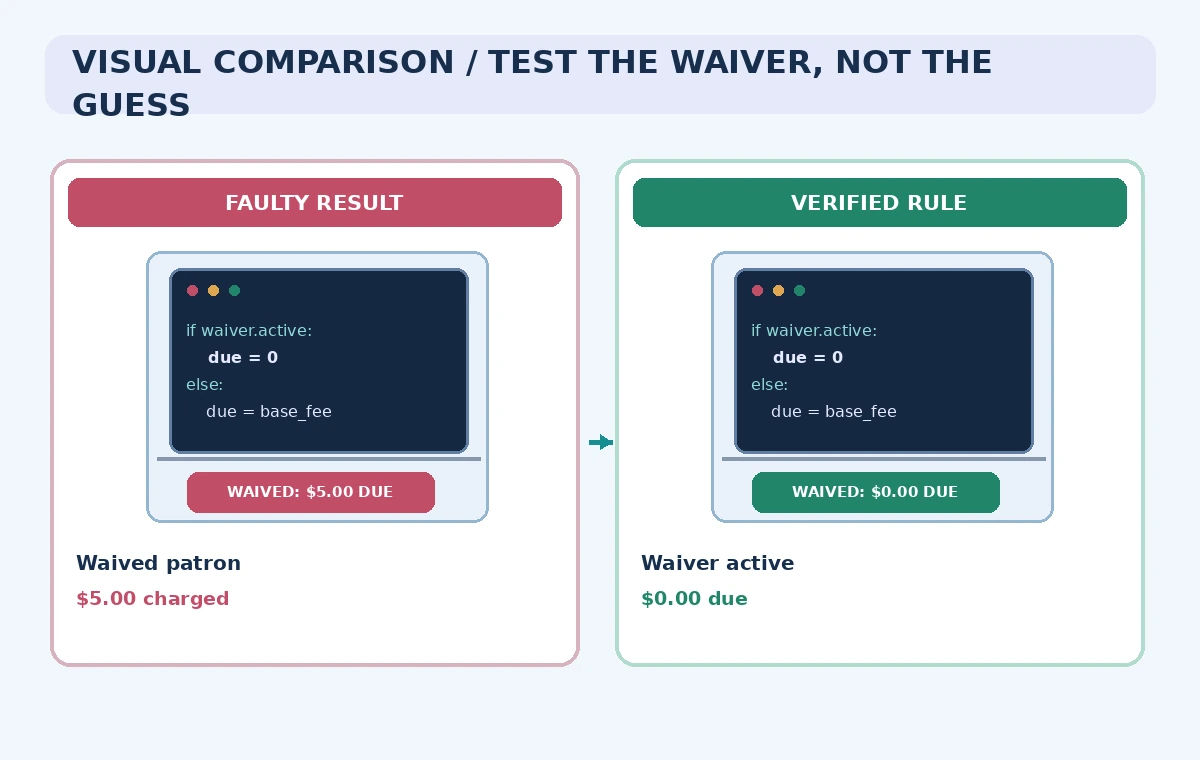
A fictional public library charges overdue fees on some loans but waives them for approved patron categories. A developer asks an AI coding assistant to add tests for a date-sensitive calculation. The generated tests look convincing, yet the sample “waived patron” still owes five dollars. That outcome is a problem even if the tests pass: they have reproduced the old bug or invented an incorrect business rule.
Google Cloud documents Gemini Code Assist smart actions such as Generate unit tests in supported IDEs for eligible Standard and Enterprise users. As of its June 2026 change, the older individual and Google AI paid-tier Code Assist IDE request paths moved to Antigravity; this guide is deliberately scoped to the still-documented Standard and Enterprise offering. No library software or live account was accessed for this example.
Confirm the product tier before following IDE steps
Google Cloud provides setup instructions for the Gemini Code Assist extension in VS Code and supported JetBrains IDEs. Organizations provision eligible access and select the relevant Google Cloud project and permissions. A tutorial written for a past free personal tier may no longer work: check the Code Assist documentation and account eligibility before expecting the same commands, quota, or interface in a personal subscription.
Use a nonproduction repository with an authorized test workspace. Avoid putting patron identities or card numbers into prompts and example fixtures. Coding assistance can inspect context depending on configuration; your organization must decide what code and test data can be sent to its service. A fictional library dataset lets a team evaluate the workflow without exposing circulation history.
Write the waiver policy as executable requirements
Define a concrete rule table independently of the model: an eligible patron with a valid waiver owes zero; a nonwaived account owes the fee under the approved schedule; an expired waiver does not apply. State date boundaries, time zones, renewal effective dates, and currency precision. If a policy has exceptions for returned items or lost materials, preserve them explicitly rather than hiding everything under a generic discount.
Distinguish the amount assessed from the amount collected. A five-dollar assessment with a valid waiver should produce an approved zero balance, not a fabricated five-dollar payment. Document the expected fields and outputs before asking for test code. This gives reviewers an authoritative reference against which an attractive AI-generated expectation can be rejected.
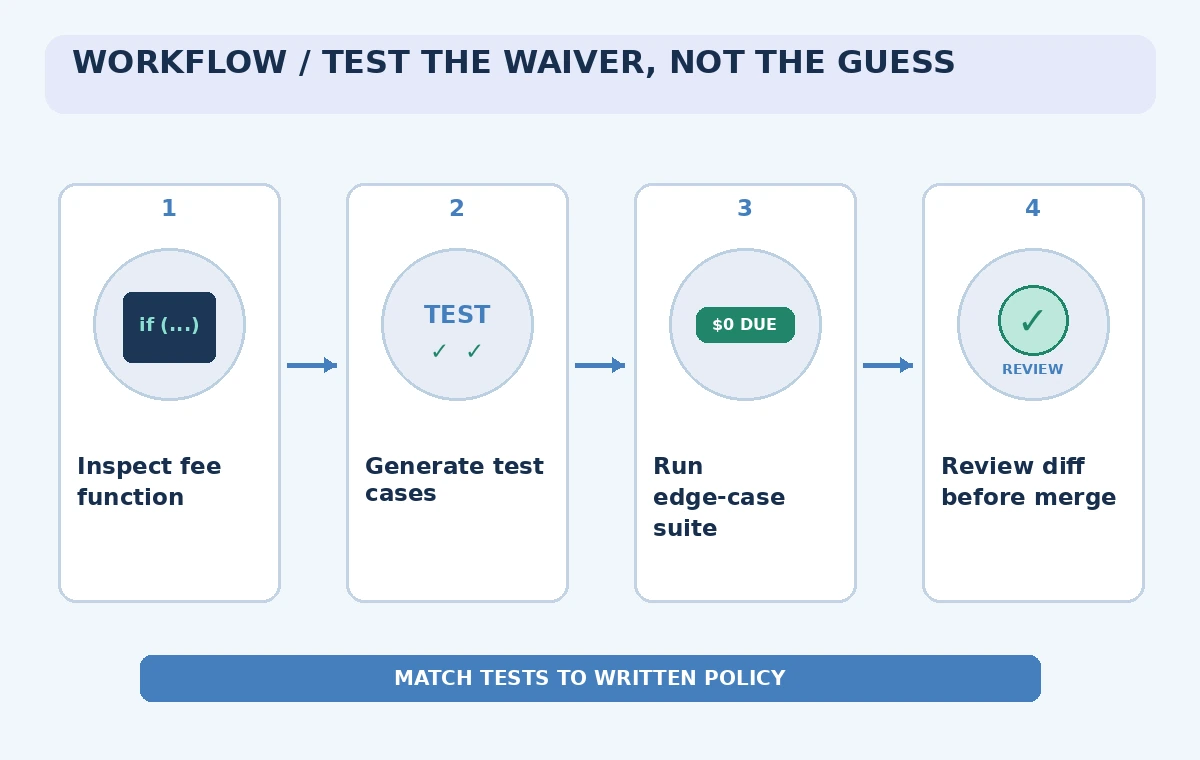
Use Generate unit tests on a narrow function
Open the relevant function in the IDE, select the code, and use the Generate unit tests smart action where available. Google documents selecting code and a lightbulb action in VS Code, or a context-menu action in JetBrains. The generated response is a proposal; it is not a signed-off test specification. Ask for cases directly tied to the waiver decision and the official rule table.
Work on one small calculation rather than inviting the assistant to refactor the billing subsystem at once. Require a scenario with an active waiver, one just expired, a missing waiver field, and multiple loans on the same day. Avoid tests that merely assert that a function returns some number. Each assertion should explain why that number is authorized.
Inspect generated fixtures and expected values
Look closely at names such as isExempt, feeWaiverDate, and chargeTotal. A model might misread an eligibility flag or confuse the date a waiver was issued with its last valid day. Generated test fixtures sometimes create impossible records, such as an account that both lacks a waiver and has a waiver end date. Reject fixtures whose meaning would be unclear to a human maintainer.
The comparison diagram shows a bad test expectation that charges a waived account and a reviewed expectation of zero. Both are illustrative states, not evidence that Gemini Code Assist generated the bad one. Cross-check every fixture against the written rule table. A passing test only confirms agreement between implementation and assertion; the assertion itself could be mistaken.
Run the tests and examine failures deliberately
Execute the project’s normal test runner in an isolated environment. Review individual assertions, failure messages, and branch coverage before claiming that the change is safe. A test suite with one easy happy path may miss a midnight transition or a waived account whose exemption ends that day. Use fixed test clocks rather than sleeping until a real calendar boundary.
When a test fails, determine whether the code or expected output violates policy. Do not immediately ask an assistant to make all tests green by updating assertions. That could conceal the original bug. Keep a reviewer-readable note explaining the authoritative rule and the relevant ticket or policy revision that supports the expected amount.
Review suggestions without silently changing production logic
Gemini Code Assist can propose code transformations and display diffs in the IDE. Treat a proposed fix separately from test generation. Examine any changes to billing, database writes, rounding, timezone handling, and external payment calls. A model may simplify code by bypassing a check that seems redundant but is actually part of an approved exception.
Keep the fee engine, test cases, and policy documentation under version control. Require a human code review for changes to the waiver predicate. The goal is not to accept every AI suggestion; it is to catch discrepancies early and trace why a customer’s balance changed. Run approved integration tests against sanitized records before merging.
Add adversarial cases and a rollback story
Create a small matrix of policy boundaries: waiver valid today, expired yesterday, activation tomorrow, duplicate loan records, and an absent policy version. For each, specify the correct assessed and payable amount. Test whether the function behaves consistently when the same record is processed twice and when the currency uses decimal arithmetic rather than floating-point approximations.
Before deployment, confirm a path to revert a mistaken change and re-evaluate affected accounts. If the new function could back-charge existing patrons, it requires a policy decision beyond a code-review check. Do not use AI-generated tests as approval to issue invoices. Have a staff member responsible for the actual fee policy sign off on the release criteria.
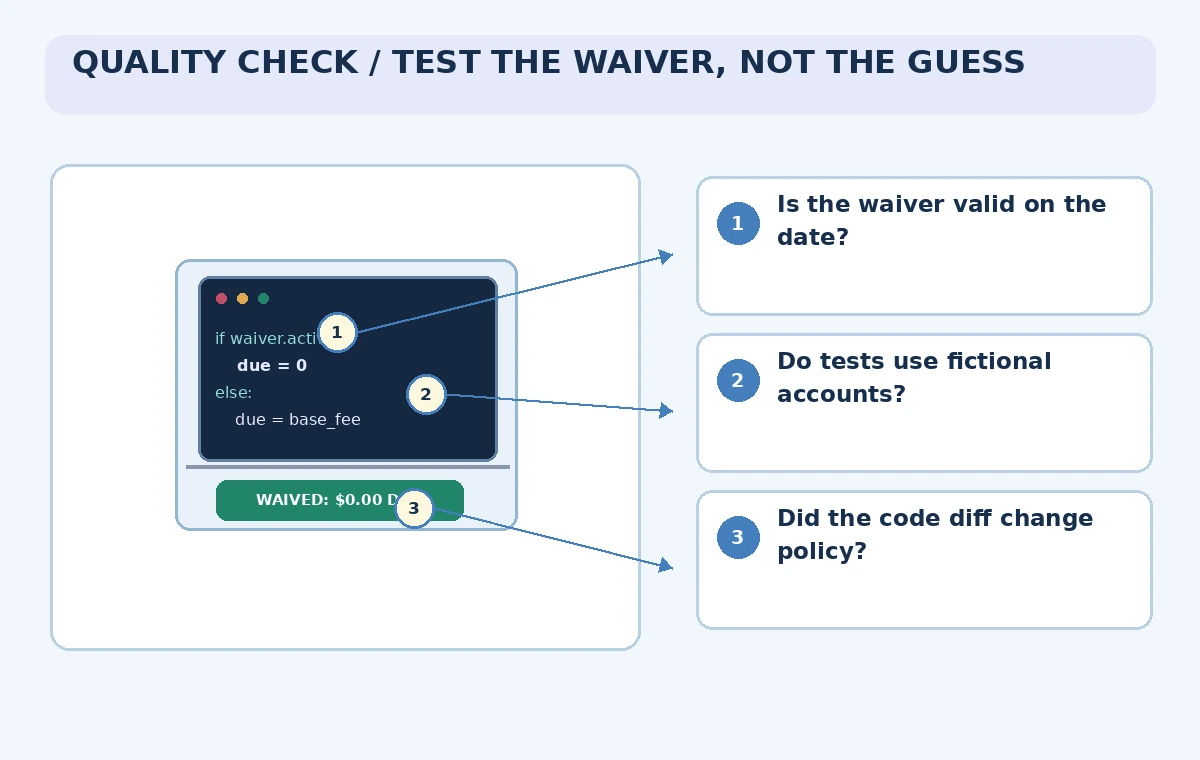
Archive evidence and revisit model access
Keep the checked-in tests, original policy reference, approved fixtures, human review, and CI results together. A later developer should be able to identify which requirement each assertion defends. Update the tests when the waiver policy changes, not merely when an AI assistant proposes a new implementation. This keeps the tests serving the institution rather than the model.
Document the exact Gemini Code Assist tier and IDE extension version used if your team runs a real evaluation. Google has already changed its personal-tier offering, so old screenshots and entitlement claims are a weak source of truth. Confirm access and data terms each time the workflow is adopted for a new organization. This article provides methodology, not measured test coverage.
How We Research
For our November 5, 2026 documentation review we consulted the following named official sources: Google Cloud: Code with Gemini Code Assist Standard and Enterprise; Google Cloud: Set up Gemini Code Assist; Google Cloud: Gemini Code Assist features overview. We checked vendor-described product capabilities and known limitations, then mapped them to a fictional use case with explicit human review gates. We did not sign in to a paid account, send real documents or audio, run generated code, publish a live website, generate video through the vendor, or measure results. All images are original explanatory art rather than screenshots or test evidence. Version availability, access conditions, data terms, and legal responsibilities can change; check the latest official docs and your organization’s approved source materials before using this workflow.
Frequently Asked Questions
No. This walkthrough concerns the Standard and Enterprise IDE offering; Google shifted the older individual paths to Antigravity in June 2026.
Yes. Google documents a Generate unit tests smart action for selected code in supported IDEs.
No. Its assertions must match a separately approved policy and pass human review.
Use sanitized, authorized test fixtures instead of exposing patron identities or account records.
No. All code behavior, records, and diagrams are hypothetical review examples.