
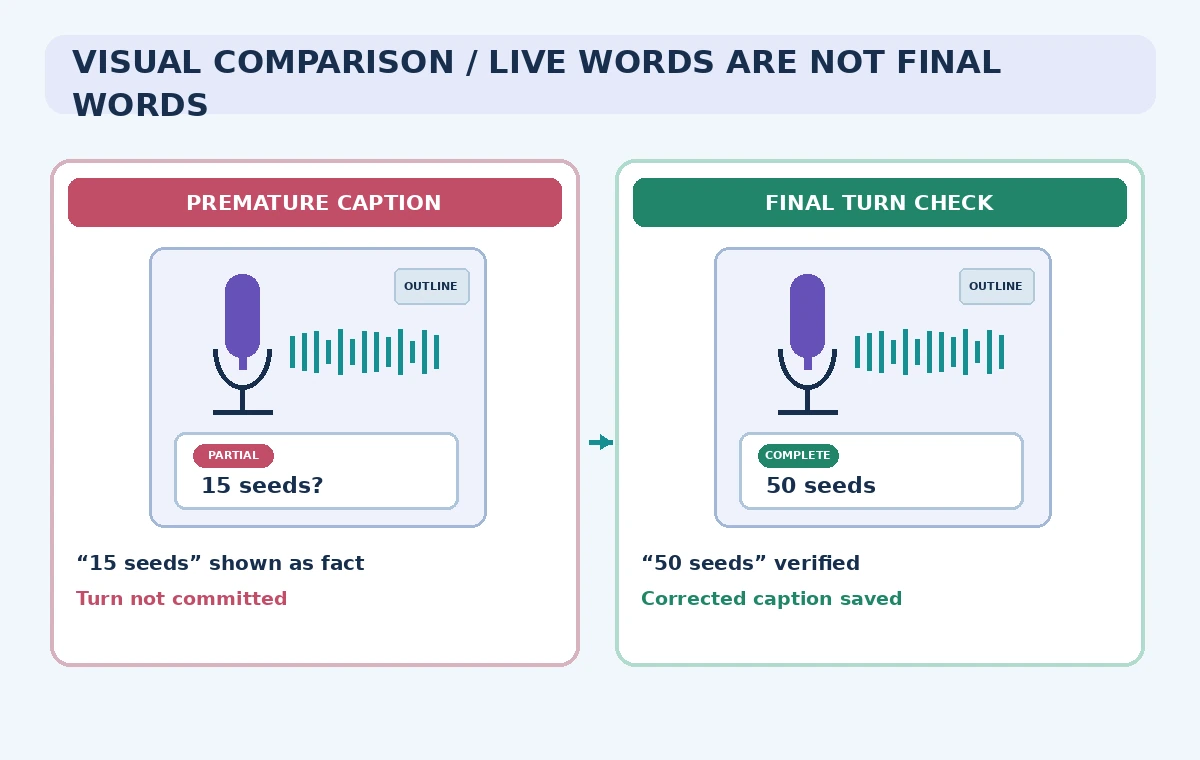
A community garden runs a seed-exchange workshop. The presenter says “fifty basil seeds,” but a live caption briefly shows “fifteen basil seeds” as the model receives only part of the phrase. If the site stores that provisional line as a permanent instruction, attendees could copy the wrong quantity. Live captions offer useful access, but the application must distinguish text arriving in fragments from a reviewed final transcript.
OpenAI’s current API guide describes `gpt-live-transcribe` for incoming live audio, with delta events as words arrive and completion events after an audio turn is committed. The fictional workshop in this article is an architecture and editorial review exercise, not a measured transcription test or a working web client. No real microphone feed or participant data was submitted.
Use realtime only when audio actually arrives live
OpenAI distinguishes live microphone or call transcription from file transcription of completed recordings. If the garden already has a finished workshop video, use the documented file workflow rather than adding a persistent Realtime connection. Realtime is appropriate when attendees need evolving text while a speaker is talking. That choice introduces provisional content that must be handled differently from a post-event transcript.
Decide what matters most: near-immediate display, final text quality, language coverage, or a verified written handout. Use a current API model and pricing page rather than copying deprecated model identifiers. For the actual workshop, provide an accessible alternative such as an approved outline or human captioner if automatic text cannot meet attendees’ needs.
Get permission and define retention before streaming
Inform the presenter and attendees that live audio will be processed by an external transcription service. Determine whether audience questions, names, and other personal data may be captured. Obtain consent as required and place a visible notice at the start of the session. A microphone-only caption feature is still data processing, even if the app never stores the original waveform.
Write down the retention policy for temporary audio buffers, provisional captions, final transcript text, and logs. Use scoped API credentials on a server rather than putting secrets in a browser script. Avoid attaching private event registration records to help the model guess names; ordinary seed names can be supplied as nonpersonal context instead.
Configure a transcription session accurately
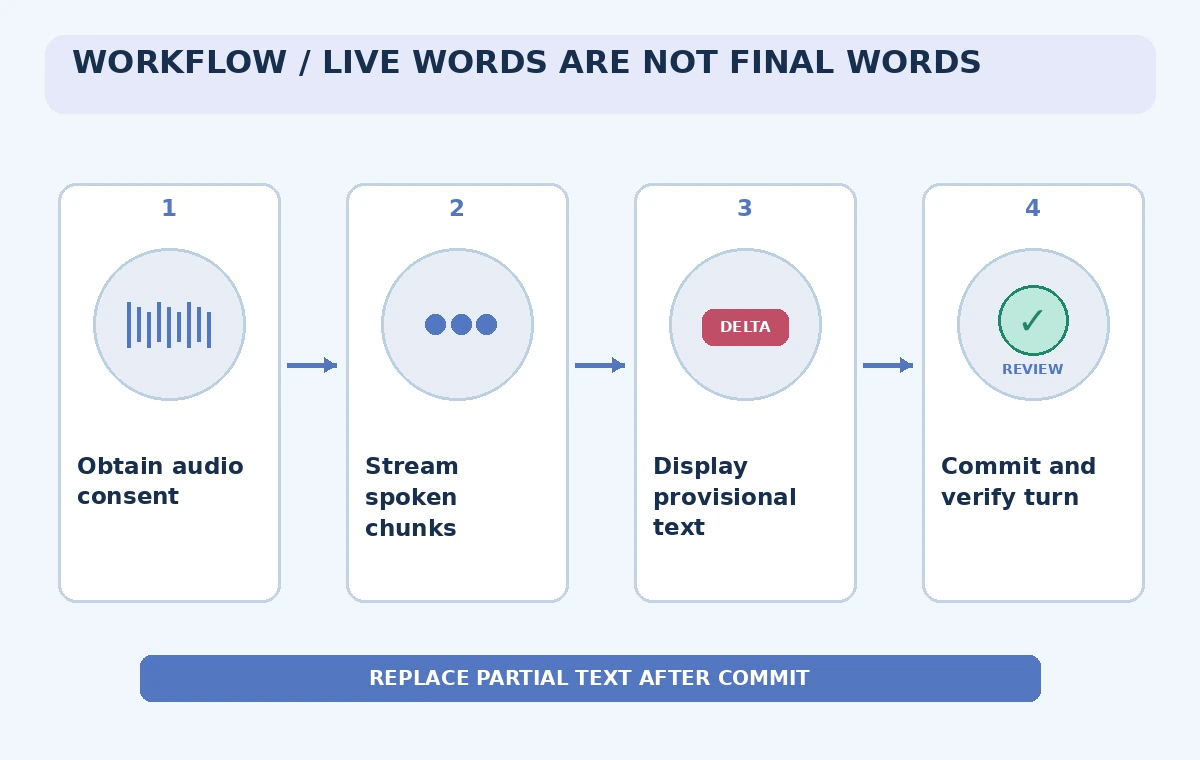
The OpenAI guide describes a transcription-intent Realtime session and a `session.update` using `gpt-live-transcribe`. Its example sends 24 kHz PCM audio with the documented input format. The model requires turn detection to be omitted or set to null; do not copy the server-VAD settings from a speech-to-speech tutorial into this specific configuration and assume they will work.
Send correctly encoded audio chunks and use the documented commit event when a speaking turn ends. If the app uses client-side detection of pauses, test that it does not cut off a quantity before its unit or noun. A transcript should have a stable identifier linking deltas and completion for the same turn so updates do not become duplicated permanent lines.
Show deltas as provisional captions
The guide distinguishes `conversation.item.input_audio_transcription.delta` from `conversation.item.input_audio_transcription.completed`. A delta is incremental text, not an immutable statement. Display it in the live region as tentative and provide an accessible update strategy that does not read the same rapidly changing word aloud repeatedly to screen-reader users.
For the fictional phrase, “fifteen” may be temporarily displayed before the turn finishes. Do not use provisional text as a seed-label print command or an inventory record. The comparison drawing contrasts a mistakenly saved provisional number with a final, human-checked line. These values are illustrative and are not reported output from the API.
Commit turns and reconcile their identifiers
When the speaker has completed a segment, send `input_audio_buffer.commit` as documented and wait for the completion event. Associate the final text with its item identifier and replace or reconcile any provisional display for that same turn. Handle network interruption, empty final text, and late-arriving events without appending two permanent copies of one utterance.
OpenAI notes that `gpt-live-transcribe` does not provide word-level timestamps, speaker labels, or confidence scores. Do not build a UI claiming these fields exist. If the task requires speaker attribution or exact word timing, choose a compatible workflow or implement a separately evaluated fallback, rather than inferring the speaker from a dramatic paragraph break.
Check botanical names and quantities with source material
Prepare an approved vocabulary list for the workshop: seed varieties, common names, packet sizes, and local pronunciation variants. OpenAI documents optional prompts, keywords, and expected languages as transcription context. These hints may improve recognition but do not force the model to output correct words. If “basil” is heard as another plant, a reviewer must check the original teaching notes or ask the presenter.
Review all quantities, dates, and units before making a downloadable transcript. A live caption can be useful even when it contains uncertainty, but a post-event handout should mark or resolve that uncertainty explicitly. Store corrections with timestamps at the turn level where available, without inventing missing word timings.
Balance latency against correction risk
OpenAI describes configurable delay settings and the tradeoff between early partial text and additional context. Select a starting delay based on real workshop needs, then test with authorized sample audio representing noisy rooms, different accents, and seed names. Do not promise a fixed number of milliseconds without measuring the actual device, network, and language environment.
Make the live interface resilient: a connection status, a visible “captions temporarily unavailable” state, and a clear return to the presenter’s approved outline. A low-latency but frequently wrong caption may be less usable than a slightly delayed caption that is revised coherently. Evaluate errors that matter to this use case, not only raw word counts.
Review the final record and make failures visible
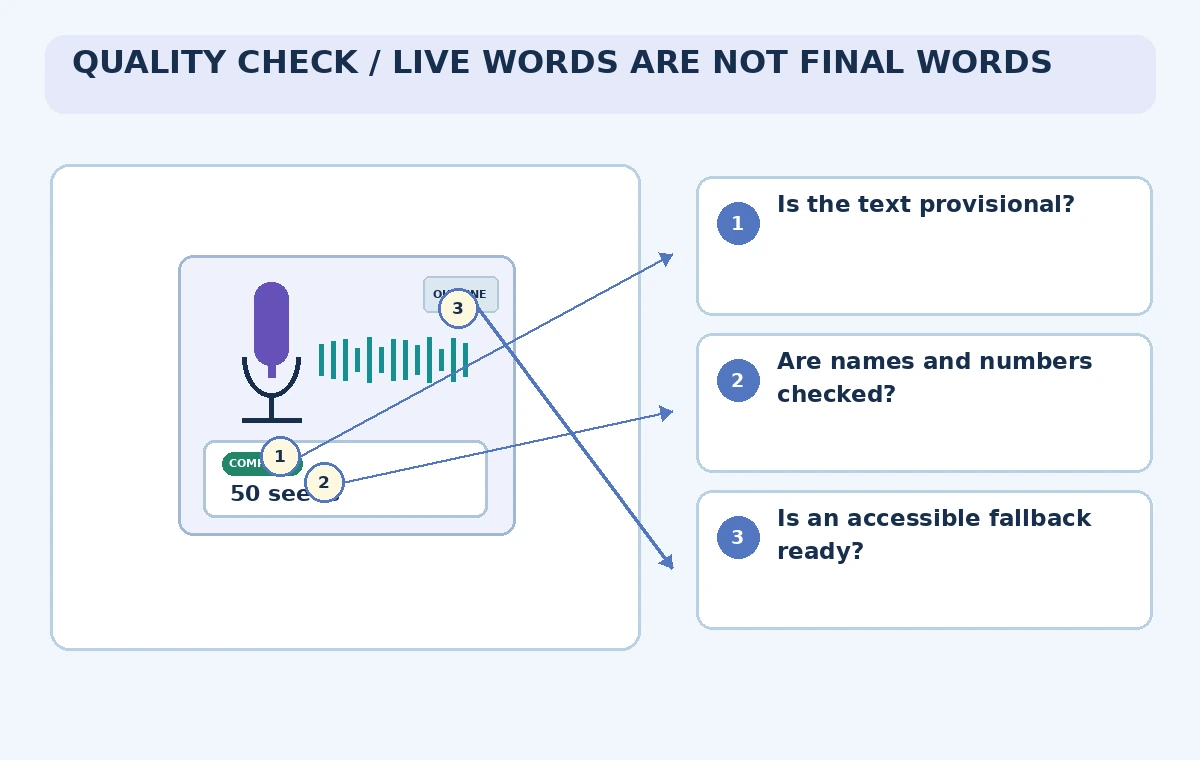
At the end of the session, have a responsible editor reconcile completed turns with the workshop script and any approved corrections. Keep the live transcript separate from the polished post-event article. Do not claim that a transcript proves what a participant consented to or what a person physically demonstrated. Captions are assistance, not an authenticated meeting record.
The verification scheme traces consent, provisional display, final reconciliation, and quantity review. Record unverified names as unresolved instead of guessing. Archive only what the approved retention plan permits. As documentation and APIs change, retest the event types, model availability, and client behavior before public use. This article reports no live deployment, accuracy score, or tested service-level guarantee.
How We Research
For our November 5, 2026 documentation review we consulted the following named official sources: OpenAI API: Realtime transcription; OpenAI API: Transcription workflow overview; OpenAI API: Voice activity detection. We checked vendor-described product capabilities and known limitations, then mapped them to a fictional use case with explicit human review gates. We did not sign in to a paid account, send real documents or audio, run generated code, publish a live website, generate video through the vendor, or measure results. All images are original explanatory art rather than screenshots or test evidence. Version availability, access conditions, data terms, and legal responsibilities can change; check the latest official docs and your organization’s approved source materials before using this workflow.
Frequently Asked Questions
A delta is provisional incremental text; the completed event represents the committed audio turn.
No. OpenAI says it does not return speaker labels, word timestamps, or transcription confidence scores.
Usually use the documented file-transcription workflow for already recorded audio.
No. Context hints are not guarantees; verify consequential names and quantities independently.
No. The seed-exchange scenario and caption states are hypothetical.