
An independent coffee brand wants illustrations of a distinctive teal travel mug in three fictional scenes. The reference should guide the color and silhouette, while the text prompt controls setting and negative space. Midjourney image weight, written `–iw`, can change how strongly an Image Prompt influences a new result. This guide shows a controlled editorial evaluation of a mug reference without promising product-level fidelity or treating any generated concept as a photograph.
Separate reference identity from composition instructions
Start with an authorized photo showing the mug front and handle clearly. Write a fixed brief: teal travel mug with a round handle on a light wood counter, warm window light, ample headline space on the right. Mark visual facts that matter, such as the handle attachment, body color and approximate proportions. Mark setting, props and crop as creative choices. Do not upload a customer image or a manufacturer photograph without permission. The key distinction is that a reference is inspiration, not a guarantee of faithful reproduction. Midjourney explicitly describes Image Prompts this way in its official documentation. If the exact physical product must be represented, retain the real packshot and use generated art only as an appropriately labeled concept.
Build a fair three-variation comparison
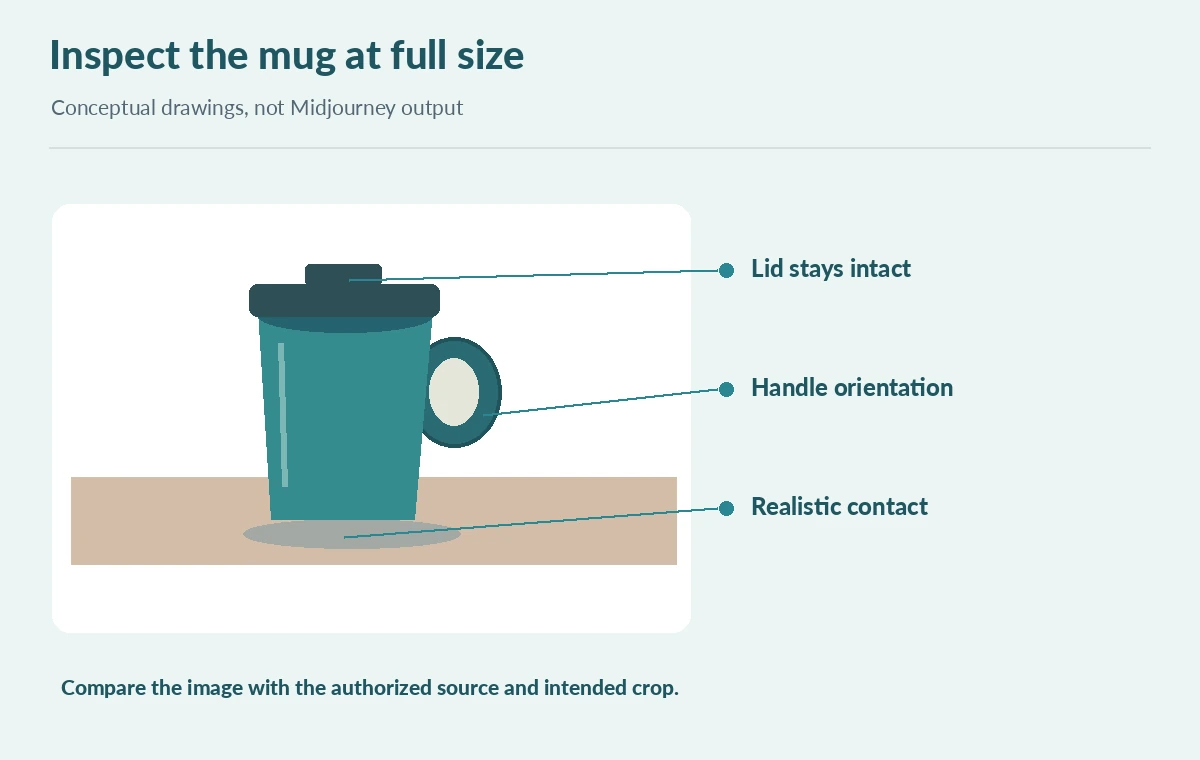
Use the same text prompt, reference image, aspect ratio and selected model for all candidates. Change only the image weight between a lower influence, the documented default, and a higher influence within the range actually supported by that model. Write down each setting rather than labeling examples “accurate” or “inaccurate” before examining them. A useful working sheet has columns for reference color, handle shape, scene fit and available copy space. The diagram illustrates possible differences as editorial drawings, not actual Midjourney outputs or measured performance. If a detail unexpectedly changes, ask whether the prompt is ambiguous before increasing image weight. One change at a time produces a more explainable decision.

Check version support instead of copying old numerical limits
The Image Prompts guide lists a default `–iw` of 1 and a range of 0–3 for V8.1 and V7, and 0–2 for Niji 7. Those version-specific entries should not be silently presented as confirmed V8.2 ranges. The version guide describes V8.2 as the current default, so inspect the live interface and current parameter help before suggesting a particular extreme setting for V8.2. This matters because Midjourney may reject unsupported numbers or change reference behavior between model families. When publishing examples, show the recorded model, setting, prompt and reference permission, not a claim that one parameter value has universal impact.
Review the reference in more than one crop
Image Prompts are sensitive to the supplied image content and framing. Midjourney recommends cropping an input to match the intended output aspect ratio for best results. Keep one original authorized source, then prepare a crop in which the mug remains fully visible; record which version was used. Review the resulting image at article-column width and again at 100 percent. A thumbnail may retain the teal shape yet alter the lid, handle or shadow. When an image is meant to sell the actual item, those inaccuracies are material. An editorial illustration can tolerate more stylistic freedom if the page does not imply the scene was photographed. Preserve room for live text rather than asking the model to spell a headline.

Compare –iw against different reference mechanisms
Image weight controls the influence of an Image Prompt; it is not the same as Style Reference, Personalization or the Edit Model. Style references guide the visual look, while an image prompt contributes visual inspiration from a source. The newer V8.2 Edit Model addresses editing with references, but the exact outputs still require inspection. Do not assume that a larger `–iw` locks a product trademark or guarantees a consistent shape across a campaign. If a precise catalog cutout is needed, edit the real product photo rather than asking for a new fictional rendering. This boundary also prevents the image-weight guide from duplicating a general Blend or multi-reference tutorial.
Make a decision sheet instead of a fictional quality score
Choose one candidate for each criterion rather than calling all of them winners: best object outline, strongest negative space, and clearest product-versus-concept disclosure. For every candidate, note observed changes in lid geometry, handle orientation and reflections. Mark decisions as editorial judgements, not benchmark findings. An example review might say “handle shifted to the back; unsuitable for an exact product listing” or “well-composed conceptual illustration, not a packshot.” Keep prompts and settings with the files. The review sheet should include an explicit human sign-off and the intended publishing context. If no candidate preserves a critical product trait, stop generating variations and reconsider whether AI imagery is the right input.
Publish the concept only with a provenance note
Archive the authorized source image, crop, selected model version, each prompt, tested image weights and the approval note. Export both the concept image and a separate real packshot when the content involves actual merchandise. Check logos, lettering, seams and reflections at full resolution before final delivery. Avoid assigning percentage improvements or product accuracy scores without a genuine measurement method. The practical deliverable is a transparent test record and a crop-ready conceptual illustration, not evidence that Midjourney can reproduce the product. The diagrams are original teaching graphics of a teal mug and were not generated with Midjourney. That distinction matters whenever a visual comparison could be mistaken for a software test.
How We Research
On October 28, 2026 we reviewed Midjourney Image Prompts and Image Weight and the official version page. They establish the parameter purpose and version-scoped ranges, not a universal V8.2 numerical limit or an exact-product guarantee. The mug concepts and three-option decision sheet are purpose-drawn examples; we did not run Midjourney or measure image fidelity.
Frequently Asked Questions
No. Higher image weight increases reference influence, but Midjourney describes references as inspiration, not exact copying.
The Image Prompts documentation currently lists a default of 1 for V8.1, V7 and Niji 7; confirm the model being used.
No. The published table is version-specific. Check the live parameter controls for V8.2.
Midjourney recommends matching reference crop to the intended output aspect ratio when possible.
Use a verified packshot wherever an exact real product, label or specification is being represented.