
A product-style still life can be unusable even when its colors and lighting look right: a fruit bowl appears beside the ceramic teapot, an invented logo lands on the cup, or a stray label distracts from the subject. Midjourney has a documented `–no` parameter for excluding named items. It helps set intent, but it does not replace careful composition or a final visual review. This guide builds a reusable tea-table brief and explains when to describe what belongs in the scene instead of stacking more exclusions.
Define the actual subject and the avoid list before generation
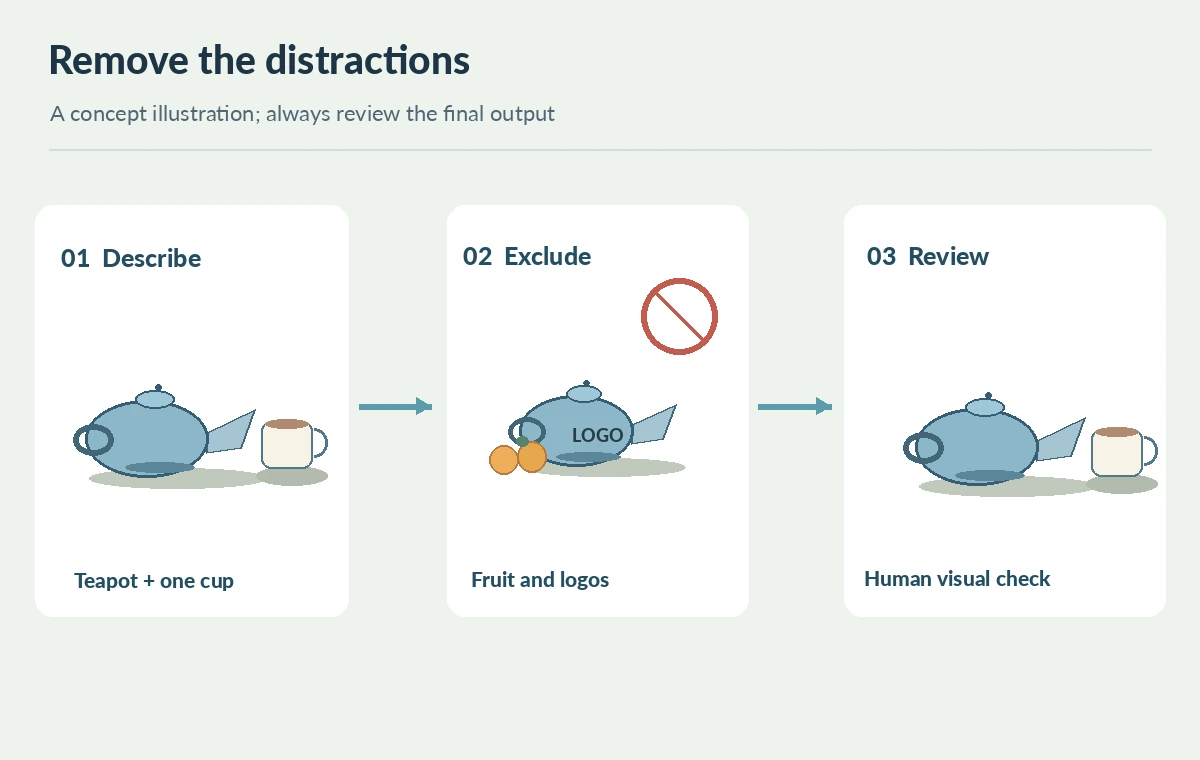
Start with a single art direction sentence: “A blue ceramic teapot and one matching cup on natural linen, soft window light, warm neutral tabletop.” Make a second list of elements that would make the asset unusable: fruit, printed logos, watermarks, people, extra dishes. Keep essential details positive, such as the number of cups, material and light direction, rather than asking the model to infer the desired scene from a long catalog of prohibitions. The official Midjourney prompt basics guide recommends specific wording and focusing on desired content. For a production illustration, decide which features are mandatory and which are simply aesthetic preferences. This prevents a reviewer from treating every decorative variation as a failure. Store the approved brief, not merely a screenshot of an attractive output, so a colleague can recreate the intent.
Use –no as a parameter, not a conversational instruction
Midjourney documents placing `–no` at the end of a prompt, followed by excluded words separated with commas. A concise example is `blue ceramic teapot and one cup on linen, soft window light –no fruit, logo, lettering`. Compare that with writing “without a logo” in the descriptive sentence: the official No parameter page specifically recommends the parameter over casual negative phrasing. The exclusion list should name recognizable objects rather than broad concepts that might erase something valuable. For instance, forbidding “table” would conflict with the planned tabletop. Avoid promises that the parameter guarantees a clean picture; it is guidance to the model, and the final output may still need manual repair or rejection.
Watch for the multiword exclusion trap
The subtle pitfall is that Midjourney interprets words in the exclusion independently. Its documentation gives the cautionary example `–no modern clothing`, which may be understood as excluding both “modern” and “clothing.” Do not use a vague phrase such as `–no extra cup on left`: the model may reduce cups generally instead of targeting the left side. Replace it with a stronger positive composition, “one cup to the right of the teapot,” and reserve `–no` for a narrow list of objects. If an instruction is ambiguous or might be misread, rewrite it as an approved feature. This rule is especially useful for packaging concepts, where the absence of extra brand marks matters but the presence of a real product label may be mandatory.
Run a controlled prompt comparison, not a score contest
Create a short review grid with a baseline positive prompt, the same prompt with `–no fruit`, and a third version with a more precise positive layout. Keep model, aspect ratio and the rest of the prompt unchanged where the interface allows, and record what changed. Inspect whether the teapot, cup, handle and tabletop remain coherent; do not merely count which variant looks prettiest. Treat each output as an illustration candidate, not measured evidence of parameter reliability. If a candidate introduces an extra saucer, annotate the issue and revise only the relevant phrase. Once a composition meets the brief, move to a separate readability and crop check instead of adding an unlimited series of exclusions that may distort the image.

Review exclusions and invisible product claims separately
Check both unwanted and required content: no fruit, no invented logo, no misspelled text, exactly one intended cup, a teapot with a plausible spout and a consistent handle. Also check whether the image implies facts about a real product. A generative still life must not be presented as a documentary photograph of inventory, ceramic glaze or manufacturer markings. If a real branded item is being advertised, photograph that product or compare generated context against verified packshots. Use editable HTML for marketing copy instead of embedding it in the illustration. At thumbnail size, inspect the teapot silhouette and the empty copy area; at full size, inspect edges, reflections and any tiny pseudo-letters hiding on pottery.
Save a reusable prompt and a human acceptance note
Deliver the approved prompt, exclusion list, aspect ratio, source/rights review, chosen output and a short checklist for the next editor. The checklist should state “teapot and one cup present,” “fruit and logos absent,” “no invented label,” and “space available for live text.” Record any manual object cleanup separately from what the generator produced. Avoid promising identical outputs from a reused prompt or claiming measured success without running a documented test. Midjourney parameters and model behavior can evolve, so the final handoff should link the current parameter reference rather than assuming examples remain universal. The UVU is a practical do/don’t decision sheet that can be used for another still-life brief.

How We Research
On October 28, 2026 we reviewed the Midjourney No parameter reference and Midjourney Prompt Basics. These sources support the syntax, comma-separated exclusions, word interpretation warning and recommendation to describe desired subjects positively. The teapot scenes and comparison grid are conceptual editorial drawings; we did not generate or benchmark Midjourney outputs. The checklist is a suggested reviewer process, not a claim that the parameter always succeeds.
Frequently Asked Questions
No. Midjourney explicitly documents a dedicated `–no` parameter for exclusions.
Yes. The official instructions show multiple comma-separated terms after `–no`.
Midjourney reads excluded words individually, so broad phrases may suppress more than intended.
No. Review every output, including tiny text-like marks, before publishing.
The positive prompt, concise avoid list, output, rights note, and a final human image-quality checklist.