
Combining two images with Midjourney is not the same as cutting out one object and pasting it into another photo. A blend is a new interpretation of visual information, so the composition, distinctive objects, and fine details may change. This guide separates Midjourney’s Discord /blend command from its more flexible Image Prompts, then gives a repeatable source-selection and review process. The example uses an invented lighthouse illustration and a botanical print; no actual Midjourney generation or output-quality test was performed.
Choose the right operation before uploading anything
Midjourney documents /blend as a Discord command that combines two to five input images without a text prompt. It defaults to a square composition, with optional portrait or landscape dimensions. On the website, adding multiple image prompts without text serves a similar creative purpose. However, if the editor needs to say “keep the lighthouse and move the foliage to the foreground,” ordinary Image Prompts with descriptive text offer more explicit guidance. Neither operation is a precise layer compositor. For a product logo, a regulated label, or a person whose exact likeness must survive, use conventional image editing instead of assuming the generation will preserve every pixel. Define the creative aim in one sentence, such as “lighthouse silhouette with botanical color and texture,” before choosing the tool.
Prepare two references with compatible shapes
Start with images you created or are licensed to reuse. Save their original files, record the creator and permitted uses, and crop working copies to approximately the same proportions. A portrait photograph blended with a wide panorama can produce severe cropping; use two similarly framed images if their essential subjects must remain recognizable. Put the lighthouse near the upper-left third and leaf shapes along the right edge so there is useful negative space between them. Remove embedded words from your reference images, because generated lettering may be unreliable. Finally, distinguish subject references from mood references in a small brief: lighthouse = subject and silhouette; botanical pattern = palette and surface texture. That distinction gives the editor a concrete standard for evaluating each output.
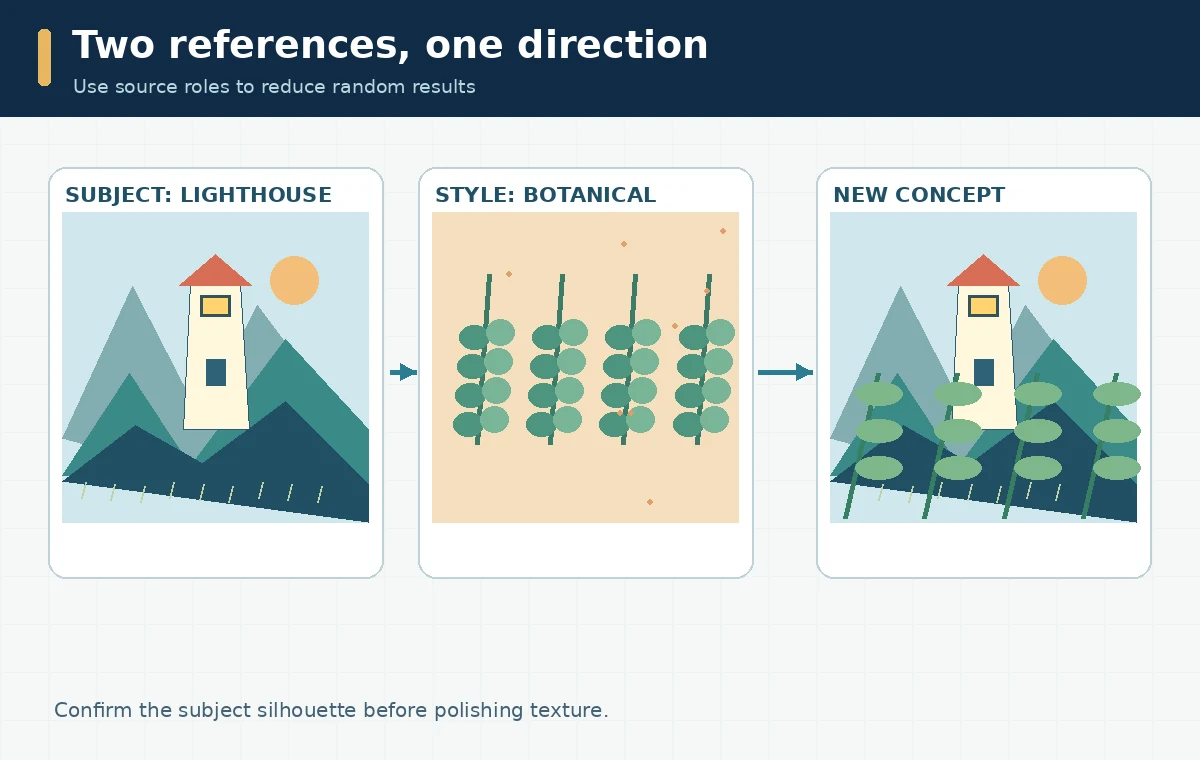
Use /blend in Discord for an image-only experiment
In a Discord channel where the Midjourney bot is available, enter /blend, attach at least two images, and add more inputs only when needed. Midjourney’s current documentation permits up to five images in this command and offers an optional dimension setting. Do not enter instructions expecting /blend to understand them; the documented workflow uses images only. Keep an unchanged source copy and note which files went into the experiment. If the two sources pull the design in opposite directions, revise the crops instead of repeatedly generating without learning anything. The useful result of a first round is a composition candidate, not an approved final file. Inspect whether the lighthouse is still readable and whether the botanical texture has become noisy or obscures its shape.
Switch to Image Prompts when text must steer the outcome
On the Midjourney website, add multiple images as Image Prompts through the Imagine bar; use a descriptive prompt to explain the desired finished picture. Midjourney specifically distinguishes a multi-image, no-text blend from a multi-image prompt that includes written direction. For example, describe “a small white lighthouse on a rocky coast, broad fern leaves framing the view, screen-print texture, no text,” rather than giving edit instructions that assume exact replacement of objects. The documentation also distinguishes image prompts from style references and edit references. Do not present a reference prompt as a guarantee of identity, exact placement, or licensed rights. Review changes one variable at a time: source crop, prompt description, and aspect ratio. Keep the best candidate and why it fits the brief.
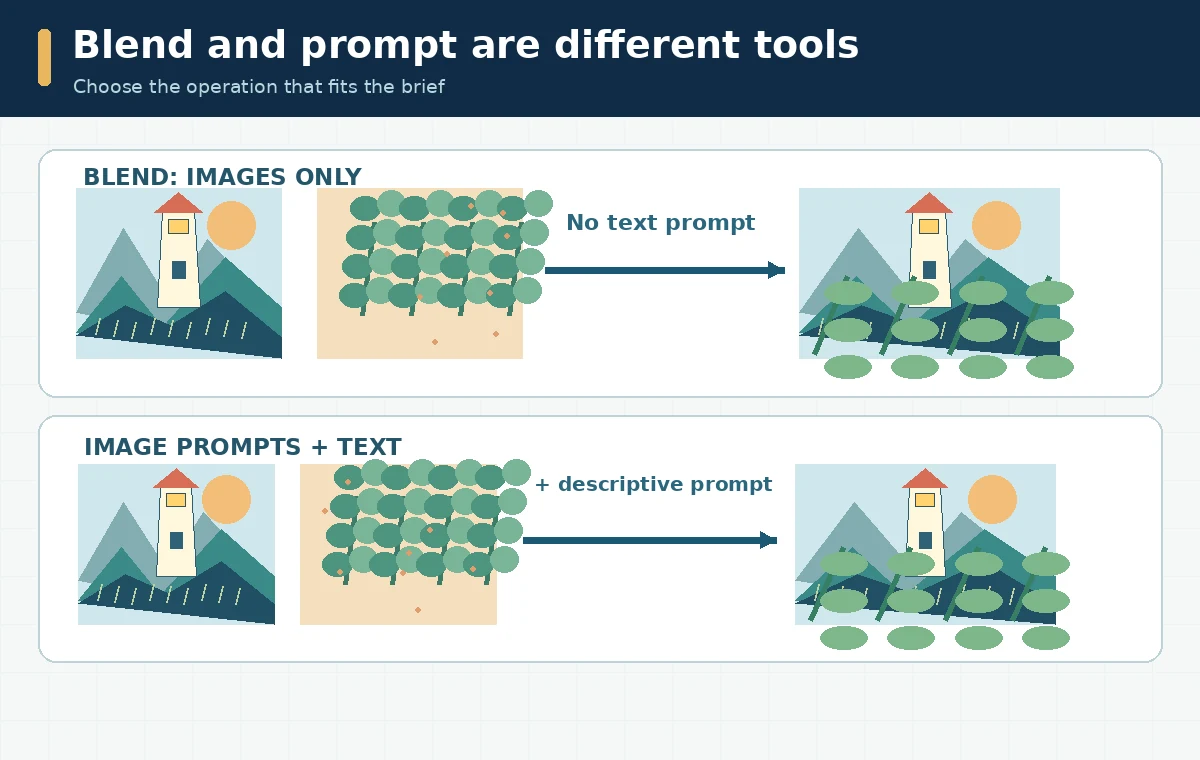
Evaluate the result with a four-part visual rubric
At full size, check the main silhouette first: could another person identify the lighthouse without knowing the prompt? Next check spatial logic, including whether the coastline, windows, and shadows agree with each other. Third, inspect the leaf texture at edges where it touches the building; merging artifacts often appear there. Fourth, confirm there is enough clean space for any headline that will be typeset later in an editor. A rating sheet can use Pass, Fix, or Reject for each check; it does not need an invented numerical image-quality score. If the image fails at the concept level, return to source selection. If only a tiny edge needs repair, choose an editable local workflow rather than blending an entire scene again.
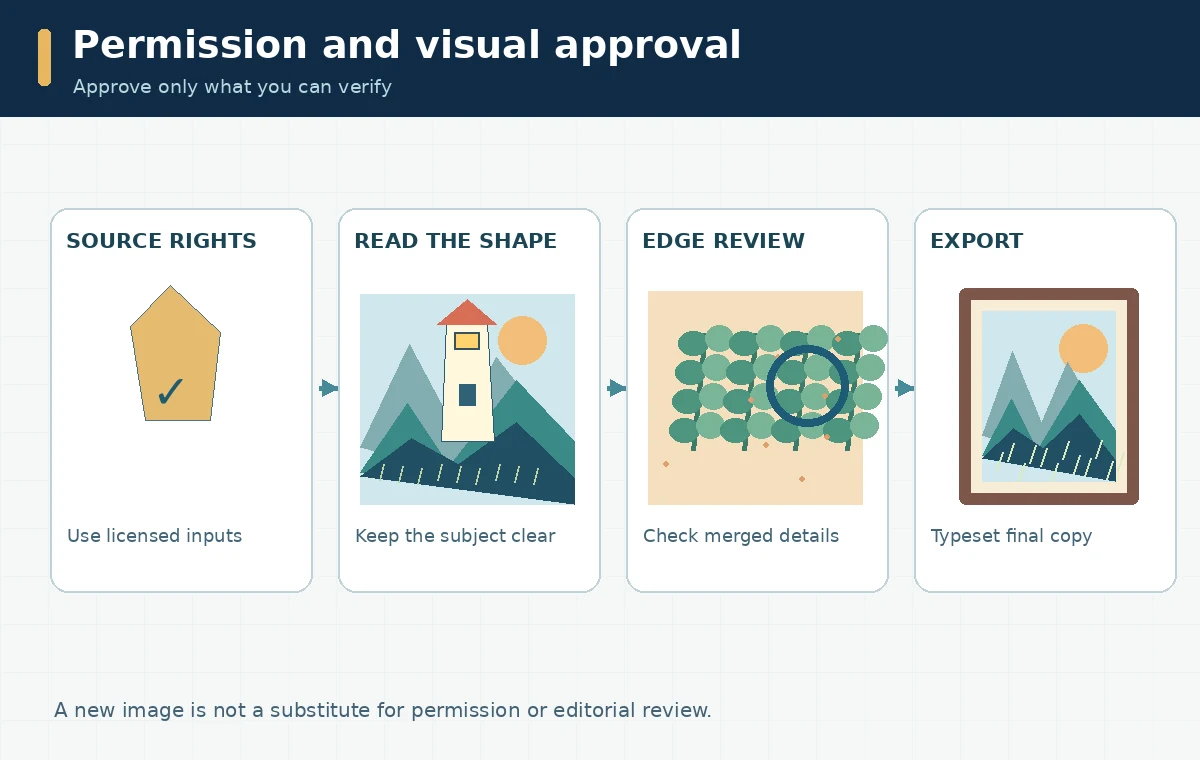
Review privacy and permissions before sharing
Midjourney’s terms make the person uploading images responsible for having the necessary permissions, and its help center explains that creations in shared spaces can be publicly visible. Do not upload a client’s confidential product photographs or a person’s private portrait simply because the interface accepts the file. Obtain approval for any recognizable likeness, copyrighted artwork, or brand mark used as a source. Midjourney describes commercial ownership conditions and exceptions in its current help pages, but those terms do not remove third-party rights or guarantee copyright protection. Record the source licenses, generation date, and intended distribution alongside the chosen asset. For marketing, also ensure the resulting picture does not imply that a real person, venue, or organization endorsed something.
Turn the experiment into a usable deliverable
Export the approved output, verify its pixel dimensions, and perform a final mobile-size crop test. Keep final text and logos in editable layers outside the generated artwork, especially when exact spelling matters. Deliver a small package that includes the final image, its editable design file if applicable, a one-sentence creation description, and the source permission record. If the brief requires strict layout fidelity, consider a masked composite in a dedicated editor instead. The important outcome is not the number of blends produced; it is a documented decision about whether the generated composition meets the intended use. This narrow workflow is different from a general Midjourney review or a guide to choosing an AI image generator.
How We Research
We checked Midjourney’s official Blend Images in Discord guide, Image Prompts documentation, and terms of service on October 28, 2026. We contrasted their documented functions with an editorial approval checklist; we did not run /blend or perform a benchmark. We distinguish documented product behavior from illustrative editorial workflows and do not assert personally tested output quality or a feature outside the cited product documentation.
Frequently Asked Questions
The documented Discord /blend command accepts two to five images. For more references, Midjourney points users toward regular image prompts.
No. The documented /blend flow uses images only. Multiple Image Prompts alongside text are the appropriate route for descriptive guidance.
No. A blend is a generated interpretation. Crop and review the source images, then use conventional editing when exact pixels or identity must be retained.
No. You must assess Midjourney subscription terms, source-image permissions, third-party rights, and the intended context independently.
Align their approximate aspect ratios, define which reference contributes the subject and which contributes the style, and review a draft for silhouette and edge integrity.