
A public library is testing a self-service checkout kiosk with made-up patron data. During one session, the receipt button fails to respond after the tester switches languages. A short screen recording shows what happened, but it does not yet prove that the problem affects every language, browser or patron account.
Loom documents AI Workflows that can turn recordings into work items with descriptions, reproduction steps and video links for Jira or Linear. The example here is a fictional bug-review workflow, not a submitted ticket or a real tested defect. Any screen illustrations show the distinction between observed evidence and an invented generalization.
Record a safe, reproducible test rather than a customer incident
Use a staging kiosk or an authorized test environment with a synthetic account, dummy book title and no real library-card numbers. Confirm that recording is permitted by the institution and avoid capturing nearby patrons, browser notifications or access tokens. Prepare a simple test script before recording: open the check-out screen, choose the second language, complete a test checkout and press Print Receipt.
This creates a meaningful sequence to compare against the output. If the issue occurs only once, record that limitation rather than calling it consistently reproducible. Keep timestamps and the application version when available.
Confirm the actual spoken and visible evidence
Inspect the Loom recording directly before requesting AI drafting. The cursor movement, button state, visible error text and tester narration are different kinds of evidence. A transcript can contain a spoken guess that should not be turned into an established cause.
For instance, “maybe this fails for all languages” is not proof of a multi-language defect. Annotate the exact second when the receipt button fails to respond, and separately note which screen and test data were present. Restrict the Loom video’s sharing permissions and remove anything sensitive before attaching a link to a wider ticket.

Check AI Workflows access and Jira integration conditions
Loom says AI Workflows are part of its eligible AI suite. For first-party Jira creation, the account must be linked to Atlassian, the Loom workspace generally needs Business + AI or Enterprise access with AI enabled, and an active Jira site must use the matching account. The documented third-party Jira integration may be an alternative when those requirements are not met.
Confirm the project, issue type and access permissions before attempting to create a work item. Some options are unavailable in mobile workflows. Do not promise that every Loom subscription can file an issue automatically.
Generate a draft, then rewrite the reproduction steps
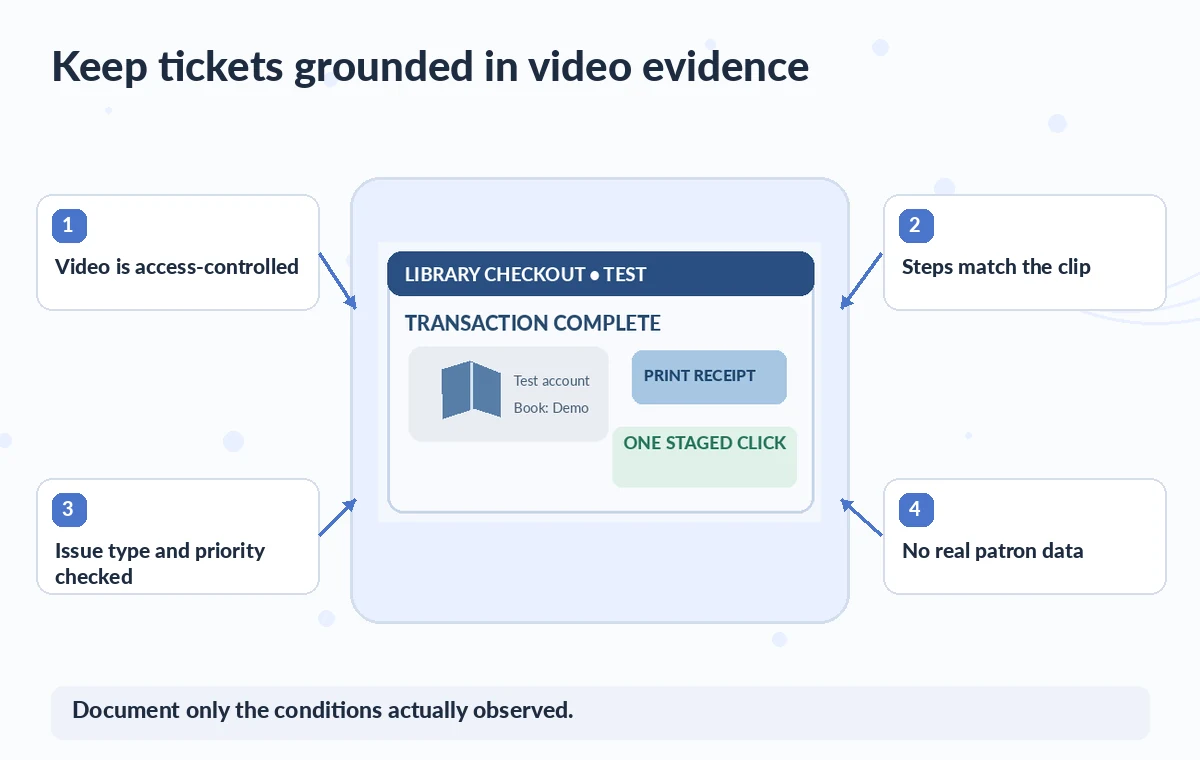
The Loom Workflow can generate a short report, suggested steps and a link to the recording. Compare each step against the actual video and the test script. A risky hypothetical AI description says, “All customers cannot print receipts”; the footage only demonstrates one unsuccessful click in one staged session.
Replace that broad claim with the observed sequence, clearly labeled expected and actual behavior, and environment details. If the defect cannot be reproduced twice, say “observed once” and assign a reproduction task. Do not claim a root cause merely because the interface looks like a familiar failure.

Use precise expected-versus-actual wording
Expected: after a valid staged checkout, Print Receipt should trigger the approved confirmation or printing flow. Actual in the example: no response was visible after one click in the translated interface. The screen image should show a button and a time marker, not an imagined error dialog that never appeared.
If a toast or loading spinner did appear, report it accurately. Attach the relevant clip segment if your workflow allows it, but retain context before and after the failure so a developer can see prerequisites. Avoid attaching personal data, security-sensitive logs or private account information.
Review the Jira draft before using Create in Jira
Loom documents a review step in which the user selects a Jira project and completes work-item details before creation. The connected project may carry default type or priority values, especially through the third-party route, so verify those rather than accepting them.
Set an appropriate owner and a conservative priority derived from impact evidence, not the AI’s confident wording. Confirm that the video link inherits suitable permissions for the intended engineering group. A ticket containing a fabricated “always fails” claim can waste an investigation even if every button in the integration worked exactly as designed.
Protect video, logs and internal issue visibility
Check Loom workspace defaults and the Jira project’s visibility independently. Linking a video does not automatically make its contents harmless for broader audiences. Tech stacks can capture email addresses, authorization headers or customer data in browser panels; do not include them unless strictly necessary and authorized.
Consider recording a clean repro rather than blurring a live patron’s activity. Log which reviewers had access and when the clip may be deleted. If a developer asks for network logs, use a separate approved secure channel and never paste credentials into an AI prompt to make the report seem more complete.
Close the loop only after an independently confirmed fix
After engineers investigate, attach their verified test result and update the ticket status manually under team policy. A generated reproduction guide is not a pass/fail test. Re-run the issue in the same environment and in relevant nearby settings, then check that the receipt workflow and localization still behave correctly. Keep the earlier recording and ticket changes for a useful audit trail, subject to retention rules. Loom is helpful for turning a video into a structured starting point; the final defect description, severity and resolution must remain evidence-based human decisions.
How We Research
We prepared this guide on November 4, 2026 by reviewing developer documentation: Loom: Use AI Workflows; Loom with Jira and Confluence; Loom AI features. We checked what each named function can do, its documented plan or format constraints, the available controls and the documented review and handoff points. The project examples are hypothetical teaching scenarios, not real software trials, customer records, measured benchmarks or evidence of a particular output. The original diagrams show the risks editors should inspect; they do not reproduce or impersonate product screenshots. For a live assignment, verify the current feature availability, rights, security requirements and output against the real source materials, then require a named human to authorize release.
Frequently Asked Questions
Loom documents work-item drafts with short descriptions, suggested reproduction steps and links back to the recorded video.
No. Loom documents eligible AI-suite subscriptions and specific first-party Jira account and site requirements.
No. A video demonstrates its observed test conditions only; broader impact requires independent reproduction and evidence.
No. Review the chosen project, type, priority, access and report wording before creating the issue.
Avoid it. Use staging and fictional accounts, restrict access, and remove or replace any accidentally captured sensitive content.